Remove Wrinkles from Photos Online for Free
Fotor's online wrinkle remover can easily remove wrinkles from your face and body, smoothing your skin to fight aging and reclaim your youthful glow. It can even remove creases in clothes or blemishes in objects in photos, naturally perfecting every image.
✨HD Results 🛡️Secure ⚡2 Secs Removal



Click or drag an image here to edit
Click or drag an image here to edit



Fotor trusted and loved by





Learn about Fotor's upload formats and requirements. See how we use your content in our Privacy Policy.
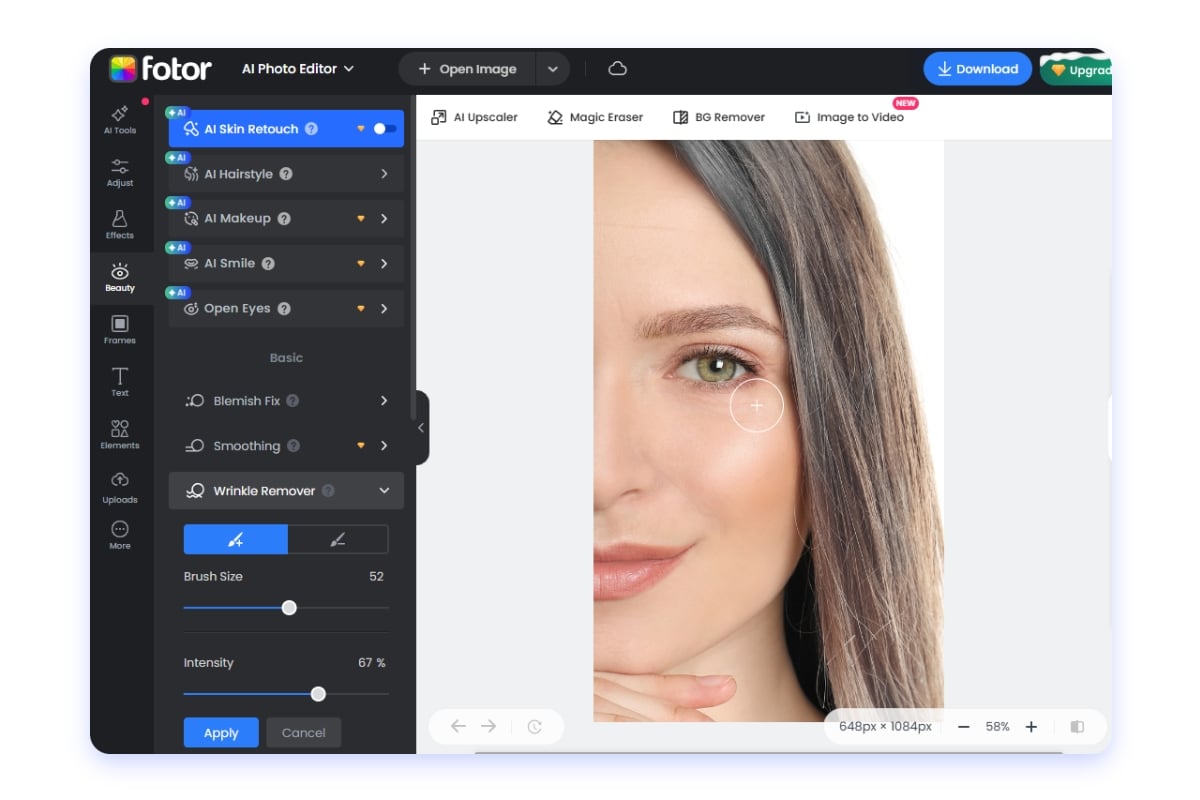
How to Remove Wrinkles from Photos?
- Click the "Upload Image" button to enter our online wrinkle remover. Upload the picture you want to edit.
- Adjust the brush size and intensity, then use your mouse to brush over the image to remove wrinkles. You can also use the restore brush to revert changes if needed.
- Once your photo achieves the desired effect, click the "Download" button to save it. JPG and PNG formats are supported, as well as high-resolution downloads.
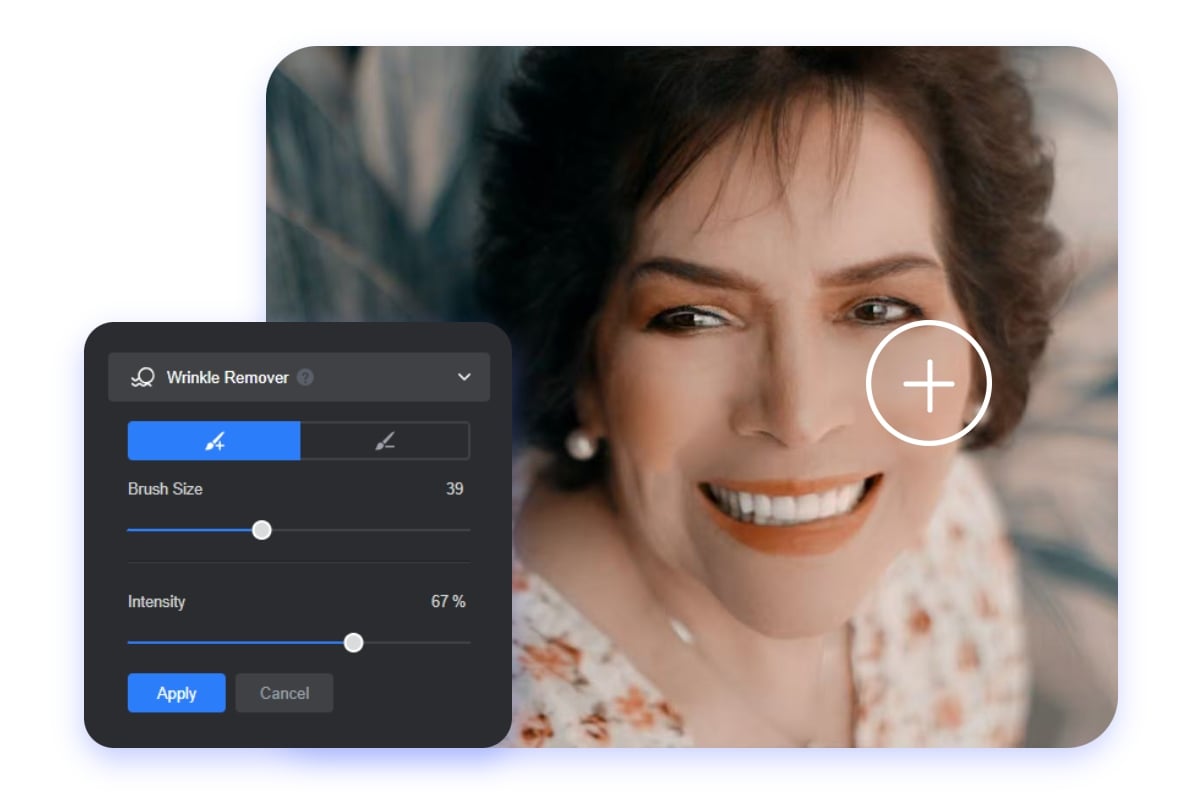
Remove Wrinkles from Your Photos with Precision
Are you bothered by wrinkles in your photos? Fotor's online photo wrinkle remover helps you smooth out wrinkles in your photos. It analyzes the surrounding pixels and gently smooths wrinkle areas while preserving natural facial details such as pores, lighting, and contours.
Just upload your photo to our photo editor, and our magic brush will naturally retouch any area. Also, you can adjust the brush size to precisely remove wrinkles from pictures. Make your photos look more natural and flawless.
Remove Wrinkles for Face, Body, Clothes, and More
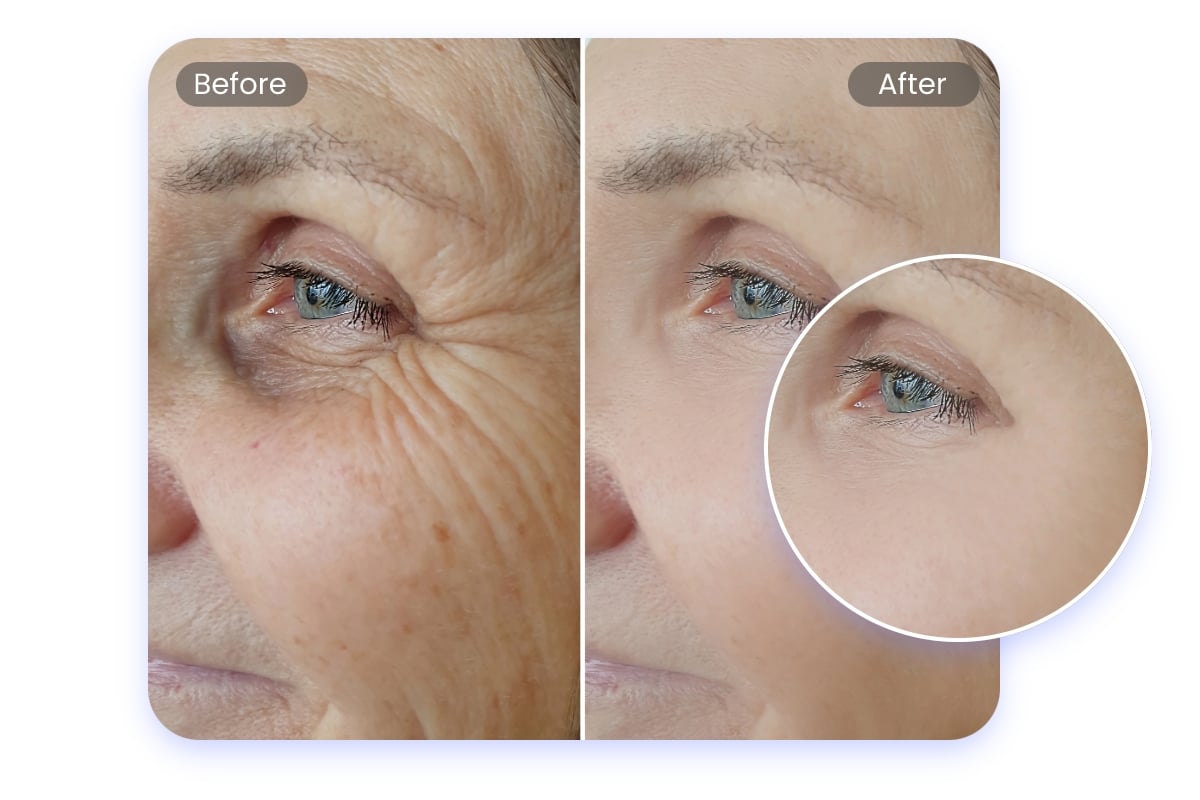
Photo Wrinkle Remover for Your Face
As we age, wrinkles on the face are inevitable. Our face wrinkle remover can effectively remove wrinkles from any part of the face, including crow's feet around the eyes, forehead lines, fine lines on the cheeks, lip lines, and nasolabial folds. It can quickly remove them, restoring the youthful appearance in your photos.
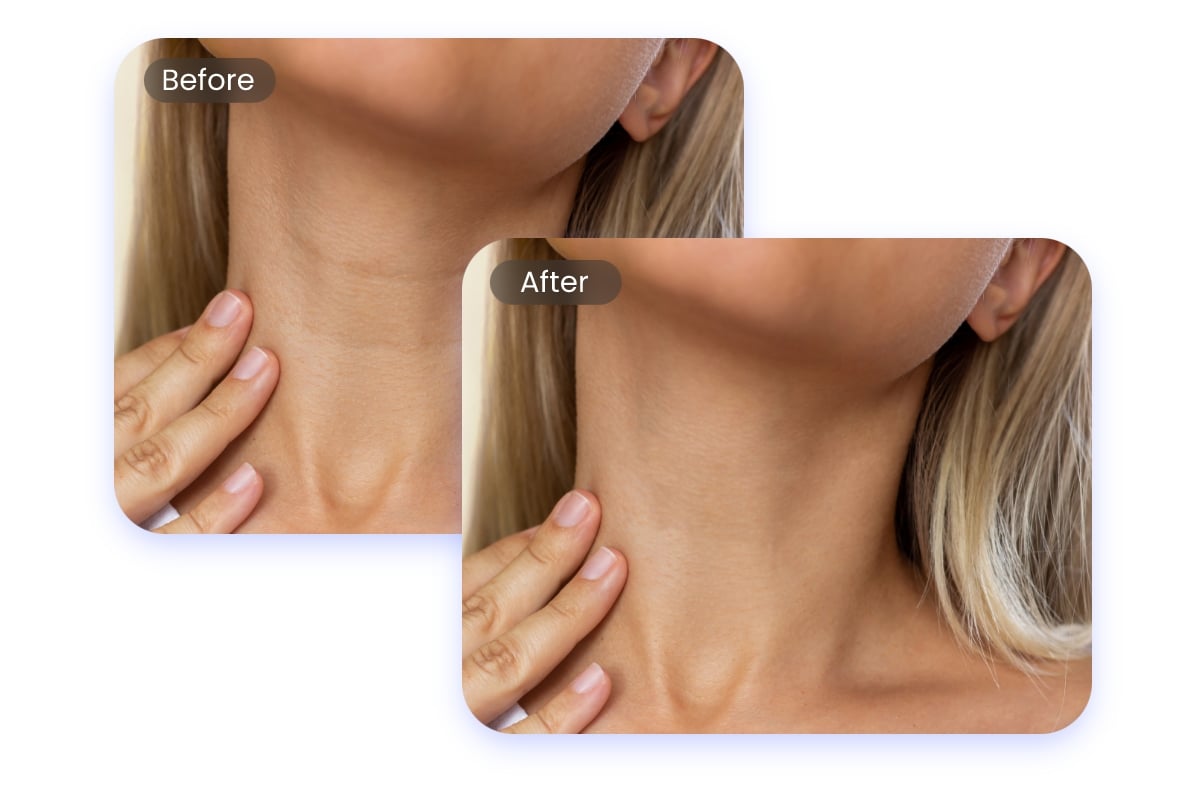
Photo Wrinkle Editor for Your Body
Loose and aging skin often comes with wrinkles. Our photo wrinkle remover is also a body photo wrinkle eraser, instantly removing neck, hand, and wrinkles in other areas of your body. This smooths your skin and makes you confidently and beautifully showcase yourself in photos, free from the constraints of age.
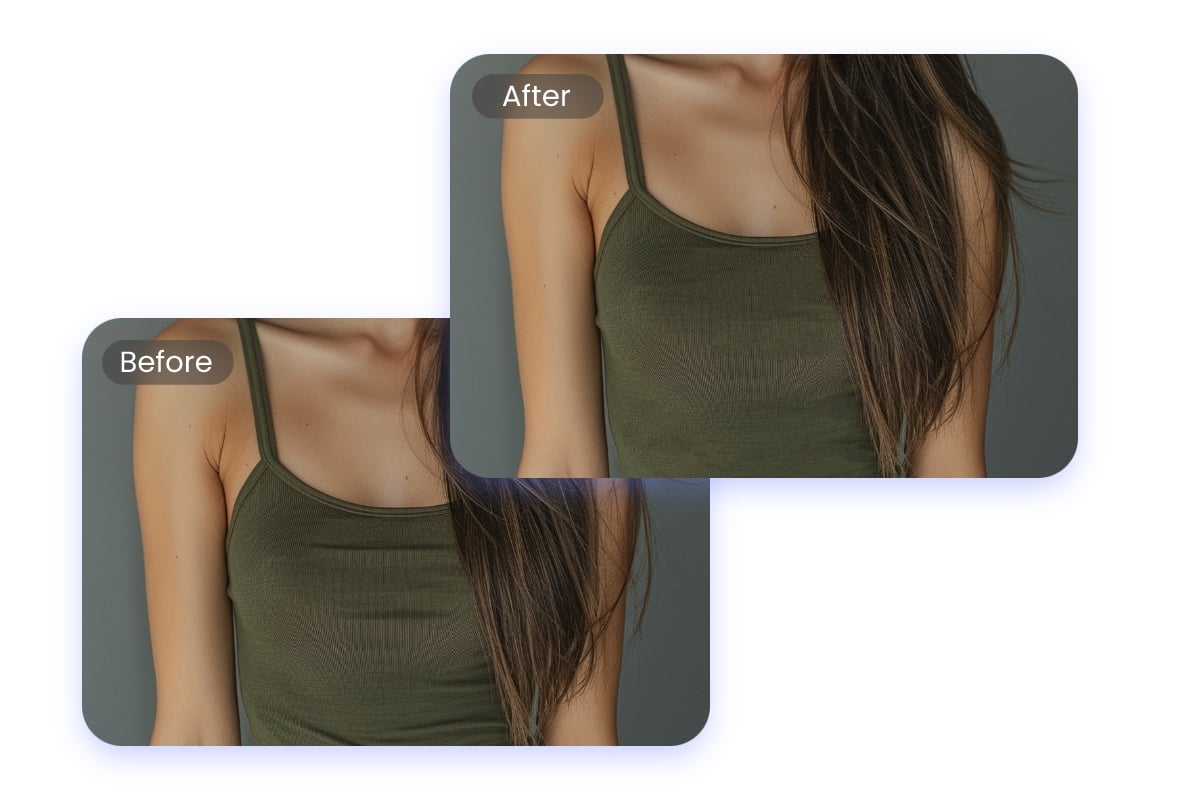
Erase Creases from Your Clothes Photo
Creases in clothes are common when taking photos. Our Clothes photo wrinkle eraser can effectively remove wrinkles from your clothes photos. Just a few clicks to smooth out the clothes in your photos. You can also use it to remove creases and flaws from other parts of the photo, achieving the most perfect results.
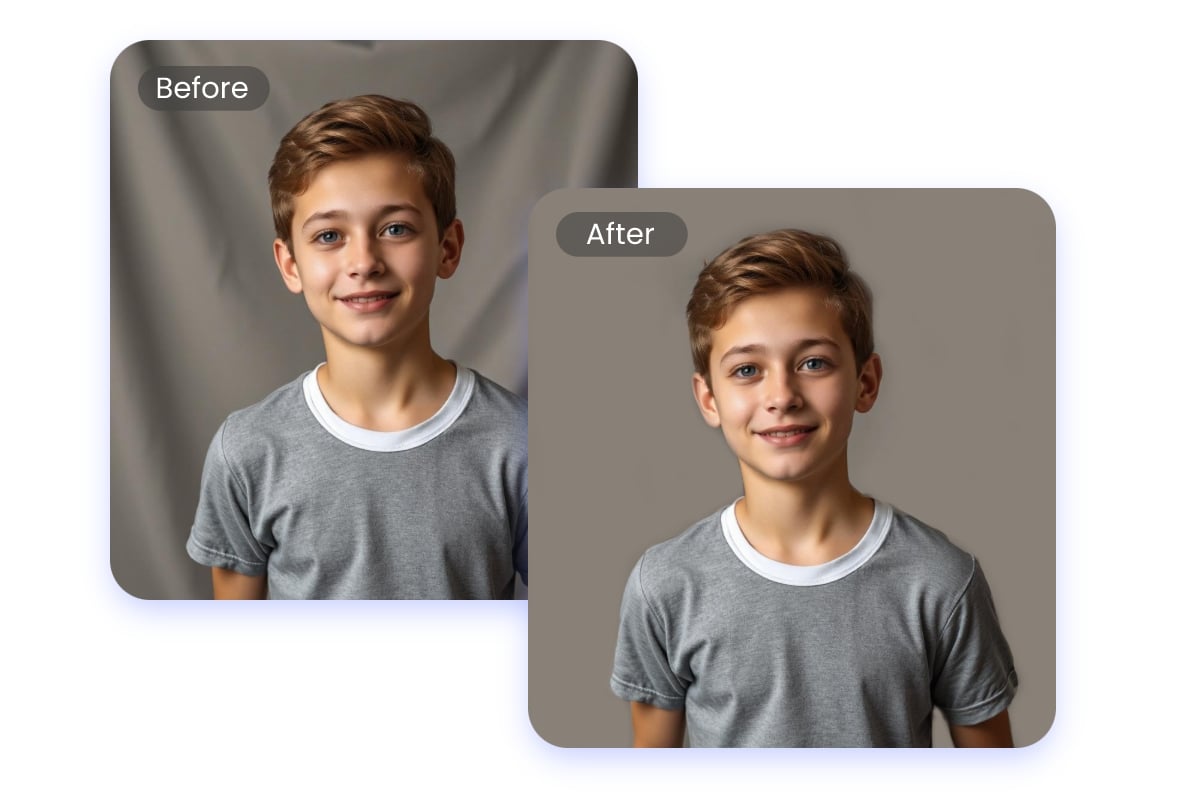
Smooth out Wrinkles from the Photo Backdrop
Background wrinkles can sometimes detract from a photo's overall aesthetic. Our background wrinkle remover can remove backdrop wrinkles from your photos based on your needs, making your photos cleaner while highlighting the subject, avoiding visual distractions, and improving image quality. It is highly suitable for photography, advertising, and product displays.
Why Choose Fotor’s Image Wrinkle Editor?
![easy to use icon]()
Easy to Use
No complex steps or professional techniques are needed; just use our magic brush to smooth out wrinkles.
![Accurate generation icon]()
Natural Remove
Our wrinkle removal feature preserves the details in your images while removing wrinkles naturally and seamlessly.
![No watermark icon]()
No Watermarks
From upload to editing and downloading, the entire process is watermark-free, ensuring your images remain clean and flawless.
![High quality icon]()
High-Quality Output
The wrinkle removal process does not compromise your image quality and supports high-quality, high-resolution downloads.