

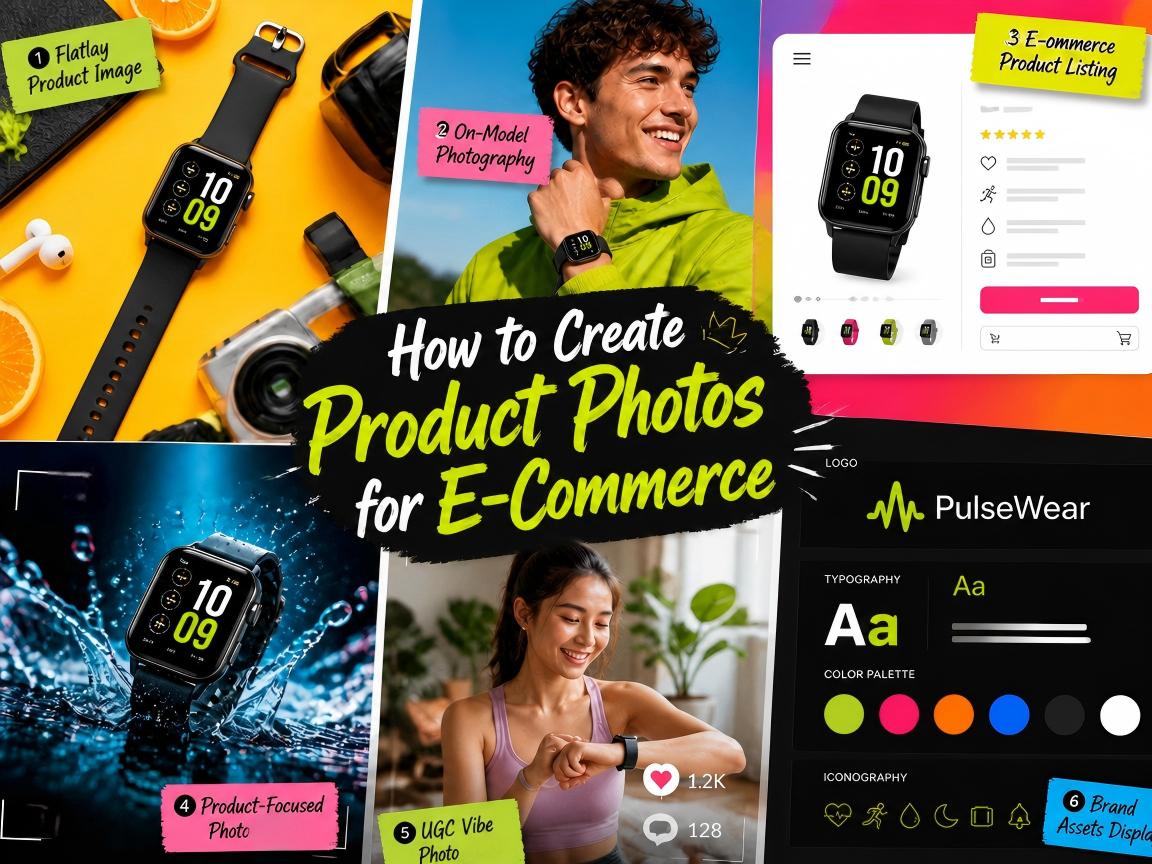
Product photos are often the first thing shoppers notice when they click open a product page. Many sellers, however, still use the same images across every marketplace, online store or e-commerce channel. While doing this could save time, it rarely delivers the best results.
Each selling platform has different customer behaviors, shopping expectations and visual requirements. So, an image that performs well on Amazon may feel out of place on Etsy. A photo designed for Shopify may not capture attention on eBay. As e-commerce becomes increasingly competitive, platform-specific product photography has become a key factor in improving click-through rates, building trust and increasing conversions.
Well, the good news is that creating platform-ready product photos no longer requires expensive and time-consuming photoshoots or advanced editing skills. With Fotor’s AI Vibe Marketing Platform, even solo sellers with zero photography skills can transform a single product image into a complete collection of platform-ready visuals in minutes.
In this guide, you will learn how to create product photos optimized for mainstream e-commerce platforms, like Amazon, Shopify, Etsy, eBay and TikTok Shop, within one modern AI workflow that targets convenient and efficient visual content scaling.
Which Product Photos Are Generally Needed?
Different e-commerce platforms need different product visuals. Here are the product visuals normally needed for the mainstream platforms.
Platform | Normal Product Photos |
Amazon | ⏺Main image ⏺Lifestyle shot ⏺Multi-angle product photos ⏺Close-ups of important features ⏺Size and dimensions infographic ⏺Feature-benefit infographic ⏺Packaging image |
Etsy | ⏺Hero image (lifestyle) ⏺Product-only picture ⏺Detail and craftsmanship close-ups. ⏺Scale reference image ⏺Personalization examples ⏺Product-in-use photos ⏺Packaging or gift presentation image |
Shopify | ⏺Clean hero product photo ⏺Multiple product angles ⏺Lifestyle photography ⏺Brand-consistent collection images ⏺Product-in-use photos ⏺Feature highlights ⏺Variant images ⏺Collection or bundle photos |
eBay | ⏺Main product picture ⏺Product photos with multiple angles. ⏺Condition photos ⏺Close-ups of defects or wear. ⏺Packaging/accessories included |
TikTok Shop | ⏺Attention-grabbing hero image ⏺Product-in-use photos ⏺Lifestyle pictures ⏺Before-and-after image (if applicable) ⏺Creator-style content image ⏺Benefit-focused image |
Therefore, you need to create a series of product photos and optimize them for different platforms.
Why Platform-Specific Product Photos Matter in Modern E-Commerce?
Each e-commerce platform now serves a different purpose and has its own visual requirements.
Here is the detailed information for the visuals of mainstream e-commerce platforms.
Platform | Typical Background | Recommended Size | Main Customer Intent | Product Visual Goal |
Amazon | Pure white for main image | Minimum 1000 x 1000 pixels (up to 10,000 pixels) | Compare and buy products quickly | Clearly display the products |
Etsy | Natural, neutral or lifestyle settings | Minimum 1000 × 1000 pixels (Max. file size: 1 MB) | Find unique or handmade products | Show texture, detail, and authenticity |
Shopify | White, neutral or brand-consistent backgrounds | Minimum 800 × 800 pixels. Most ideally, 2048 × 2048 pixels | Understand the brand and product | Build trust and brand value |
eBay | White, light gray or simple neutral backgrounds | Minimum 500 × 500 pixels (up to 9000 × 9000 pixels) | Want accurate and transparent product information | Demonstrate every product detail, even including flaws if necessary |
TikTok Shop | Flexible, high-contrast backgrounds | Minimum 600 × 600 pixels, ideally 1,000 × 1,000 pixels | Discover products quickly while consuming content | Display how the product fits into everyday life to stop the scroll and create interest |
As we can see, from image backgrounds and dimensions to specific visual content, each platform is definitely different. So, here are the best practices for each key e-commerce.
Platform | Best Practices |
Amazon | ✅Use a plain white or neutral background for the main image ✅Put the product right in the center ✅Make sure the product fills most of the frame ✅Use extra photos to show the details, including the size, functions and other important feature ✅Don't overcomplicate or clutter the main photo |
Etsy | ✅Clearly display the texture, material, and fine details ✅Use warm, real-life settings when it fits the vibe ✅Include plenty of close-up shots ✅Show how the product can actually be used in daily life ✅Keep the overall look natural and believable |
Shopify | ✅Keep the lighting and style look the same across all photos ✅Use your brand’s colors or backgrounds that match your brand ✅Take both flatlay product photos and lifestyle product images ✅Apply your best and most eye-catching images for collection and landing pages ✅Make the photos look professional to give a high-quality and trustworthy sense |
eBay | ✅Apply high-resolution images with clean, light-colored, neutral backgrounds ✅Use uniform, bright lighting to show the truest side of your products ✅Upload close-up shots and other multi-angle images to show important details ✅Display labels and packaging clearly, and add essential copies to deliver key messages ✅Avoid excessive editing or misleading enhancements to cover the defects |
TikTok Shop | ✅Use higher contrast to make things pop ✅Make sure the product is easy to spot, even on a small phone screen ✅Use bold backgrounds, but keep them clean and uncluttered ✅Show what makes the product great right away ✅Create visuals that also work well for short video ads |
This shift has led to a new approach to product photography. Instead of creating one perfect image, successful sellers now need one powerful visual production workflow that can generate multiple versions of product photos and help you find the suitable product photography ideas tailored to different platforms and audiences. Here is when Fotor’s AI Vibe Marketing Platform comes into play.
How to Create Product Photos for E-Commerce with Fotor?
Though differences apply to each platform, there are product photos that are generally needed for all channels, such as,
- Hero/main image
- Product-in-use lifestyle image
- Product images with different angles
- Close-ups of important features
Hence, we will focus on the creation of these product visuals in this section.
Traditional product photography can be one of the ways to get these visuals. However, please hire a competent photography team or purchase highly professional equipment, including cameras, tripods, lighting facility, etc., in order to get perfect photos.
But you know that this method often requires a costly budget, a complex workflow and significant production time. Now, the game is now changing with the help of Fotor. Instead of hiring a professional photography team and organizing separate photoshoots for every channel, even solo sellers can now create an entire visual ecosystem from a random idea and a single product image.
Fotor make it faster and easier to scale professional visuals that align with both traditional photography and new “vibe marketing” trend without the complexity of traditional photography workflows, which addresses almost every stage of e-commerce and aims to help you attract attention, showcase your products, and boost sales.
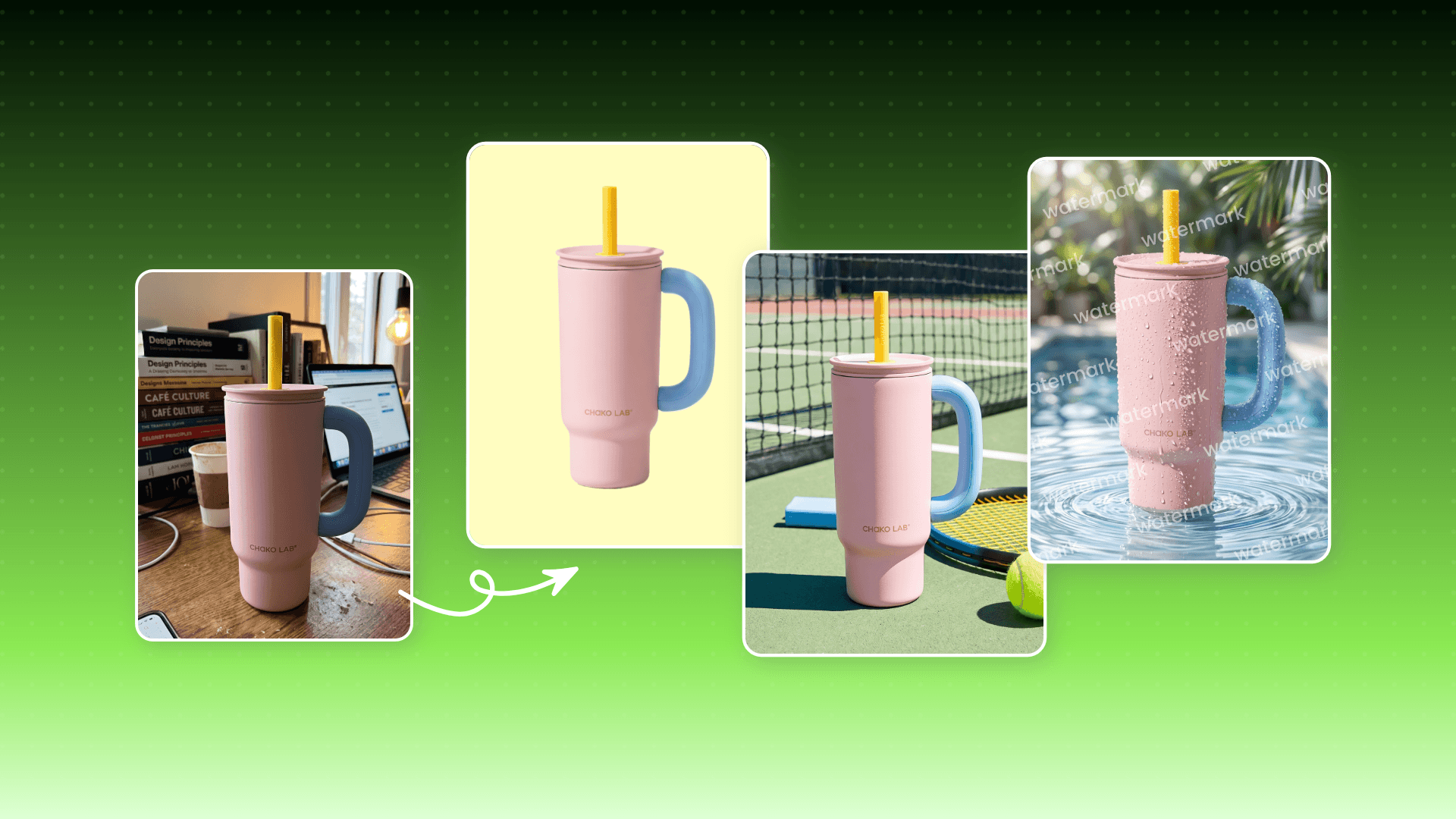
*Product Visuals Suite for still product & marketing visuals
*Growth Visuals Suite for dynamic product & marketing visuals
*Batch image editing and brand asset management
Case Study: Suppose I am going to sell and promote a new product-jeans. Here is how you can effectively create product photos and use Fotor to support their production.
How to Create Your Hero or Main Product Image?
Every effective product image workflow begins with a good main or hero image, which should be a clean, properly lit master photo that can serve as the foundation for future variations. With Fotor, you don’t need a professional photography studio to realize this goal.
How to Make a Hero Product Image with Fotor’s Batch Editor?
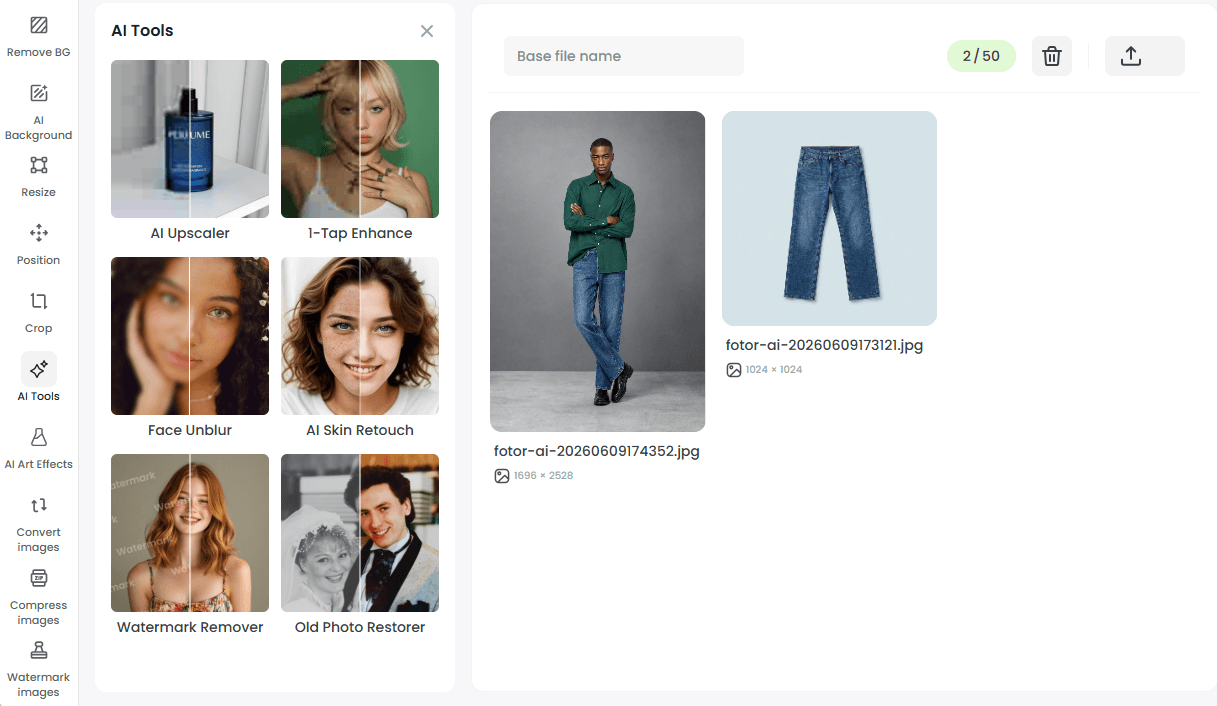
- Go to Batch Editor and import all your product photos.
- Find the desired features on the left menu, adjust the settings to your liking and then click “Generate” to apply the effect.
- Preview the effect and then press “Download” to save them.
With the assistance of our Batch Editor, you can conveniently process up to 50 images in bulk with just one attempt, able to remove and change backgrounds, enhance their quality, change the position of their main subjects, resize and crop them, apply wanted photo effects and more.
So, you can get professional-looking studio product photography on your own, which serve as the starting point for marketplace-ready visuals.
How to Make Lifestyle Product Photography?
Now, you have your satisfactory hero product image, so you can make diverse, high-performing lifestyle visuals from it. You can definitely use the aforementioned AI tools to fulfill this purpose since a number of lifestyle backgrounds are available. Simply upload your source product photo, choose from our preset lifestyle scenes or upload your prepared backdrop image, and let our tool change this simple product shot to professional lifestyle photography.
However, when you need on-model product photography, you have to hire models and a photography team if you resort to a traditional way. Here, Fotor’s Virtual Model tool comes to your rescue.
How to Create Lifestyle Product Shots with Fotor’s Virtual Model?
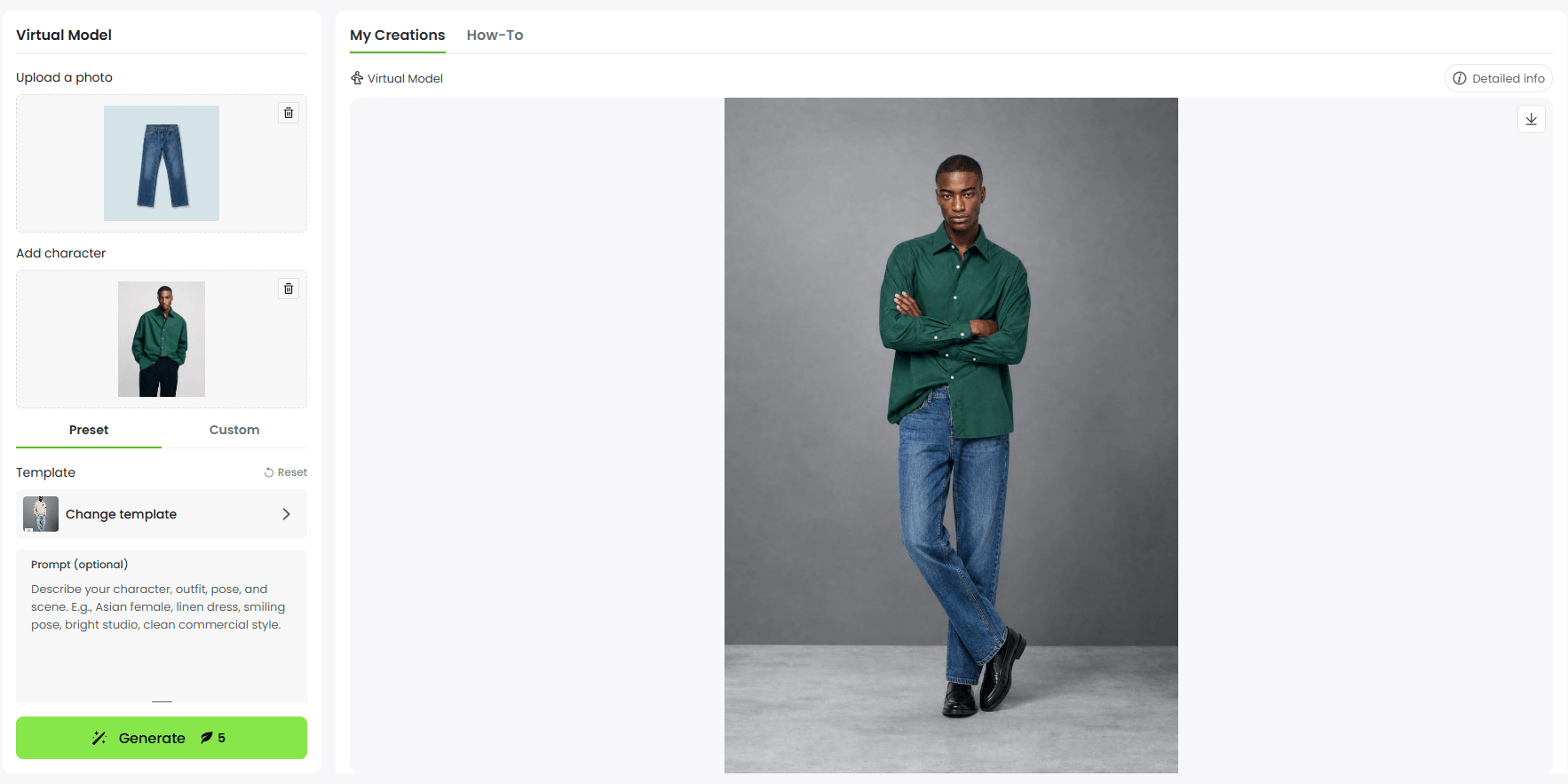
- Go to our Virtual Model tool and upload your flatlay product image in the first section.
- Choose from our preset model options or add your prepared model photo.
- Select your desired template, from plain color and studio backdrops to lifestyle and futurist scenes.
- Click “Generate” to change your flatlay images to on-model visuals and then hit “Download” to save them.
With its help, you can easily and conveniently turn a flatlay product photo into on-model visuals.
How to Generate Multi-Angle Product Visuals?
As is discussed above, product images with multiple angles are needed or highly recommended. You’d better prepare some relevant visuals in advance. With Fotor, you don’t have to arrange a reshoot to target this aim.
How to Make Multi-Angle Product Visuals with Fotor’s Multi-View?
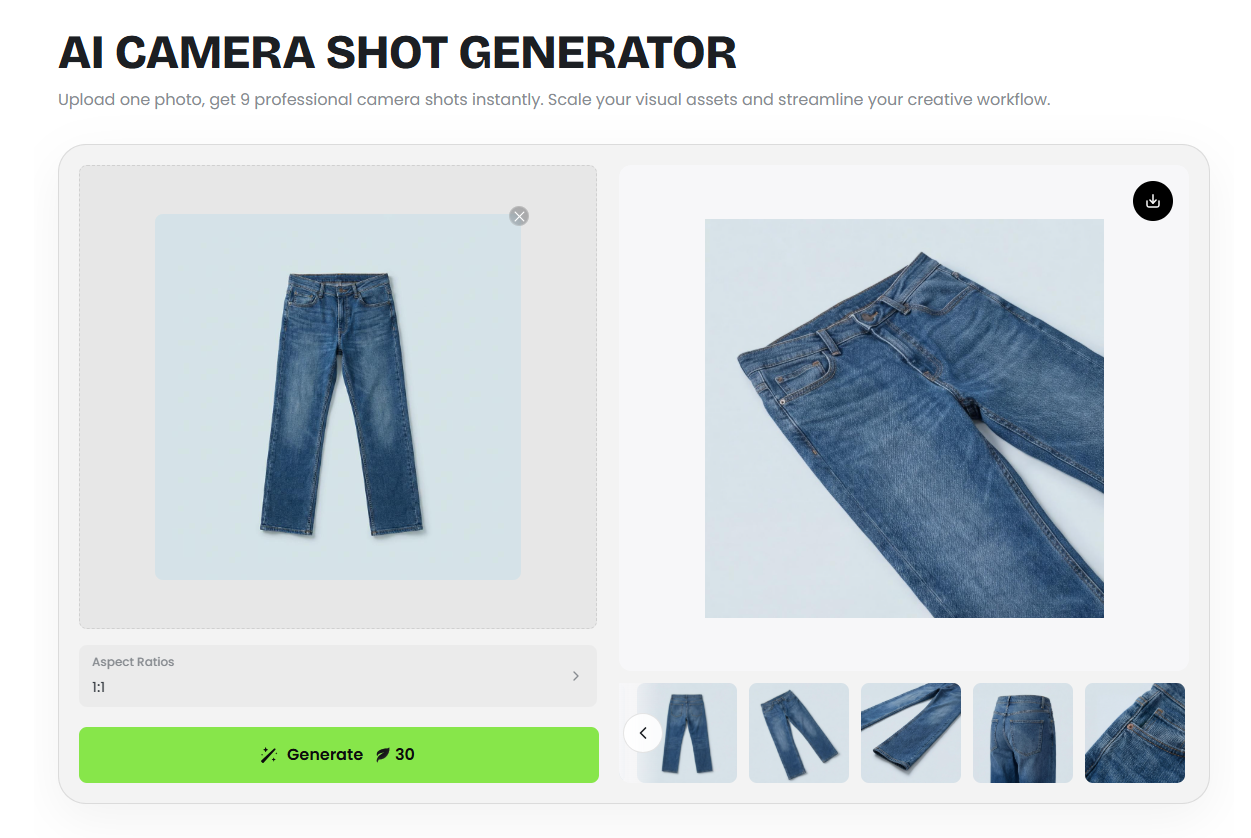
- Upload your product picture to our AI camera shot generator
- Choose the desired aspect ratio and then click “Generate” to begin the automatically generation workflow
- Preview the result and then press “Download” to save it.
Otherwise, if you need just one special angle, you can turn to our photo angle change AI for help. You can adjust the settings, including horizontal and vertical rotation and camera type, to get the preferred angle and get your new product visual with the set camera perspective.
How to Create Ready-to-Use Listing Photos?
Since a close-up image is one of the essential elements in product listings, we will show you how to make listing photos with just one attempt. That is when you should look at Fotor’s Smart Listing tool, also called AI listing generator.
How to Generate Listing Photos with Fotor’s Smart Listing?
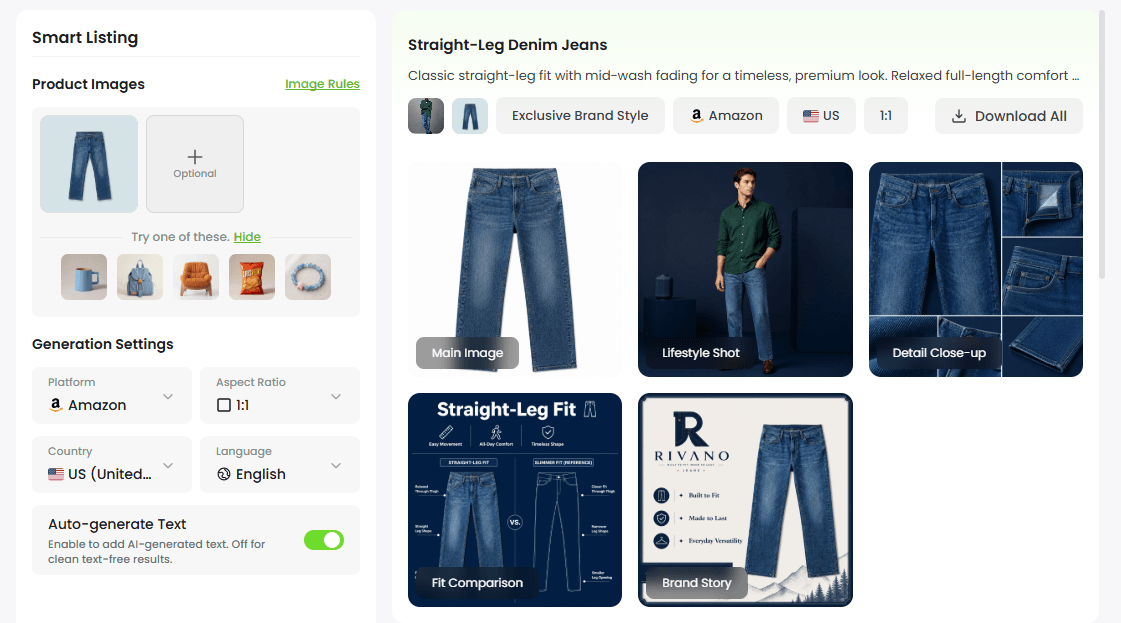
- Open Fotor’s Smart Listing and upload your prepared product visuals.
- Configure your settings for your target e-commerce platform, including channel, aspect ratio, country and language, and click open the option “Auto-generated text” if you want our tool to automatically put key product information on your listing photos.
- Click “Next” to prepared copies or rely on our “AI Insight Write” to get auto-generated ones.
- Apply the visual style for your final visuals. Try our “Smart Style” to give them a random one or “Brand Kits” to apply your brand style to them.
- Select your image number (up to 7) and then press “Generate” to get your platform-ready listing visuals.
Covering nearly all mainstream channels, from towering figures like Amazon, eBay, Shopify and Etsy to newcomers like TikTok shop, Temu, Shein, Shopee and more, the tool can automatically generate complete listing bundles with good consistency across channels from your product photos.
It helps to generate a set of standard copies that feature the most important information for your chosen platform and a series of ready-to-use visuals that include main product image, lifestyle image, close-up detail image, selling point image, brand story image and more.
Meanwhile, this tool provides plenty of country and language options, enabling you to quickly export region-based copies in the relevant language and a set of visuals that effectively target your wanted area.
Additional Tools to Make Product Photos with Fotor
As Fotor is an all-around AI creative workflow platform, there are plenty of useful tools to support your product visual generation. For example,
AI Mockup Generator: Create product or design mockups from your ideas or concepts, such as clothing, accessories, household objects, promotional posters, banners and more.
AI Image Generator: Visualize your creative product design ideas and give your existing product photography an innovative touch.
AI Shadow Generator: Add shadow to your product photo to give it more depth and make it pop.
Final Thought
The era of using one product photo for every platform is coming to an end. The modern e-commerce environment requires platform-specific visuals that match how customers shop and make decisions. For example, Amazon requires clarity; Shopify requires branding; Etsy requires authenticity; eBay requires transparency, while TikTok Shop requires attention.
By starting with one simple, clear product image and using Fotor’s AI Vibe Marketing platform, small businesses and solo sellers can quickly create complete collections of platform-ready visuals that support e-commerce listings, personal stores and online marketplace growth.