TikTok Filters Without TikTok: How to Get Similar Effects with Fotor

Summary: This post will show you how to utilize TikTok filters without TikTok. We'd like to introduce Fotor to you. This strong and free alternative allows you to experience TikTok-like filters using cutting-edge AI models, whether you're avoiding the app for privacy concerns or simply want greater creative flexibility.

Filters can instantly change the mood and style of a photo, from cartoon-inspired looks to vintage effects.

Many of these effects became popular on TikTok, but you don’t need TikTok to recreate similar looks. You may simply want more editing options or prefer not to install TikTok.

Fortunately, you can recreate similar TikTok-style effects with other editing tools. This guide shows you how to do it with Fotor.

Why Look for TikTok Filters Outside TikTok?

TikTok is known for its viral filters and visual effects. Its filters and effects have helped popularize a wide range of visual styles, from cartoon-inspired edits to beauty and aesthetic transformations.

However, not everyone prefers to use TikTok. Some users may prefer not to install another social media app, while others may want more flexibility when editing and saving images.

Maybe you're wondering if there's a way to enjoy TikTok-style filters without TikTok.

Yes. You can recreate many TikTok-style effects with standalone photo-editing tools.

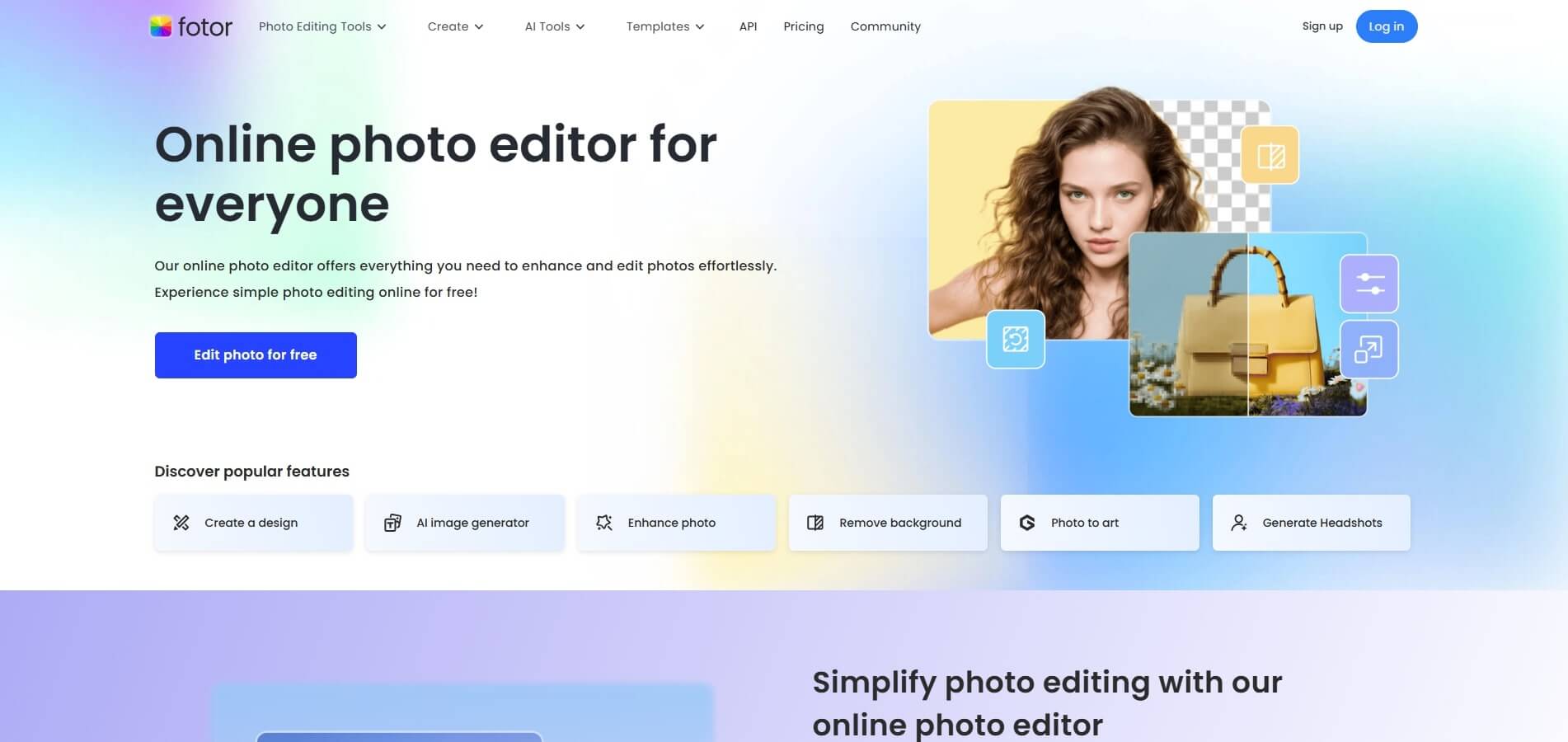
That is Fotor, with advanced AI technology, which embodies over 100 filters, AI image editors and graphic designers. I believe it can meet all of your needs.

Fotor photo editor offers a range of AI-powered filters and photo-editing tools that let you recreate a variety of popular visual styles without using TikTok.

Fotor offers free filters and editing tools, while some advanced features may require credits or a premium plan. But the free plan still gives you access to a range of filters and basic editing features.

Can You Really Use TikTok Filters Without TikTok?

Using TikTok-style filters without TikTok may sound unusual at first. A digital filter is a visual effect or editing treatment that changes the appearance of a photo or video. Some modern filters use AI to transform faces, objects, colors, or overall styles.

In traditional photography, filters were tangible add-ons that altered the way light entered the lens. Today, filters are digital effects that change the color, contrast, texture, or shape of a photo.

Modern filters are more than just aesthetics. They frequently incorporate facial recognition, 3D mapping, or artistic transformations powered by AI.

With the emergence of AI-driven photo editors like Fotor's AI filter now, you can access similar filters and effects without using the TikTok app at all.

How to Get TikTok-Style Filters Without TikTok Using Fotor

Fotor is easy to get started with. Just follow these steps.

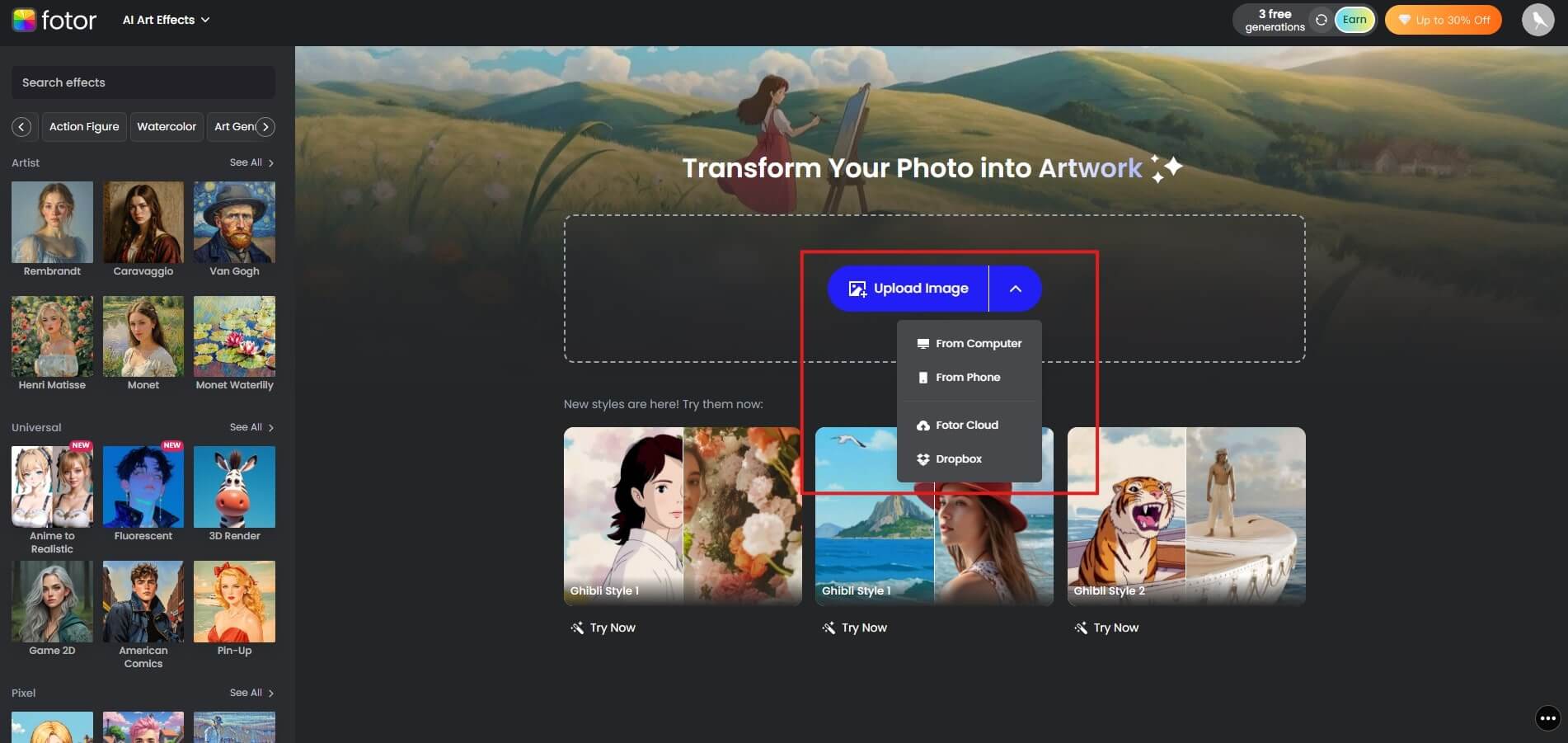
Step 1: Register and Upload Your Image

Sign up for Fotor with your email address or a supported social account, then upload your photo.

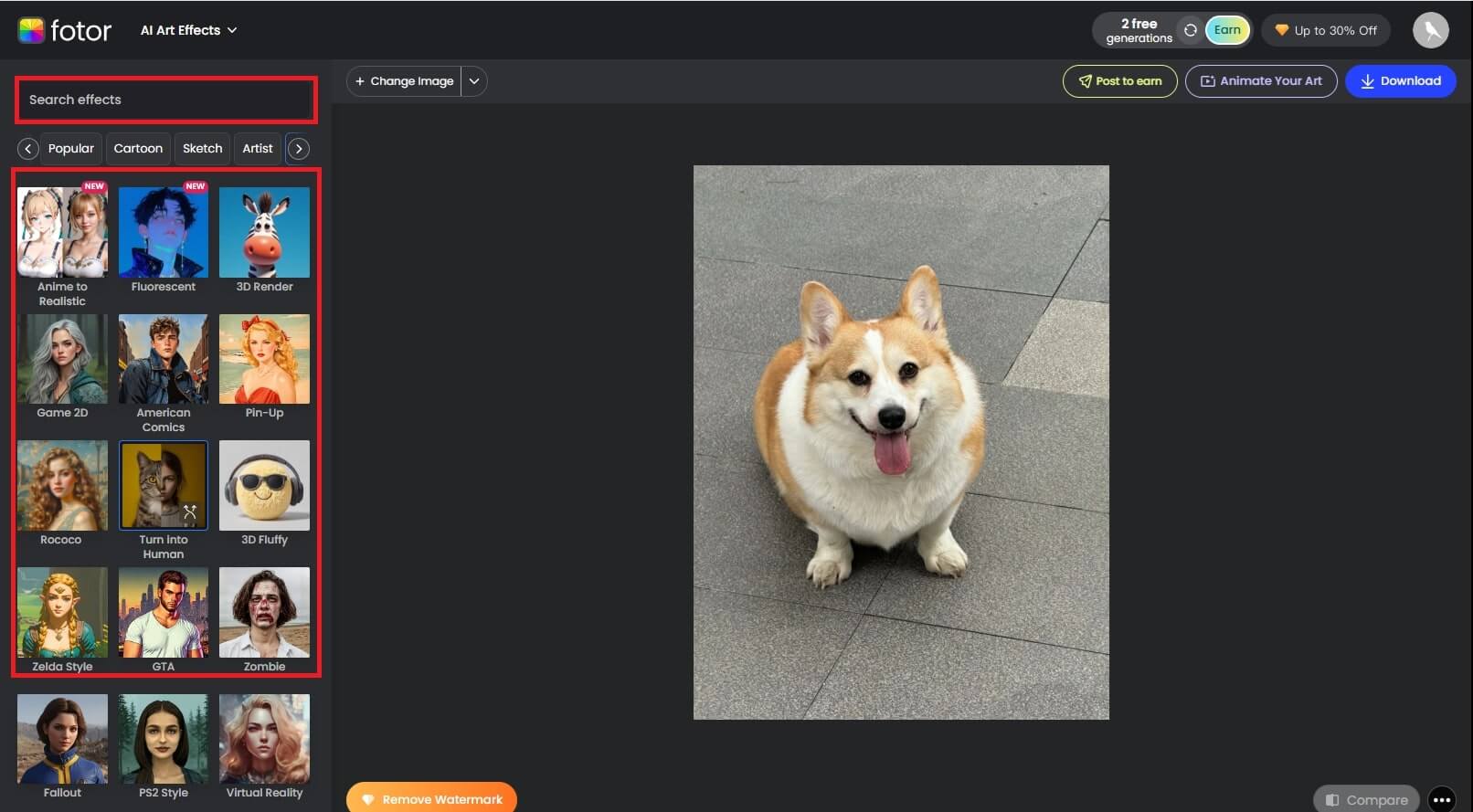
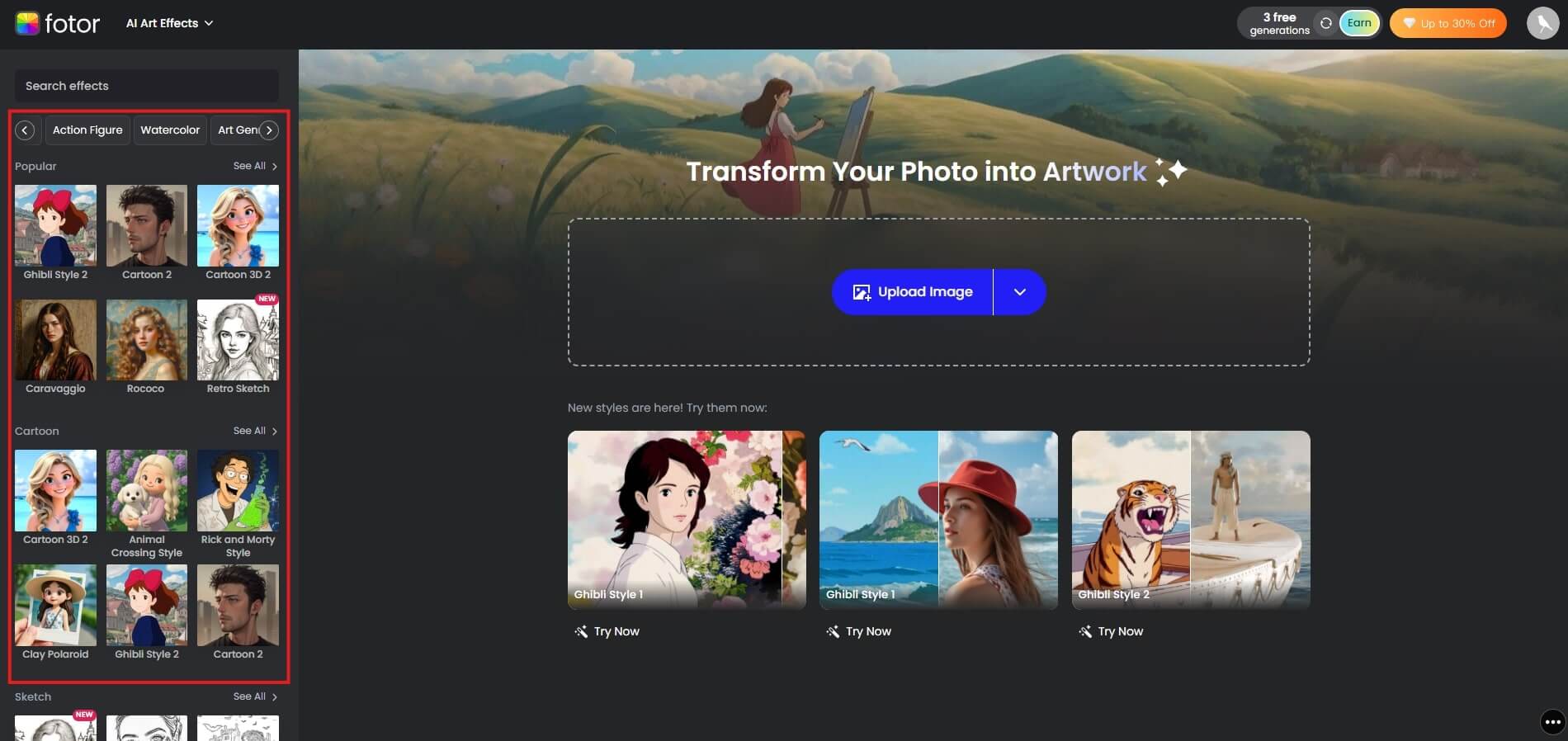
Step 2: Pick or Search for a Desired Effect

Browse the available filter categories, or search for a specific style such as vintage, cartoon, or anime.

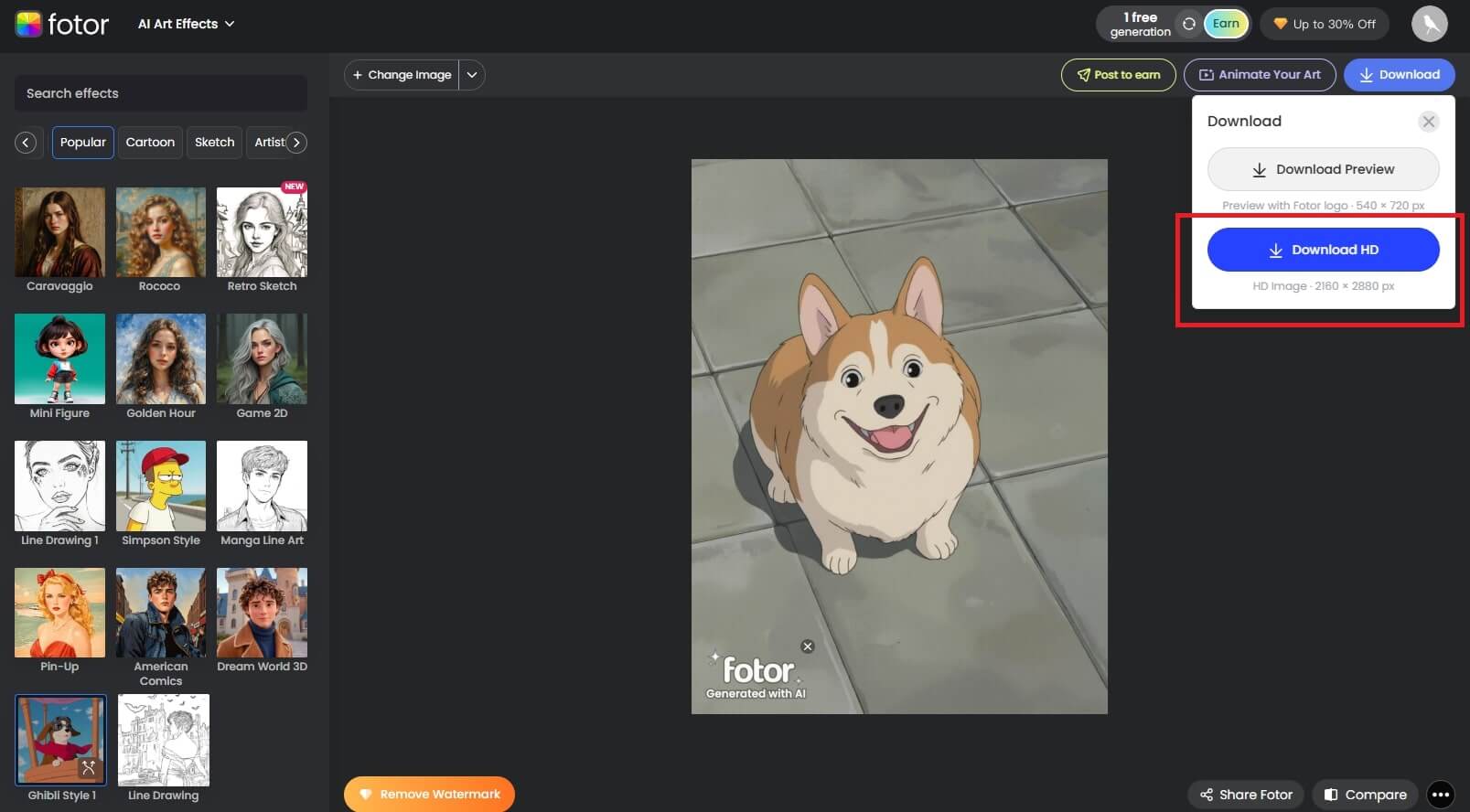
Step 3: Preview and Download

Once the effect is applied, preview the result and compare it with your original photo.

If you’re happy with the result, download the edited image and share it on your preferred platform.

Why Fotor is an Ideal Alternative to TikTok Filters

Fotor combines AI filters, photo editing, and image-generation tools in one platform. With a wide range of AI filters, photo-editing tools, and an AI image generator, Fotor offers more than basic photo effects.

Multiple TikTok-Style Filter Effects

If you want TikTok-style effects with more flexibility for photo editing, Fotor is an alternative worth exploring.

Fotor’s AI-powered photo effects let you quickly apply a range of styles, from caricature and cyberpunk to aging and Barbie-inspired looks.

See how these TikTok-style effects transform your photos in seconds. Below are some before-and-after examples showing the different looks you can create with Fotor’s AI filters.

1. JoJo Style

Turn your photo into a bold, dramatic look inspired by the iconic JoJo art style.

2. Rick and Morty Style

Transform your photo into a playful cartoon scene inspired by the quirky Rick and Morty style.

3. Ghibli Style

Give your photo a dreamy, hand-drawn look inspired by the warm world of Studio Ghibli.

4. Cyberpunk Style

Add neon colors, futuristic details, and a bold cyberpunk atmosphere to your photo.

5. Vintage Filter

Give your photo a nostalgic, film-inspired look with soft tones and a timeless feel.

6. Lofi Dusk Filter

Create a cozy dusk atmosphere with muted tones, soft lighting, and a laid-back lo-fi vibe.

7. Pet to Human Filter

Reimagine your furry friend as a human while keeping their unique features and personality.

8. Toy Pet Filter

Turn your pet into a cute toy-like character with a miniature, collectible feel.

9. AI Aging Filter

See how you might look years from now with an AI-generated aged version of your photo.

10. Barbie Style

Give your photo a playful Barbie-inspired makeover with a polished, colorful, and glamorous look.

Fotor offers similar effects and styles for recreating popular TikTok-inspired looks.

Here's a breakdown of popular TikTok filters and how Fotor matches up:

Filters
In TikTok
In Fotor
Anime


Cartoon


Barbie


AI Aging


Baby Face


Disney


Vintage


Ghibli


Black-and-white


AI Headshot


Dog to Human


Rococo


Rembrandt


Photo Restoration


Green Screen


The Strengths of Fotor

  • Intuitive Interface: Fotor's intuitive UI makes it easy to turn your photos into diverse styles.
  • Various Styles: Fotor offers a wide range of styles, from cartoon and anime effects to vintage and artistic looks.
  • Trending Filters: Fotor regularly adds new styles and AI-powered effects to keep its editing options aligned with current visual trends.
  • High-Quality Output: Fotor supports high-resolution exports that can work well for social posts, profile images, and wallpapers.
  • Cross-Platform Editing: Fotor is available across web, mobile, and desktop, so you can edit photos on the device that works best for you.

Tips for Creating TikTok-Style Effects with Fotor

Want better results from Fotor’s AI effects? Start with a clear source image, choose a style that fits the photo, and avoid overusing effects.

Upload High-Resolution Image

Use a clear, well-lit photo with enough detail for the AI to recognize the subject accurately. Don't use poor-quality or blurry photos. Otherwise, the AI may misidentify the objects in the image, yielding a poor result.

Choose an Appropriate Style

Choose a filter style that complements the subject, composition, and mood of your photo.

Avoid Over-Editing

Avoid stacking too many effects. A simple edit often keeps the subject clear and the final image more cohesive.

Conclusion

TikTok may be known for its viral filters, but you don’t need the app to create similar visual effects. Fotor gives you a flexible way to experiment with AI-powered filters and photo-editing tools, whether you want to enhance a selfie, create an artistic look, or recreate a trending style.

Try Fotor’s AI filters and create your own TikTok-style look.