




















Nano Banana AI(奈米香蕉)在 AI 社群中掀起熱潮,它由 Google Gemini 3 Pro Image 模型驅動,已有超過 2 億次使用,吸引了數百萬新用戶。
Nano Banana 擁有極快的生成速度、穩定的結果,以及寫實的成圖,能輕鬆將簡單照片轉換成 3D AI 手辦、復古藝術品或電影海報。雖然其他工具如 Flux Kontext AI 提供了更多創意自由度,但 Nano Banana 的速度與精準度,使其成為嘗試有趣、熱門、且細節 prompt(提示詞)的完美選擇。如今,Nano Banana Pro 因 Gemini 3 Pro 的推出而全面升級。
在本指南中,我們將深入探索最新、最熱門的 Nano Banana prompt提示詞,並附上範例和實用技巧,幫助你創造爆紅的 AI 圖片。
另外,為了保證生成效果,我也附上了英文版本的 prompt。如果生成效果不夠理想,就試試英文原版的 prompt 吧。
| 功能 | Nano Banana Pro (Gemini 3 Pro 模型驅動) | Nano Banana (Gemini 2.5 模型驅動) |
| 模型 | 隨著 Gemini 3 Pro的推出,性能大幅度提高 | 由 Gemini 2.5 模型驅動 |
| 語義理解 | 更強大、更深入的語意理解能力,能解讀複雜提示語與真實語境,生成更精準、更符合描述的圖像。 | 具備基本的語意理解能力,可處理一般簡單提示詞,但缺乏高級語境理解能力。 |
| 解析度 | 支援 2K,4K 解析度,適合高畫質和精細的圖片生成。 | 解析度較低(例如,1024px) |
| 文字呈現 | 強大的文字呈現能力,支援多語言,字型更清晰,品牌風格一致性更高。 | 基礎的文字呈現效果,功能上仍有些限制。 |
| 多圖融合 | 更先進的多圖融合功能,可使用多達 14 張參考圖片,呈現更高的品牌一致性與風格統一度。 | 基礎的圖片混合與編輯功能,對參考圖片的融合能力較有限。 |
| 自由度 | 更高的創作自由度,可調整攝影角度、光線、景深等更多細節。 | 圖片快速編輯和設計的自由度較低。 |
| 實時數據搜集 | 可與 Google 聯網搜索並即時整合信息,生成更精準、具脈絡性的圖像。 | 在聯網搜索和整合信息方面比較有限。 |
| 使用場景 | 企業級能力,適用於品牌製作、廣告創作與高品質內容生產。 | 適用於社媒,或者更日常的用用途。 |
整體而言,Nano Banana Pro 在多項能力上都遠勝標準版 Nano Banana。它包含更強大的語意理解、進階的 4K 畫質、更全面的設計自由度、Google 聯網搜索和整合信息,以及更優異的文字呈現效果。這些升級讓 Nano Banana Pro 成為專業級設計、高保真內容創作,以及企業級品牌製作的首選工具。
影像效果
1. Nano Banana 3D 手辦
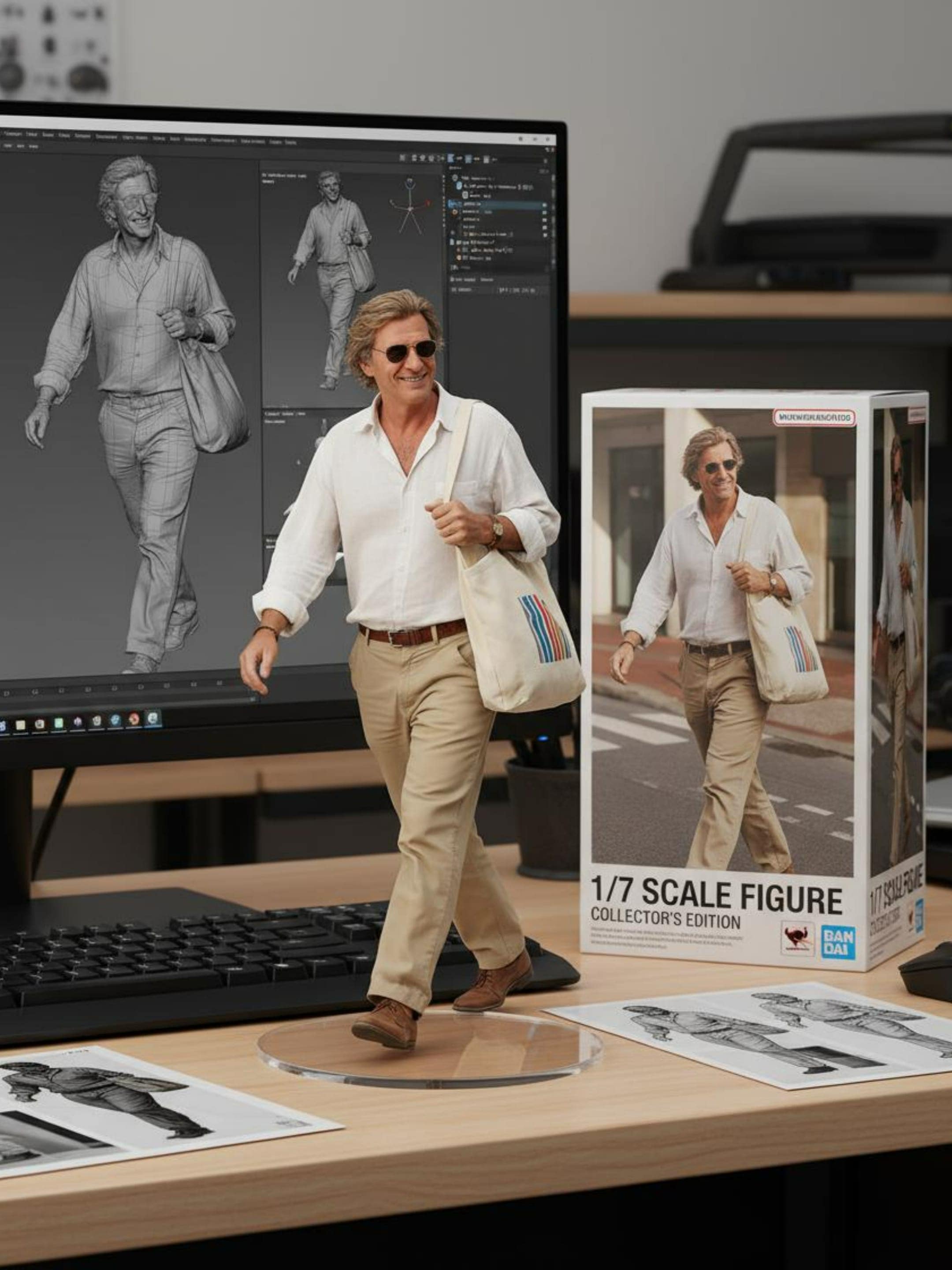
使用 Nano Banana 輕鬆將照片變為栩栩如生的 3D 手辦。Google Gemini 3 Pro 能進一步優化你的創作體驗。
✅ Nano Banana Prompt 提示詞:
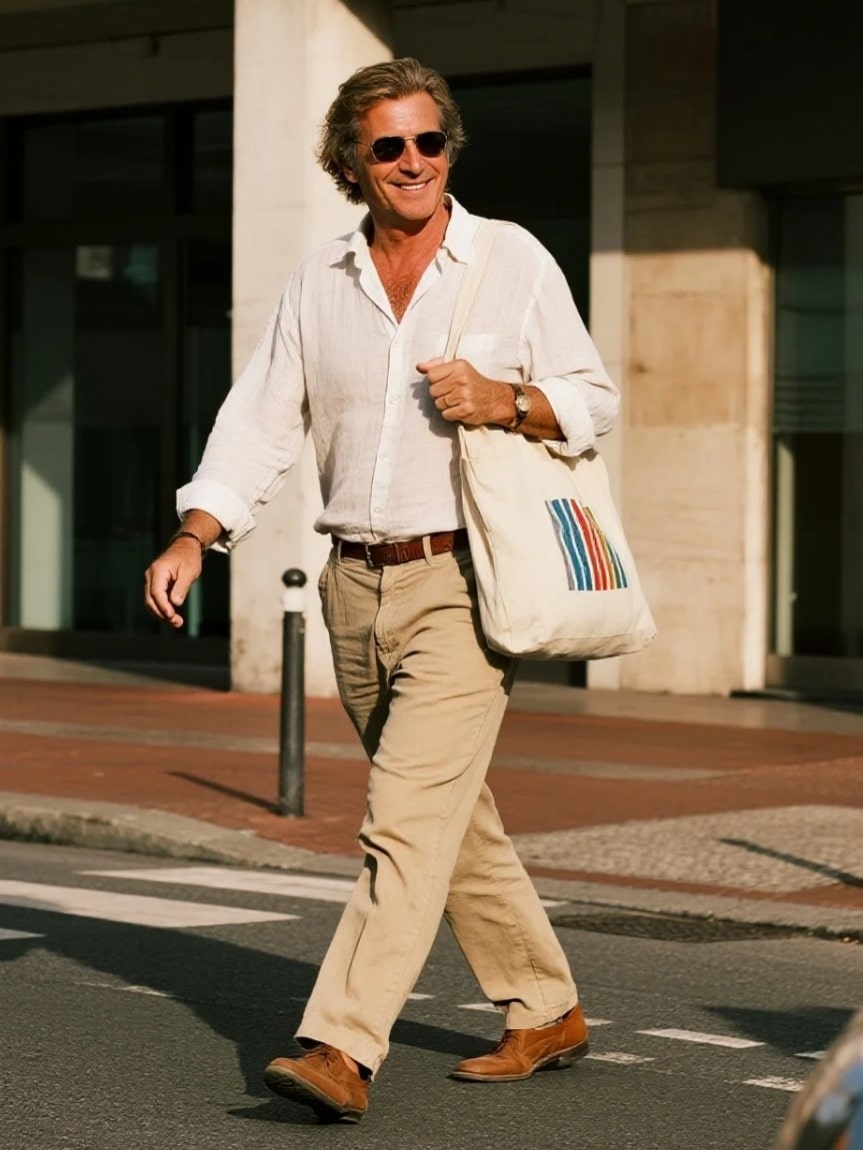
將上傳圖片中的人物轉換為 1/7 商業化比例全身模型,以真實風格和真實環境呈現。將模型放置在電腦桌上,使用透明圓形壓克力基座(不含任何文字)。電腦螢幕上顯示該模型的 ZBrush(數位雕刻軟體) 建模過程。在電腦螢幕旁邊,放置一個 BANDAI(萬代) 風格的玩具包裝盒,盒面上印有原始插畫作品。
Turn the person in the uploaded picture into a 1/7 scale commercialized figure of the character in the illustration, in a realistic style and environment. Place the figure on a computer desk, using a circular transparent acrylic base without any text. On the computer screen, display the ZBrush modeling process of the figure. Next to the computer screen, place a BANDAI-style toy packaging box printed with the original artwork.
⭐ 點擊這裡,自動粘貼提示詞至Nano Banana模型,免費生成 ⭐
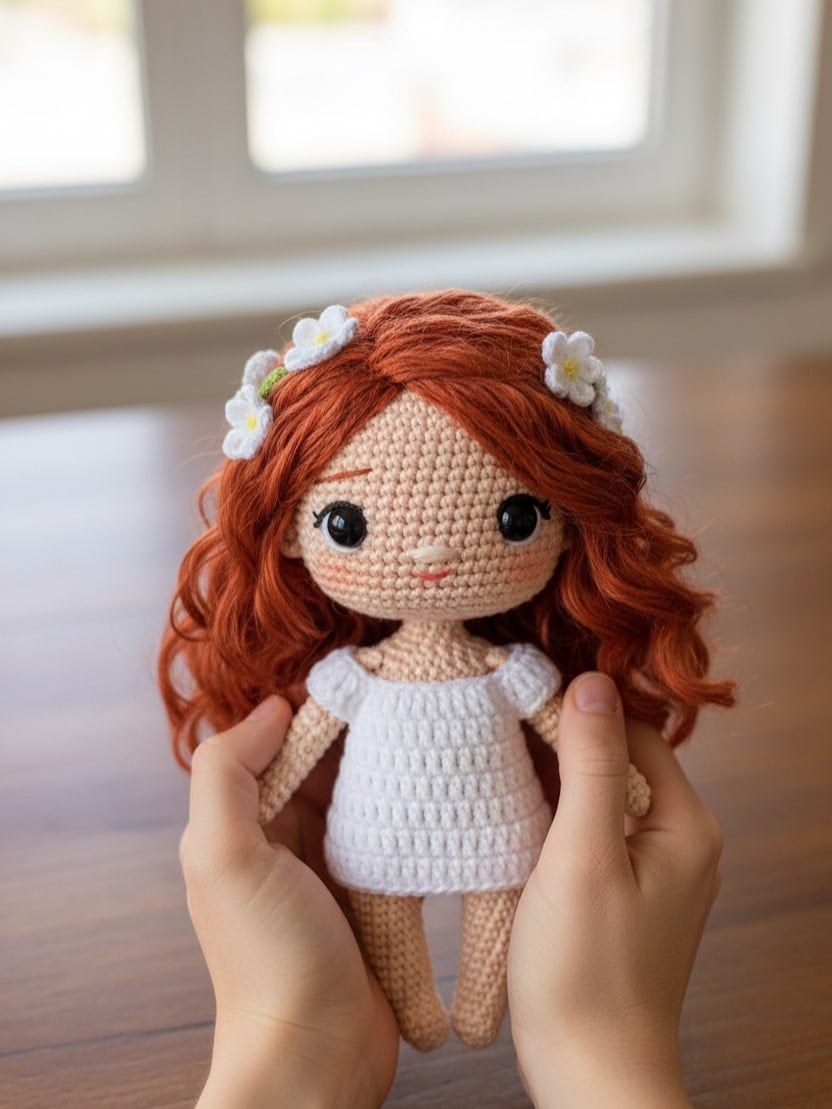
2. Q版毛線娃娃
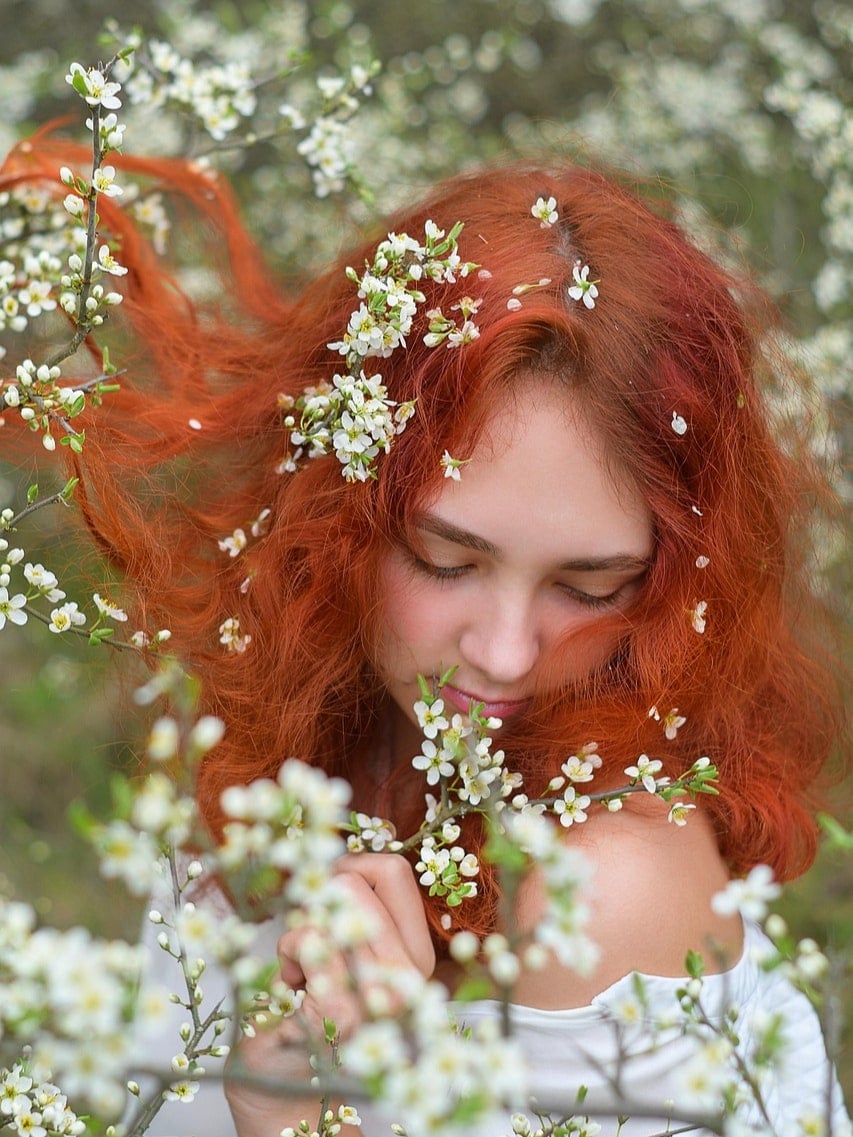
使用 Nano Banana 快速將你的照片變為可愛的Q版毛線娃娃。輕鬆套用我們現成的 Gemini AI 提示詞,每次都能生成高品質的成果。
✅ Nano Banana Prompt 提示詞:
一張特寫的專業構圖照片,展示一個手工鉤織的毛線娃娃被兩隻手輕輕捧著。娃娃呈圓潤造型,具有可愛的 Q 版形象,來源於【上傳的圖片】角色,色彩鮮明對比強烈,細節豐富。捧著娃娃的雙手自然溫柔,手指姿態清晰可見,皮膚紋理和光影過渡自然,傳達出溫暖且真實的觸感。背景略微模糊,描繪室內環境,有溫暖的木質桌面,窗戶透入自然光線,營造舒適且親密的氛圍。整體影像傳達出精緻工藝與珍愛溫度的感覺。
A close-up, professionally composed photograph showcasing a hand-crocheted yarn doll gently cradled by two hands. The doll has a rounded shape, featuring the cute chibi image of the [upload image] character, with vivid contrasting colors and rich details. The hands holding the doll are natural and gentle, with clearly visible finger postures, and natural skin texture and light/shadow transitions, conveying a warm and realistic touch. The background is slightly blurred, depicting an indoor environment with a warm wooden tabletop and natural light streaming in from a window, creating a comfortable and intimate atmosphere. The overall image conveys a sense of exquisite craftsmanship and cherished warmth.
⭐ 點擊這裡,自動粘貼提示詞至Nano Banana模型,免費生成 ⭐
3. 透明扭蛋膠囊手辦
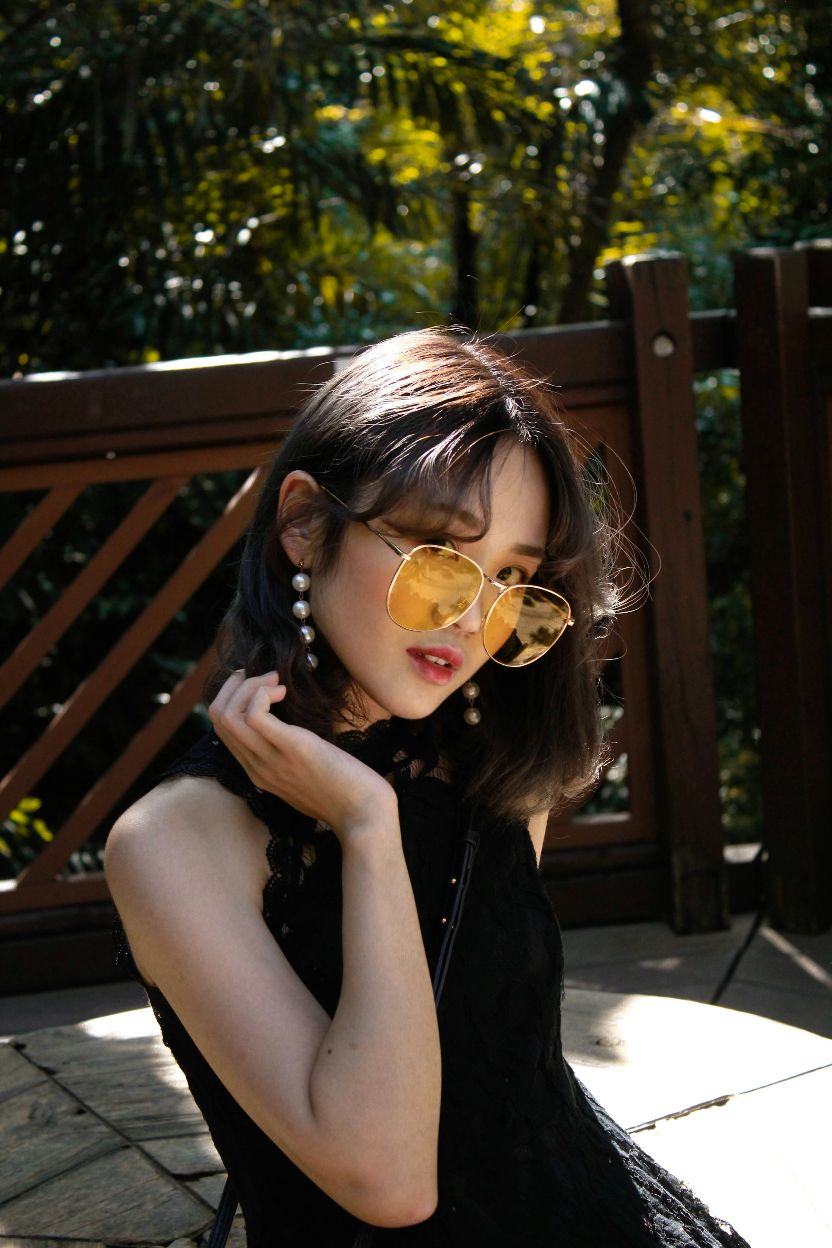
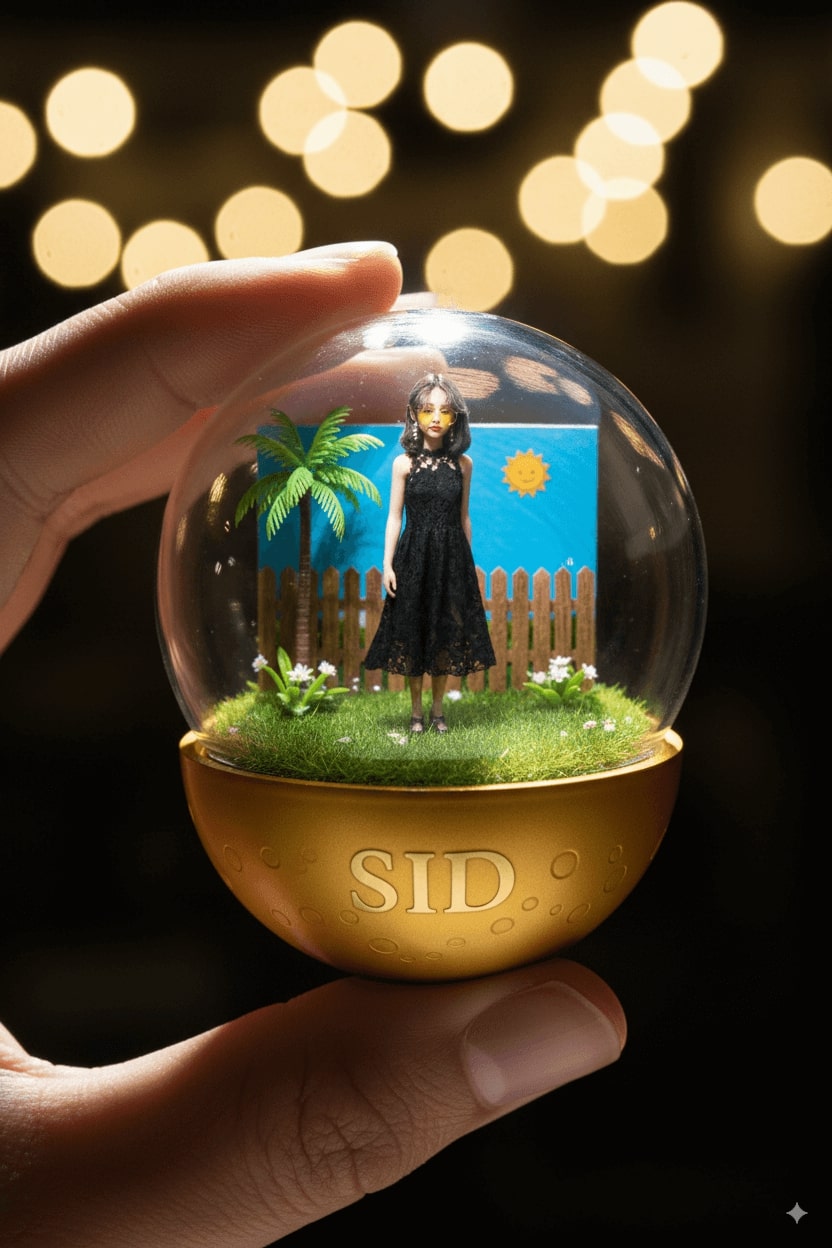
使用 Nano Banana 或 Nano Banana Pro一鍵將人物圖片變為透明扭蛋膠囊手辦。Gemini 3 Pro AI模型能快速幫你生成高質量的作品。
✅ Nano Banana Prompt 提示詞:
将上传图片中的人物,转换为一個細節精緻的透明扭蛋膠囊場景模型,被手指捏持著。膠囊內部:【姿勢】【模型外觀、服裝與配件的簡短描述】,背景元素如【相關場景:運動場、舞台、講堂等】。光線應該具有戲劇性和電影感,與角色主題相符。膠囊上蓋為透明,底座為彩色【選擇適合的顏色:如皇家藍、金色、黑色、紅色】,裝飾有【與角色相關的圖案元素】。底座標示【姓名或暱稱】,字體樣式與整體風格相符。整體設計應呈現迷你收藏品感,具有寫實細節、柔和散景效果,並以 1080x1080 方形構圖呈現。
👀 注意:在提示詞中,請將【姿勢/風格】、【模型外觀、服裝與配件的簡短描述】、【相關場景:運動場、舞台、講堂等】、【選擇適合的顏色:如皇家藍、金色、黑色、紅色】以及【姓名或暱稱】替換為具體描述。
Turn the person in the uploaded picture into a detailed transparent gashapon capsule diorama, held between fingers.Inside: [pose, short description of figure’s look, clothing, and accessories], with background elements such as [relevant setting: stadium, stage, lecture hall, etc.]. Lighting should be dramatic and cinematic, matching their theme. The capsule has a transparent top and a colored base [choose fitting color: e.g., royal blue, gold, black, red], decorated with [motifs related to the person]. The base is labeled with [NAME or NICKNAME] in a matching font style. The design should look like a miniature collectible, with photorealistic detail, soft bokeh, and a square 1080x1080 composition.
👀 Note: Replace [ STYLE], [short description of figure’s look, clothing, and accessories], [relevant setting: stadium, stage, lecture hall, etc.], [choose fitting color: e.g., royal blue, gold, black, red], and [NAME or NICKNAME] in the prompt with specific descriptions.
⭐ 點擊這裡,自動粘貼提示詞至Nano Banana模型,免費生成 ⭐
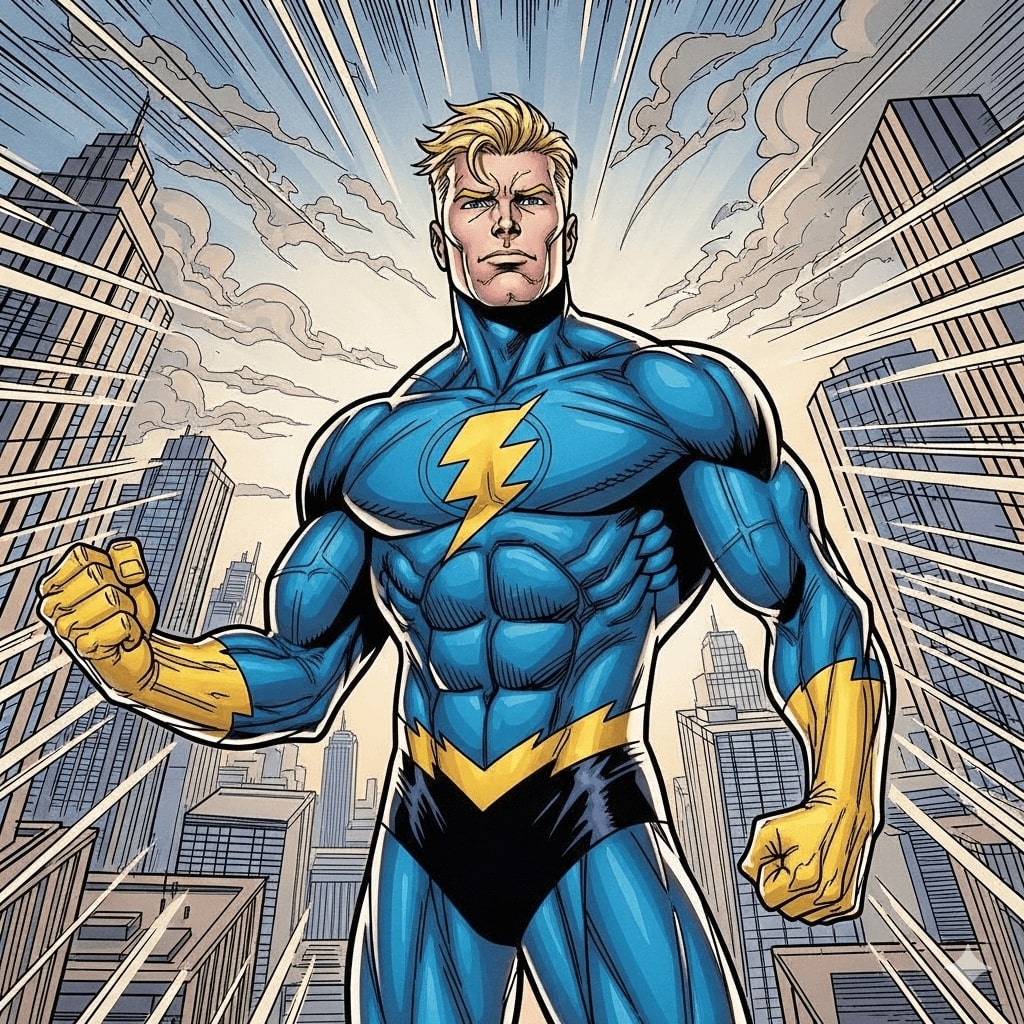
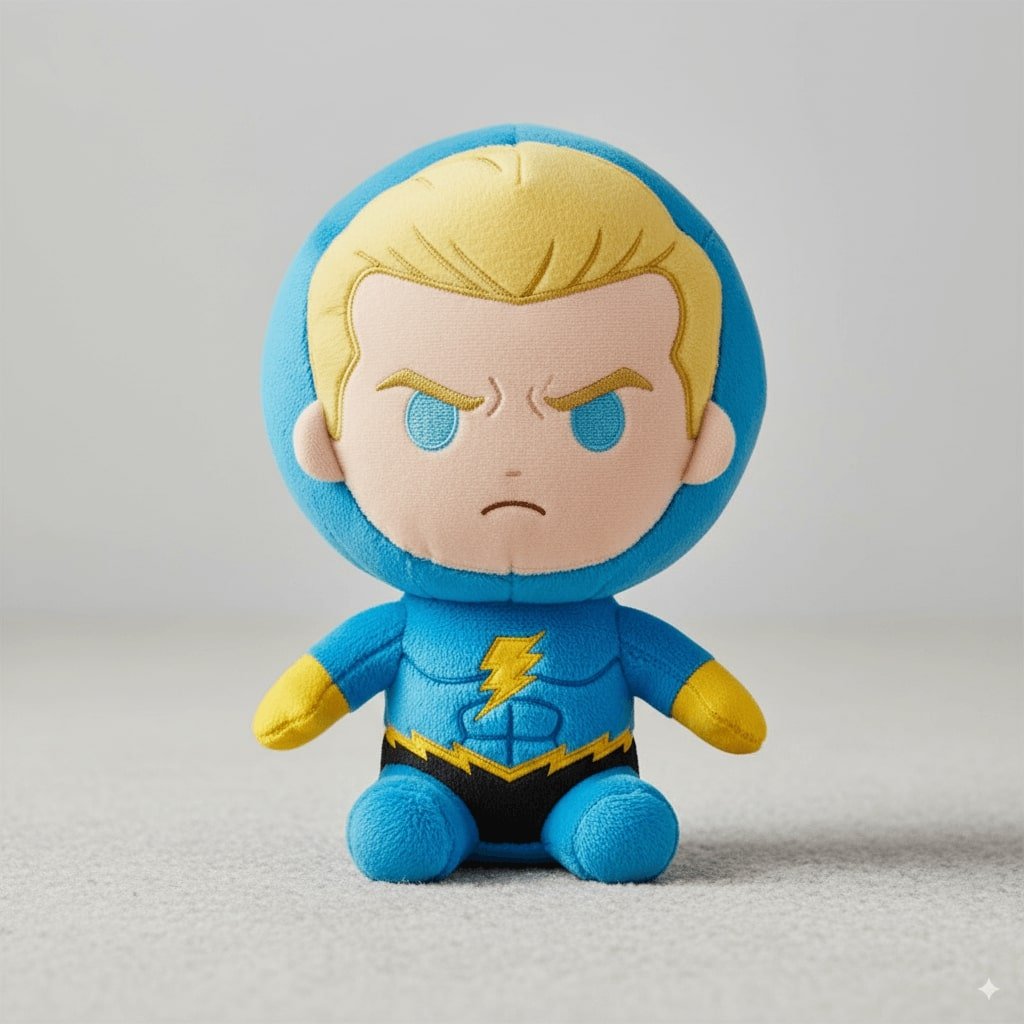
4. 角色毛絨玩偶
使用 Nano Banana Pro 提示詞將你喜歡的角色變為絨毛玩偶。
✅Nano Banana Prompt 提示詞:
將上傳圖片中的人物變為一個柔軟、高品質的絨毛玩偶,擁有誇大的頭部、小巧的身體,以及短胖的四肢。材質為毛絨布料,可見縫線並有刺繡的臉部特徵。玩偶呈坐姿或站姿,背景為中性背景。表情可愛或富有表情,如果有相關,穿著簡單服裝或經典配件。光線柔和均勻,呈現真實、可收藏的絨毛玩偶質感。置中全身視角。1080x1080。
👀 注意:請將提示詞中的【角色】替換為具體描述。
Turn the person in the uploaded picture into a soft, high-quality plush toy, with an oversized head, small body, and stubby limbs. Made of fuzzy fabric with visible stitching and embroidered facial features. The plush is shown sitting or standing against a neutral background. The expression is cute or expressive, and it wars simple clothes or iconic accessories if relevant. Lighting is soft and even, with a realistic, collectible plush look. Centered, full-body view. 1080x1080.
⭐ 點擊這裡,自動粘貼提示詞至Nano Banana模型,免費生成 ⭐
5. iPhone 自拍
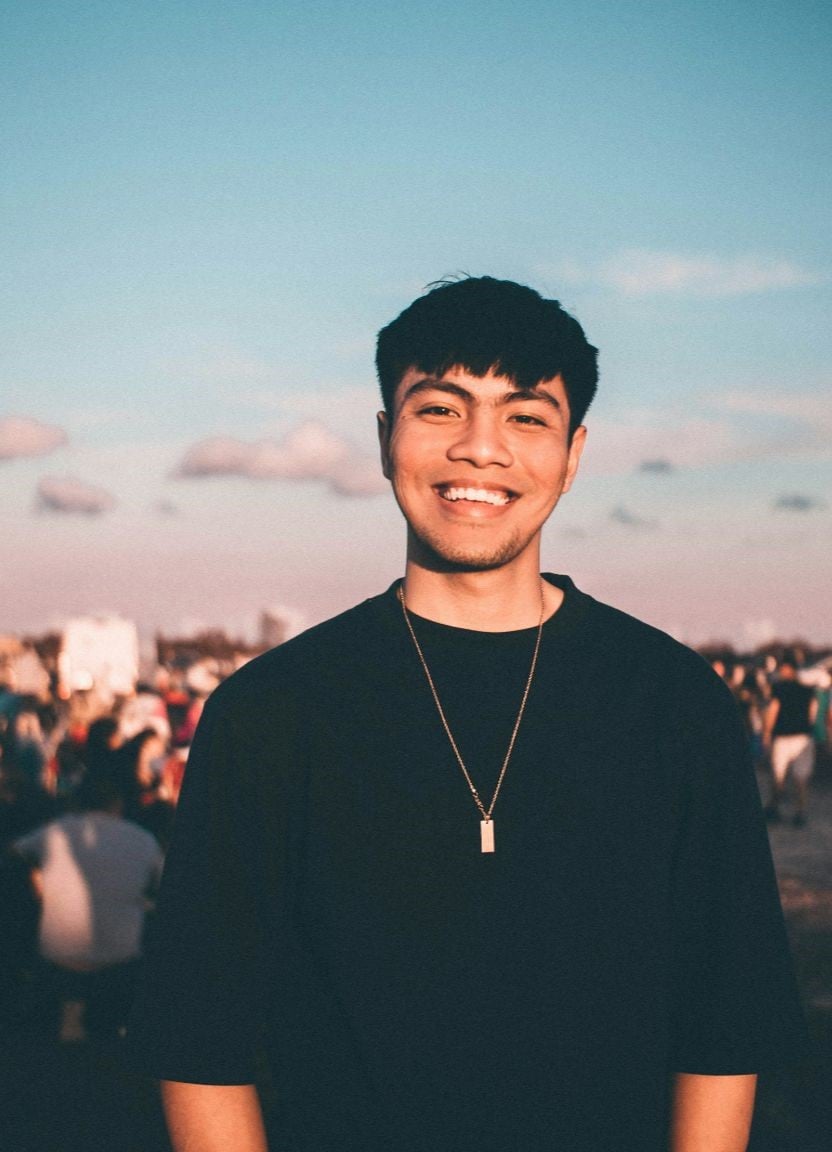
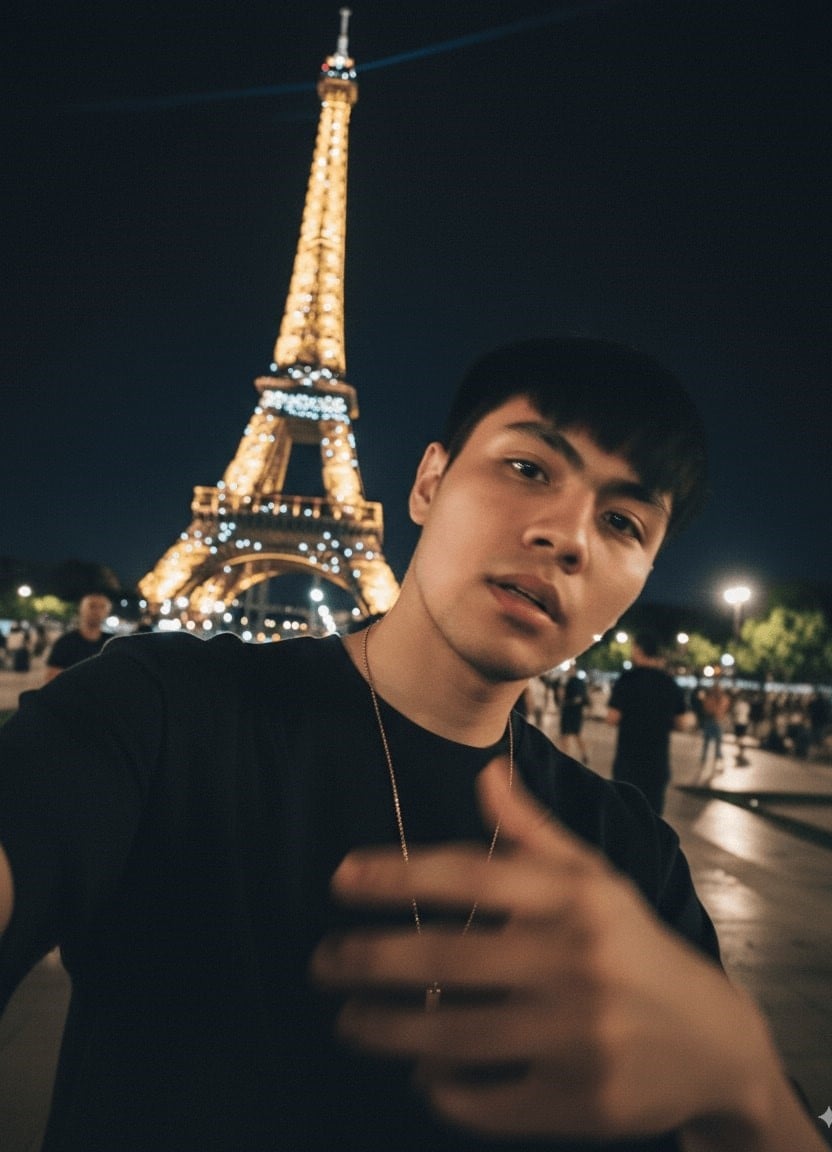
使用 Nano Banana Pro 一秒將你的照片轉換為 iPhone 風格的自拍。
✅ Nano Banana Prompt 提示詞:
將上傳圖片轉換為一張普通的 iPhone 自拍照,沒有明確主體或構圖感——就像隨意拍攝的隨手快照。照片應帶有輕微的動態模糊,光線不均勻,由陽光或室內燈光造成輕微過曝。角度尷尬,構圖凌亂,整體美感刻意平淡——就像不小心從口袋拿出手機時拍到的一樣。拍攝時間為夜晚,地點在【地點】旁。
👀 注意:請將提示詞中的【地點】替換為具體描述。
Turn the uploaded picture into an extremely ordinary and unremarkable iPhone selfie, with no clear subject or sense of composition — just like a random snapshot taken casually. The photo should include slight motion blur, with uneven lighting caused by sunlight or indoor lights resulting in mild overexposure. The angle is awkward, the composition is messy, and the overall aesthetic is deliberately plain — as if it was accidentally taken while pulling the phone out of a pocket. The subjects taken at night, next to the [Location].
👀 Note: Replace [Location] in the prompt with specific descriptions.
⭐ 點擊這裡,自動粘貼提示詞至Nano Banana模型,免費生成 ⭐
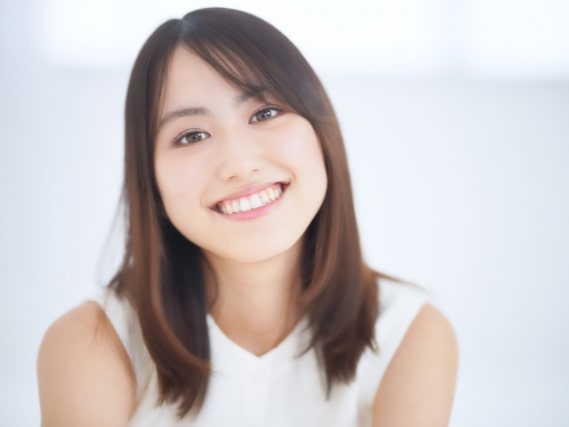
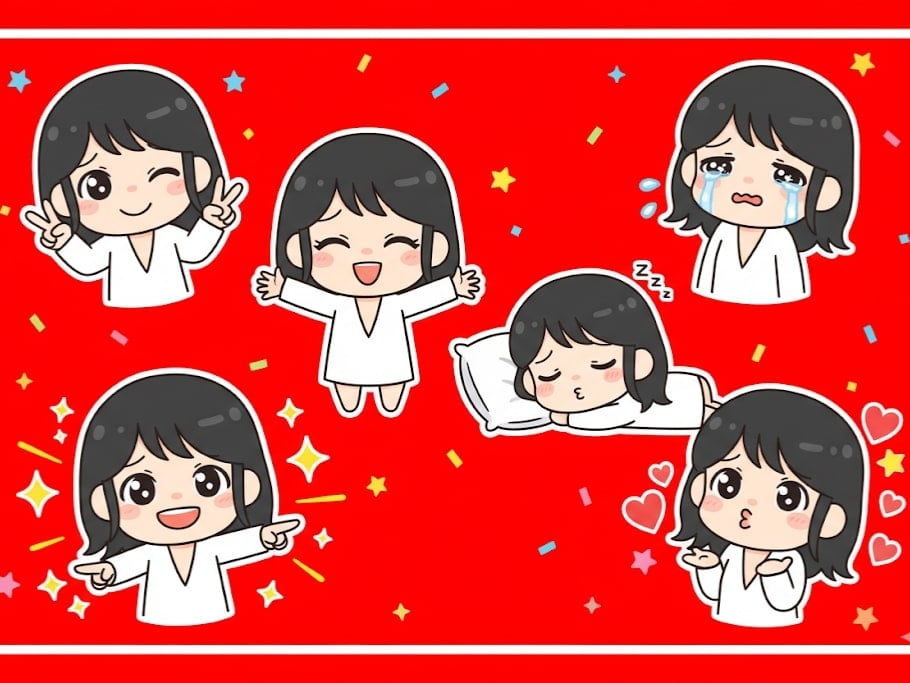
6. Q 版表情貼紙
使用下面的 AI 照片 prompt,讓 Gemini AI 模型幫你將照片轉換為任意姿勢的 Q 版表情貼紙。
✅ Nano Banana Prompt 提示詞:
做出俏皮的雙手比出勝利手勢並眨眼。眼中帶淚,嘴唇微微顫動,呈現可愛哭泣表情。雙臂張開,做出溫暖、熱情的擁抱姿勢。側躺睡覺,頭枕小枕頭,帶著甜美微笑。自信地指向前方,周圍環繞著閃亮視覺效果。飛吻,周圍漂浮心形符號。保持 Q 版風格。誇張、表情豐富的大眼睛。柔和的臉部線條。背景:鮮豔紅色,搭配星星或彩色紙屑元素裝飾。每個貼圖周圍保留一些乾淨的白色空間。長寬比:9:16。
Making a playful peace sign with both hands and winking. Tearful eyes and slightly trembling lips, showing a cute crying expression. Arms wide open in a warm, enthusiastic hug pose. Lying on their side asleep, resting on a tiny pillow with a sweet smile. Pointing forward with confidence, surrounded by shining visual effects. Blowing a kiss, with heart symbols floating around. Maintain the chibi aesthetic. Exaggerated, expressive big eyes. Soft facial lines. Background: Vibrant red with star or colorful confetti elements for decoration. Leave some clean white space around each sticker. Aspect ratio: 9:16
⭐ 點擊這裡,自動粘貼提示詞至Nano Banana模型,免費生成 ⭐
7. Funko Pop 手辦
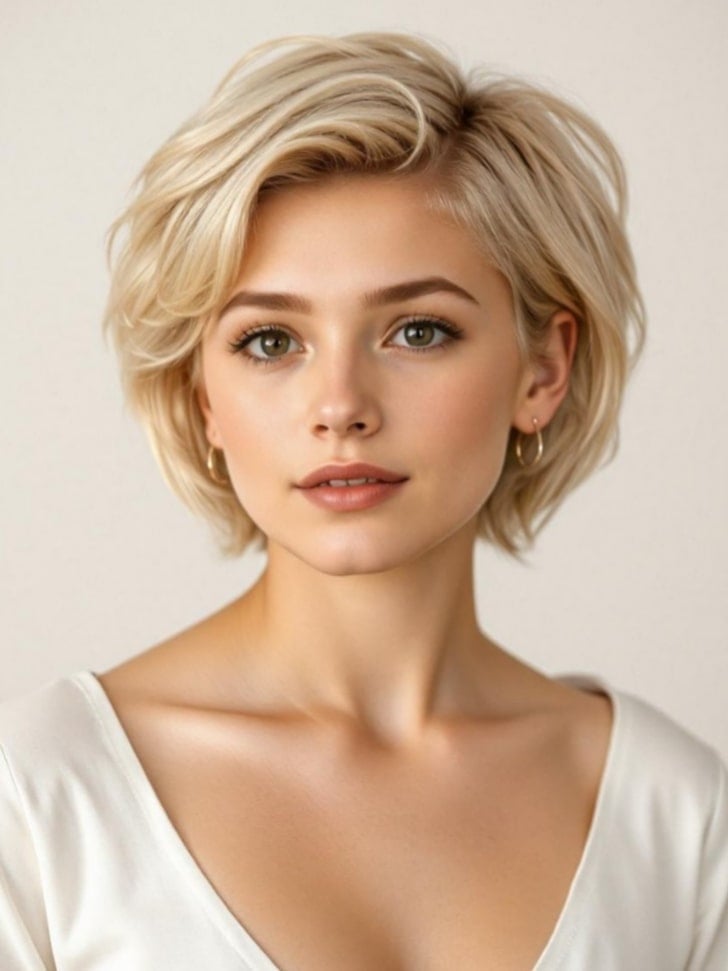
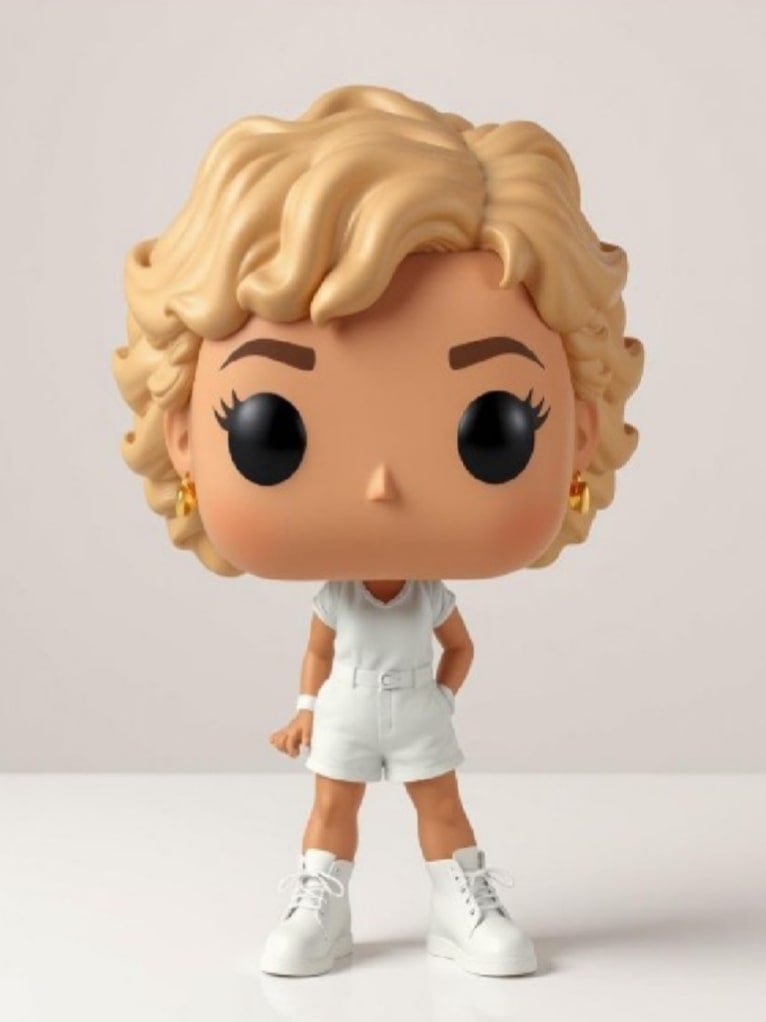
快速將你的照片變為 Funko Pop 風格的手辦。
✅ Nano Banana Prompt 提示詞:
將照片中的人物轉換為 Funko Pop(Funko 手辦)風格盒裝呈現,以等角視圖(isometric view)展示。包裝上標註標題:【名字】。盒內呈現以照片人物為原型的 Q 版(chibi)公仔,以及其重要配件:手槍、手錶、西裝和其他標誌性物品。盒子旁展示實體公仔的寫實渲染效果,細節與光影豐富,呈現如真實產品般的質感。
👀 Note: Replace [name] in the prompt with specific descriptions.
⭐ 點擊這裡,自動粘貼提示詞至Nano Banana模型,免費生成 ⭐
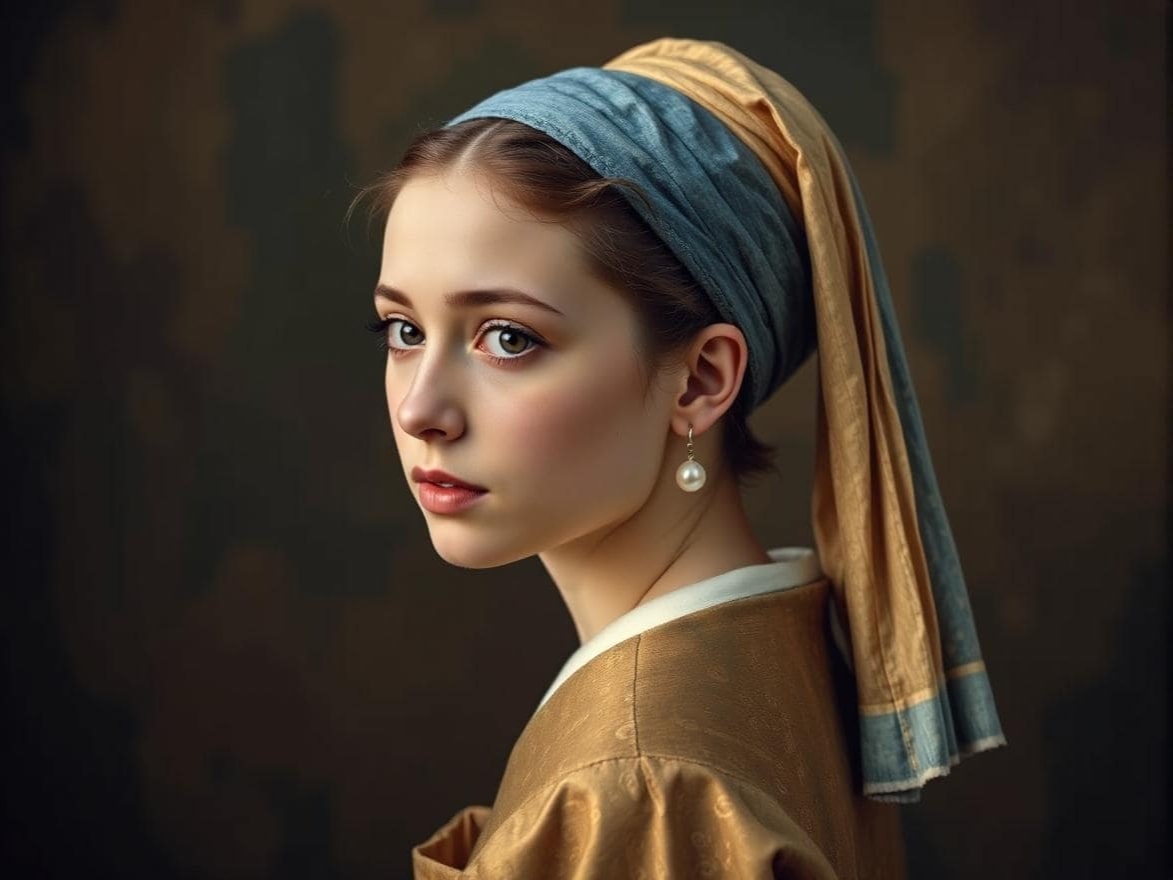
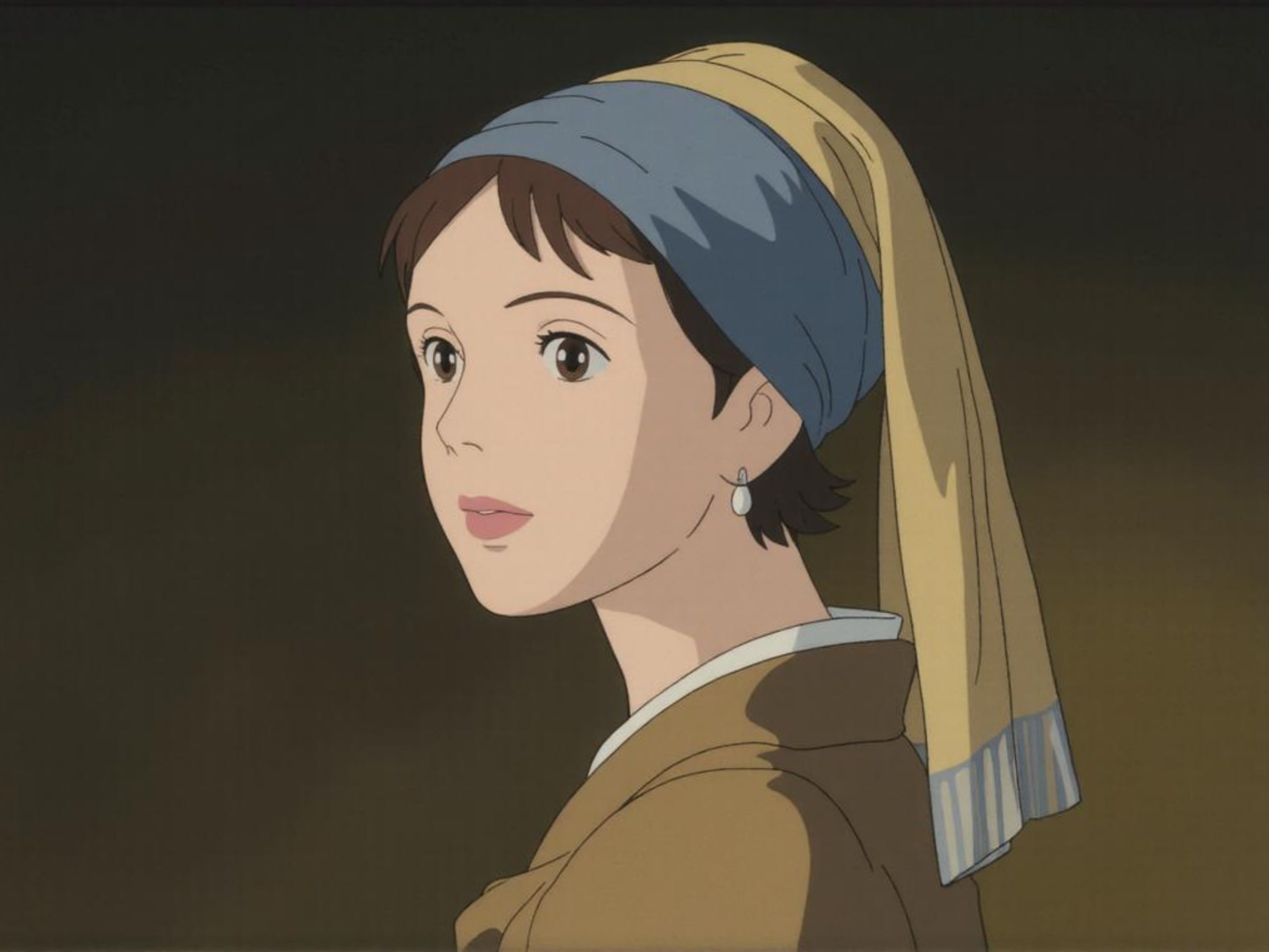
8. 吉卜力風格
將你的照片轉換為吉卜力風格的圖片。
✅ Nano Banana Prompt 提示詞:
將這張照片重繪為吉卜力(Ghibli)風格。
Redraw this photo in Ghibli style
⭐ 點擊這裡,自動粘貼提示詞至Nano Banana模型,免費生成 ⭐
9. 遊戲 UI
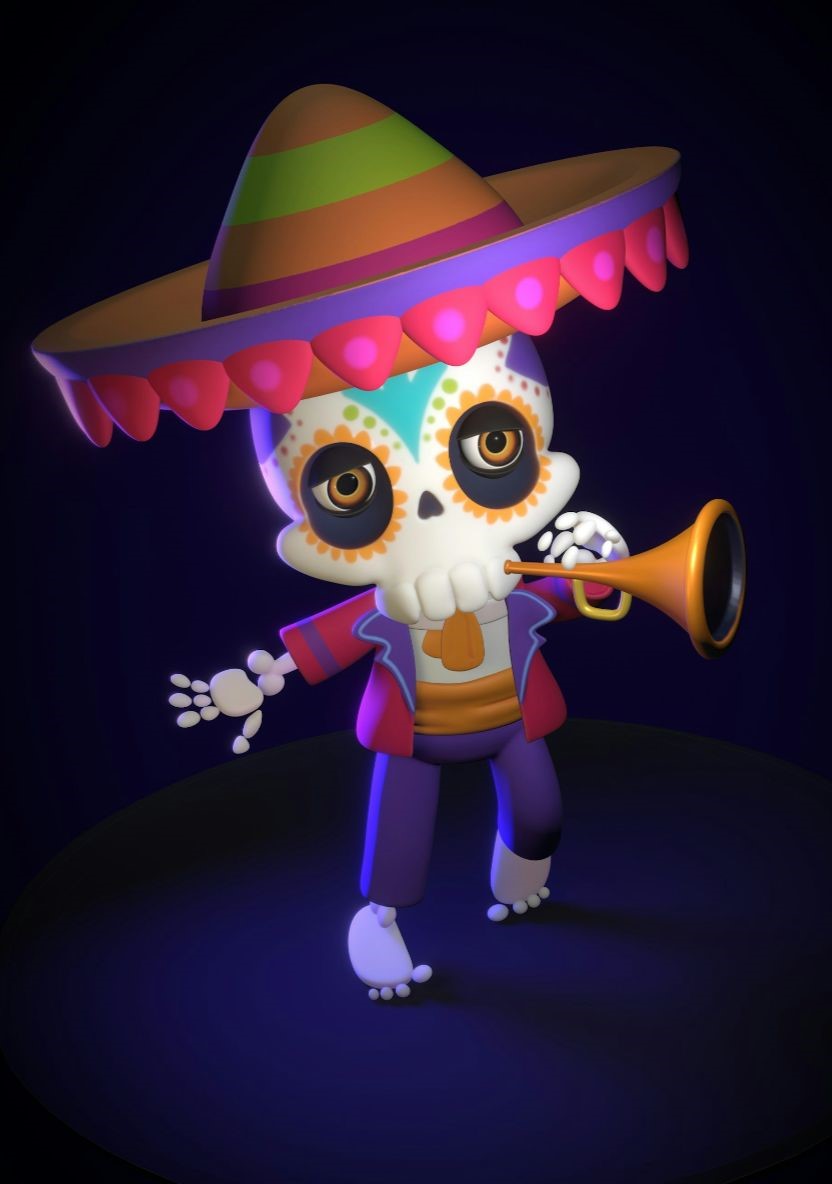
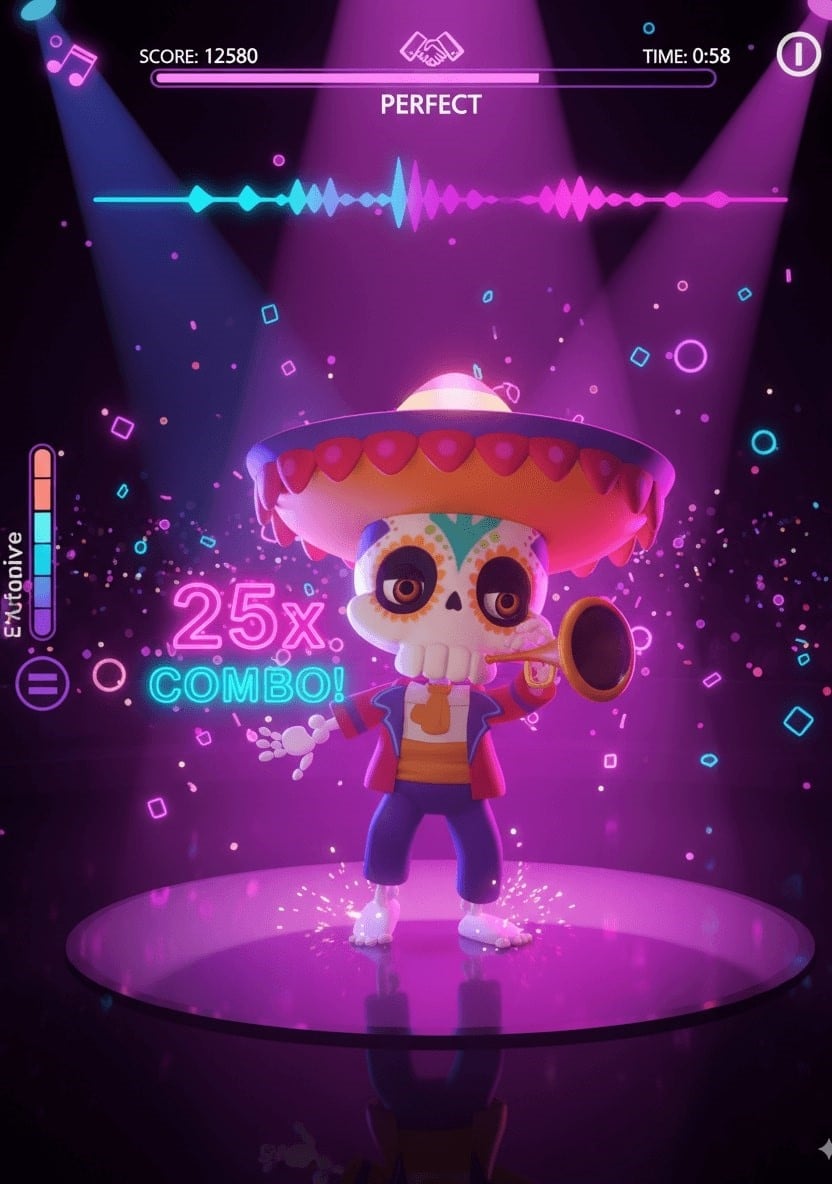
使用 Nano Banana 或 Nano Banana Pro 為你的設計添加遊戲 UI 元素。複製粘貼 Google Gemini 提示詞,就能快速設計出亮眼的 UI 圖片。
✅ Nano Banana Prompt 提示詞:
一張充滿活力的節奏舞蹈遊戲截圖,呈現三個來自參考照片的相同 3D 動畫角色,保留她獨特髮型、耳機、太陽眼鏡、運動風黃色褲子以及自信的舞蹈姿勢。沉浸式電影光影效果,霓虹粉紅與紫色光暈,光亮反射的舞蹈地板在聚光燈下閃耀,動態 3D 卡通風格。節奏遊戲界面包含沉浸式 UI:頂部分數計量表、與節拍同步的彩色音樂波形動畫、舞台倒數計時器,以及漂浮的連擊數字。高度細節化,遊戲氛圍濃厚,帶有能量條、霓虹粒子效果,以及沉浸式街機節奏遊戲 HUD 元素。超細緻、電影感、沉浸式、3D 動畫效果。
A vibrant rhythm dance game screenshot featuring three same 3D animated characters from the reference photo, keeping her unique hairstyle, headphones, sunglasses, sporty yellow pants, and confident dance pose. Immersive cinematic lighting with neon pink and purple glow, glossy reflective dance floor shining under spotlights, dynamic 3D cartoon style. Rhythm game interface with immersive UI: score meter at the top, colorful music waveform animations synced to the beat, stage timer countdown, and floating combo numbers. Highly detailed, game-like atmosphere with energy bars, neon particle effects, and immersive arcade rhythm game HUD elements. Ultra-detailed, cinematic, immersive, 3D animation.
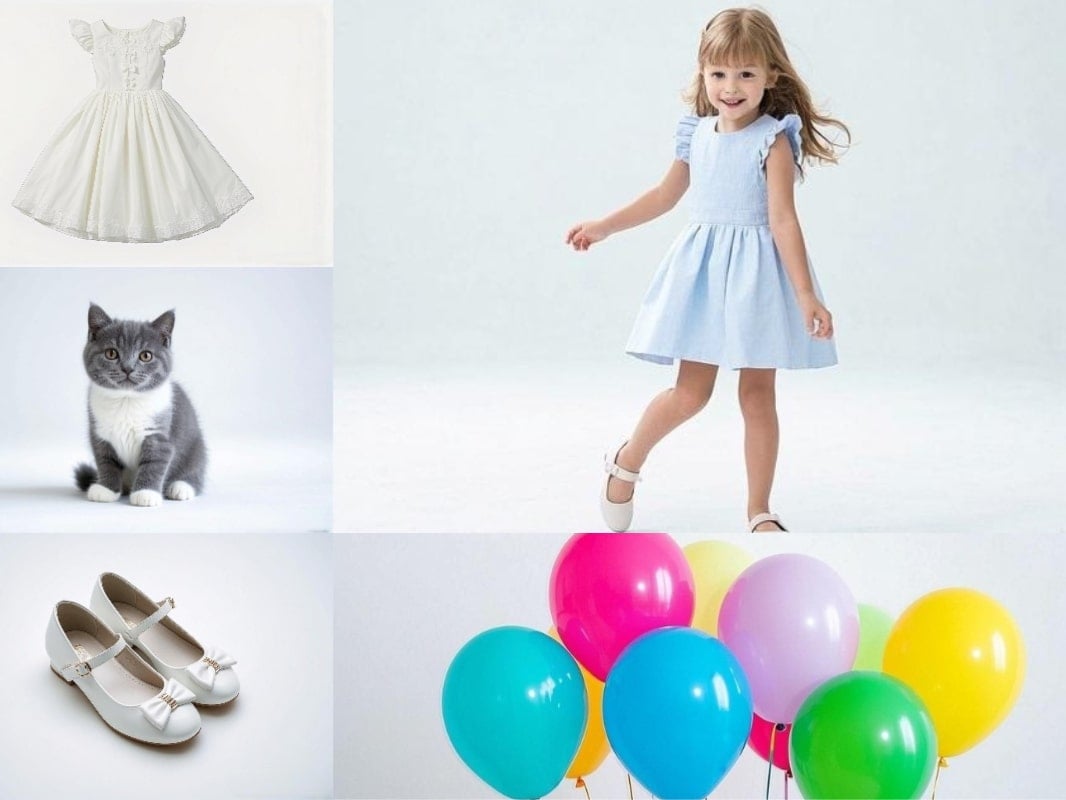
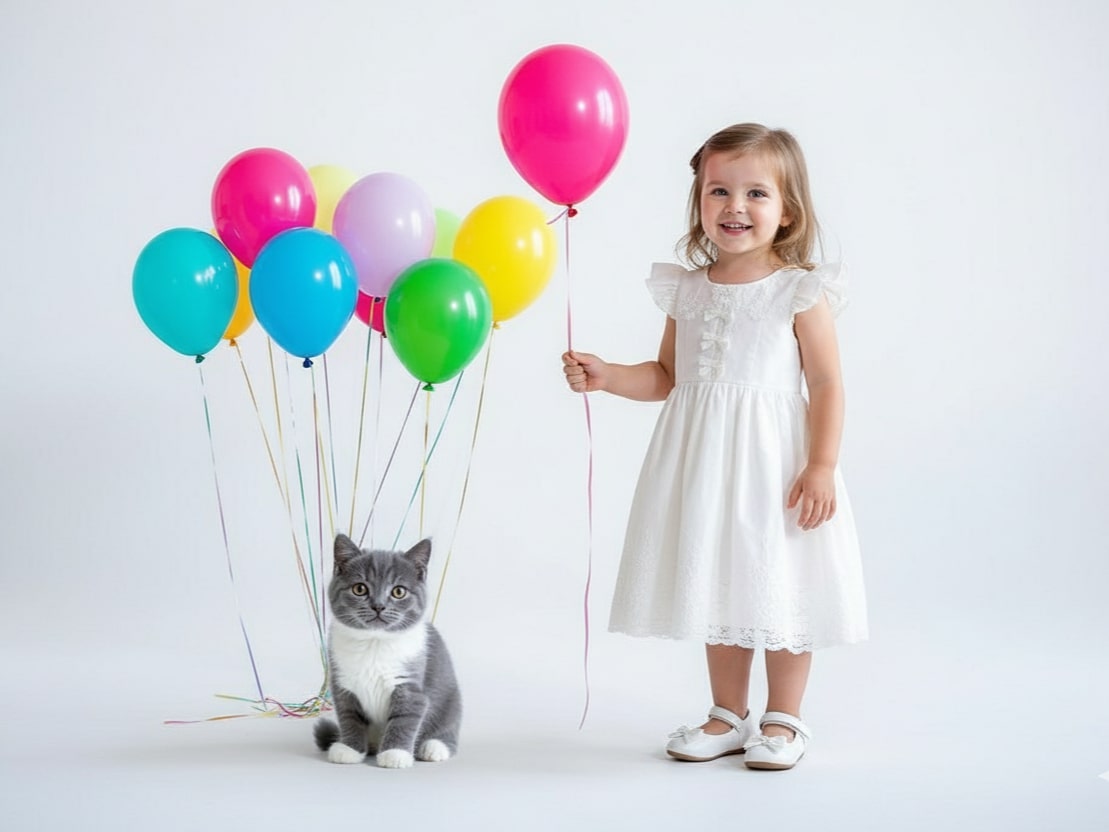
10. 多張圖片融合
將多張圖片無痕融合為一張圖。
✅ Nano Banana Prompt 提示詞:
將多張圖片([圖1]、[圖2]、[圖3]、…)合成為單一完整圖像。保持所有主要角色可辨識,並維持其比例與細節。自然融合各張圖片,確保光影、陰影、透視和風格一致。逼真、高清、無縫整合。
Combine multiple images ([Image1], [Image2], [Image3], …) into a single cohesive image. Keep all key subjects recognizable and maintain their proportions and details. Blend the images naturally with consistent lighting, shadows, perspective, and style. Photorealistic, high-resolution, seamless integration.
11. 風格融合
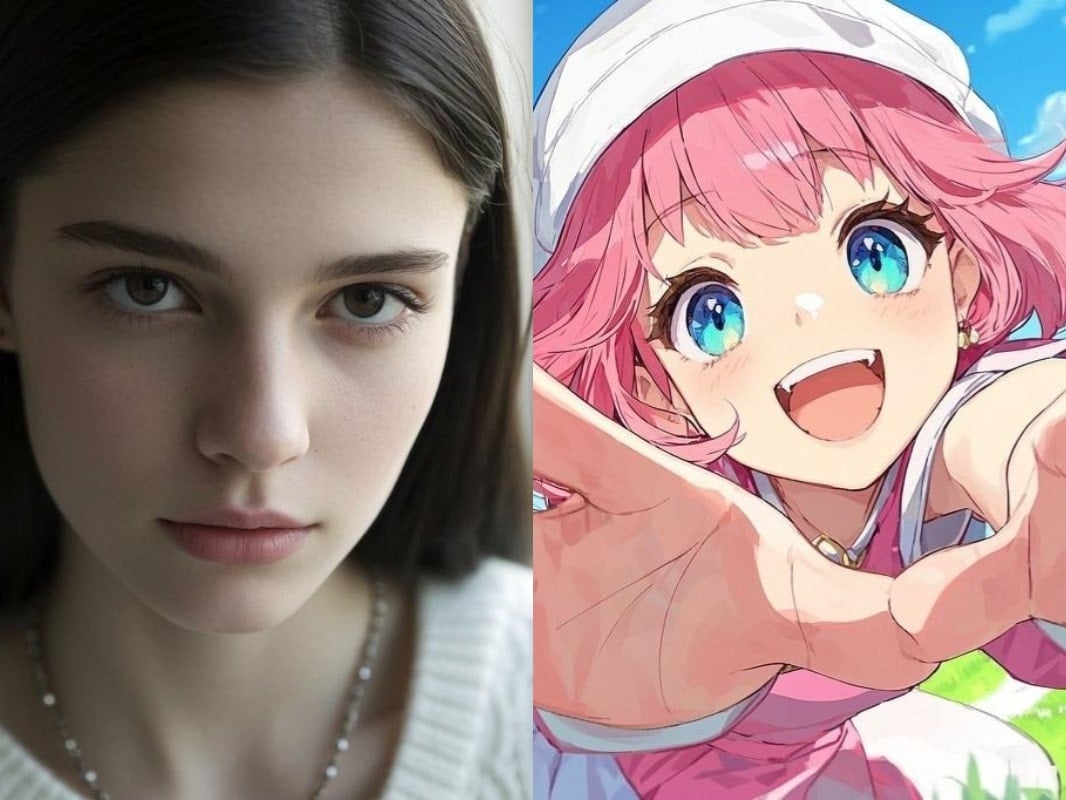
將兩張圖片的風格融合在一起,生成獨特、和諧的視覺效果。
✅ Nano Banana Prompt 提示詞:
將 [圖1] 轉換為 [圖2] 的藝術風格。保留 [圖1] 的主要主題、構圖和細節,但套用 [圖2] 的色彩、材質及整體美感。高品質,[風格名] 風格,細節一致。
👀 注意:將 prompt 中的 [風格名] 替換為具體描述。
Transform this image [Image1] into the artistic style of [Image2]. Keep the main subject, composition, and details from [Image1], but apply the colors, textures, and overall aesthetic of [Image2]. High-quality, [illustraition] style, consistent details.
👀 Note: Replace [illustraition] in the prompt with specific descriptions.

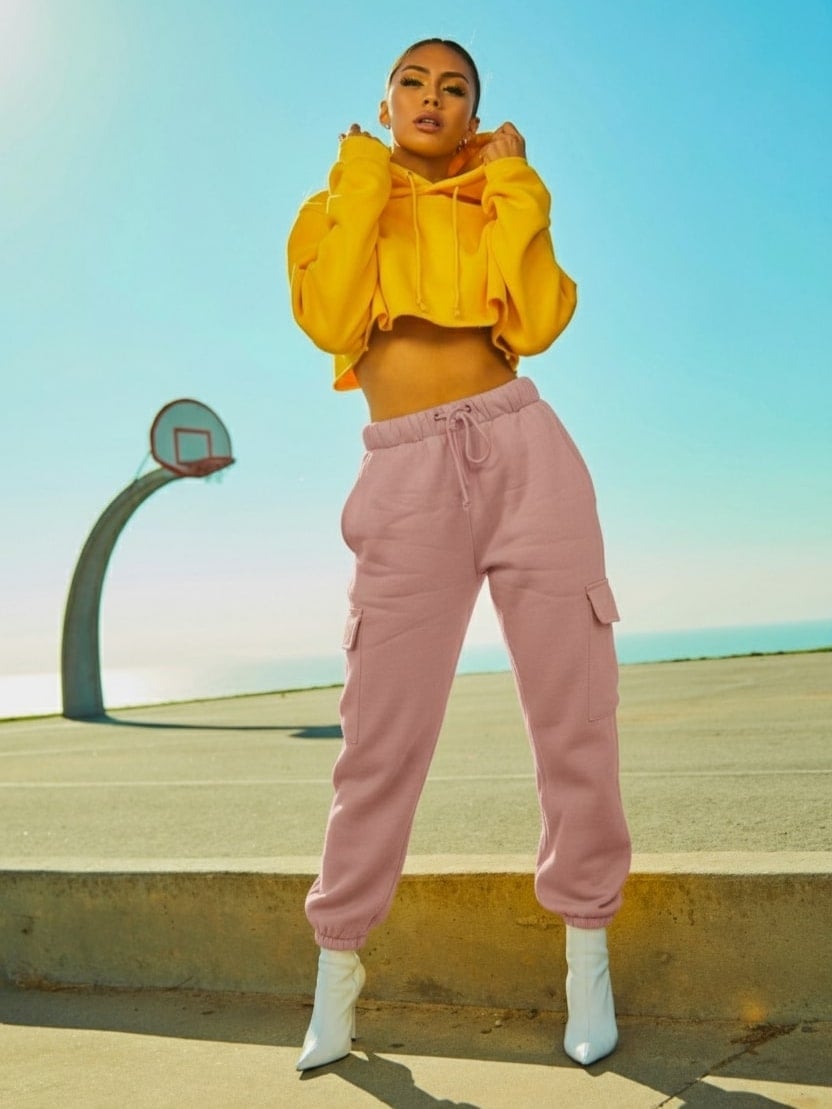
12. 虛擬換裝
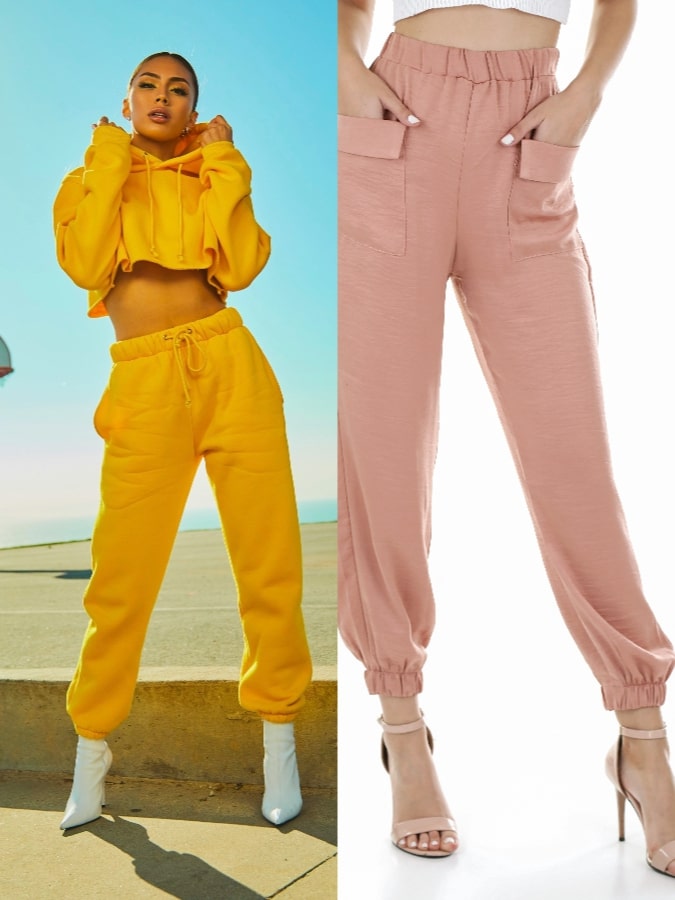
一秒虛擬換衣,嘗試新造型。
✅ Nano Banana Prompt 提示詞:
保留 [圖1] 中的角色不變,但將她的褲子替換為 [圖2] 的服裝。維持相同姿勢、身體比例與臉部特徵,同時套用 [圖2] 褲子的顏色、材質與風格。高品質、逼真、細節一致。
Keep the character in [Image1] unchanged, but replace her pant with the outfit in [Image2]. Maintain the same pose, body proportions, and facial features, while applying the color, texture, and style of the pants in [Image2]. High-quality, realistic, consistent detail.
圖片編輯
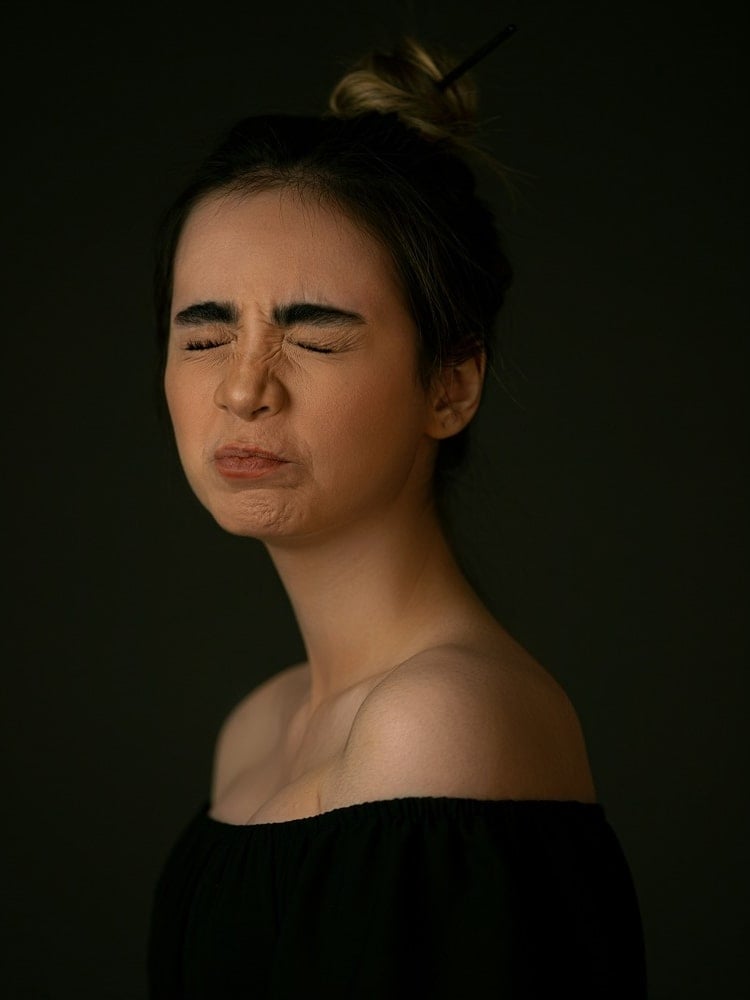
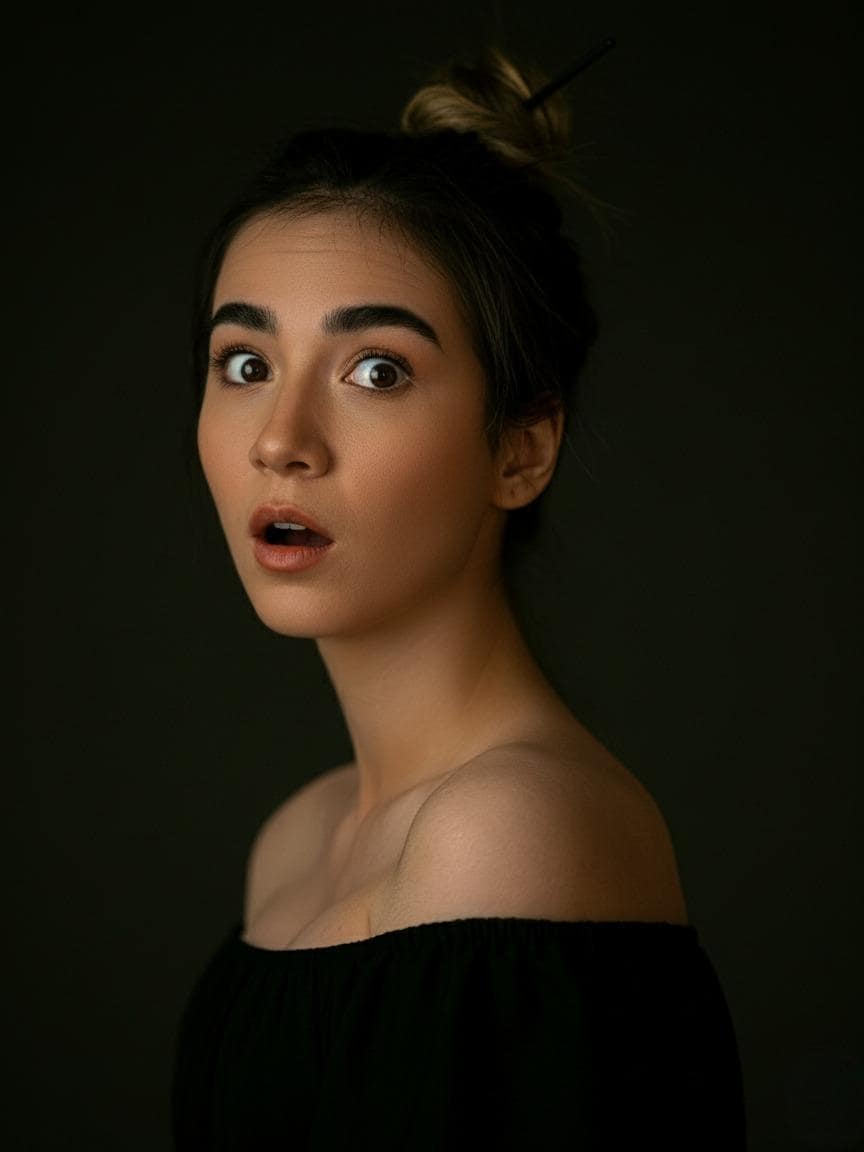
13. 換表情
使用 Nano Banana 的 prompt 輕鬆換表情,讓人物微笑、皺眉、或做出任何表情。
✅ Nano Banana Prompt 提示詞:
保留 [圖1] 中的人物不變,但將他們的臉部表情改為 [想要的表情,例如:微笑、驚訝、生氣]。保持姿勢、身體比例、髮型及整體外觀。維持逼真的光影效果和寫實細節。
Keep the person from [Image1] unchanged, but change their facial expression to [desired expression, e.g., smiling, surprised, angry]. Preserve the pose, body proportions, hairstyle, and overall appearance. Maintain realistic lighting, shadows, and photorealistic details.
⭐ 點擊這裡,自動粘貼提示詞至Nano Banana模型,免費生成 ⭐
14. 換姿勢
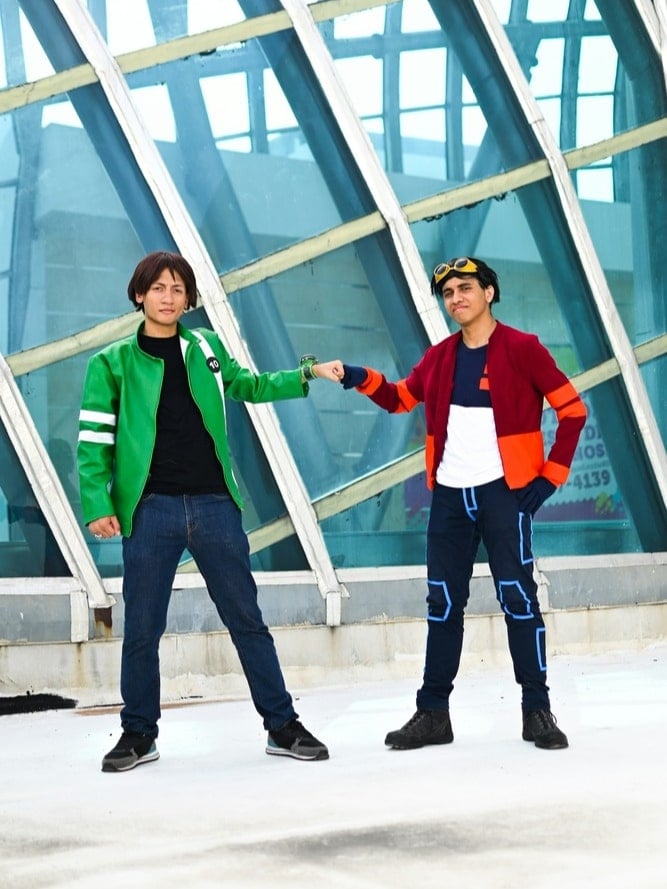
更換照片主體的姿勢,效果自然。
✅ Nano Banana Prompt 提示詞:
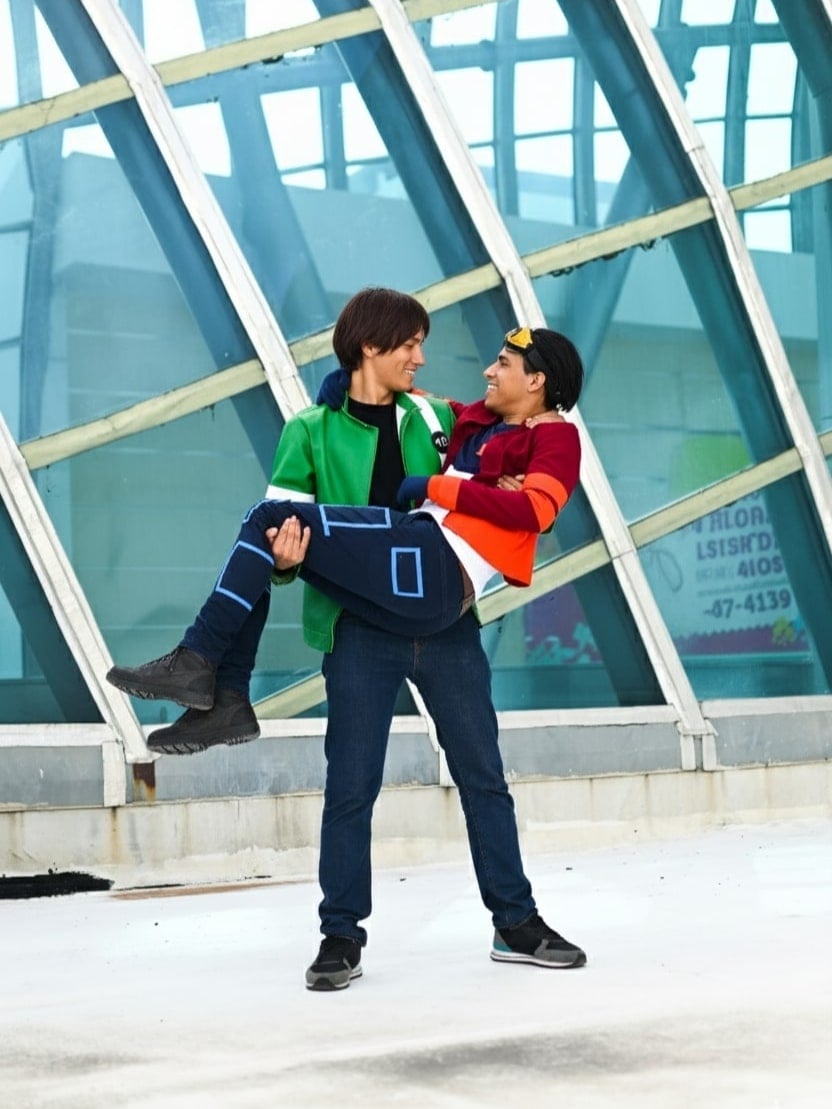
將兩名男性放置在綠衣男性抱著紅衣男性的完全相同姿勢中。保留他們的身份、身體比例和服裝細節。確保姿勢自然逼真,光影、陰影及透視一致。寫實、高解析度。
Take the two men and place them in the exact poses of the man in green carrying the man in red. Preserve their identities, body proportions, and clothing details. Ensure the pose is natural and realistic, with consistent lighting, shadows, and perspective. Photorealistic, high-resolution result.
⭐ 點擊這裡,自動粘貼提示詞至Nano Banana模型,免費生成 ⭐
15. 改變身材
輕鬆改變身材,不論是肌肉、瘦、豐滿,都能輕鬆實現。
✅ Nano Banana Prompt 提示詞:
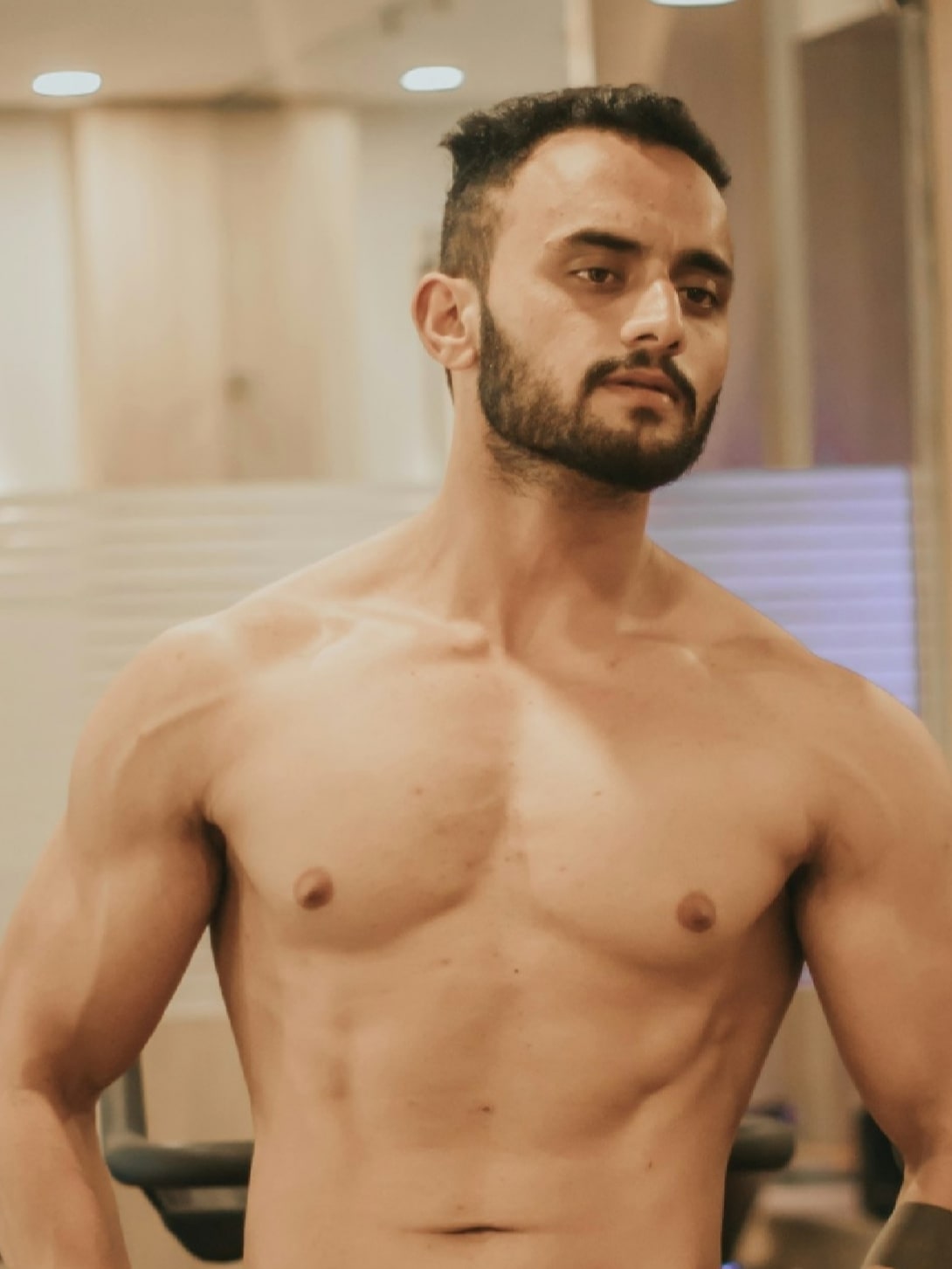
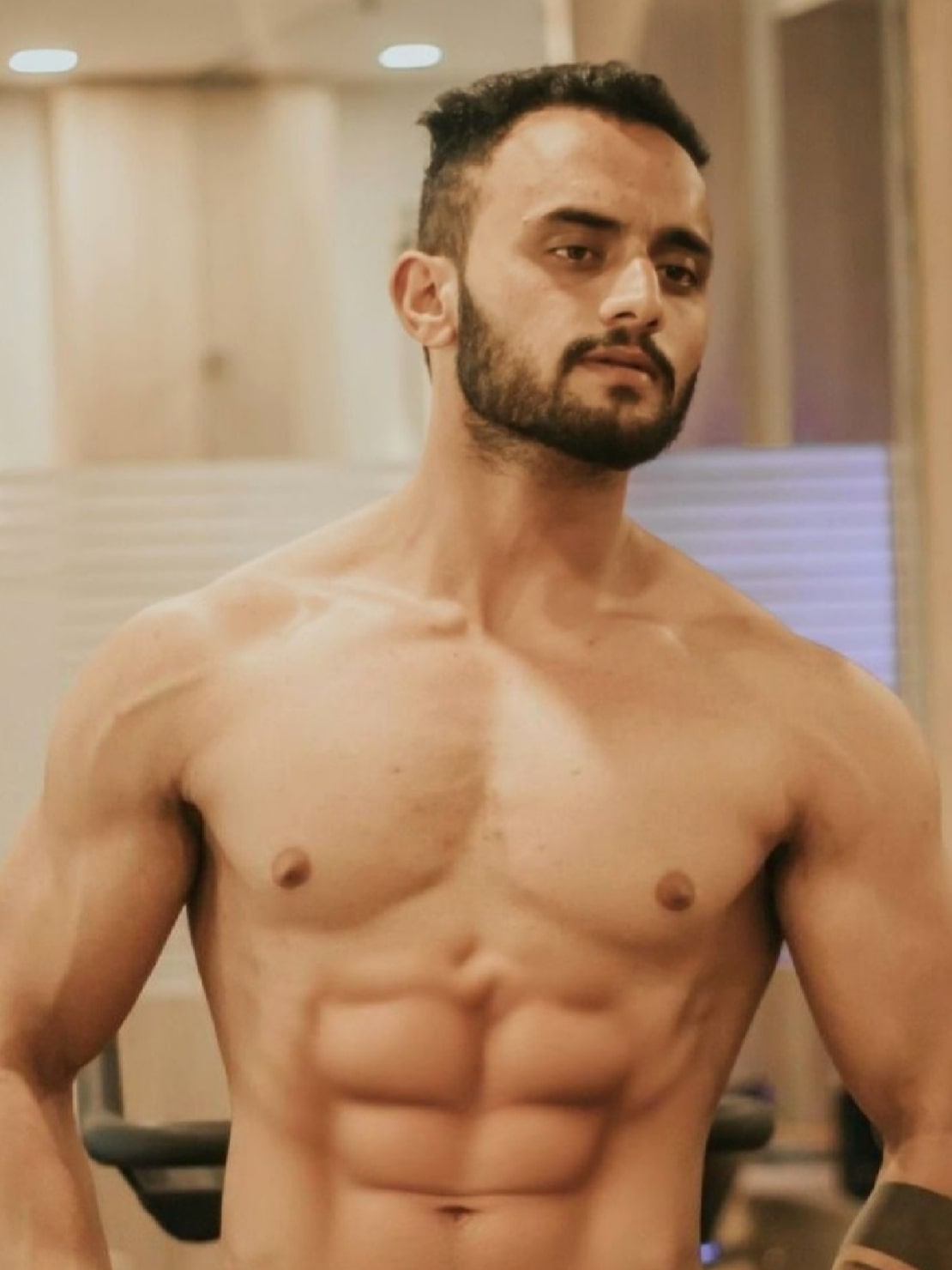
將 [圖1] 中人物的身體重新塑造成 [目標身形]。保持臉部、身份、髮型與服裝一致。確保解剖結構逼真、比例自然,並維持寫實細節。
Reshape the body of the person in [Image1] into a [target body type]. Keep the face, identity, hairstyle, and clothing consistent. Ensure realistic anatomy, natural proportions, and photorealistic details.
⭐ 點擊這裡,自動粘貼提示詞至Nano Banana模型,免費生成 ⭐
16. 九宮格肖像
使用 Nano Banana 的prompt 生成一組九宮格照片,每一張照片都有不同主題。
✅ Nano Banana Prompt 提示詞:
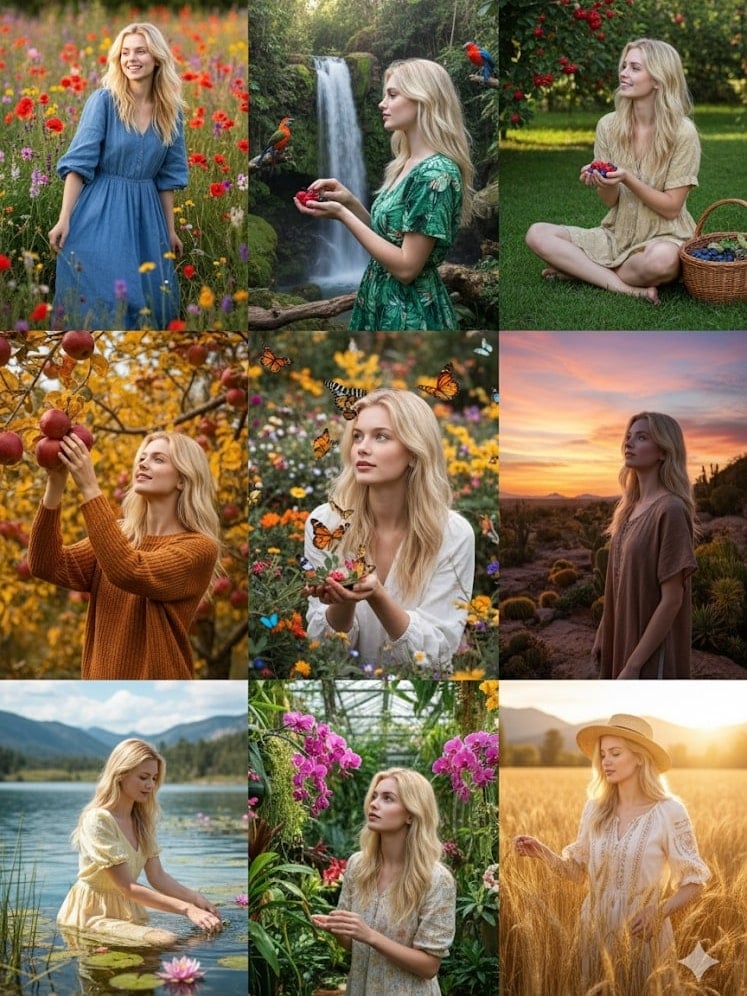
以上傳的照片作為參考,生成一組九宮格的半身肖像,每張肖像呈現不同姿勢,並置於獨特場景中,色彩豐富細膩,突顯自然的多樣性。
Using the uploaded photo as a reference, generate a set of 9 vibrant half-length portraits featuring natural life. Each portrait should show a different pose and be placed in a unique setting, with rich, colorful details that highlight the diversity of nature.
⭐ 點擊這裡,自動粘貼提示詞至Nano Banana模型,免費生成 ⭐

圖片編輯
17. 修改背景
修改圖片背景,保持主體不變。
✅ Nano Banana Prompt 提示詞:
將 [圖1] 的背景更換為 [想要的背景描述,例如:海灘、森林、城市天際線]。保持主要主體(人物/物品)不變,維持原始比例、光影和細節。確保主體自然融入新環境。寫實、高解析度、無縫整合。
Replace the background of [Image1] with [desired background description, e.g., a beach, a forest, a city skyline]. Keep the main subject (person/object) unchanged, maintaining original proportions, lighting, and details. Ensure the subject blends naturally with the new environment. Photorealistic, high-resolution, seamless integration.
⭐ 點擊這裡,自動粘貼提示詞至Nano Banana模型,免費生成 ⭐

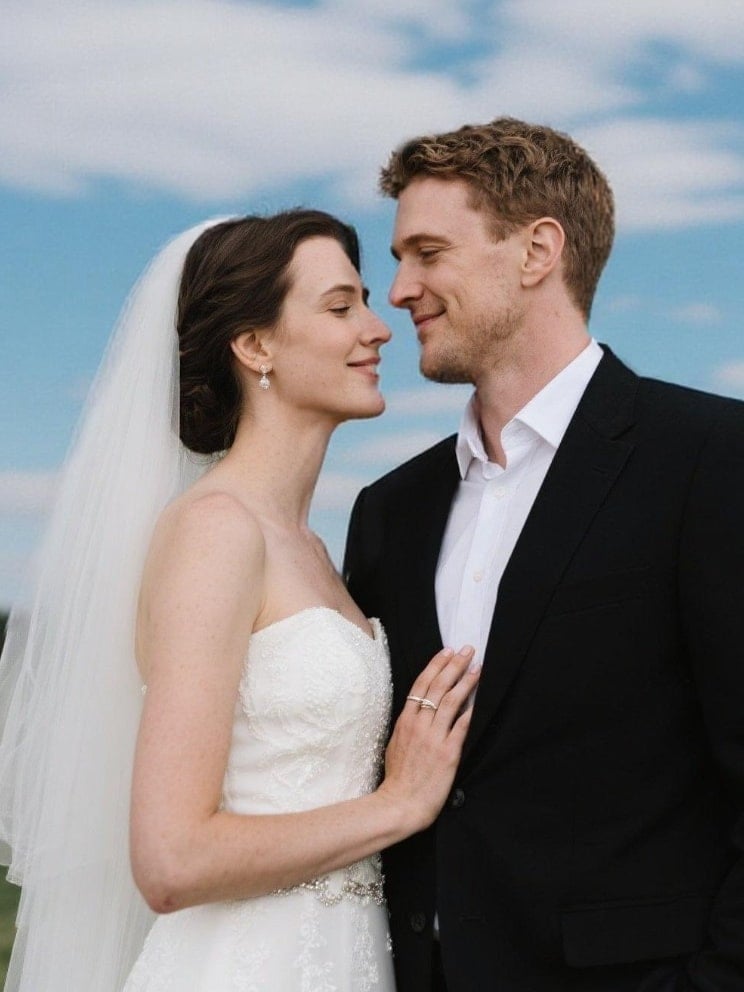
18. 在圖片中添加或移除物品
添加物品
輕鬆在圖片中添加物品,無縫融合。
✅ Nano Banana Prompt 提示詞:
在 [圖1] 中加入 [想要的元素,例如:樹、燈、狗]。自然置入場景中,匹配光影、透視與風格。保持原有元素不變。寫實、無縫整合。
Add [desired element, e.g., a tree, a lamp, a dog] to [Image1]. Place it naturally in the scene, matching the lighting, perspective, and style. Keep the original elements unchanged. Photorealistic, seamless integration.
⭐ 點擊這裡,自動粘貼提示詞至Nano Banana模型,免費生成 ⭐
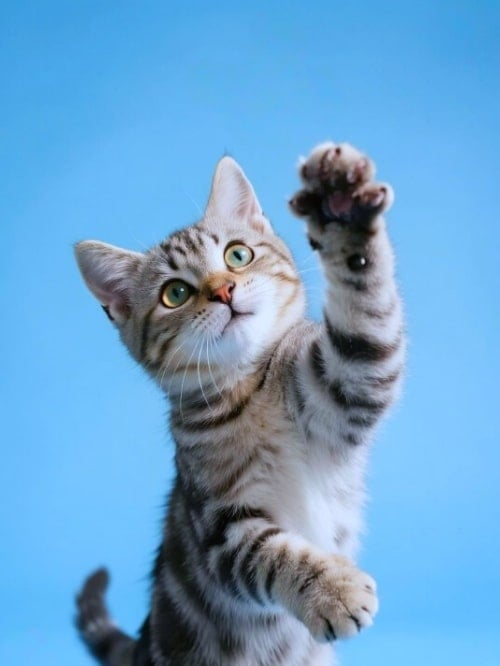
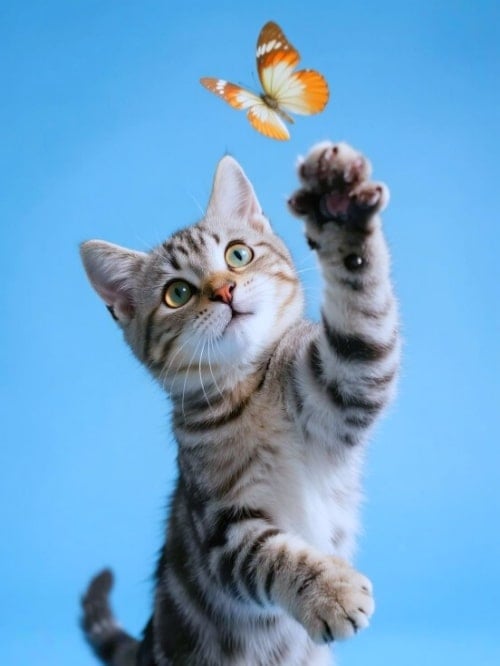
移除物品
從圖片中移除物品,呈現更純淨的視覺體驗。
✅ Nano Banana Prompt 提示詞:
從 [圖1] 中移除 [要移除的元素,例如:人物、汽車、招牌]。自然填補背景以維持場景連貫性、光影與細節。保持其他所有元素不變。寫實、高解析度。
Remove [element to remove, e.g., a person, a car, a sign] from [Image1]. Fill the background naturally to maintain the scene’s continuity, lighting, and details. Keep all other elements unchanged. Photorealistic, high-resolution.
⭐ 點擊這裡,自動粘貼提示詞至Nano Banana模型,免費生成 ⭐
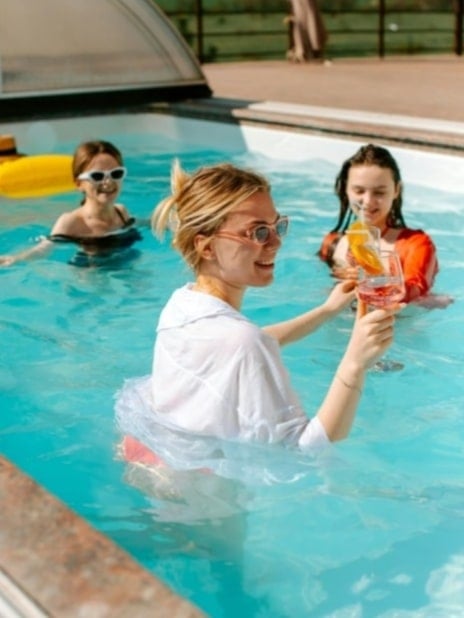
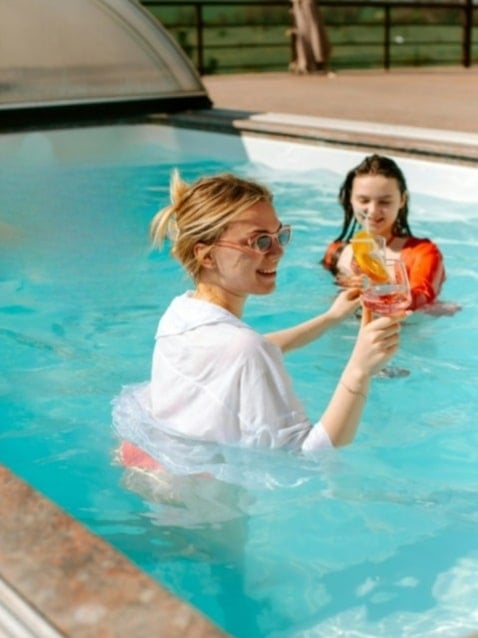
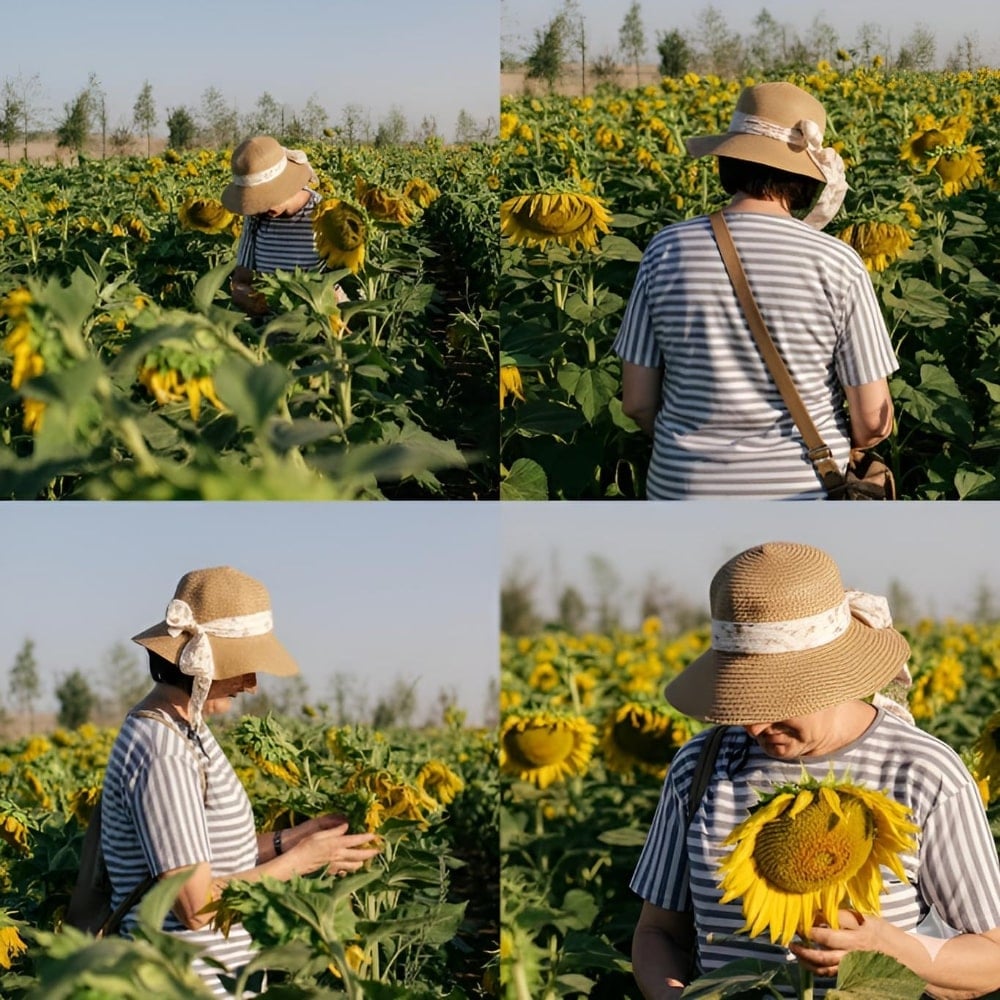
19. 改變鏡頭角度
改變鏡頭角度,從多個方面呈現照片主體。
✅ Nano Banana Prompt 提示詞:
以四個不同的鏡頭角度重現 [圖1] 中的人物。保持人物身份、身體比例與服裝在四張圖片中一致。維持 [圖1] 的背景環境,寫實光影、自然陰影、高品質細節。生成四個並排變化:
- 鳥瞰視角(從上方)
- 後視角(從背後)
- 側面視角
- 特寫肖像視角
Recreate the person from [Image1] in four different camera perspectives.Keep the subject’s identity, body proportions, and clothing consistent across all four images. Maintain the same background environment as [Image1], with photorealistic lighting, natural shadows, and high-quality details.
Generate four variations side by side:
- Bird’s-eye view (from above).
- Rear view (from behind).
- Side profile view.
- Close-up portrait view.
⭐ 點擊這裡,自動粘貼提示詞至Nano Banana模型,免費生成 ⭐
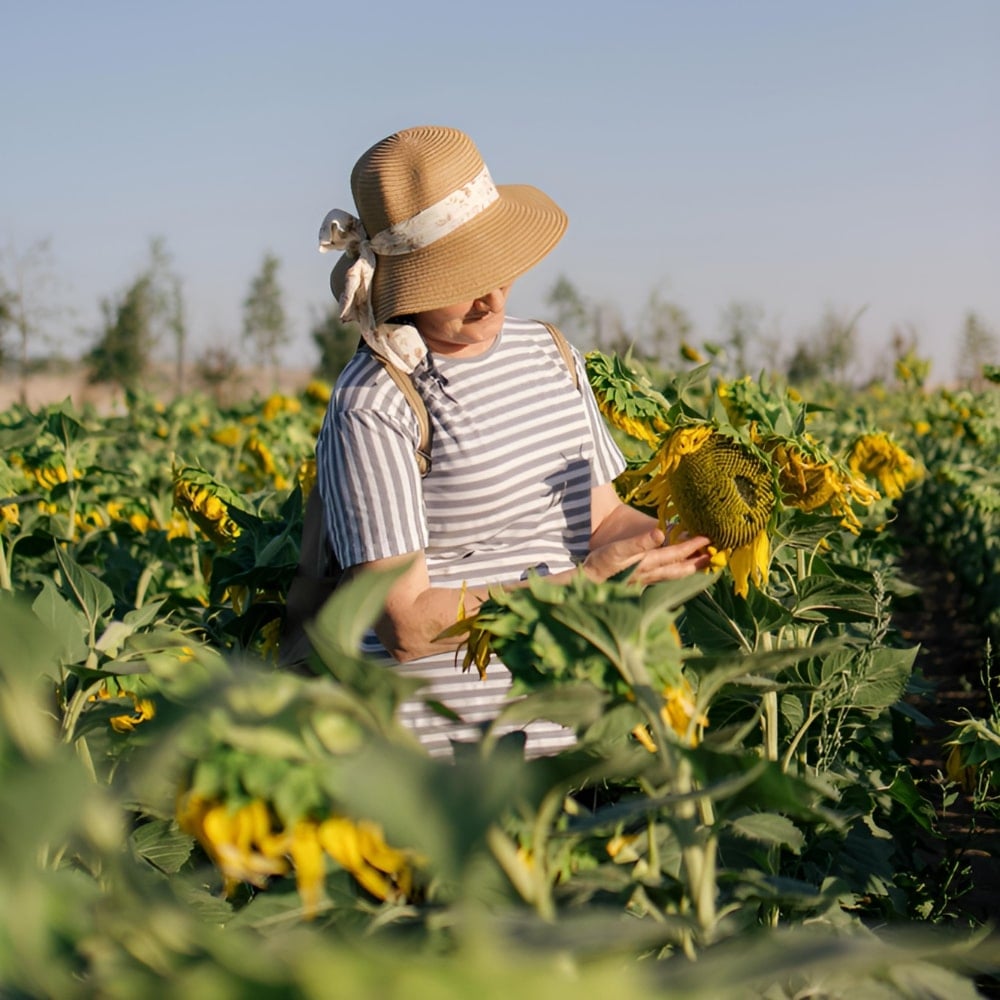
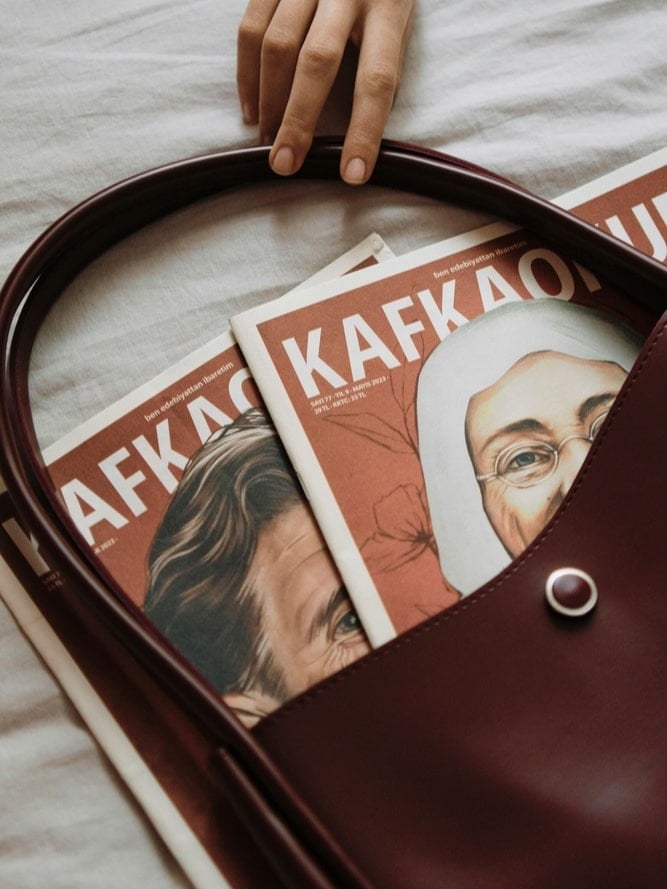
20. 編輯圖中文字
修改圖片文字或直接替換文字,不會影響到圖片的其他區域。
✅ Nano Banana Prompt 提示詞:
編輯 [圖1] 中的文字。將現有文字替換為「你的新文字」,同時保持背景、設計和其他元素不變。字體風格、大小與顏色需自然一致,達到無縫融合效果。寫實風格,高品質整合。
Edit the text in [Image1]. Replace the existing text with “[your new text]” while keeping the background, design, and other elements unchanged. Match the font style, size, and color to look natural and consistent with the image. Photorealistic, seamless integration.
⭐ 點擊這裡,自動粘貼提示詞至Nano Banana模型,免費生成 ⭐
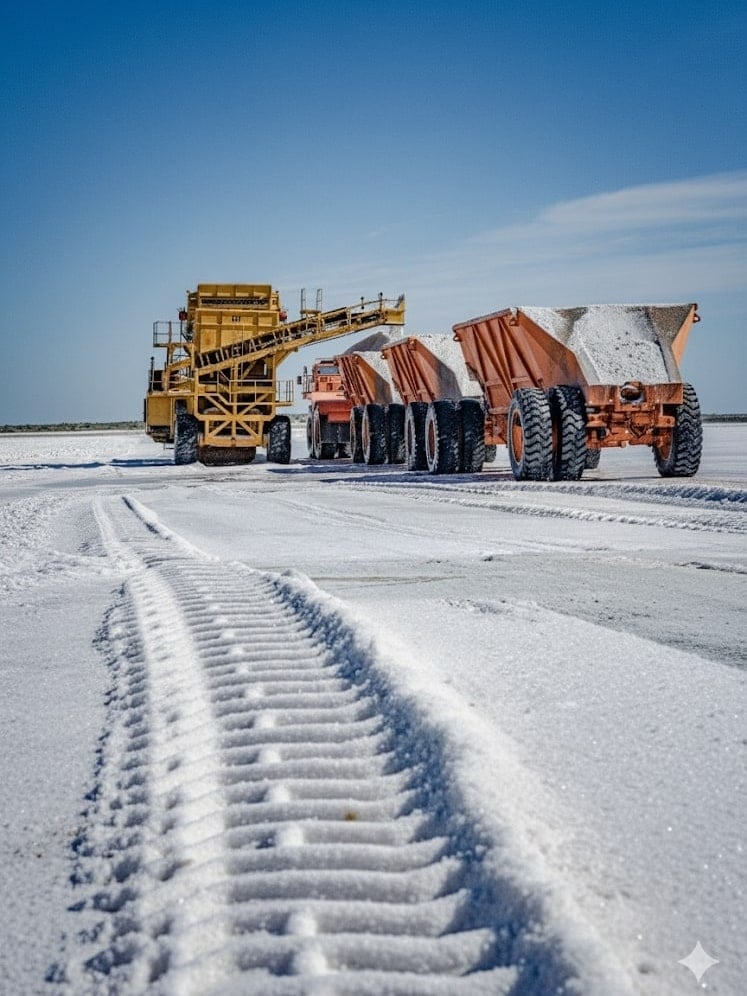
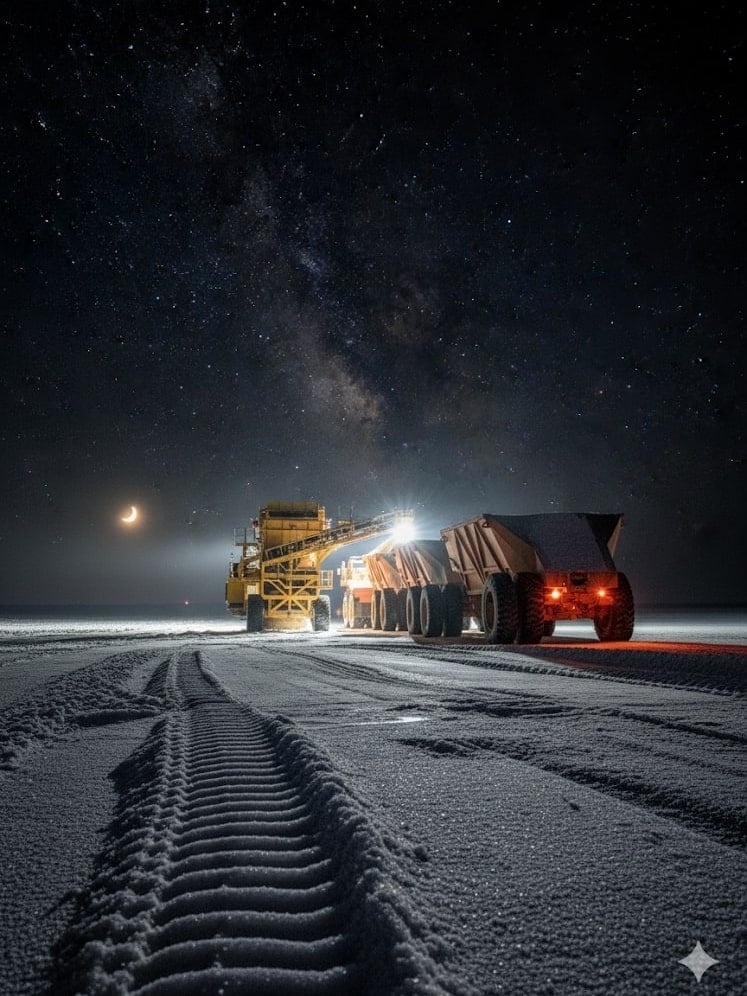
21. 生成隨時間自然變化的圖片
將圖片轉換為處於不同時間點的樣子,比如十分鐘以後的樣子,日落時候的樣子。
✅ Nano Banana Prompt 提示詞:
生成與 [圖1] 相同場景的圖片,但呈現 10 分鐘後的樣子。保持環境與風格一致,但需加入隨時間產生的自然變化,例如光線、天氣、人群等。寫實風格,無縫連續性。
Generate an image of the same scene as [Image1], but showing how it looks 10 minutes later. Keep the environment and style consistent, but add natural changes over time such as light, weather, people and so on. Photorealistic, seamless continuity.
⭐ 點擊這裡,自動粘貼提示詞至Nano Banana模型,免費生成 ⭐
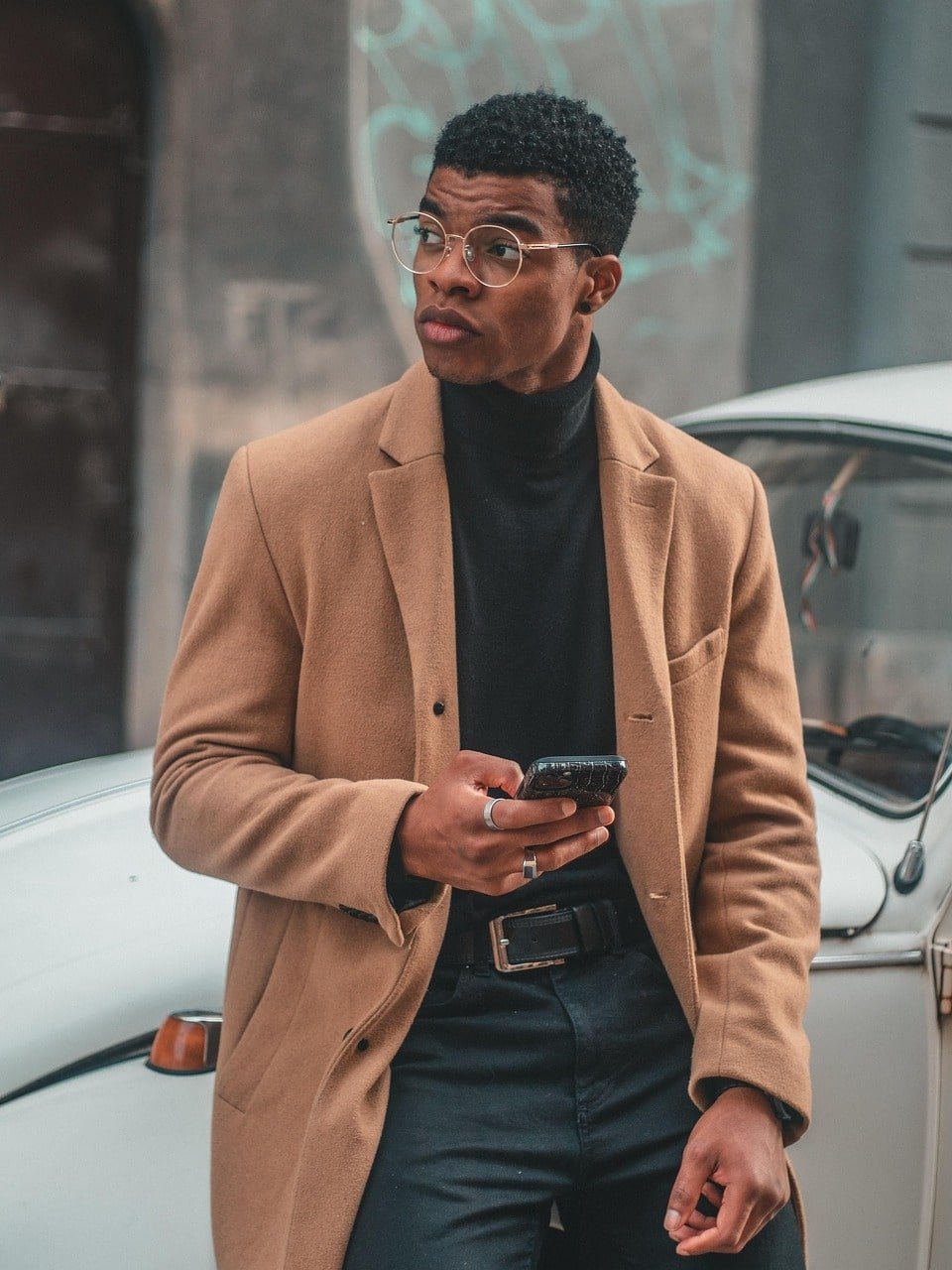
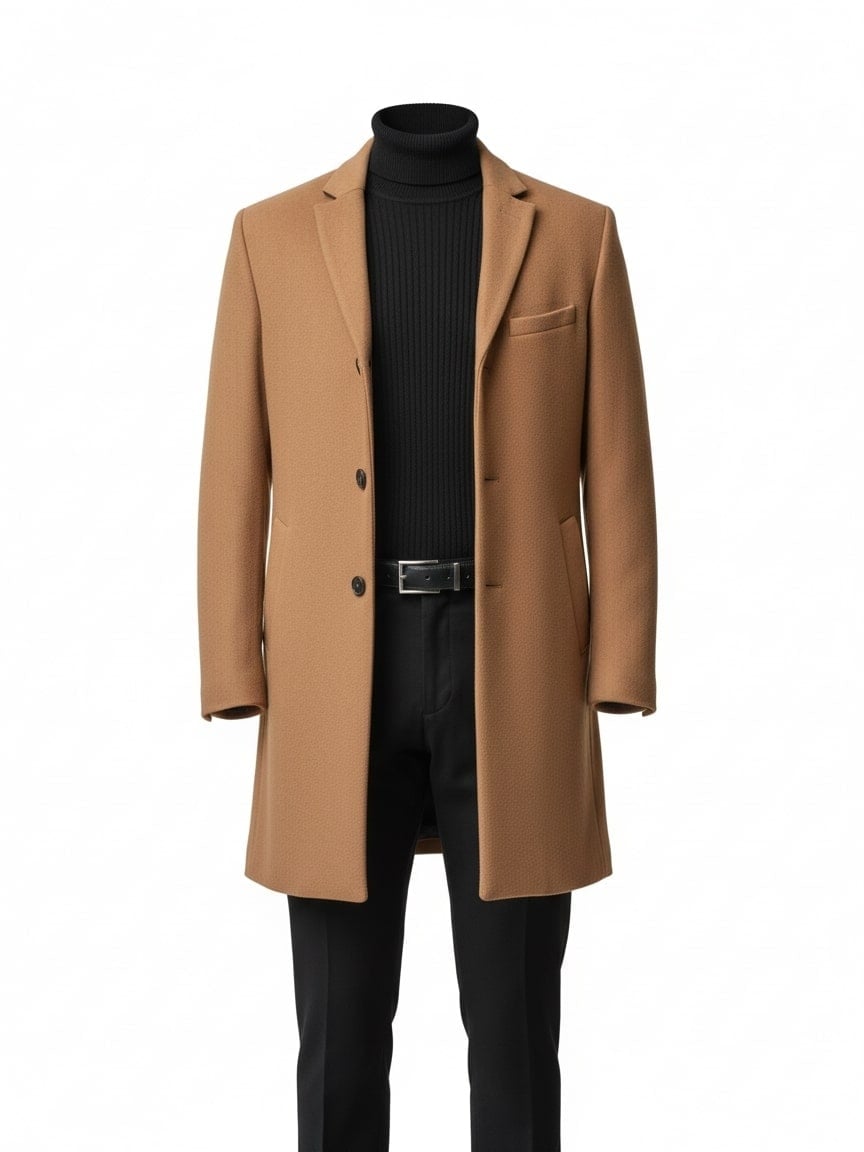
22. 提取物品
輕鬆提取圖片中的某個物品,用於進一步編輯或其他用途。
✅ Nano Banana Prompt 提示詞:
從 [圖1] 中提取服裝,呈現為乾淨的電商產品照片。完全去除模特的身體,保留衣物自然的 3D 形態,包含真實布料摺痕、縫線與質感。展示效果如同穿在隱形模特上或平整擺放,置中於純白或透明背景。高解析度、專業打光,適合線上時尚型錄。
Extract the clothing from [Image1] and present it as a clean e-commerce product photo. Remove the model’s body completely. Keep the outfit in natural 3D shape, with realistic fabric folds, seams, and textures. Display the garment as if photographed on a mannequin or neatly laid flat, centered on a pure white or transparent background. High-resolution, professional lighting, suitable for online fashion catalog.
⭐ 點擊這裡,自動粘貼提示詞至Nano Banana模型,免費生成 ⭐
23. 修復畫質
輕鬆修復畫質,增強照片細節,提高清晰度。
✅ Nano Banana Prompt 提示詞:
增強 [圖1] 的整體品質與細節。保持原始構圖、色彩與風格不變。提升解析度、銳利度、材質清晰度與光影真實感。輸出為寫實風格、高解析度影像。
Enhance [Image1] to improve overall quality and detail. Keep the original composition, colors, and style intact. Increase resolution, sharpness, texture clarity, and lighting realism. Output as a photorealistic, high-resolution image.
⭐ 點擊這裡,自動粘貼提示詞至Nano Banana模型,免費生成 ⭐
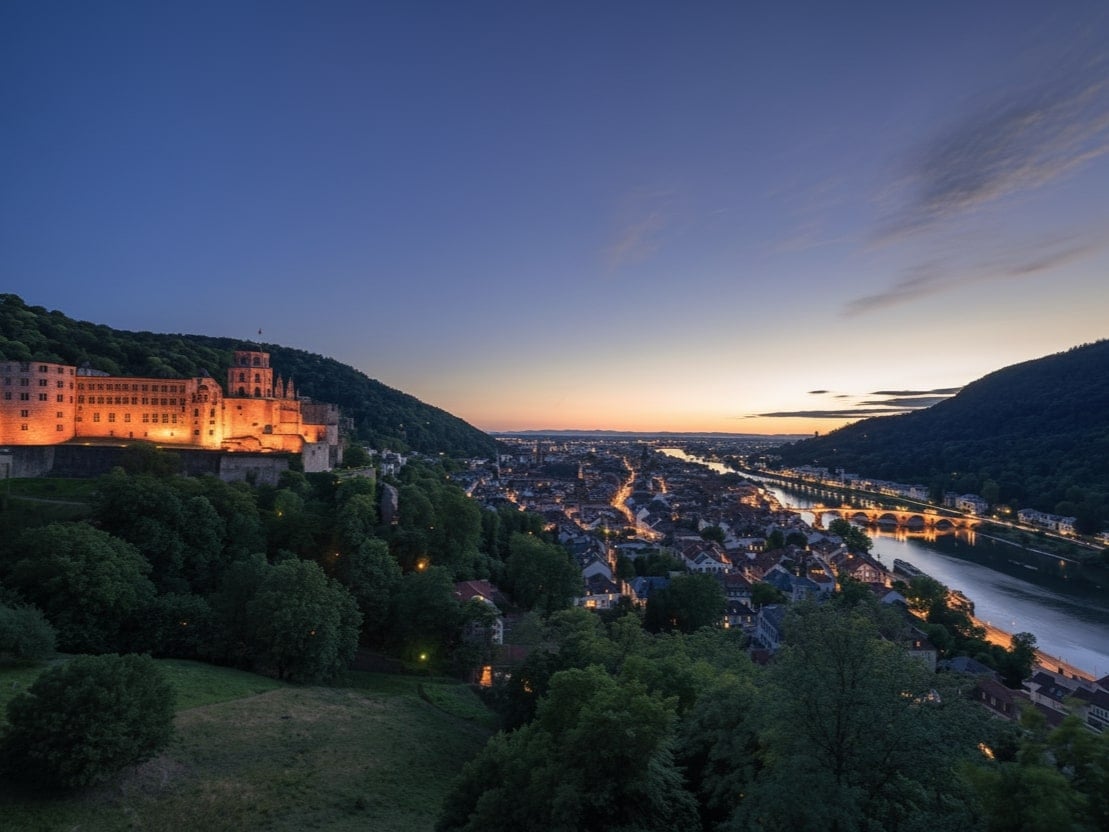
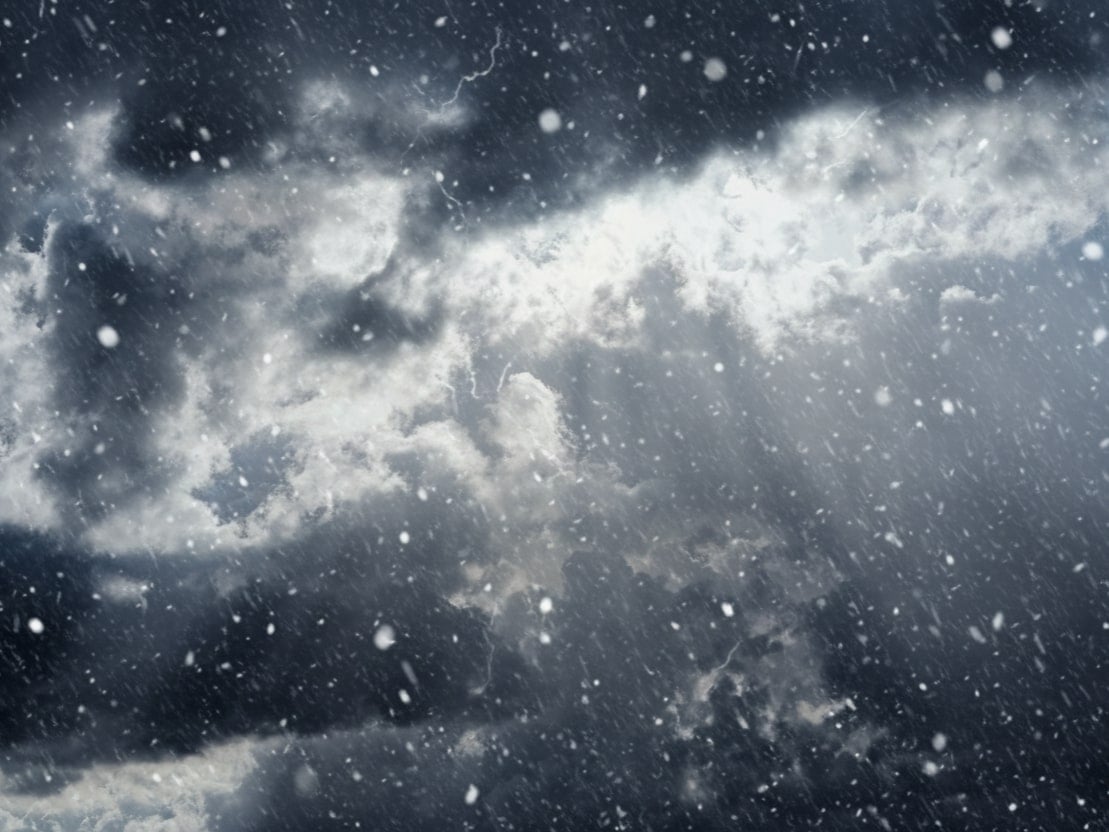
24. 修改天氣
修改圖片常見的天氣,例如晴天、雨天、雪天、霧天等,效果自然逼真。
✅ Nano Banana Prompt 提示詞:
將 [圖1] 的天氣更改為 [想要的天氣,例如:下雨、下雪、起霧、晴天]。保留主要主體與整體場景不變。調整光影、色彩與環境效果以符合新的天氣狀況。寫實風格、無縫融合、高解析度。
Change the weather in [Image1] to [desired weather, e.g., rainy, snowy, foggy, sunny]. Keep the main subject and overall scene intact. Adjust lighting, shadows, colors, and environmental effects to match the new weather. Photorealistic, seamless integration, high-resolution.
⭐ 點擊這裡,自動粘貼提示詞至Nano Banana模型,免費生成 ⭐
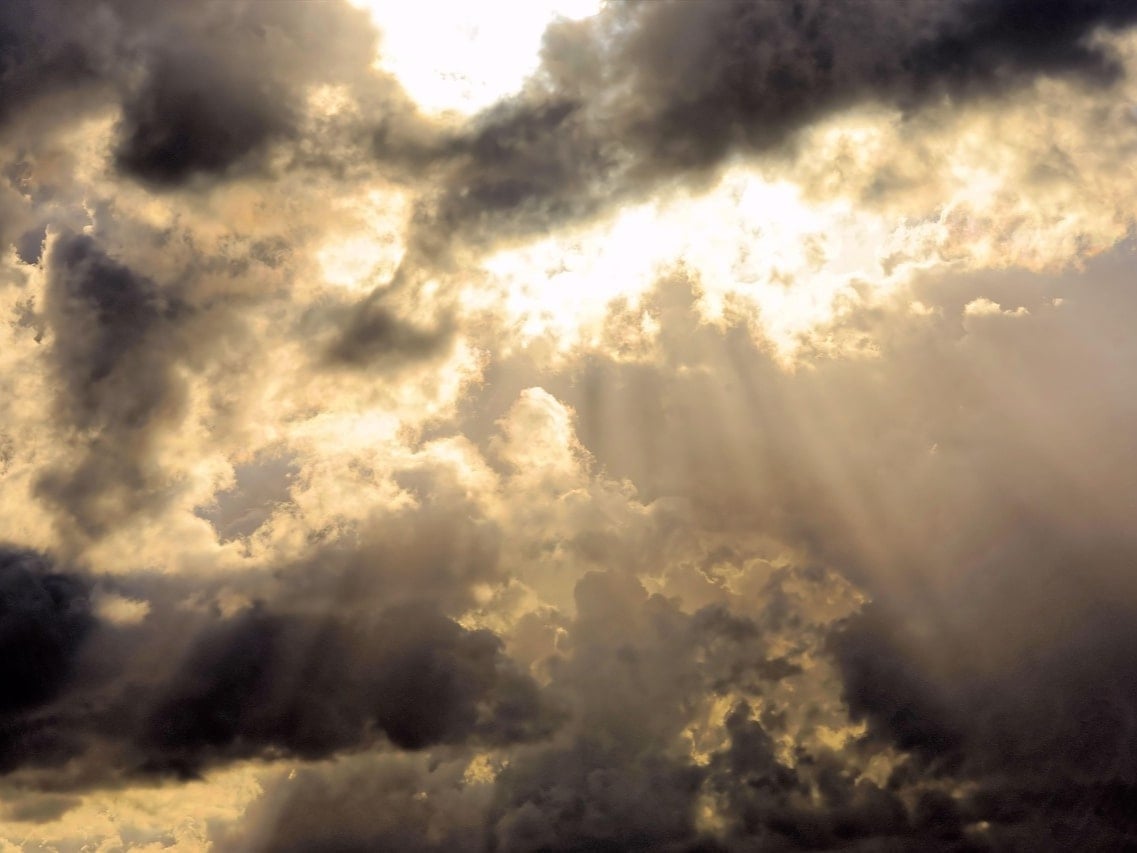
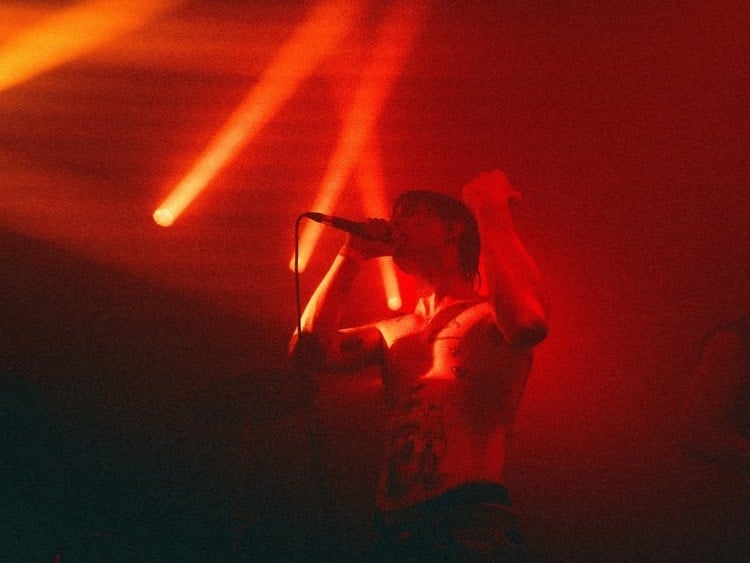
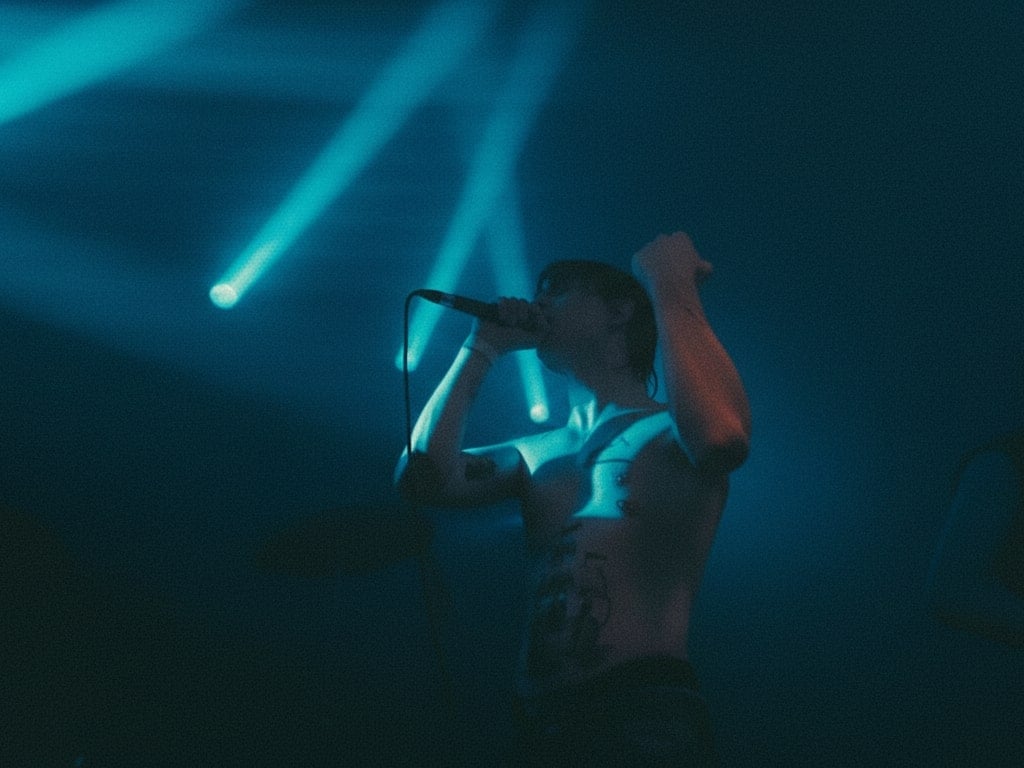
25. 修改圖片顏色
一線修改圖片顏色,呈現不同的情緒、風格、美感。
✅ Nano Banana Prompt 提示詞:
將 [圖1] 的色彩更改為 [想要的色彩/風格,例如:暖色調、冷藍色調、粉彩色]。保留主要主體與構圖不變。調整光線、陰影與整體色彩平衡以符合新的色彩風格。寫實風格、高解析度、自然真實的效果。
Change the colors in [Image1] to [desired color/style, e.g., warm tones, cool blue tones, pastel colors]. Keep the main subject and composition intact. Adjust lighting, shadows, and overall color balance to match the new color scheme. Photorealistic, high-resolution, natural-looking result.
⭐ 點擊這裡,自動粘貼提示詞至Nano Banana模型,免費生成 ⭐
26. 替換物品
無縫替換圖片中的元素或物品。
✅ Nano Banana Prompt 提示詞:
將 [圖1] 中的 [目標元素或區域] 替換為 [新元素或參考物,例如:另一個人物、物件或場景]。保留圖像中其他部分不變。確保替換後能自然融合光影、透視與整體風格。寫實風格、高解析度、無縫整合。
Replace [target element or area] in [Image1] with [new element or reference, e.g., a different person, object, or scene]. Keep all other parts of the image unchanged. Ensure the replacement blends naturally with lighting, perspective, and overall style. Photorealistic, high-resolution, seamless integration.
⭐ 點擊這裡,自動粘貼提示詞至Nano Banana模型,免費生成 ⭐
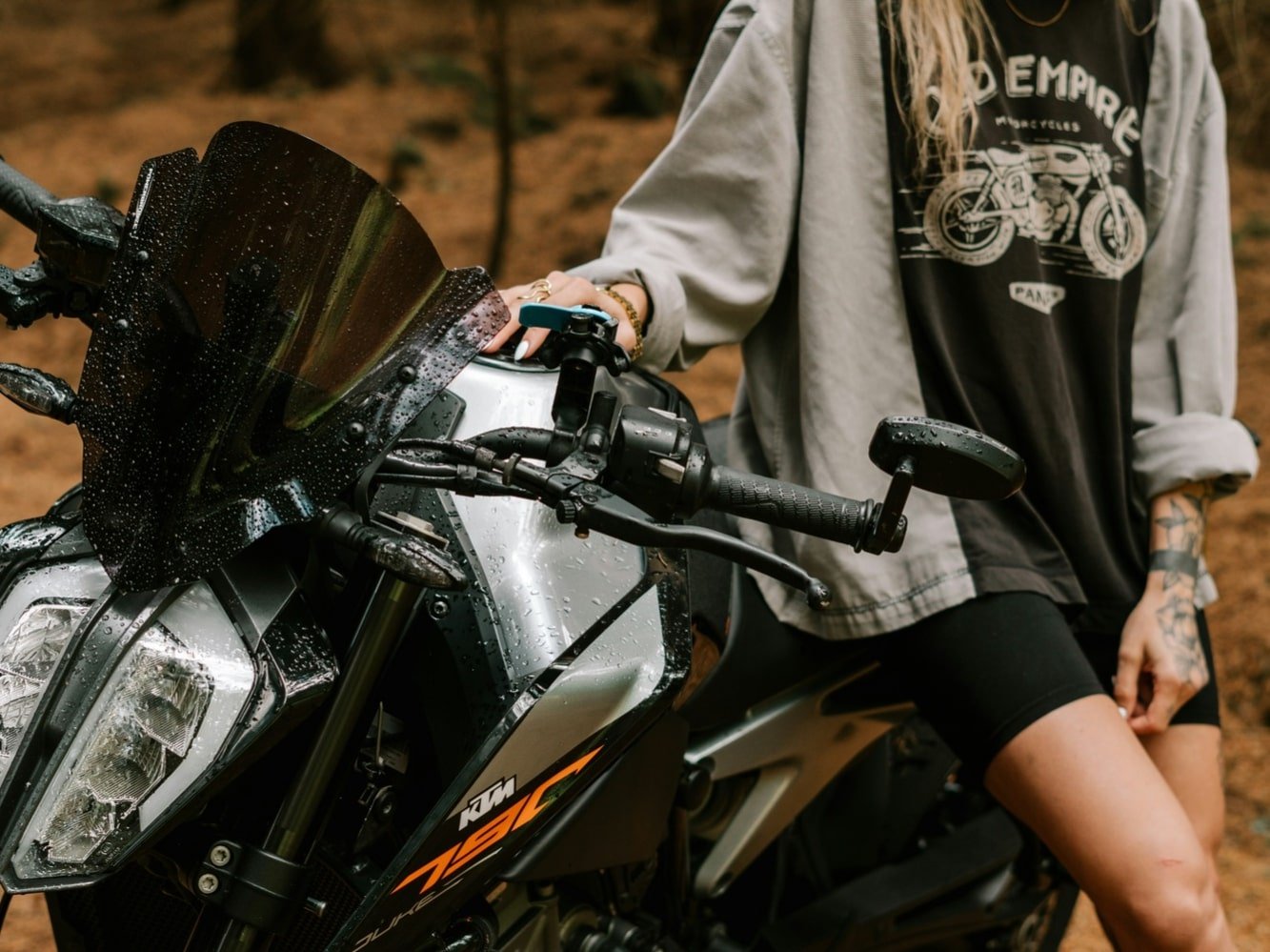
27. 圖片延伸
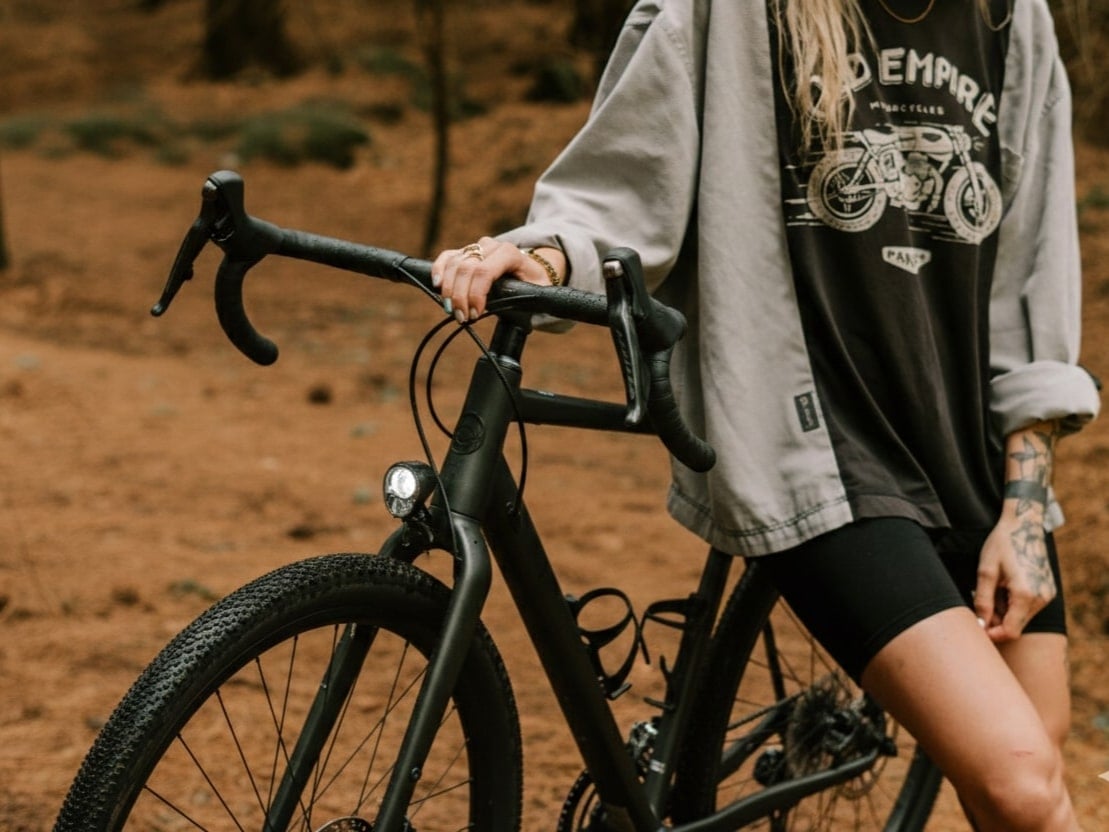
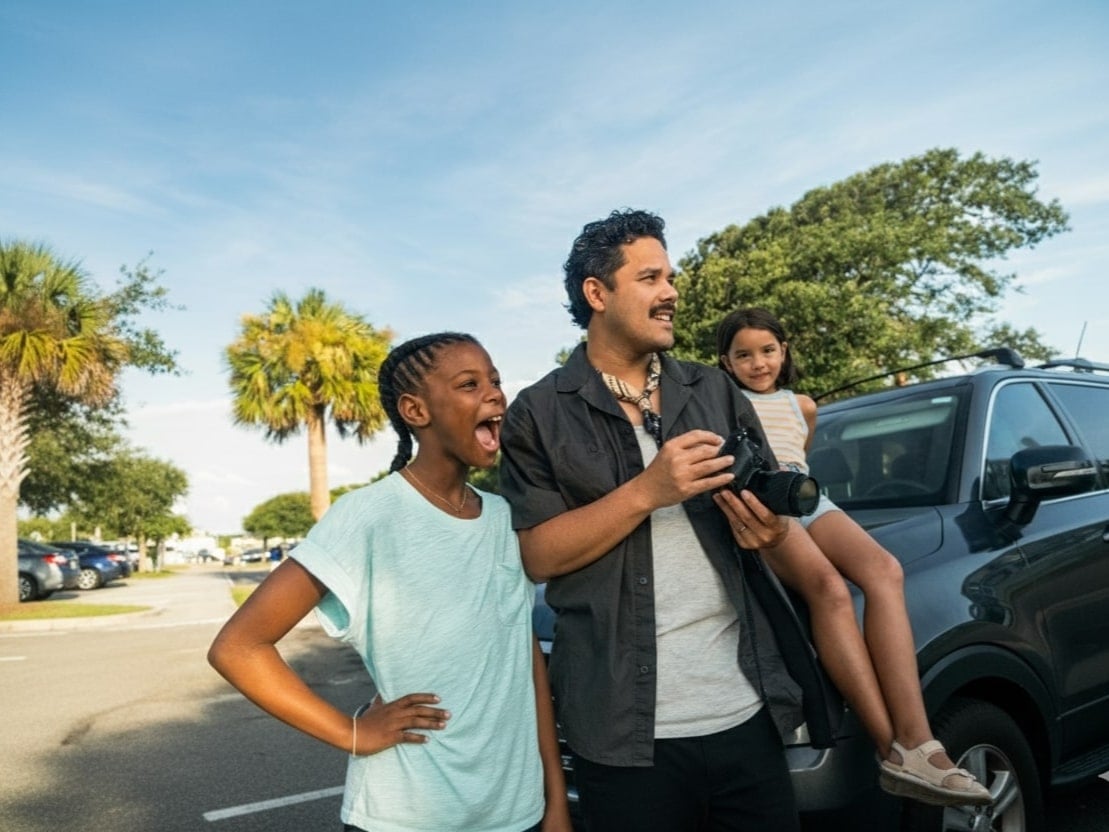
將圖片延伸至原始邊界意外,和新背景自然無縫銜接。
✅ Nano Banana Prompt 提示詞:
使用延伸繪製將 [圖1] 擴展至原始邊界之外。保留主要主體與構圖不變。在邊緣生成與原圖風格、色彩、光影與透視一致的新內容。寫實風格、高解析度、無縫整合。
Extend [Image1] beyond its original borders using outpainting. Keep the main subject and composition intact. Generate new content around the edges that matches the style, colors, lighting, and perspective of the original image. Photorealistic, high-resolution, seamless integration.
⭐ 點擊這裡,自動粘貼提示詞至Nano Banana模型,免費生成 ⭐
28. 線稿變彩圖
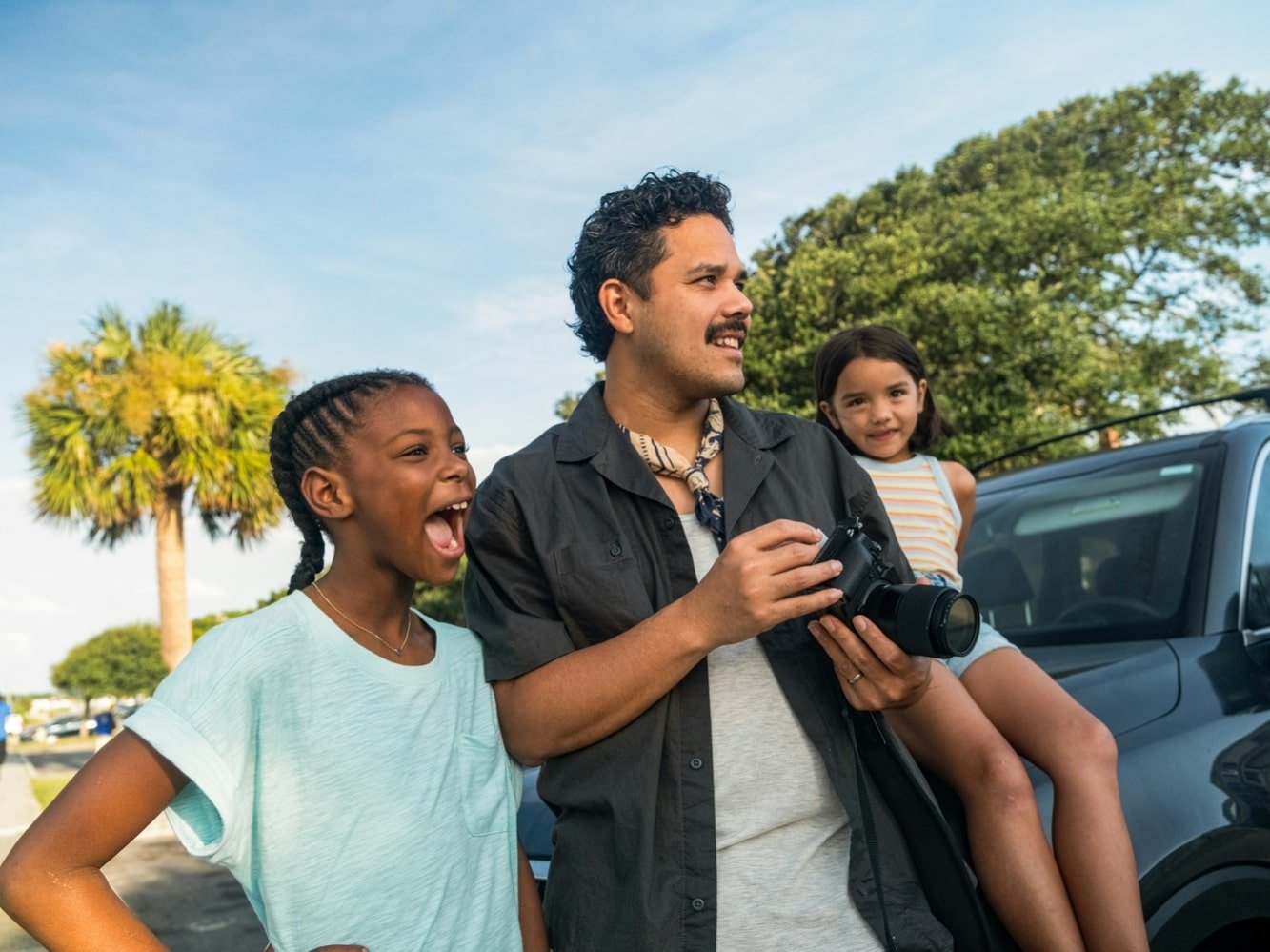
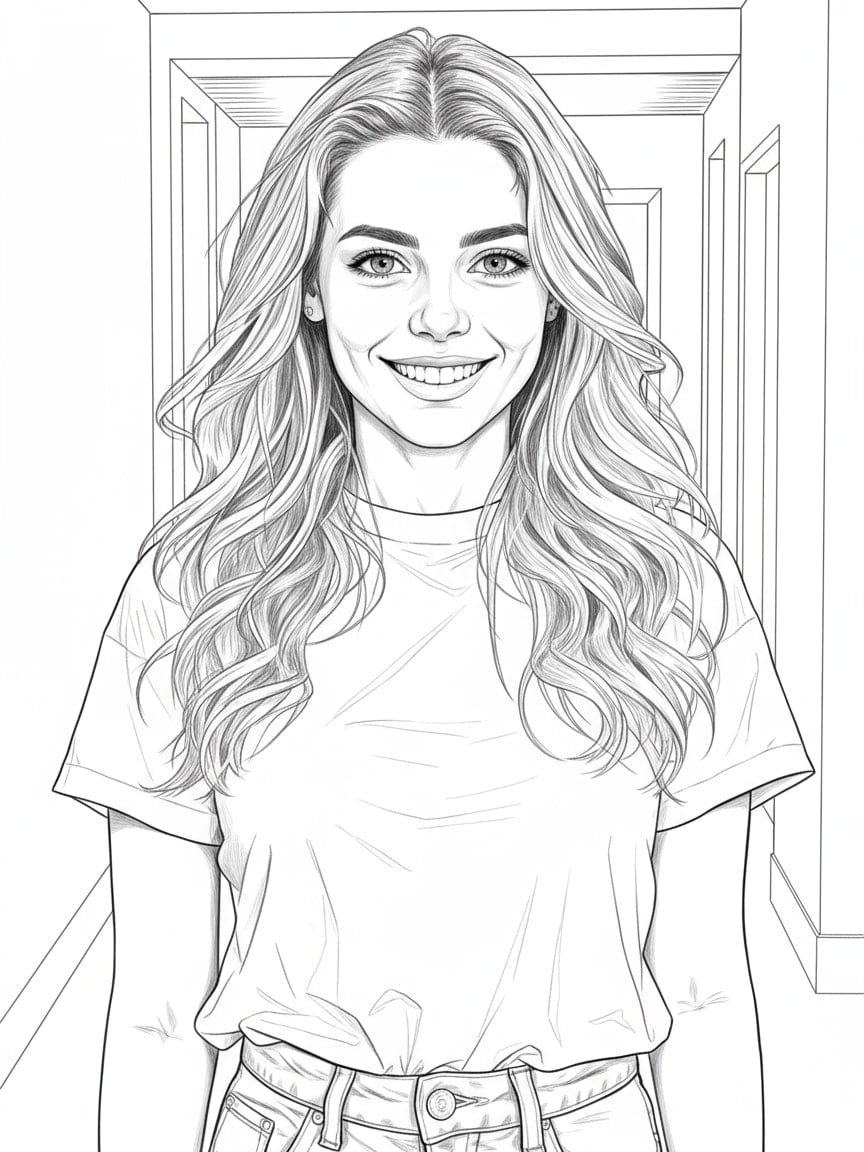
將線稿或素描變為全彩圖片,效果自然逼真。
✅ Nano Banana Prompt 提示詞:
將 [圖1] 的線稿轉換為完整上色且細節豐富的圖像。保留所有原始線條與構圖。應用 [想要的風格,例如:寫實風、動漫風、卡通風、數位繪畫風],並具備真實的光影與質感。高解析度、自然無縫渲染。
Convert the line art in [Image1] into a fully colored and detailed image. Preserve all original outlines and compositions. Apply [desired style, e.g., photorealistic, anime, cartoon, digital painting] with realistic lighting, shadows, and textures. High-resolution, natural, seamless rendering.
⭐ 點擊這裡,自動粘貼提示詞至Nano Banana模型,免費生成 ⭐
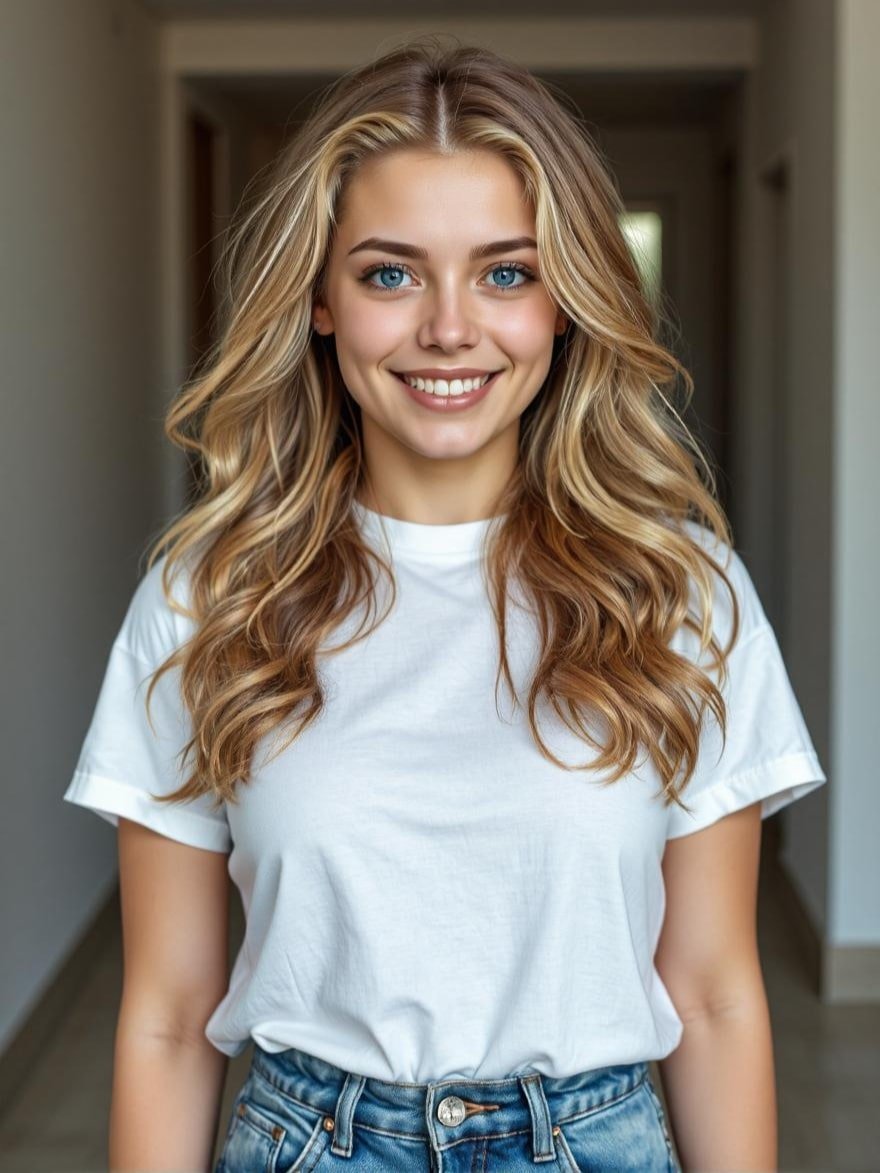
29. 3x3 九宮格照片
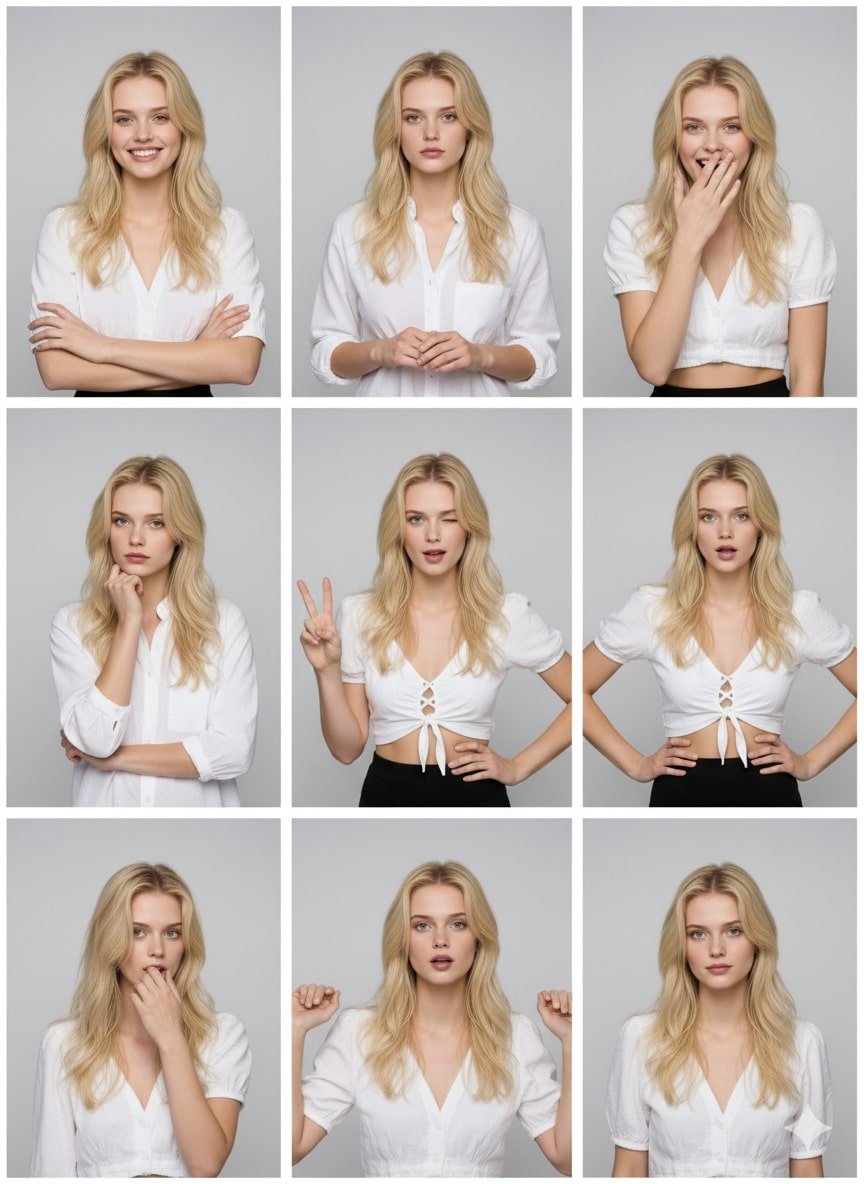
生成姿勢不同的九宮格照片,呈現活力與時尚。
✅ Nano Banana Prompt 提示詞:
將照片轉換為 3x3 九宮格相片條,每格呈現不同的棚拍風格姿勢與表情。
Turn the photo into a 3x3 grid of photo strips with different studio-style poses and expressions.
⭐ 點擊這裡,自動粘貼提示詞至Nano Banana模型,免費生成 ⭐
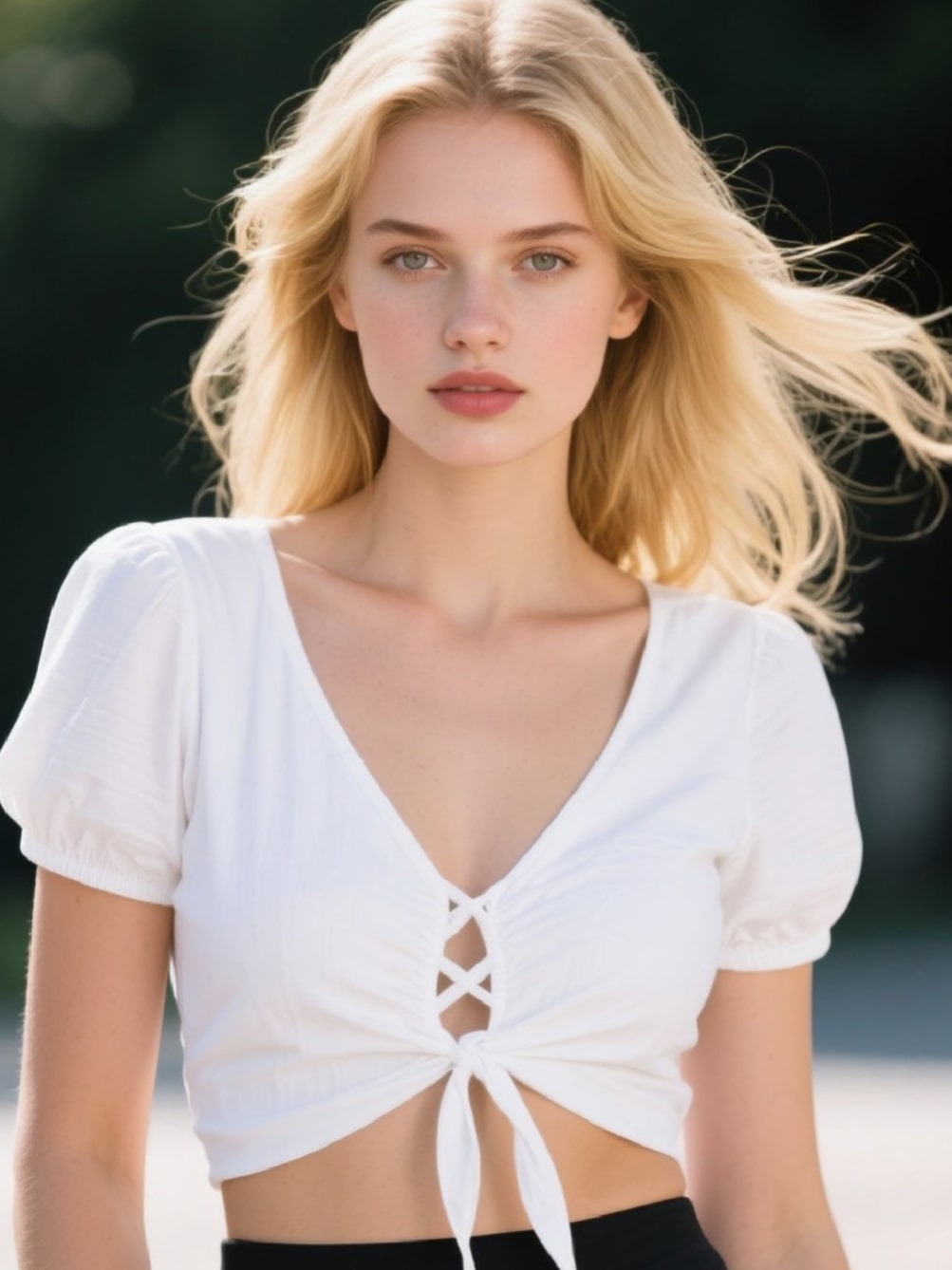
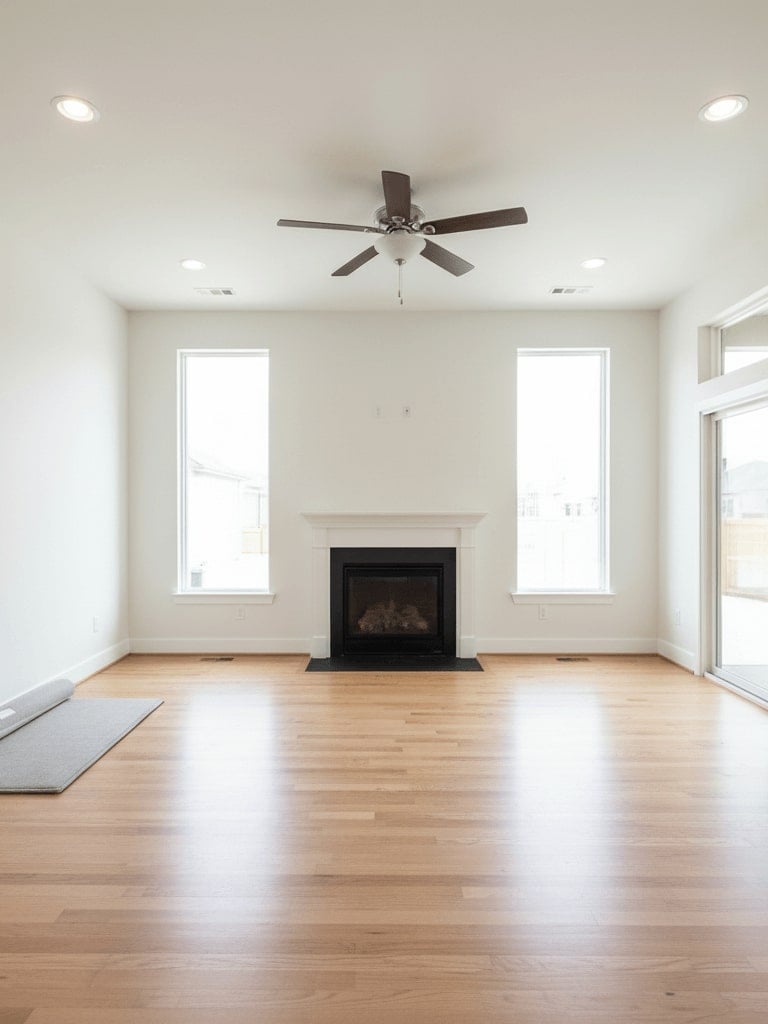
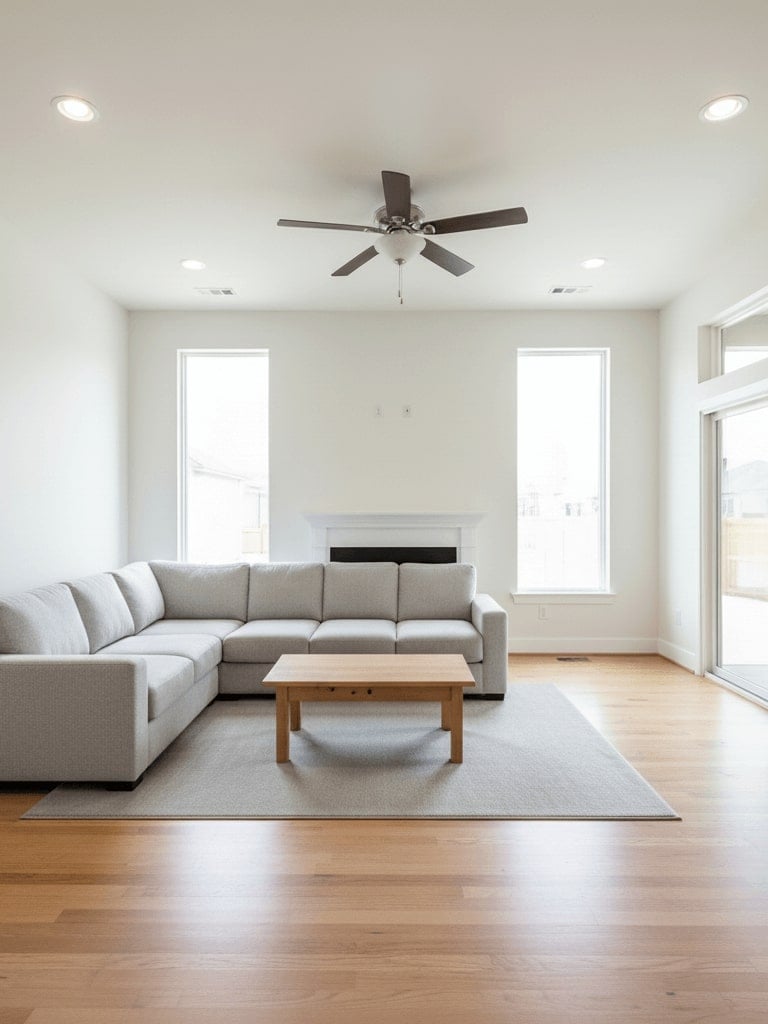
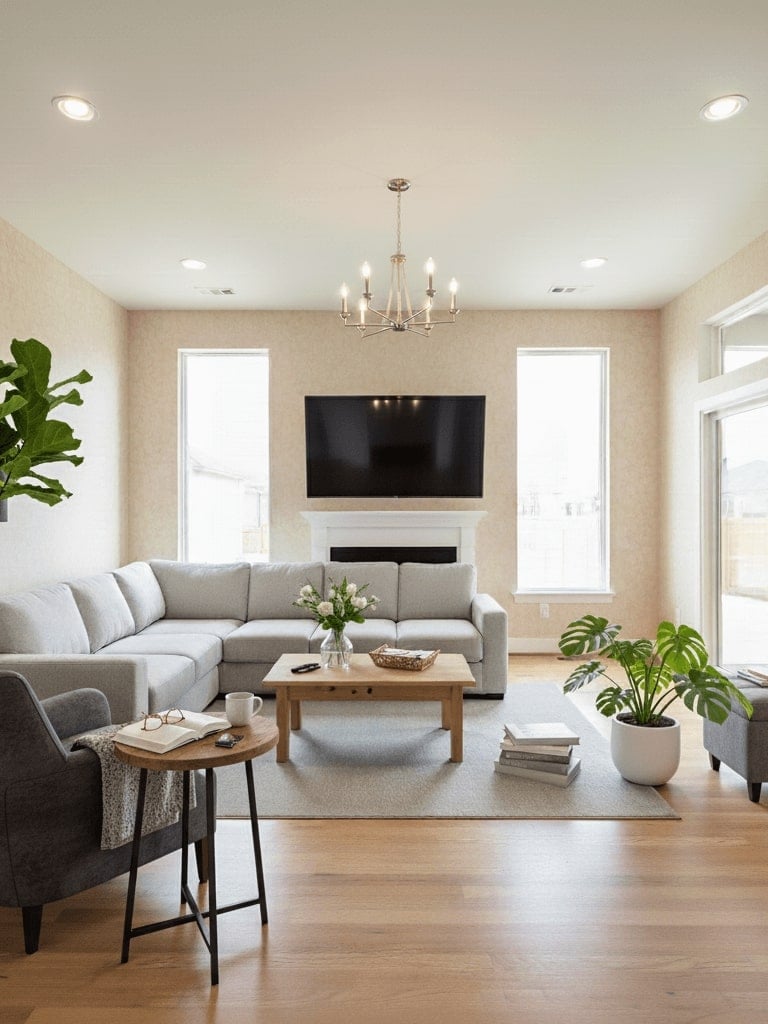
30. AI 室內設計
提示詞分為兩部分,用於以 AI 室內設計方式視覺化並重新設計任何房間,打造時尚空間。
✅ Nano Banana Prompt 提示詞:
1️⃣ 第一步:在中央加入一張舒適的灰色沙發與一張木質咖啡桌,與房間的當代風格相呼應,寫實渲染。
2️⃣ 第二步:在前景加入更多家具類物品,並在桌上放置更多日常用品。同時,將壁紙更換為較溫暖的款式。
Step one: Add a comfortable gray sofa and a wooden coffee table in the center, matching the room’s contemporary style, photorealistic render.
Step two: Add more furniture-like items to the foreground and more daily necessities on the table. Also, change the wallpaper to something warmer.
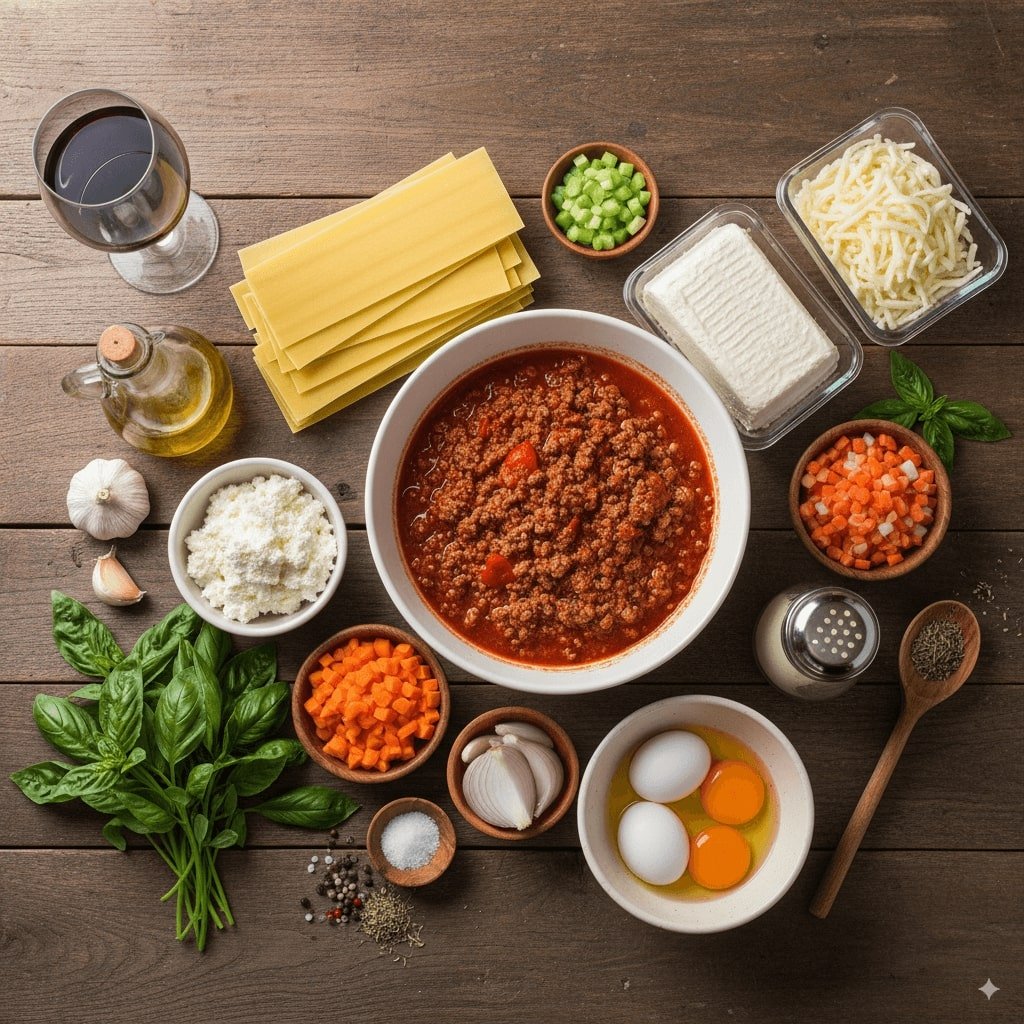
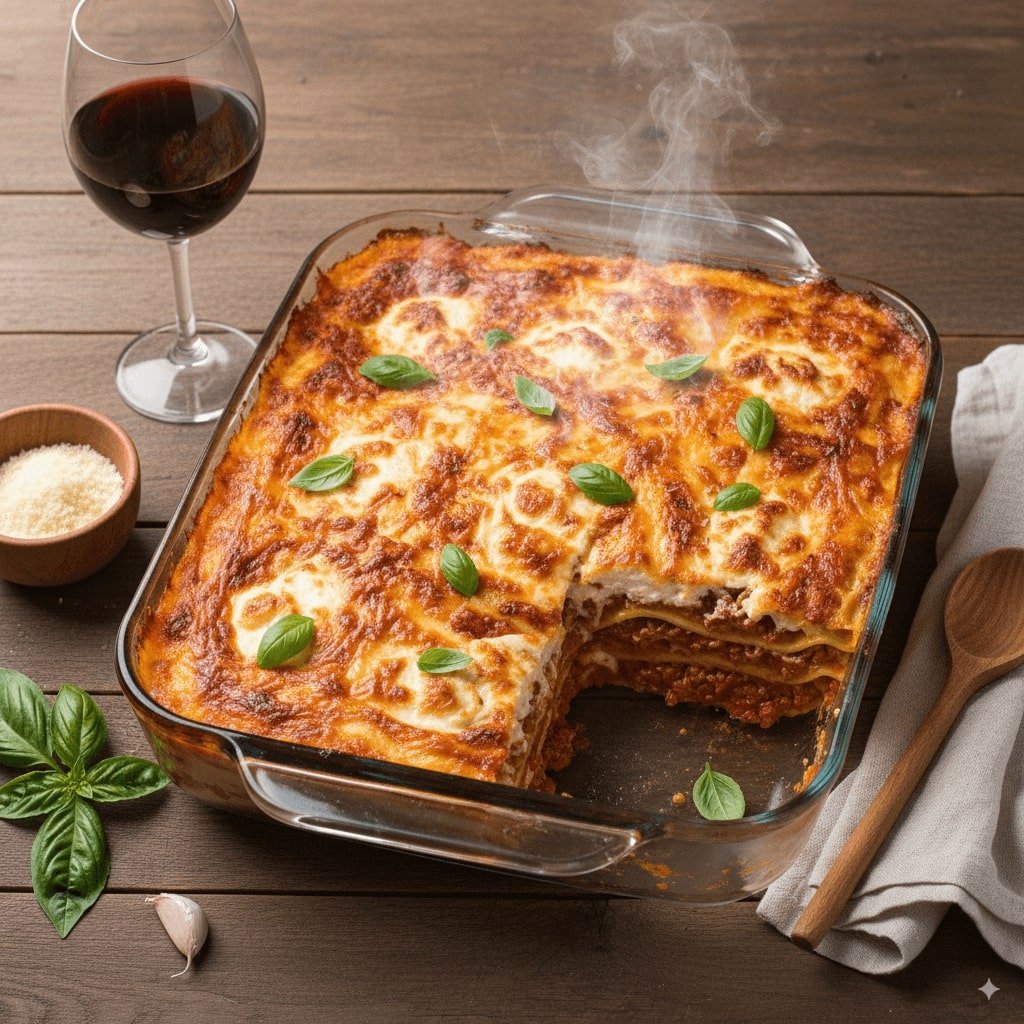
31. 食材變料理
使用 Nano Banana,將食材轉換為一道精美擺盤料理的 AI 圖片。
✅ Nano Banana Prompt 提示詞:
以下是可用物品:[物品清單]。根據這些物品,創建一個由它們組合而成或所代表的[物件/場景類型]圖片。構圖應合乎邏輯,考慮到各項目之間的關聯性。確保圖片呈現為[視覺風格],並保持適當比例與清晰的元素擺放位置。
👀 注意:請將 [物品清單]、[物件/場景類型]、[視覺風格] 替換為具體描述。
Here are the items available: [List of items]. Based on these items, create an image of a [type of object/scene] that can be made or represented by combining them. The composition should make logical sense, considering the relationship between the items. Ensure the image is [visual style]. It should be with appropriate proportions and clear placement of each item.
👀 Note: Replace [List of items], [type of object/scene], [visual style] in the prompt with specific descriptions.
⭐ 點擊這裡,自動粘貼提示詞至Nano Banana模型,免費生成 ⭐
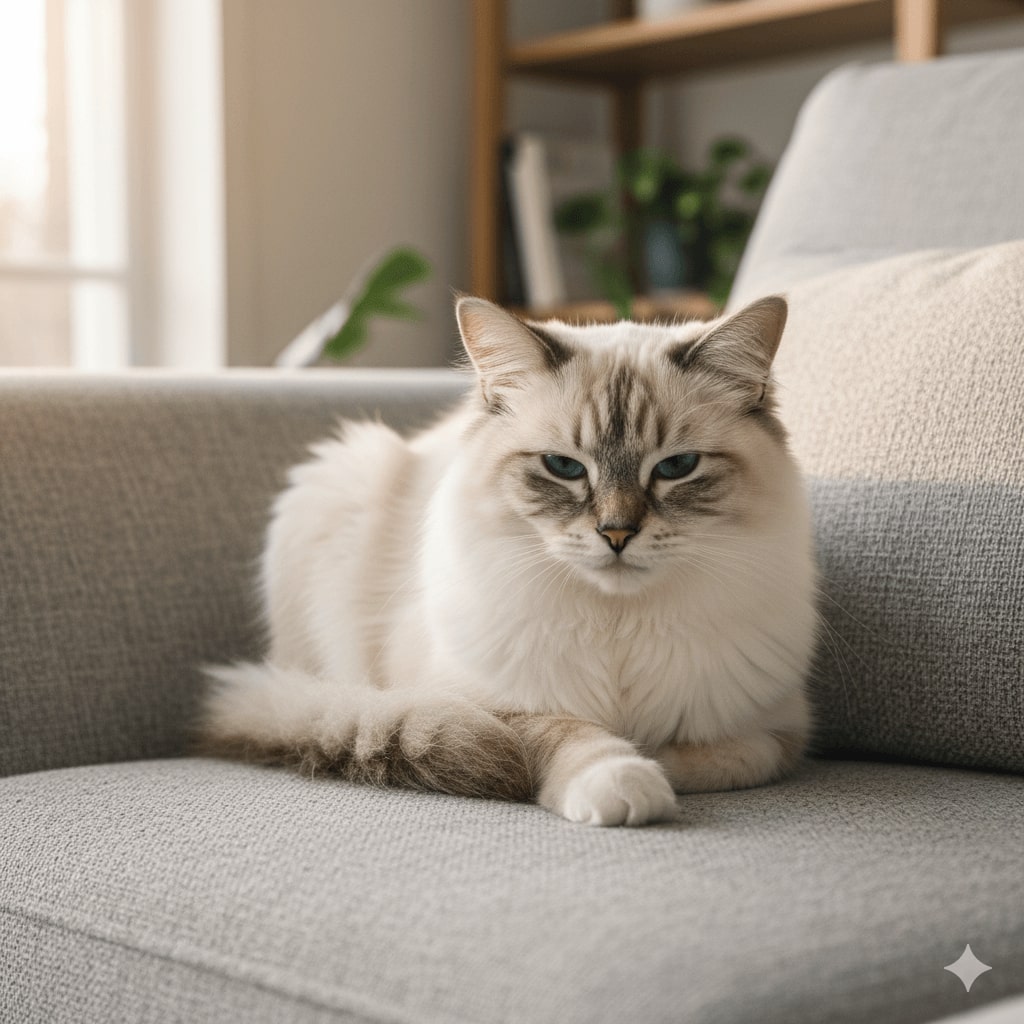
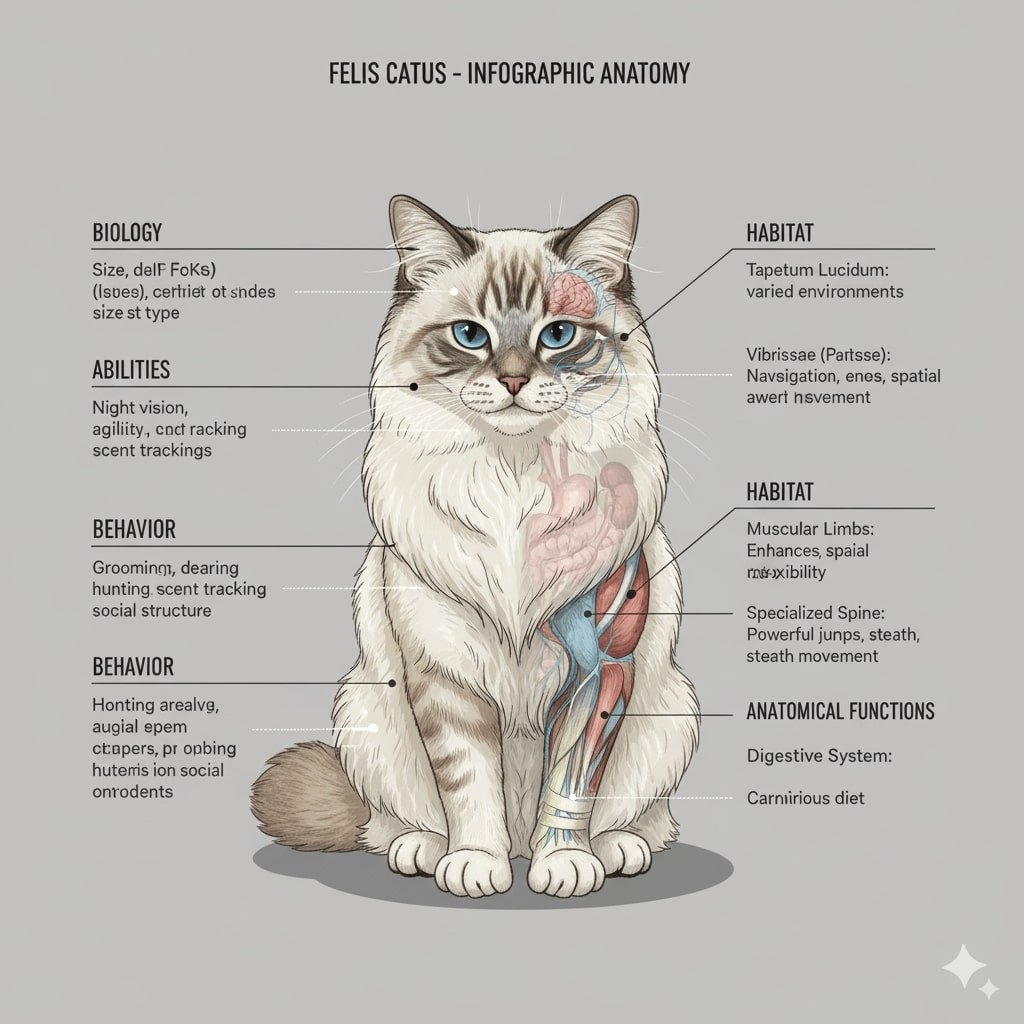
32. 解剖插圖
使用 Nano Banana AI 模型,生成精準且細緻的解剖插圖,可用於學習或創意專案。
✅ Nano Banana Prompt 提示詞:
繪製一幅 [角色] 的雙側對稱正面解剖插圖,風格類似資訊圖表。圖像應呈現該生物的外部特徵,並部分展示其內部解剖結構。圖片兩側需附上詳細文字,解釋該生物的生物學特徵、能力、行為、棲息地,以及其解剖結構的具體功能。整體設計需清晰、具資訊性,並符合科學插圖風格。
👀 注意:請將 [角色] 替換為具體描述。
Draw a bilaterally symmetrical frontal anatomical illustration of the [Character], styled similarly to an infographic. The image should show the creature's external features on both sides, with its internal anatomy partially exposed. Detailed text should flank the image, explaining the creature's biology, abilities, behavior, habitat, and the specific functions of its anatomical structures. The overall design should be clear, informative, and in the style of a scientific illustration.
👀 Note: Replace [Character] in the prompt with specific descriptions.
⭐ 點擊這裡,自動粘貼提示詞至Nano Banana模型,免費生成 ⭐
33. 十六位像素游戏角色
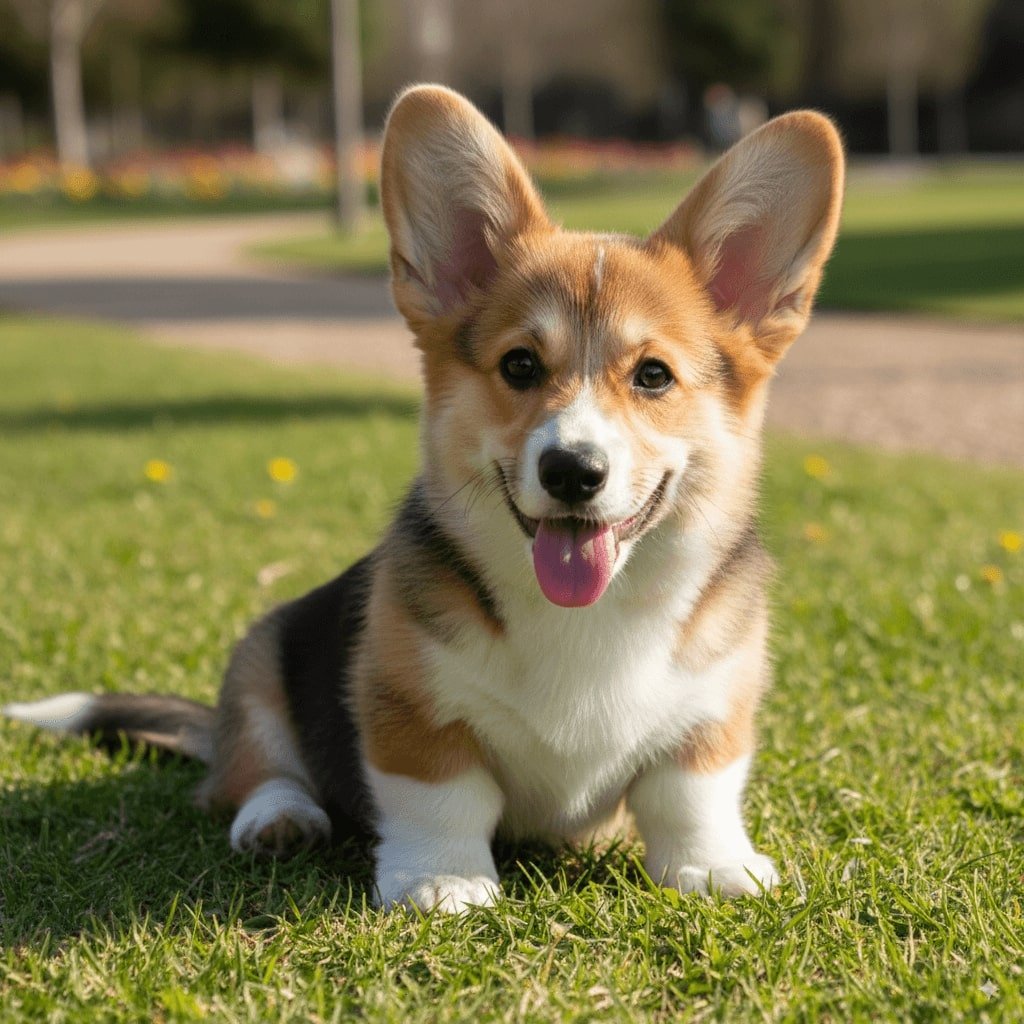
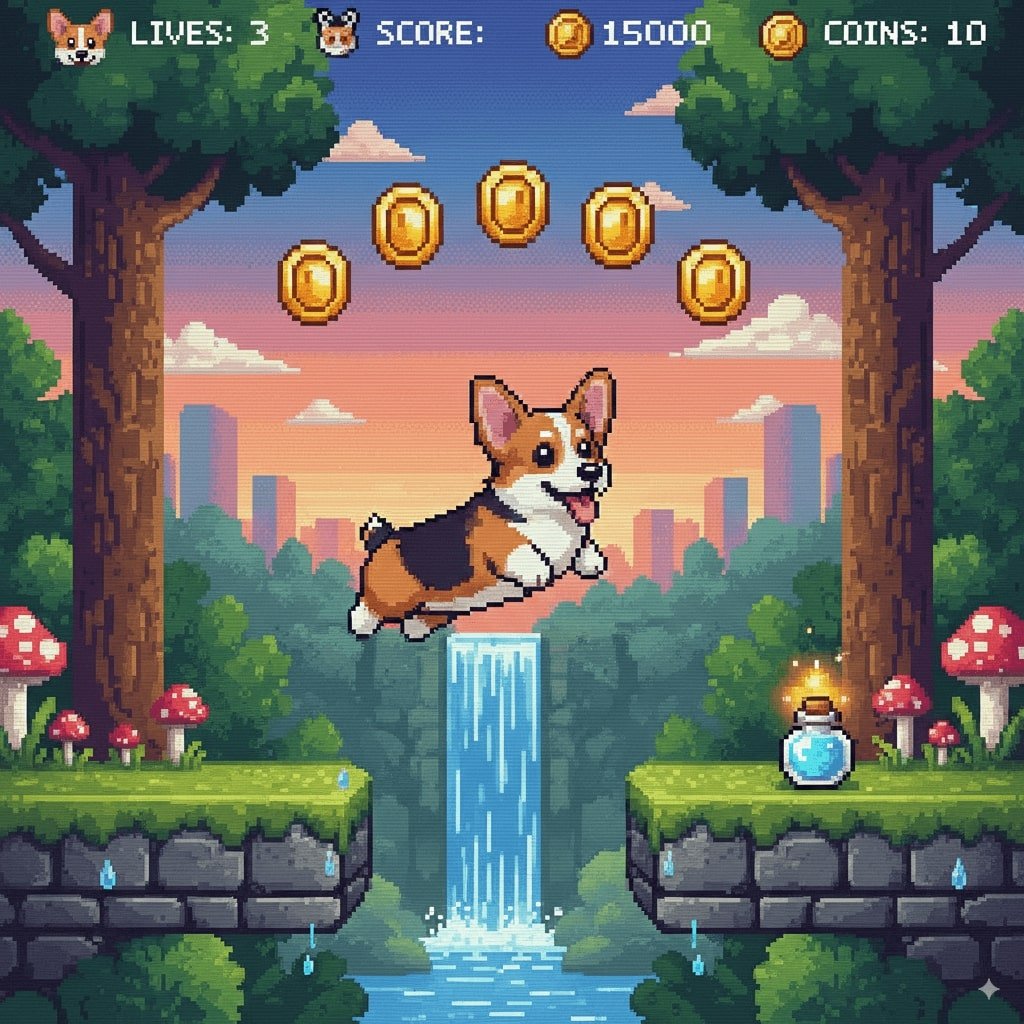
使用 Nano Banana,一鍵生成懷舊風格的十六位像素遊戲角色,重溫經典遊戲風格。
✅ Nano Banana Prompt 提示詞:
將此【角色】重製為 16 位的像素遊戲角色,並將該角色置入一個 2D 16 位平台遊戲的關卡中。
👀 注意:請將 [角色] 替換為具體描述。
Recreate this [Character] as a 16-bit video game character, and place the character in a level of a 2D 16-bit platform video game.
👀 Note: Replace [Character] in the prompt with specific descriptions.
⭐ 點擊這裡,自動粘貼提示詞至Nano Banana模型,免費生成 ⭐
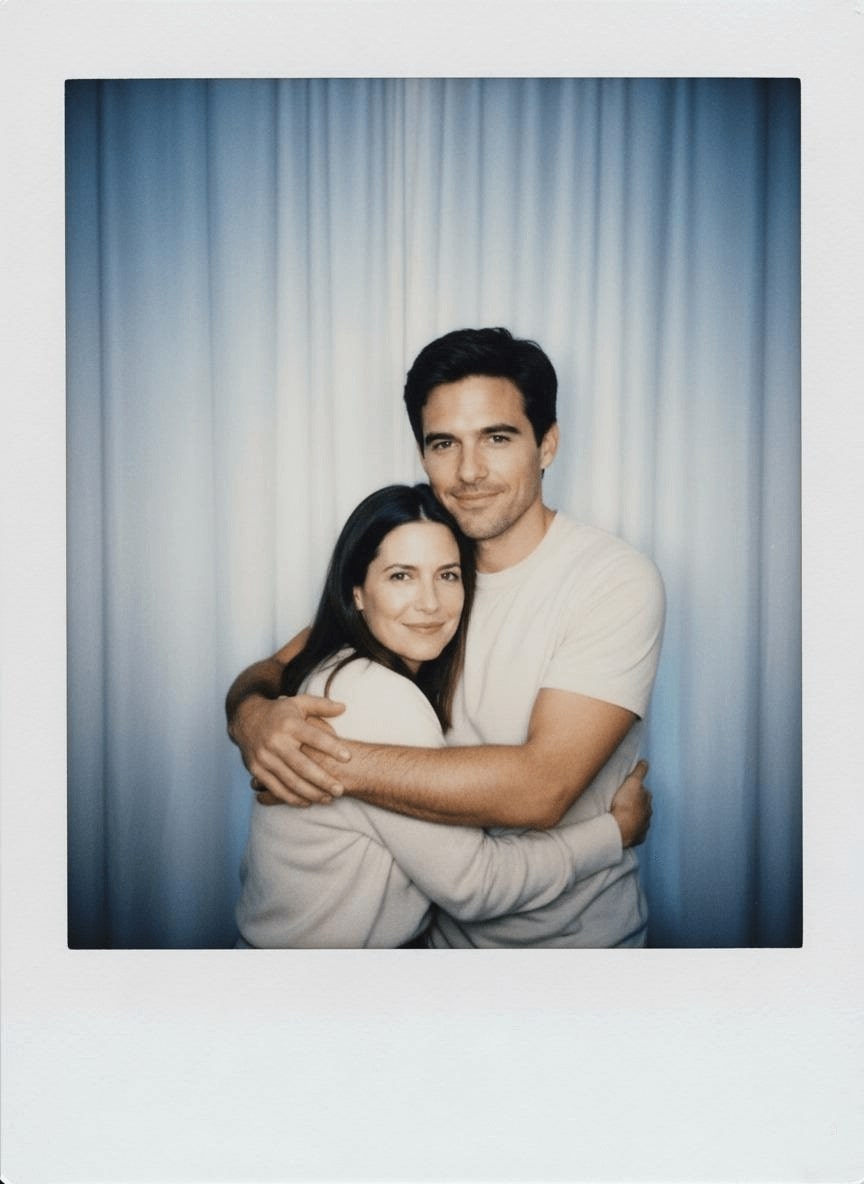
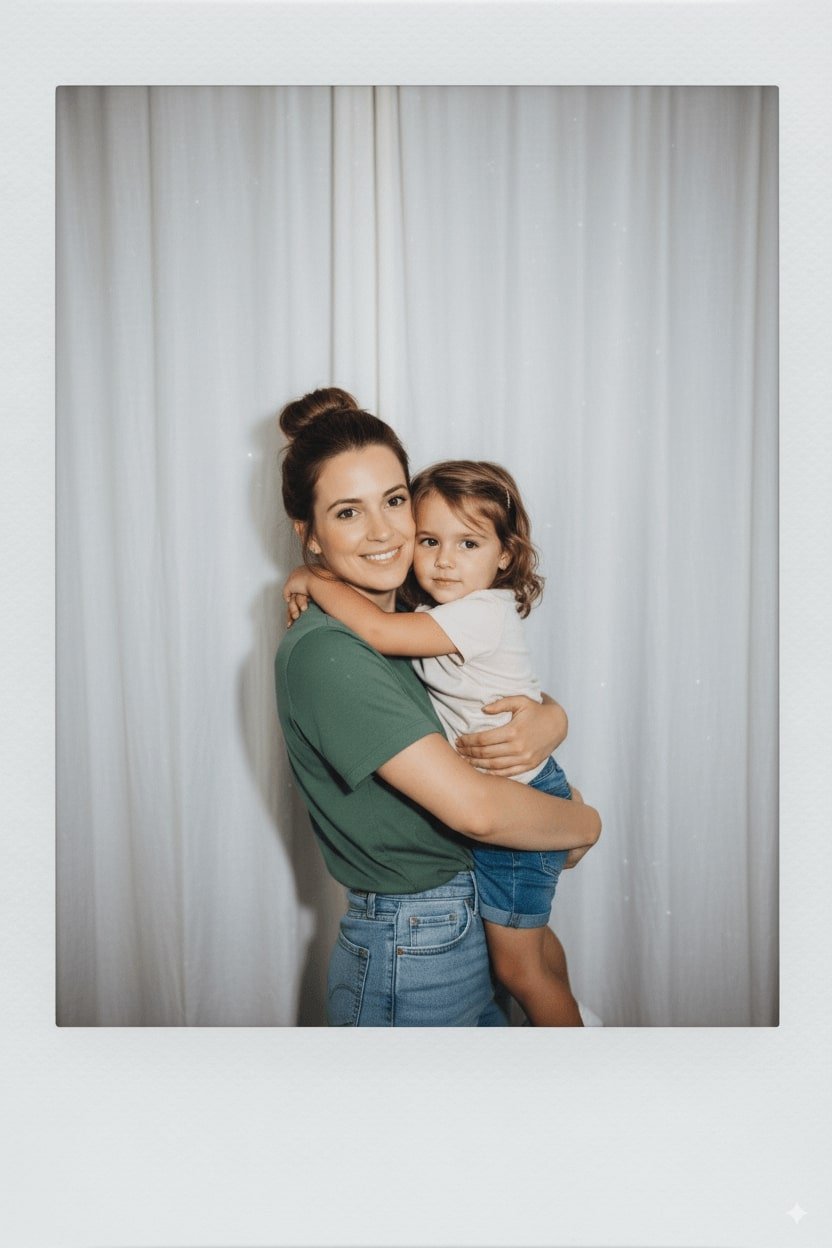
34. Gemini AI 寶麗來相片
透過提示詞,將你的照片轉換為復古懷舊風格的寶麗來(Polaroid)效果,帶來濃厚的懷舊氛圍。
✅ Nano Banana Prompt 提示詞:
製作一張使用寶麗來相機拍出的照片。這張照片應該看起來像一張普通的照片,不需要明確的主體或道具。照片應帶有輕微模糊效果,以及一致的光源,例如黑暗房間裡的閃光燈散射在整張照片中。不要更改人物的臉部,並將兩人身後的背景替換為白色窗簾。
Take a picture with a Polaroid camera. The photo should look like a normal photo, without any clear subject or props. The photo should have a slight blur a consistent light source. Such as a flash from a dark room, spread throughout the photo. Do not change the faces. Replace the background behind the two people with a white curtain.
⭐ 點擊這裡,自動粘貼提示詞至Nano Banana模型,免費生成 ⭐

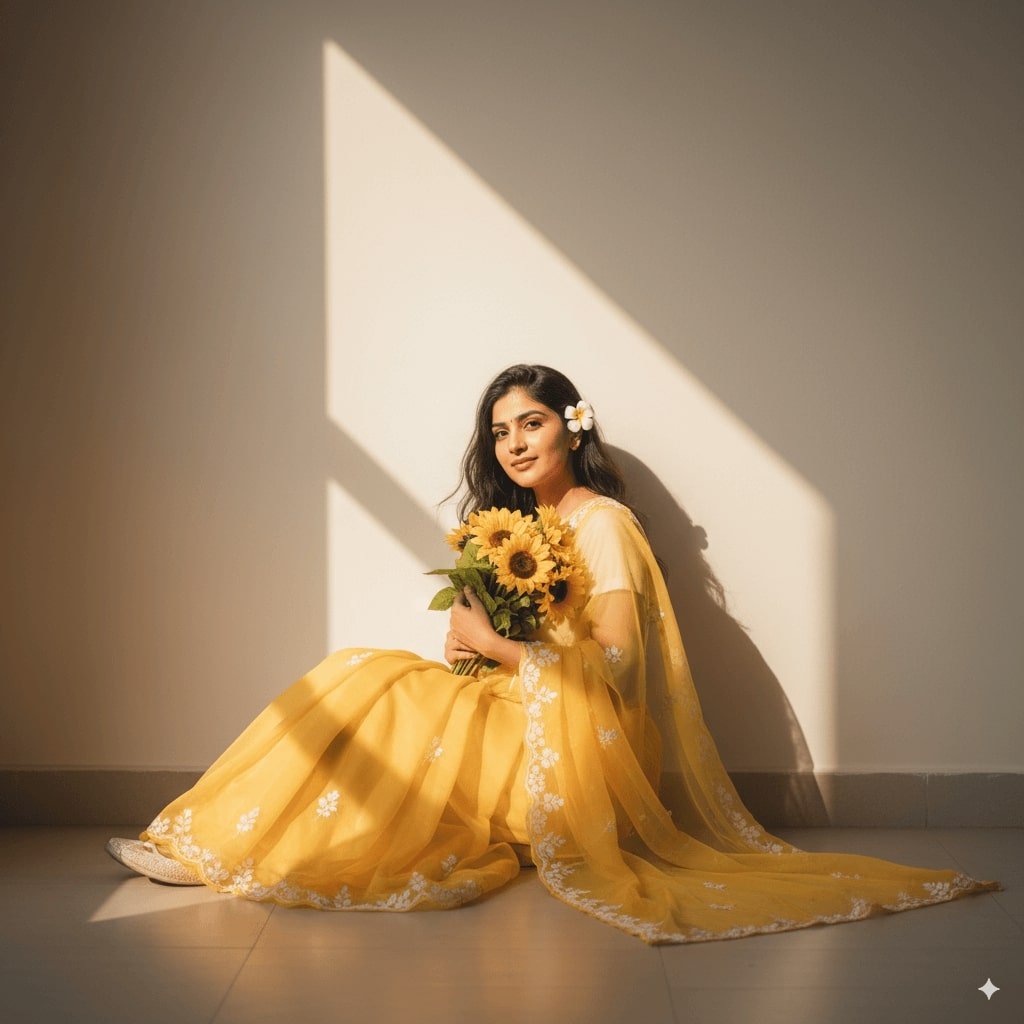
35. AI 紗麗
為你的照片換上傳統紗麗,展現傳統文化的優雅。
✅ Nano Banana Prompt 提示詞:
創建一幅柔和、充滿陽光感的肖像:身穿一襲飄逸的透明黃色紗麗,上面有精緻的花卉刺繡。優雅地坐在素淨的牆邊,沐浴在溫暖的自然光中,一道三角形的陽光灑下,投射出充滿藝術感的陰影。懷中輕抱一束鮮豔的向日葵,耳後別著一朵小白花。表情溫柔,幾縷鬆散的髮絲隨風微動,在夢幻的金色光暈中營造出寧靜、詩意而浪漫的氛圍。
Create A soft, sunlit portrait wearing a flowing sheer yellow saree with delicate floral embroidery. Sit gracefully against a plain wall, bathed in warm natural light with a triangular patch of sunlight casting artistic shadows. Hold a vibrant bouquet of sunflowers close to the chest, and a small white flower is tucked behind he ear. Gentle expression, loose hair strands moving slightly, and the dreamy golden glow create a serene, poetic, and romantic.
⭐ 點擊這裡,自動粘貼提示詞至Nano Banana模型,免費生成 ⭐
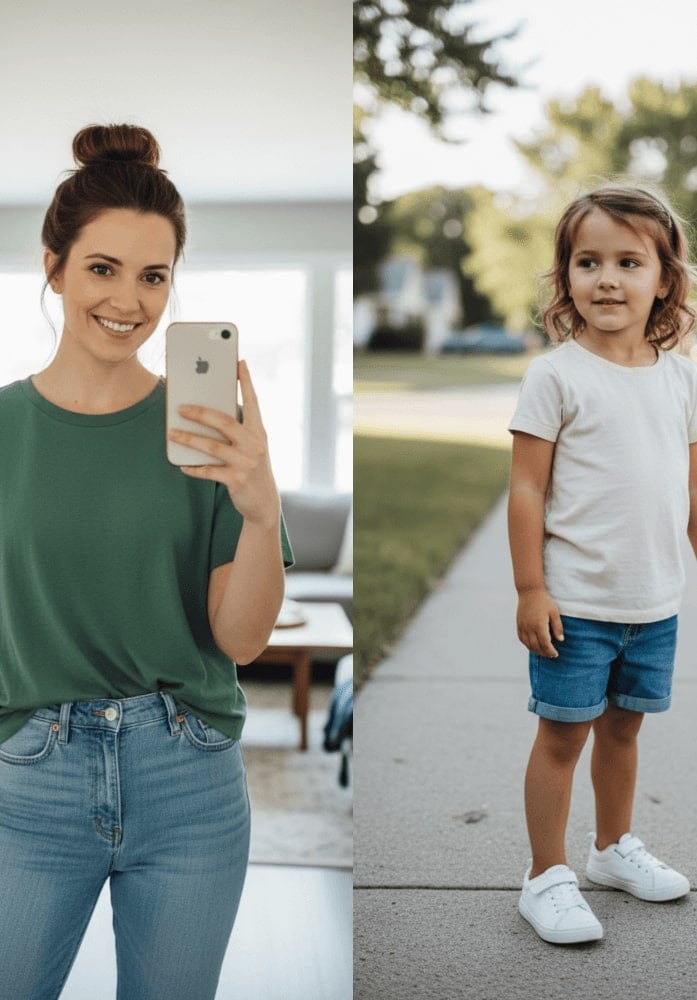
36. 擁抱年幼的自己
用 Gemini AI 生成感人的畫面,讓現在的自己溫暖地擁抱著年幼時的自己,展現出滿滿的溫情。
✅ Nano Banana Prompt 提示詞:
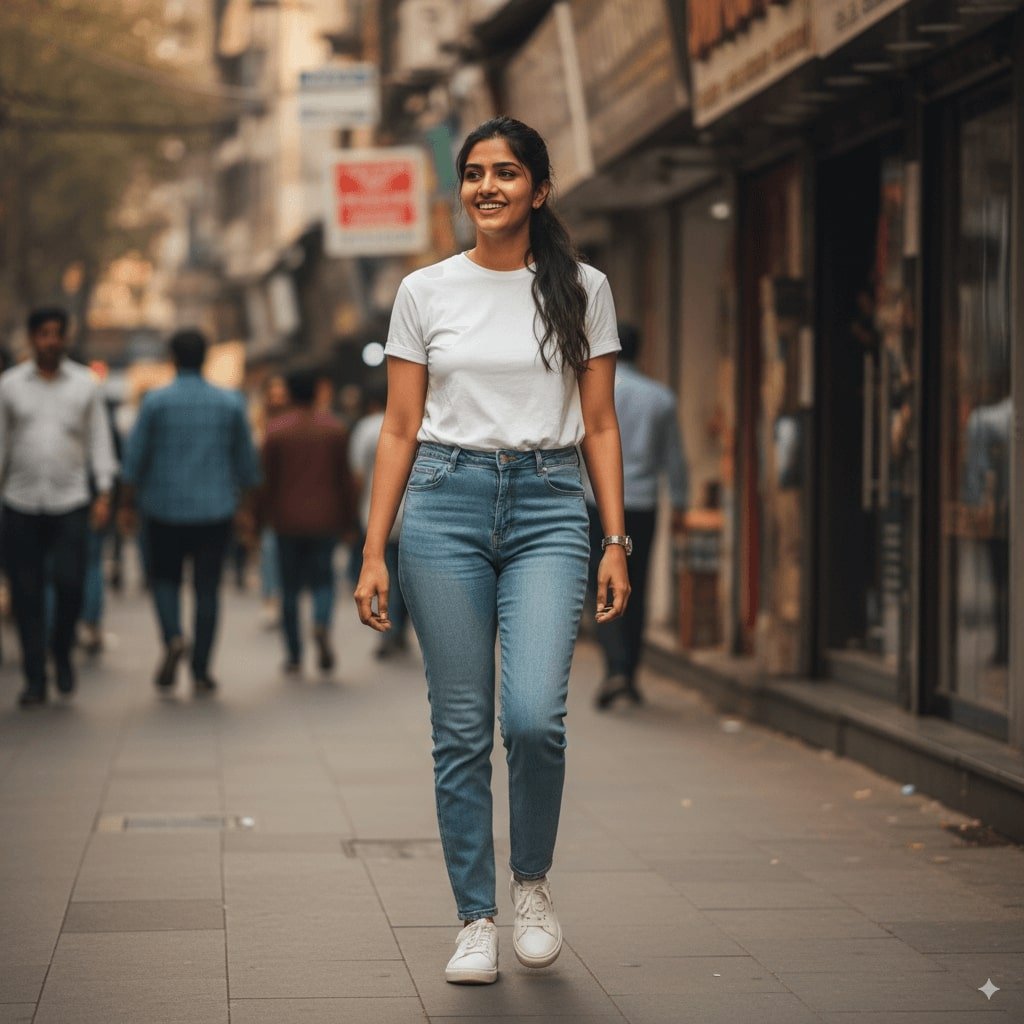
讓照片呈現拍立得效果:看起來像一張普通的快照,沒有明顯的道具或特定主題。畫面應帶有輕微的模糊感與一致的光源,好比在黑暗房間裡的閃光燈,光線均勻散佈全景。保持人臉不變,將兩個人身後的背景換成白色窗簾,並讓照片看起來像是參考圖中的兩人正在彼此擁抱。
Take a photo taken with a Polaroid camera. The photo should look like an ordinary photograph, without an explicit subject or property. The photo should have a slight blur and a consistent light source, like a flash from a dark room, scattered throughout the photo. Don’t change the face. Change the background behind those two people with white curtains. Make it look like both people in the reference picture are hugging each other.
⭐ 點擊這裡,自動粘貼提示詞至Nano Banana模型,免費生成 ⭐
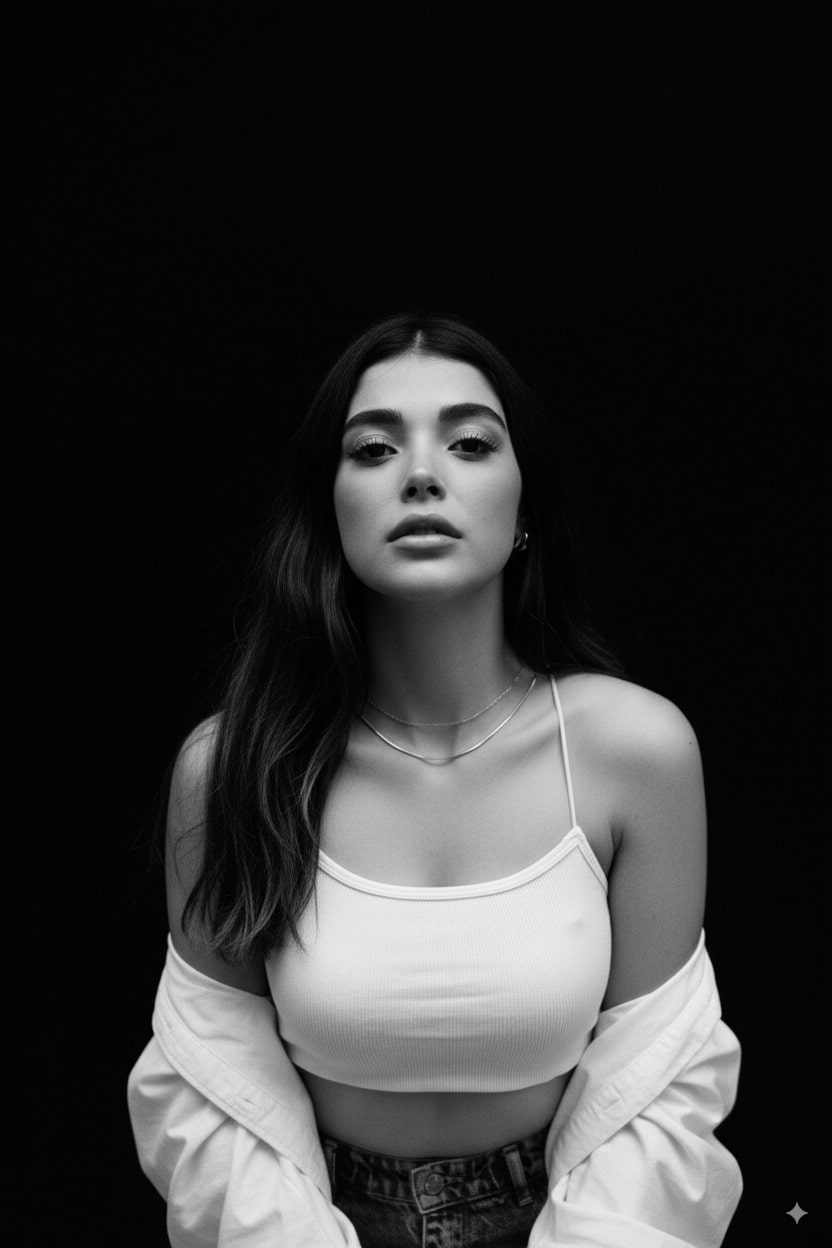
37. 黑白專業寫真
透過 Gemini AI 圖片提示,生成經典的黑白棚拍人像,搭配專業燈光與優雅的氛圍。
✅ Nano Banana Prompt 提示詞:
請生成一張由上往下拍攝的黑白人像特寫,聚焦於正面朝前的臉部。採用 35mm 鏡頭效果,10.7K 4HD 品質。表情自信驕傲。背景為深邃純黑陰影,僅呈現臉部、上胸與肩膀部分。
Please generate a top-angle and close-up black and white portrait of my face, focused on the head facing forward. Use a 35mm lens look, 10.7K 4HD quality. Proud expression. Deep black shadow background - only the face, the upper chest, and the shoulder.
⭐ 點擊這裡,自動粘貼提示詞至Nano Banana模型,免費生成 ⭐
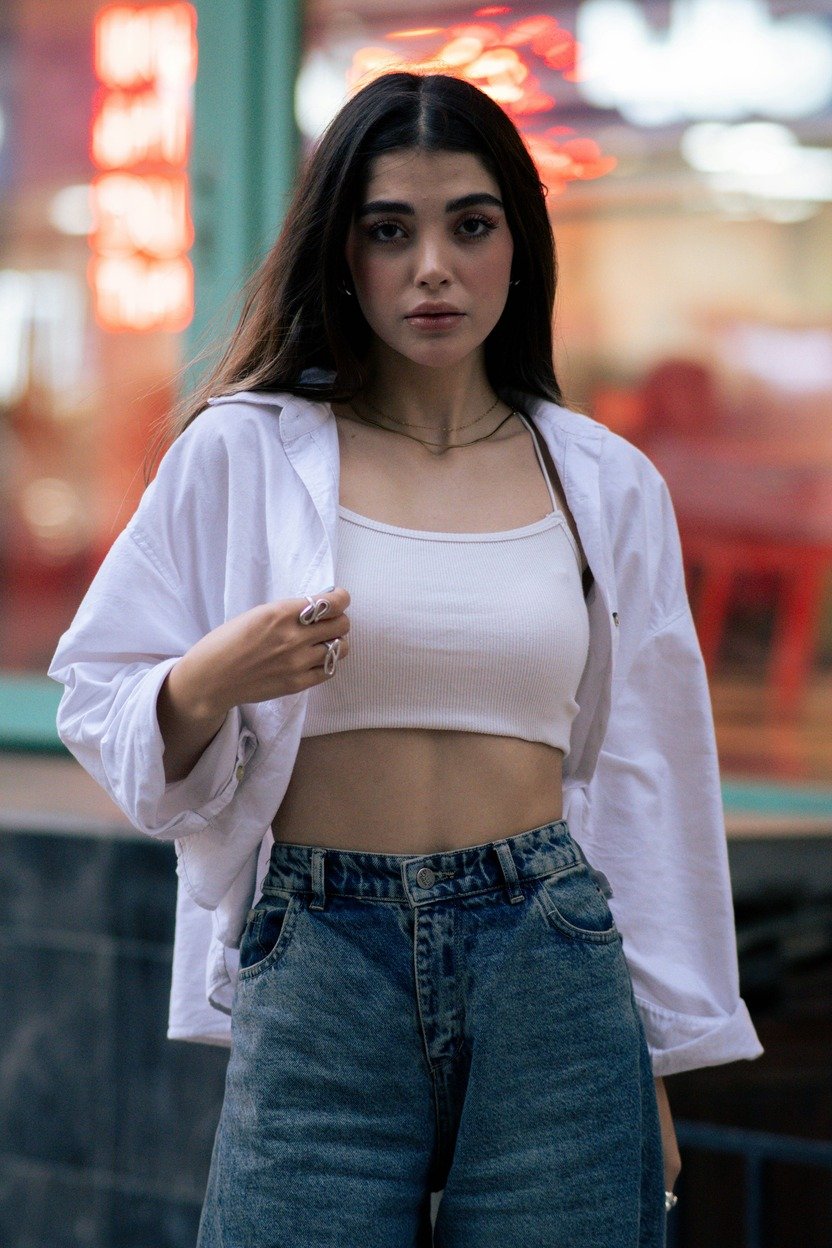
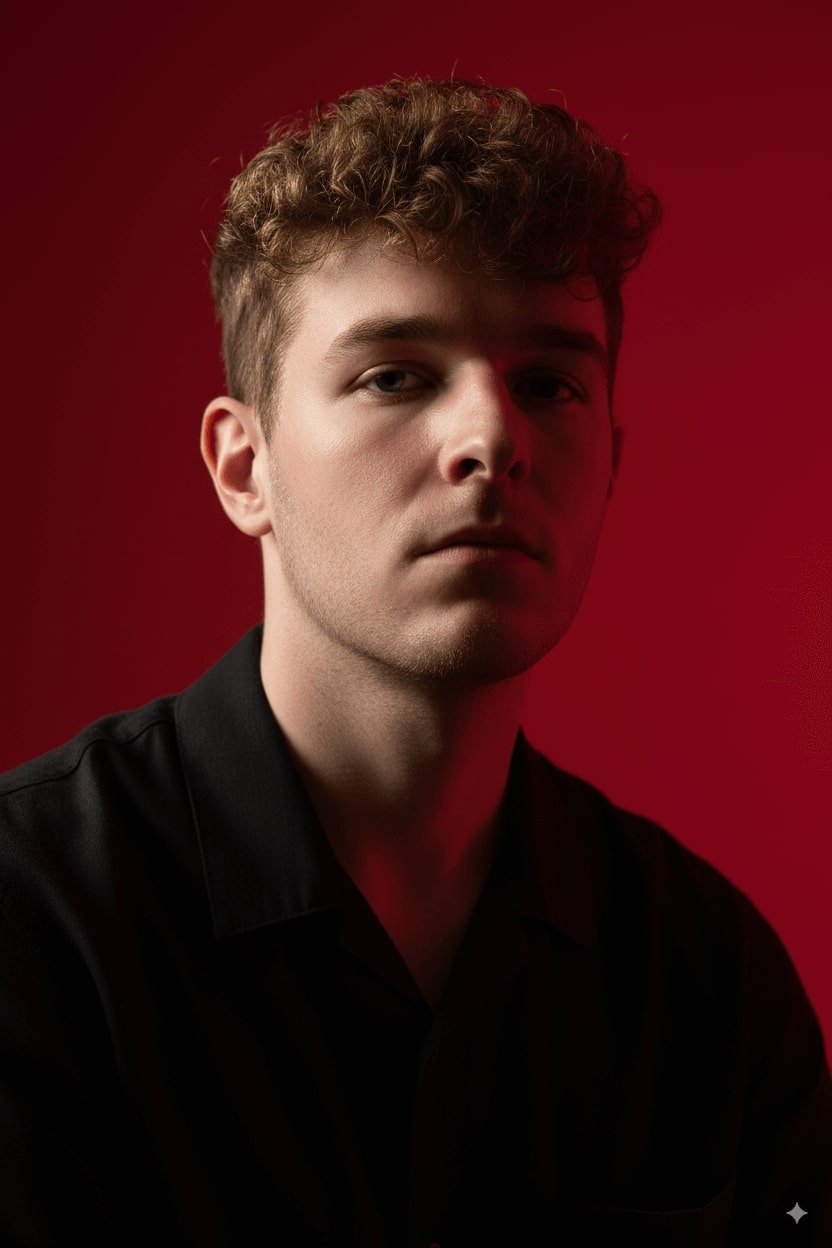
38. 電影感肖像
將你的照片轉化為具有豐富光影、層次感和電影感的高質感肖像。
✅ Nano Banana Prompt 提示詞:
創建一張豎向肖像,保持完全相同的臉部特徵,特點是強烈的電影光影和高對比度。拍攝角度略低,向上仰視,突顯下顎線和頸部,使構圖呈現出強烈的氣勢與雕塑般的優雅。背景為深沉飽和的緋紅色,與模特明亮的肌膚及深色服裝形成大膽的視覺衝擊。
Create a vertical potrait shot using the exact same face features, characterized by stark cinematic lighting and intense contrast. Captured in a slightly low, upward-facing angle that dramatized the subject’s jawline and neck, the composition evokes quite dominance and sculptural elegance. The background is a deep, saturated crimson red, creating a bold visual clash with the model’s luminous skin and dark wardrobe.
⭐ 點擊這裡,自動粘貼提示詞至Nano Banana模型,免費生成 ⭐
39. 內部結構示意圖
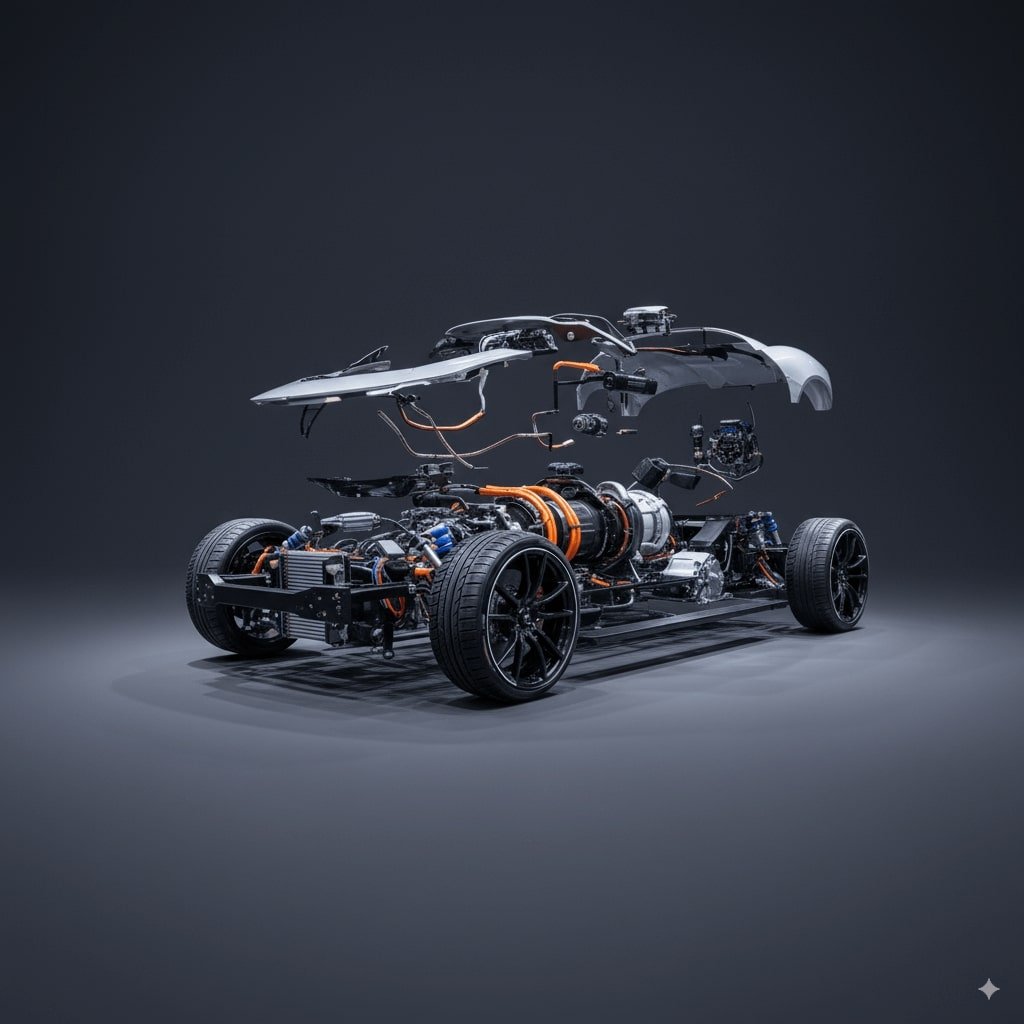
使用 Nano Banana 提示詞可以輕鬆生成任何產品的內部結構示意圖,清晰呈現各組件與分層資訊。現在,你可以直接複製粘貼我們的 Gemini AI 提示詞,一鍵套用現成指令,輕鬆獲得精準又專業的結果。
✅ Nano Banana Pro 提示詞:
超高細節的產品爆炸圖示,金屬零件與電子元件懸浮於半空中,排列整齊,完整呈現內部結構,帶有未來科技美感,8K 解析度,柔和電影級燈光,極度寫實。
Ultra-detailed exploded view of a product, metallic parts and electronic components floating in mid-air, perfectly aligned, revealing inner structure, futuristic technology aesthetic, 8K resolution, soft cinematic lighting, highly realistic.
⭐ 點擊這裡,自動粘貼提示詞至Nano Banana模型,免費生成 ⭐
40. 照片放大 / 縮小
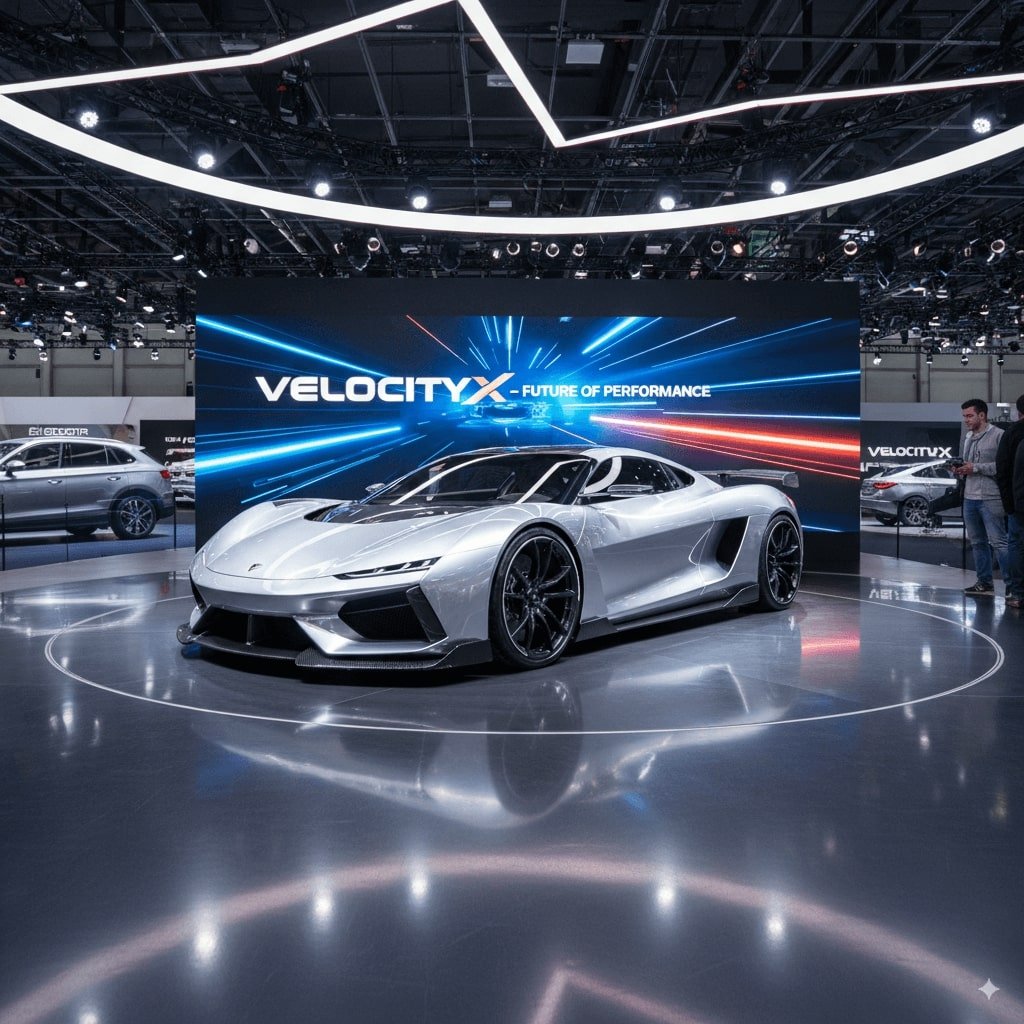
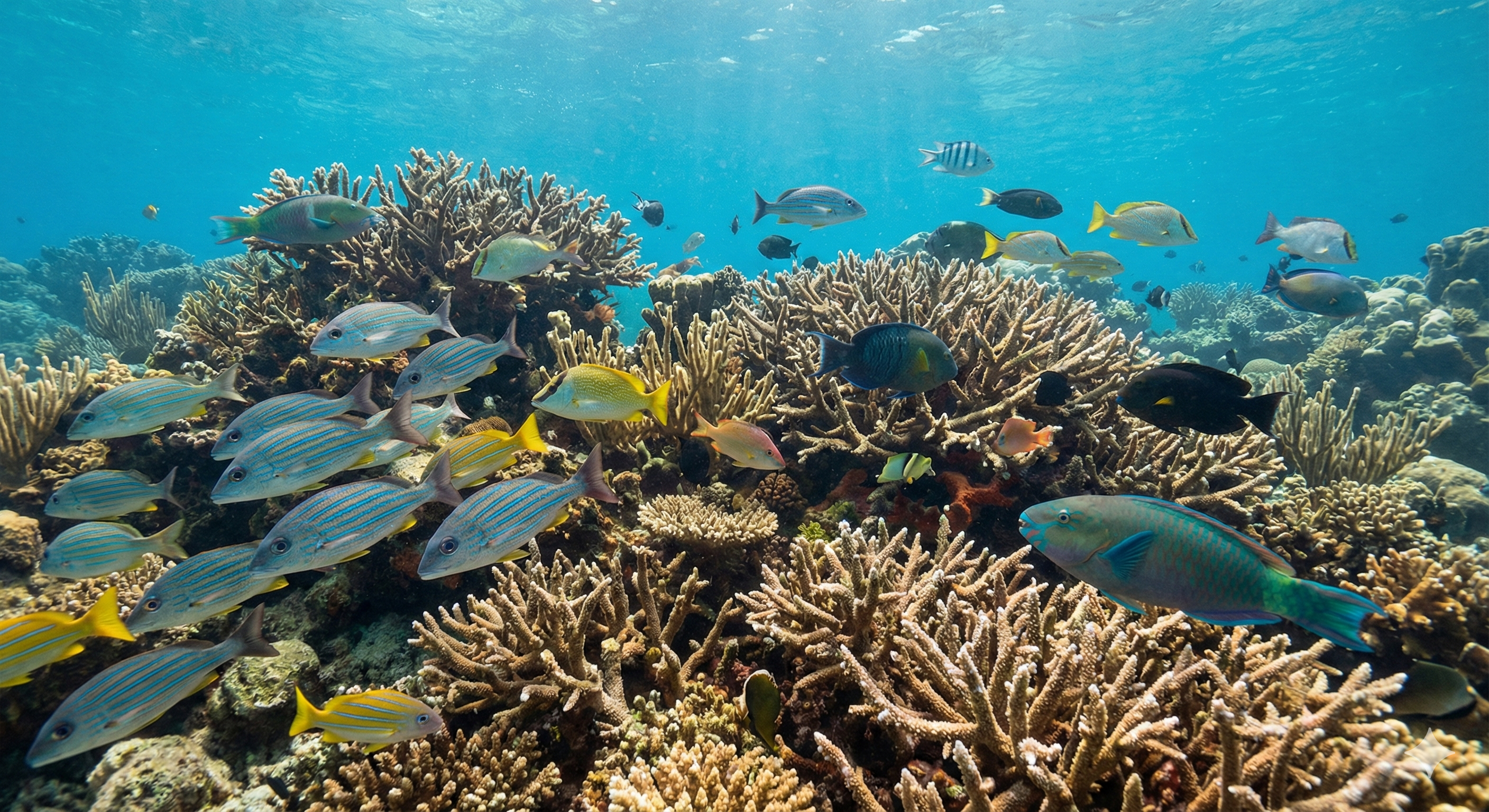
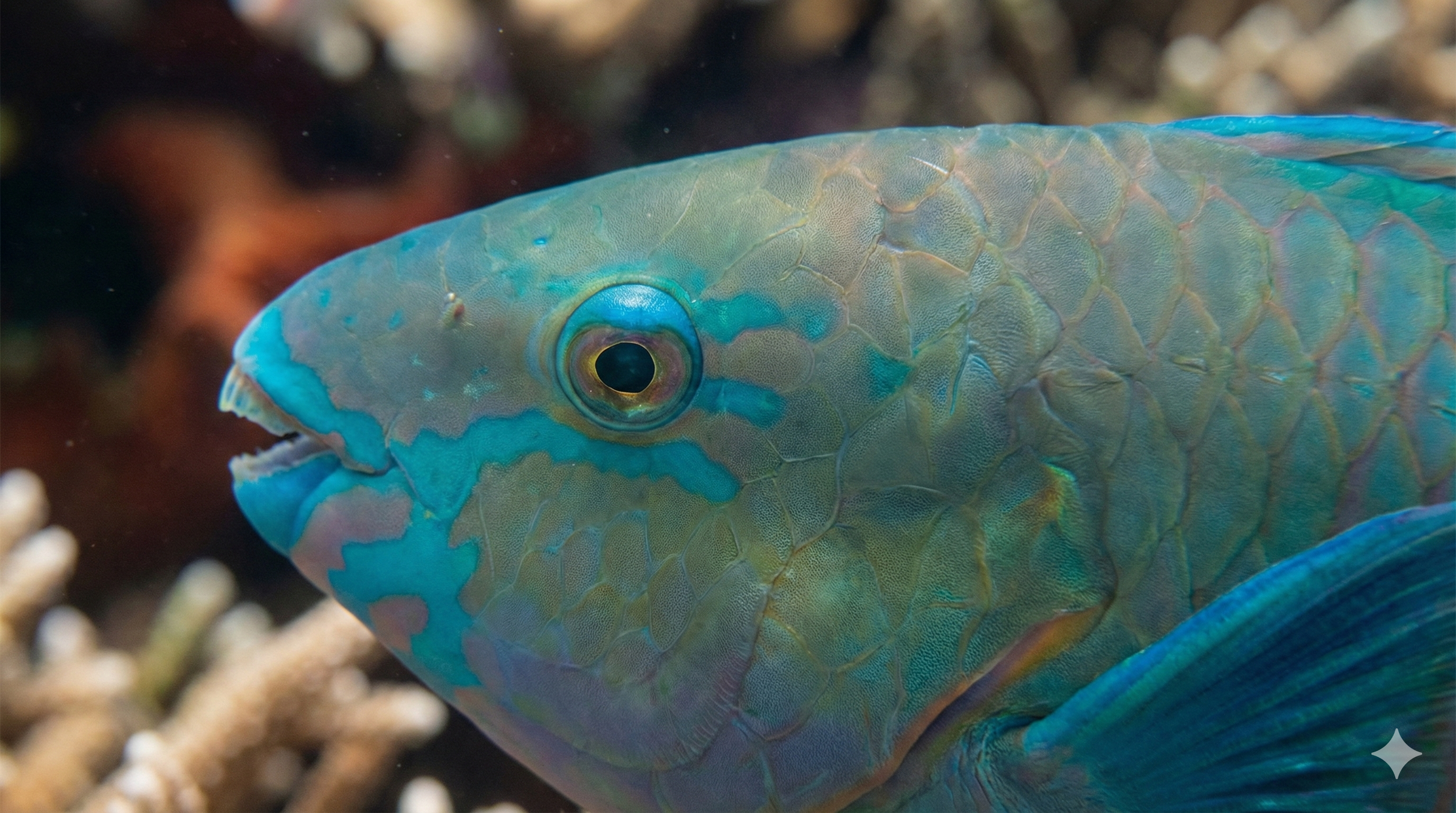
Nano Banana Pro 支援 100 倍照片放大/縮小功能,你可以增強影像中最細微的細節,呈現驚人的清晰度。快去試試全新的 Nano Banana Pro 提示語複製貼上吧!
✅ Nano Banana Pro 提示詞:
將此圖片放大 100 倍,並保持原始長寬比。確保影像細節依然銳利清晰,呈現精細紋理、圖案與元素,不產生變形,同時保留自然色彩與品質。
Zoom in 100x on this image, maintaining the original aspect ratio. Ensure that the image details remain sharp and clear, revealing intricate textures, patterns, and elements without distortion, while preserving the natural colors and quality.
⭐ 點擊這裡,自動粘貼提示詞至Nano Banana模型,免費生成 ⭐
41. 分鏡腳本
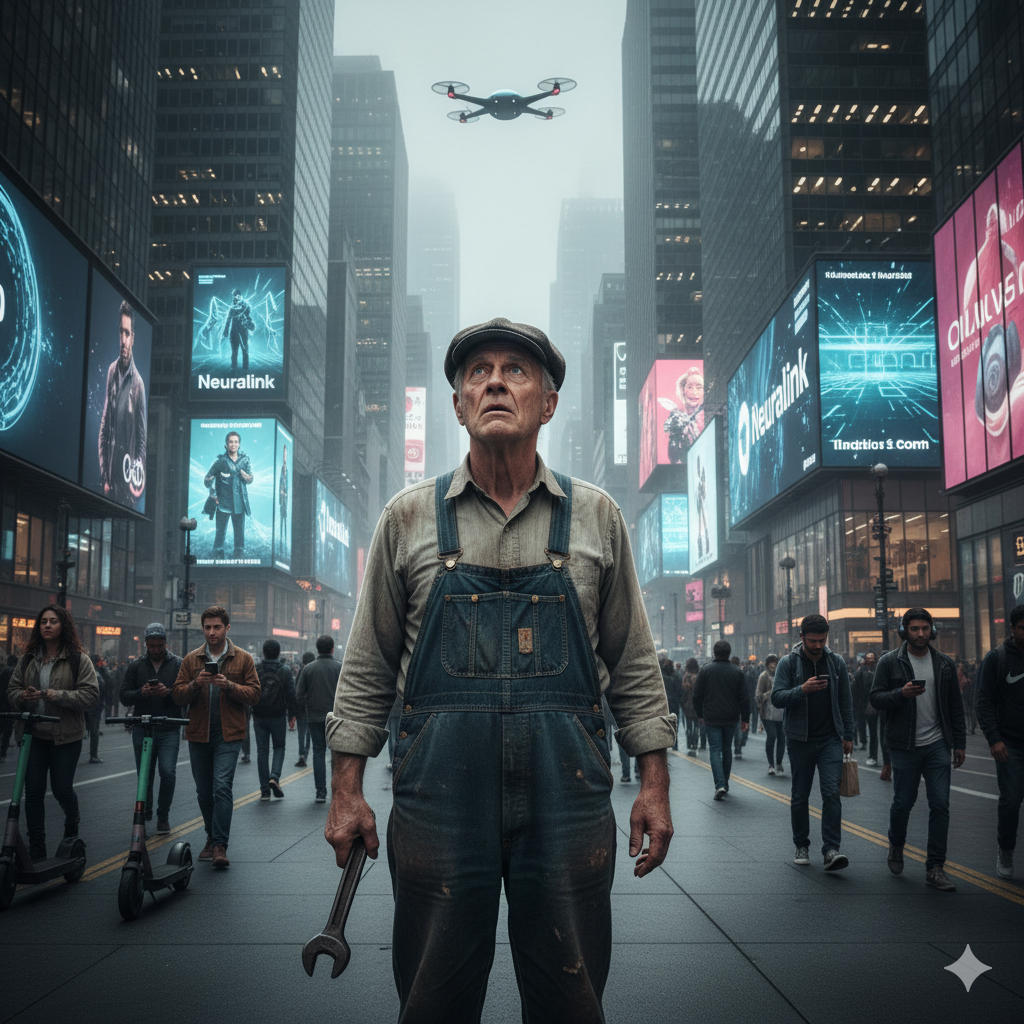
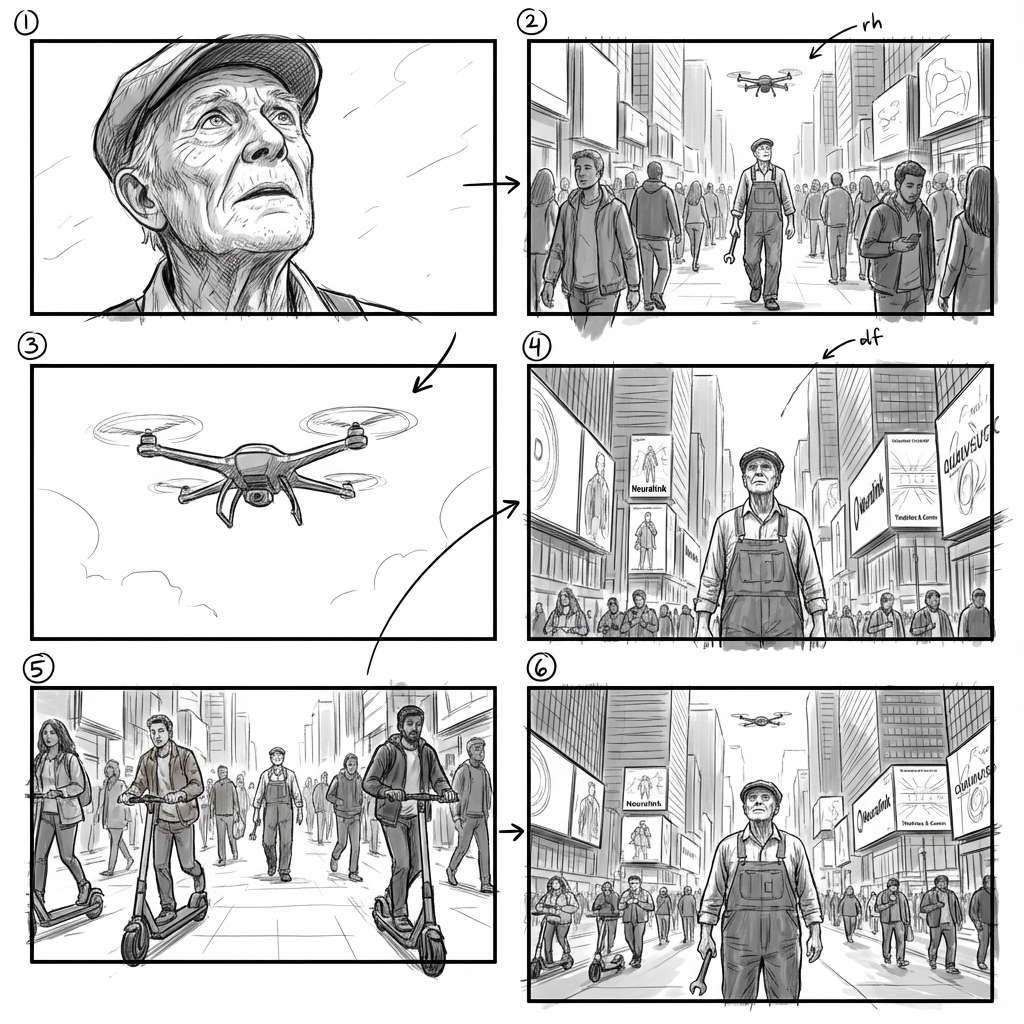
上傳一張圖片,Nano Banana Pro 就能依據畫面內容自動生成分鏡腳本。現在就來試試 Nano Banana Pro 的提示詞把。
✅ Nano Banana Pro 提示詞:
以上傳的圖片製作分鏡腳本,強調重要場景與轉場效果,以電影般的拍攝角度、鏡頭運動與構圖呈現整體氛圍與敘事節奏。
Create a storyboard from the uploaded image, highlighting key moments and transitions with cinematic angles, camera movements, and framing that capture the scene's mood and narrative flow.
⭐ 點擊這裡,自動粘貼提示詞至Nano Banana模型,免費生成 ⭐
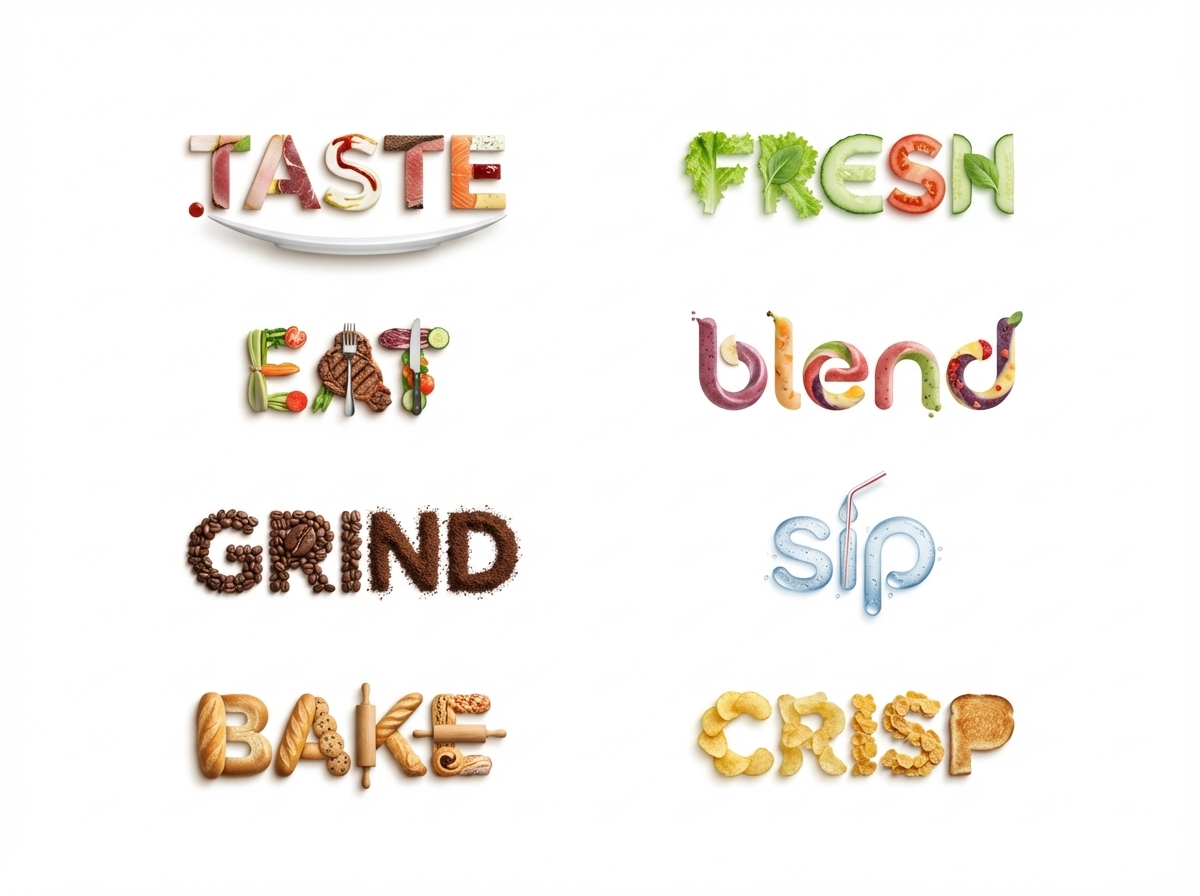
42. 清晰的文字轉 Logo
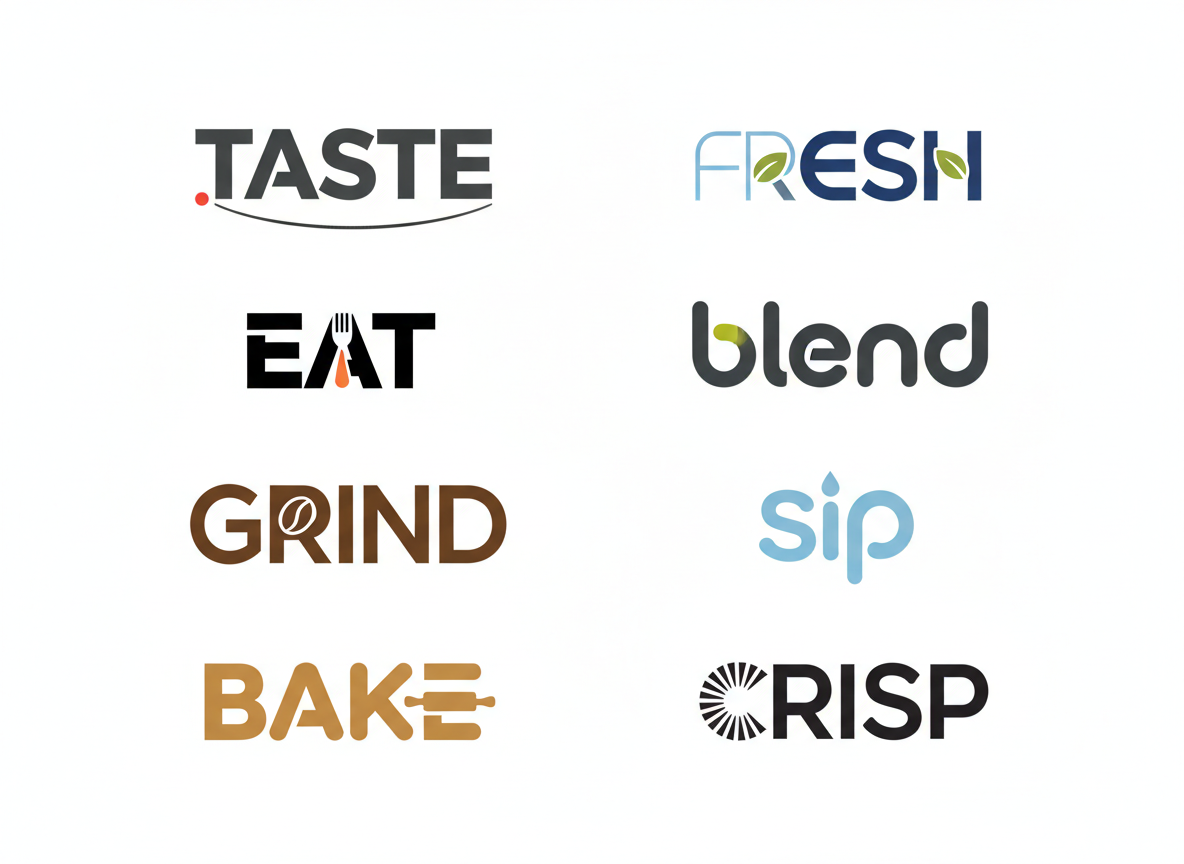
Nano Banana Pro 模型讓你只需一段提示語就能生成自訂 Logo,或是直接修改你上傳的 Logo,打造更符合需求的版本。
✅ Nano Banana Pro 提示詞:
將這 8 個 Logo 設計成精緻的極簡風格 Logo,並以「寫實食物」來呈現字母,表達該單字的意義。構圖:所有 Logo 以單一純白背景呈現。
Turn these 8 Logos into sophisticated minimalistic logos to make letters from realistic food to express the meaning of this word. Composition: rendering of all logos on a single solid white background.
⭐ 點擊這裡,自動粘貼提示詞至Nano Banana模型,免費生成 ⭐
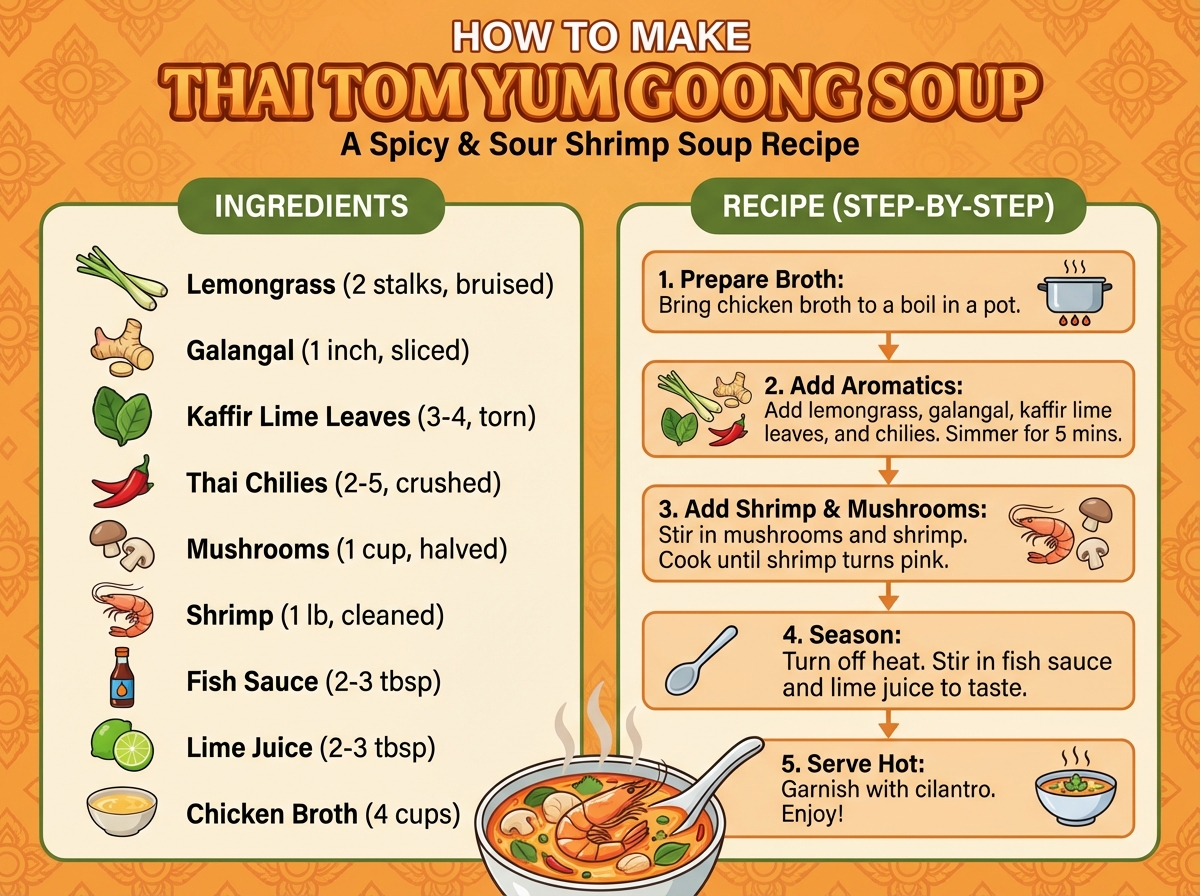
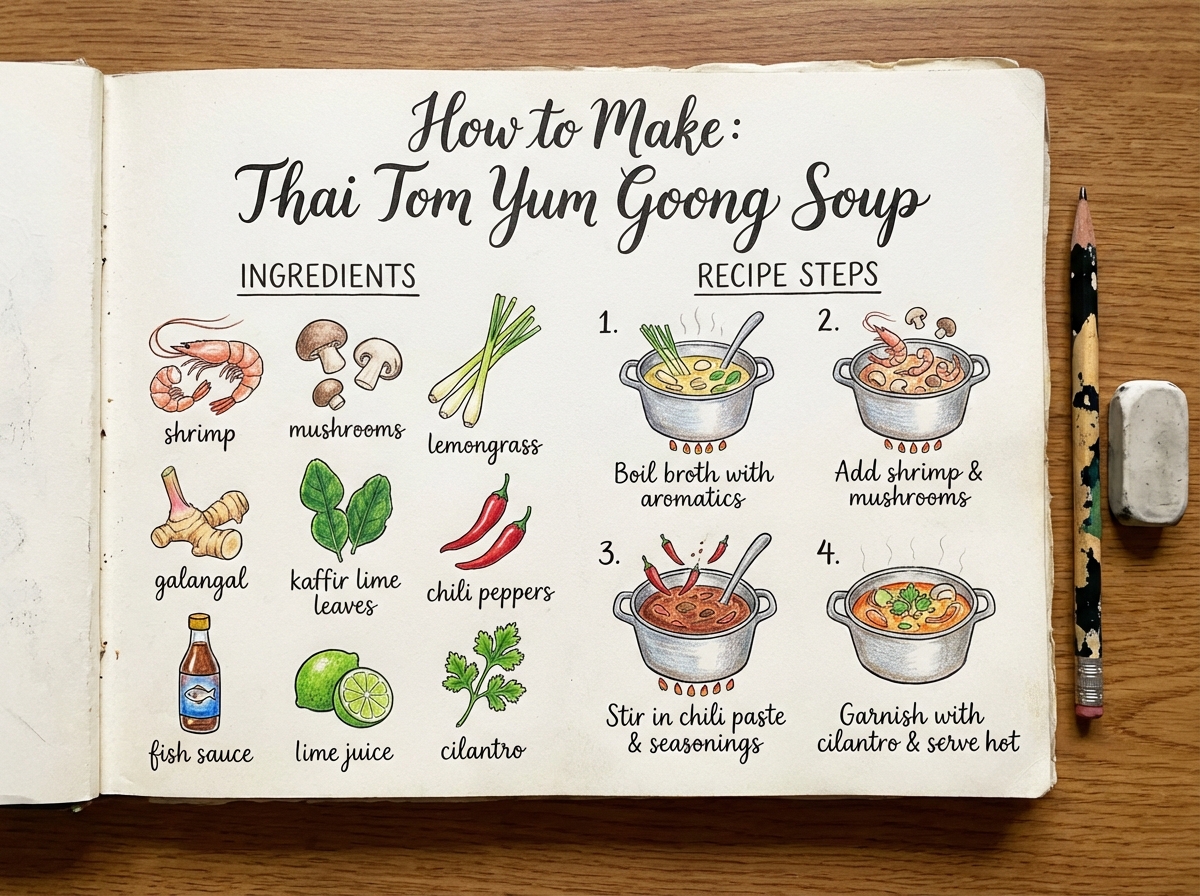
43. 說明圖標
Nano Banana Pro 相較於 Nano Banana 具有更深層的語意理解能力,能輕鬆掌握圖片含義並拆解內容,依據提示語需求給出更令人滿意的結果。你可以用它製作食譜、解決問題、編寫指南等等。
✅ Nano Banana Pro 提示詞:
製作一張說明圖表,展示如何製作泰式冬蔭功湯(Tom Yum Goong),包含食材與料理步驟。
Create an infographic that shows how to make Thai Tom Yum Goong Soup, with ingredients and recipe in it.
⭐ 點擊這裡,自動粘貼提示詞至Nano Banana模型,免費生成 ⭐
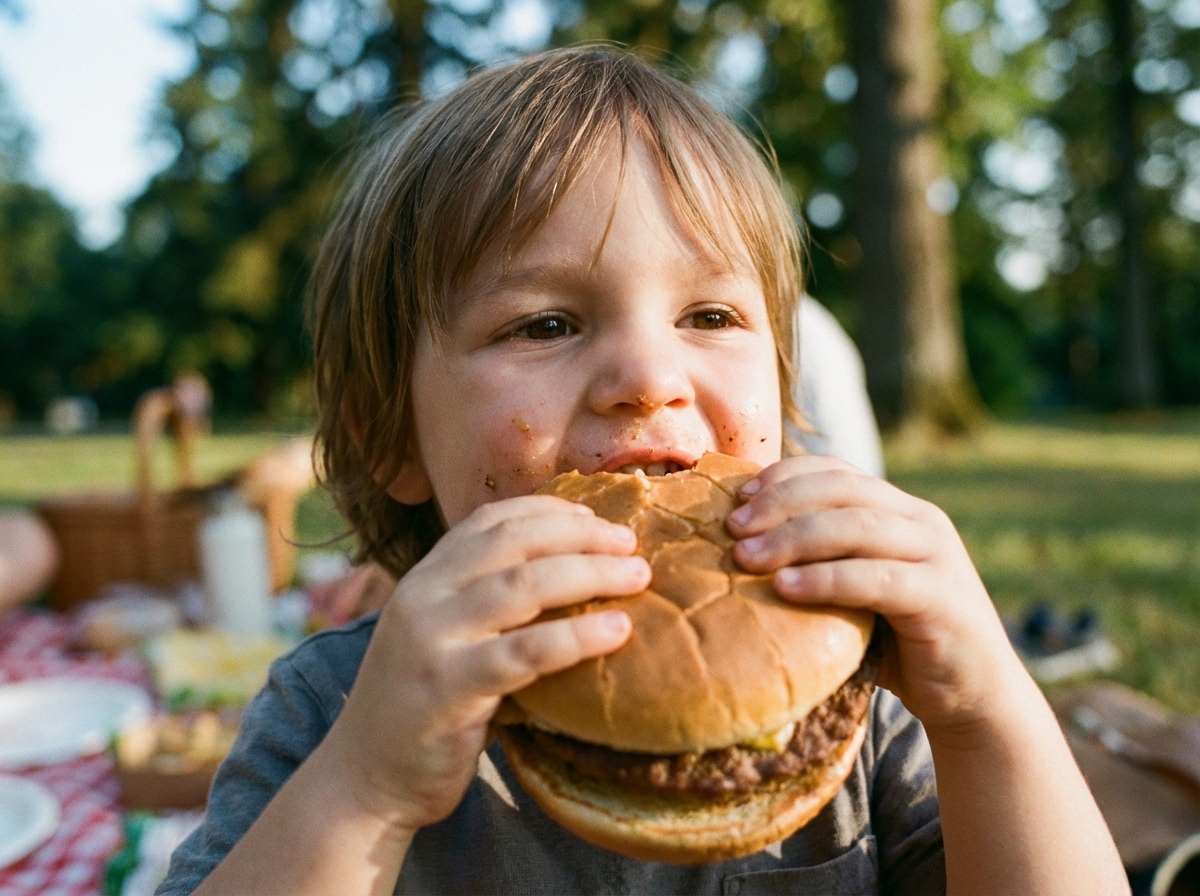
43. 調整照片焦點
Nano Banana Pro 也能調整影像中的焦點與景深,轉移視覺重心,突顯你想強調的元素。
✅ Nano Banana Pro 提示詞:
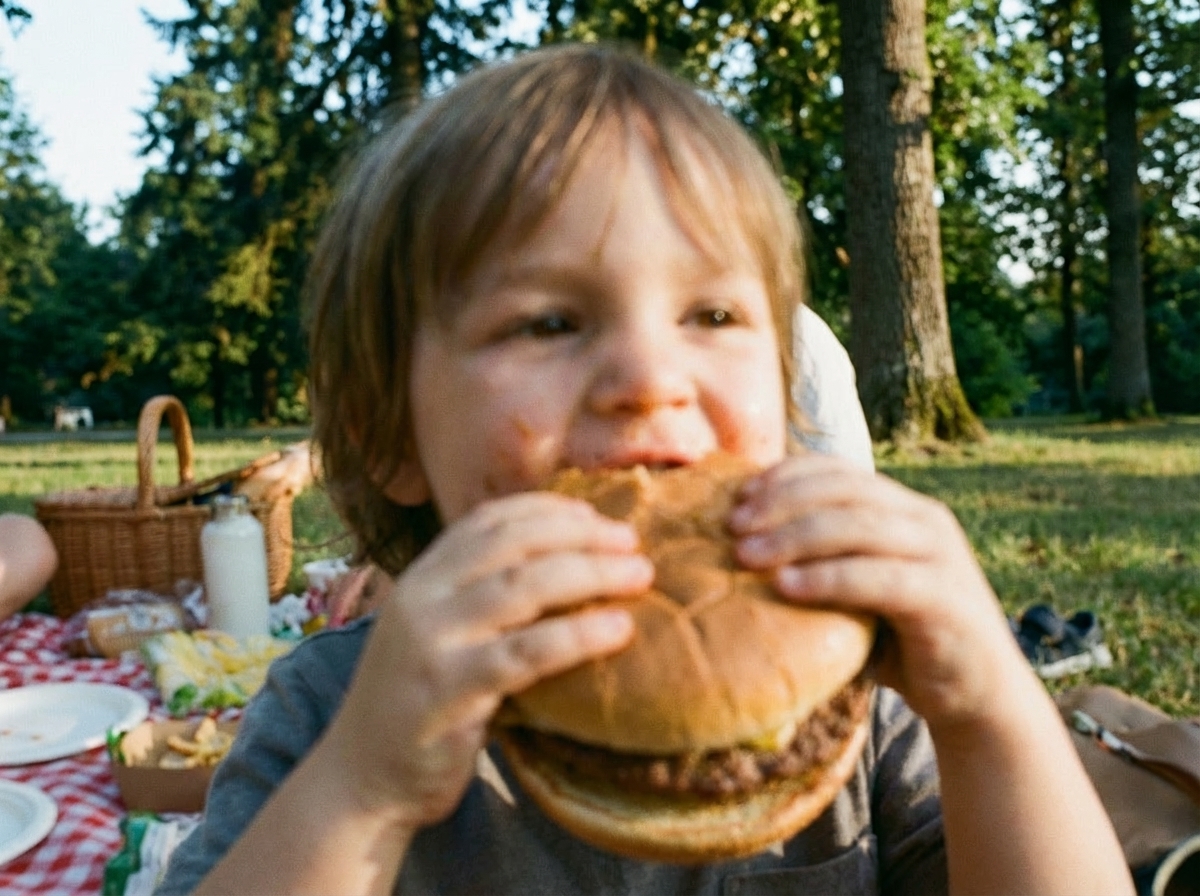
聚焦於這張圖片中的背景樹木與野餐毯,並將小孩稍微模糊處理。
Focus on the background trees and blanket of this image, blur this kid.
⭐ 點擊這裡,自動粘貼提示詞至Nano Banana模型,免費生成 ⭐
如何使用 Nano Banana 模型提示詞(prompts)
使用 Nano Banana AI 工具 非常簡單,要獲得驚艷成果,關鍵在於你的輸入圖片以及 Nano Banana 模型提示詞(prompts)。好消息是,我們已經為你準備了最熱門的 AI Banana 提示詞文本。只需幾個步驟,就能把普通照片轉換為創意十足、專業水準的視覺作品。
1. 找到 Nano Banana AI 工具
你可以登入官方平台 Google AI Studio 或其他工具來使用 Nano Banana AI。介面設計簡單直觀,可以立即開始創作。
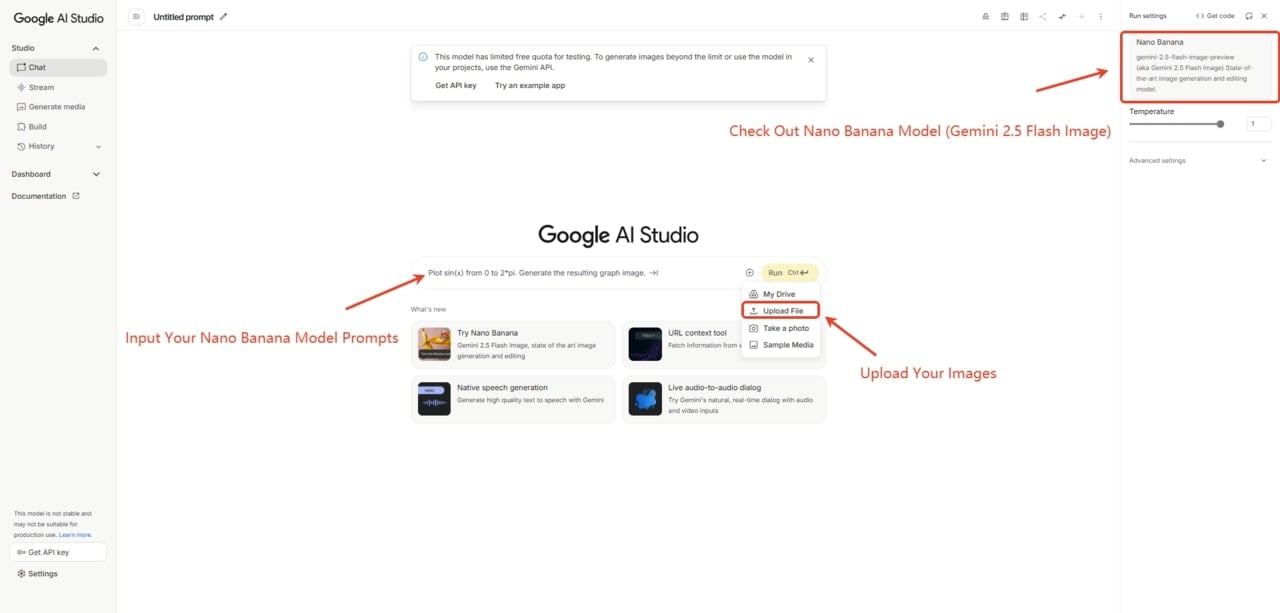
2. 上傳你想要編輯的照片
上傳一張清晰的照片或草圖作為基礎,高品質的輸入影像能產生更好的結果。
3. 輸入 Nano Banana 提示詞
輸入詳細的 AI 照片提示詞(prompts),描述你想要編輯的風格或轉換效果。第一次嘗試時,你可以直接複製並貼上熱門的 Nano Banana 提示詞。
4. 預覽結果
即時生成並預覽輸出結果,如果需要,可以調整提示詞並反覆微調,直到獲得理想效果。接著就能下載由 Nano Banana AI 生成的圖片,享受你的大作吧。
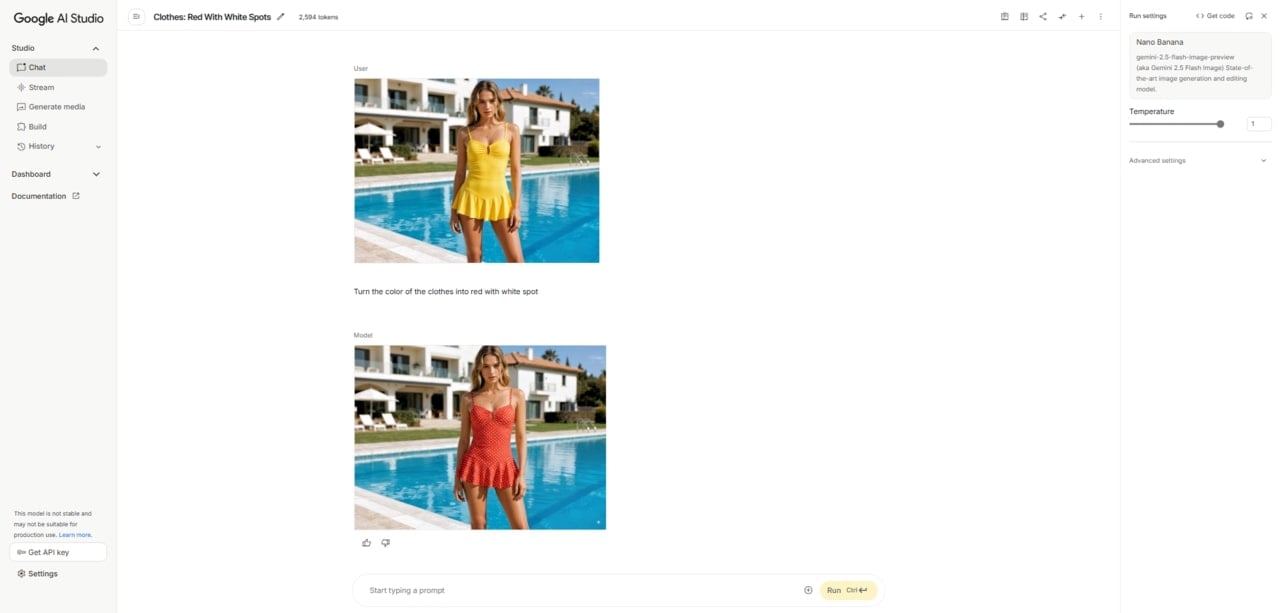
✨ 加碼小技巧:
Fotor 也提供 Nano Banana AI 模型功能,讓你能在同一平台中同時體驗強大的提示詞創作,與內建的照片編輯工具,一次滿足創意影像生成與編輯需求。
使用 Nano Banana/Nano Banana Pro 提示詞的小貼士
· 提供詳細的描述
在撰寫 Nano Banana 的提示詞時,可以從動詞開始,例如「創建」、「生成」或「繪製」。要清楚描述主體、動作、場景與想要的風格。例如:創建一張圖片:一位微笑的年輕女子穿著飄逸的紅色洋裝,懷中輕抱著一隻黃金獵犬小狗,站在草地公園小徑上,陽光穿過樹林灑落。寫實風格,具備自然陰影與鮮明色彩。
· 逐步細化
採取對話的方式來逐步優化你的影像。先從寬泛的描述開始,然後逐步增加細節,直到達到你理想的效果。
· 指定藝術風格
在 prompts 提示詞中加入風格描述,例如「水彩畫風格」、「賽博龐克風格」或「動漫風格」,以引導生成影像的風格。這能幫助輸出結果更貼近你的想象。
· 提供常見信息
提供關於場景、時間或情感氛圍的場景信息,以提升生成影像的相關性與一致性。
· 嘗試多樣變化
自由修改提示詞中的元素,例如色彩搭配、光影條件或視角,以探索更多創意可能性。
· 注意光影效果一致
在替換物件、調整姿勢或進行影像融合時,要注意光線與透視的一致性,才能確保生成結果的真實感。
AI 社群中的「Banana Prompts.xyz」是什麼?
有些讀者在探索影像生成模型時,可能會看過像 Banana prompts xyz 或 Banana prompts.xyz 這類詞彙。這些通常指的是由社群建立的提示詞共享平台,會提供經過優化、適用於 Nano Banana 或未來的 Nano Banana Pro(用於 Gemini 系列影像工具)的提示詞範本。它並不是 Google 官方產品,但許多創作者會把它當成瀏覽提示語、交流創意的地方。由於本指南同樣著重於提示語與小模型影像生成,因此你可能會在相關搜尋查詢中看到這些詞。
如何辨識 AI 生成的圖片?
現在,你可以將圖片上傳到 Gemini App,利用 SynthID 技術輕鬆判斷該圖片是否由 Google AI 生成。
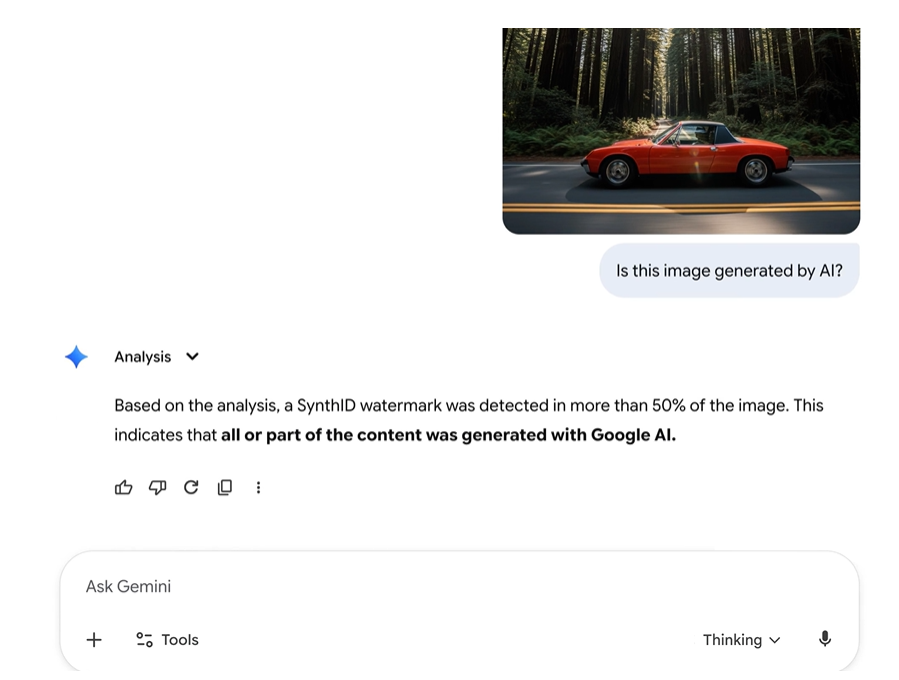
除了 SynthID 之外,Gemini 3 Pro 也會在免費用戶與 Google AI Pro 方案用戶所生成的圖片上加入可見浮水印(「Gemini Sparkle」),讓 AI 生成圖片的識別更加容易。
對於需要乾淨視覺成品的專業使用者來說,Google AI Ultra 訂閱方案與 Google AI Studio 開發者工具所生成的圖片,皆可移除這些可見浮水印。
如果你不想看到 Gemini Sparkle 浮水印,也可以改用 Fotor 的 Nano Banana Pro 模型來進行圖像生成。它提供與 Gemini 3 Pro 相同的圖像創作能力,而且完全沒有惱人的浮水印。
結語
在這篇文章中,我介紹了最新、最受歡迎的 Nano Banana Pro AI 影像模型 的應用方式,例如多圖融合、風格混合,到修改姿勢、表情編輯,以及創意 3D 手辦生成。並提供了詳細的 Nano Banana prompt(提示詞) 與實用技巧,幫助你輕鬆達成高品質、客製化的成果。
你也可以對比 Nano Banana 和 Flux Kontext,就能發現 Nano Banana 生成速度更快、風格更靈活,處理複雜編輯的能力更優秀,是創意實驗與、專業級影像生成的首選。應用這裡分享的技巧,你也能充分釋放 AI 視覺創作的潛能。