


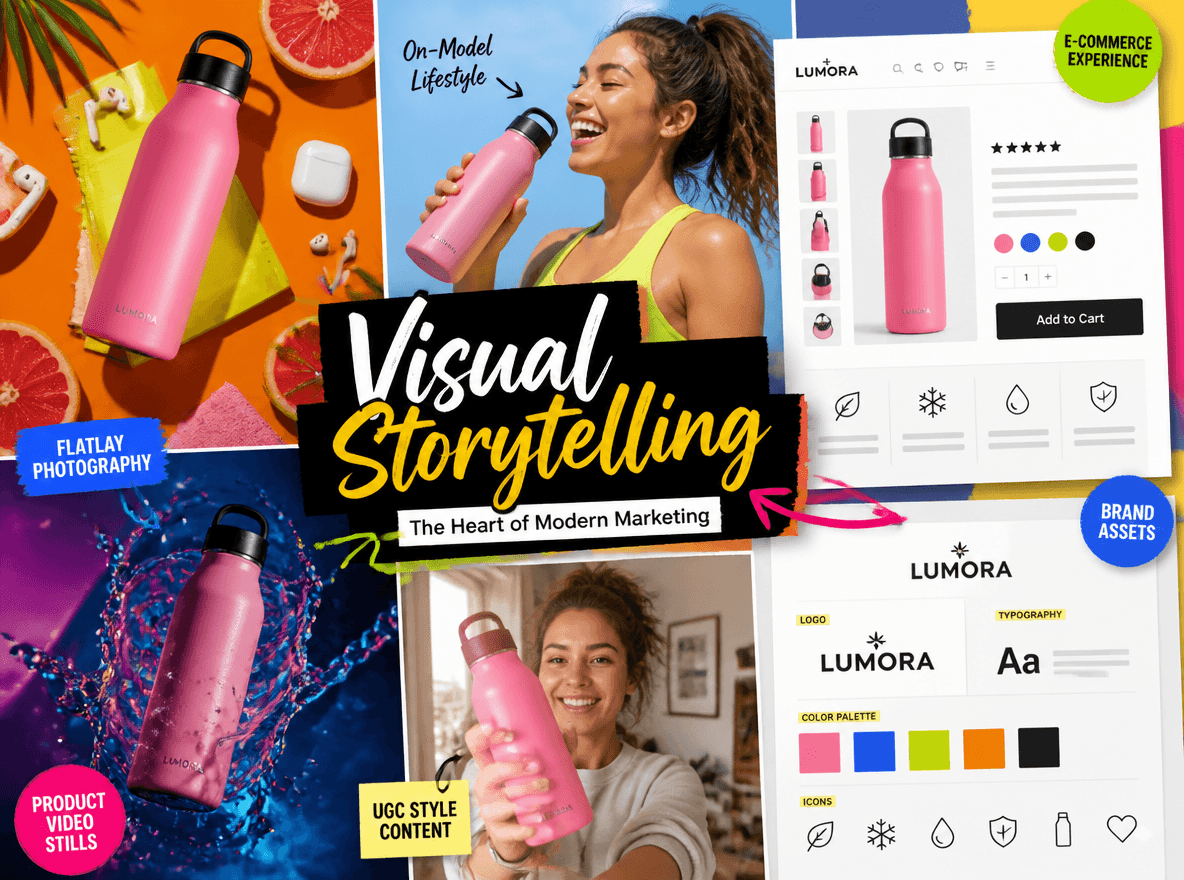
A photo can show a person sitting alone in a café. A visual story can make you wonder why they are there, what happened before the moment and what might happen next.
That is the difference between using visuals and using visuals to tell a story.
Visual storytelling uses images, video, design, composition, color, lighting and visual sequences to communicate a message, create emotion and help viewers understand a situation without relying entirely on words. Nowadays, it is used everywhere from photography and film to social media, advertising, eCommerce, presentations and branding.
In this guide, we will show you the definition and typical examples of visual storytelling, practical techniques to materialize it and how AI can speed up its workflow.
What Is Visual Storytelling?
Visual storytelling is the practice of communicating a story, idea, emotion or message through visual elements.
Instead of explaining everything with text, visual storytelling lets viewers understand meaning mainly through the visual content they see. A visual story can be a single image, a series of photos, a video, an illustration, an infographic or even a product campaign.
For example, imagine two photos of the same running shoes.
- The first shows the shoes on a plain white background.
- The second shows a runner putting them on before sunrise, standing at the starting line and finishing a run covered in sweat.
Both content shows the same product. But only the second one gives the viewer a sense of context, action, emotion and progression. That is what turns visual content into visual storytelling.
Visual Content vs. Visual Storytelling

It does not automatically create a visual story by adding an image to an article or an ad.
A useful way to think about the difference is:
- Visual content — Shows what something looks like.
- Visual storytelling — Shows what it means in context.
A strong visual story often answers questions such as:
- Who or what is the focus?
- Where is the scene taking place?
- What is happening?
- What has changed?
- What should the viewer feel or understand?
- What might happen next?
A single image does not always need to answer all of these questions. Sometimes a facial expression, object, setting or visual contrast can imply a story without explaining it directly.
Why Does Visual Storytelling Work?

Since people usually process visual information more quickly, it makes visuals useful for communicating ideas at a glance. More importantly, compared with traditional storytelling that centers on text, visual details can provide context and emotion that are difficult to convey through text alone.
It communicates context quickly
A room, location, outfit, object or facial expression can immediately tell viewers something about a person or situation.
It creates an emotional response
Lighting, color, facial expressions, composition, and visual details can influence how an image feels. For instance, warm lighting may suggest comfort; high contrast may create tension; a close-up can make a moment feel more personal.
It makes information easier to follow
A sequence of images can show a process more clearly than a paragraph of instructions. For example: the structure of “Problem → Action → Result” is often easier to understand visually than through a long explanation.
It helps people remember ideas
A strong visual can make an abstract idea easier to understand, which is particularly useful for presentations, educational content, advertising and social media.
It makes brands more recognizable
When a brand consistently uses certain colors, compositions, imagery, characters or visual styles, audiences can begin to recognize its content before reading the logo or headline.
What Are the Key Visual Storytelling Elements & Techniques?
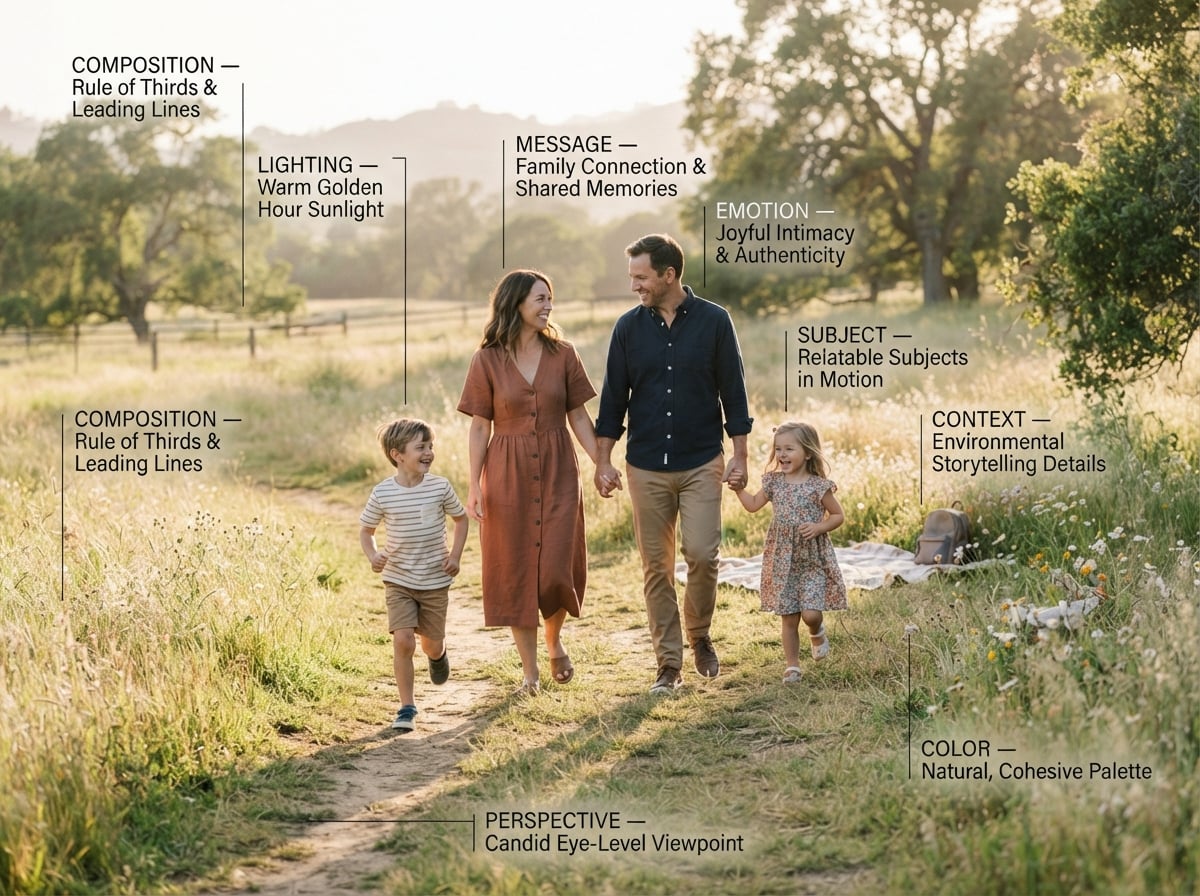
Instead of depending on one design trick, good visual storytelling often combines several elements to guide the viewer through a message.
1. A Clear Message: Clear Theme Delivery
Start with what you want the audience to understand.
For instance, a visual story about a new skincare product might focus on transformation, self-care, confidence or a specific problem. Without a clear message, an image may look attractive but still fail to communicate anything meaningful.
Before creating a visual, you can finish this sentence: “After seeing this, I want the viewer to understand or feel xxx.” That answer can become your creative direction.
2. Subject: The Focal Point
Every visual story needs a clear subject, such as a person, an animal, a product, a place or an object that the viewer is meant to notice and follow. In some stories, the subject acts as a character with a role, goal or emotion. In others, it simply anchors the scene and gives the image a clear focal point.
Before creating the visual, consider what viewers should notice about the subject and how it relates to its surroundings. For a person or animal, this may come through appearance, posture, expression or movement. For a product or object, it may come through placement, condition, scale or use.
For example, instead of showing someone simply holding a coffee cup against a generic background, show the situation around the action. Are they working at a desk, waiting at a station or enjoying a quiet morning at home? These details help viewers understand the subject's role in the scene and infer the mood.
3. Context: Story Structure
The setting tells the audience where and when a story happens.
For example, a product in a studio communicates something different from the same product in a busy kitchen or on a hiking trail.
Context is particularly important in advertising and eCommerce because it helps viewers imagine how a product fits into real life.
4. Emotion: Story Vibe
Emotion gives a visual story a reason to matter.
Think about the response you want to create:
- Curiosity
- Excitement
- Trust
- Calmness
- Nostalgia
- Surprise
- Confidence
Then choose visual elements that support that response.
5. Composition: Attention Control
Composition determines where elements appear inside the frame and what the viewer notices first.
You can use:
- Framing
- Negative space
- Visual hierarchy
- Symmetry
- Leading lines
- Foreground and background
- Scale and placement
A well-composed image guides the viewers’ attention instead of making them search randomly for the important part.
6. Color: Emotion or Change Signal
Color can establish mood and create visual consistency.
Muted colors may make people feel calm or nostalgic while saturated colors can offer an energetic sense. A strong contrast between two colors can draw attention to a product or character.
Color can also show change. For example, a darker palette in the beginning of a story and a brighter palette at the end can visually reinforce a transformation.
7. Lighting & Perspective: Story Change
Lighting changes how viewers interpret a scene.
Soft light can create a gentle, intimate feeling. Hard directional light can create stronger shadows and a more dramatic mood.
The important point is not to choose lighting simply because it looks beautiful. Choose it because it supports the story. Meanwhile, the same subject can give audiences a very different feel, depending on where the camera is positioned.
For example, a low-angle shot can make a person appear powerful; a close-up angle can emphasize intimacy; a wide shot can make the character feel small within the environment.
8. Contrast: Difference Communication
Contrast can show:
- Before vs. After
- Old vs. New
- Problem vs. Solution
- Isolation vs. Connection
- Chaos vs. Order
As the story is built into the contrast, before-and-after visuals can often effectively deliver the meaning of a creator.
9. Sequence: Progression Creation
A single image can imply a story, but multiple images can show progression. A simple sequence might involve beginning, action and outcome. For example: you can create a visual sequence that displays an empty workspace, a creator working and a finished project.
The sequence gives the audience a sense of movement and change, which is particularly effective for:
- Tutorials
- Product demonstrations
- Transformations
- Behind-the-scenes content
- Educational videos
- Social media carousels
7 Typical Visual Storytelling Types with Examples
Visual storytelling can appear in many forms. The key lies more in the way the format communicates meaning than the format itself.
1. Single-Image Storytelling

A single photograph can tell a story through character, context, composition and visual clues.
For example, instead of demonstrating an employee in an office, you should show him or her working late in an empty office with unfinished notes, a cold cup of coffee and city lights outside the window.
The viewer can infer the situation without a long caption.
Best for: photography, editorial content, social posts, campaign images, and storytelling portraits.
2. Before-and-After Storytelling
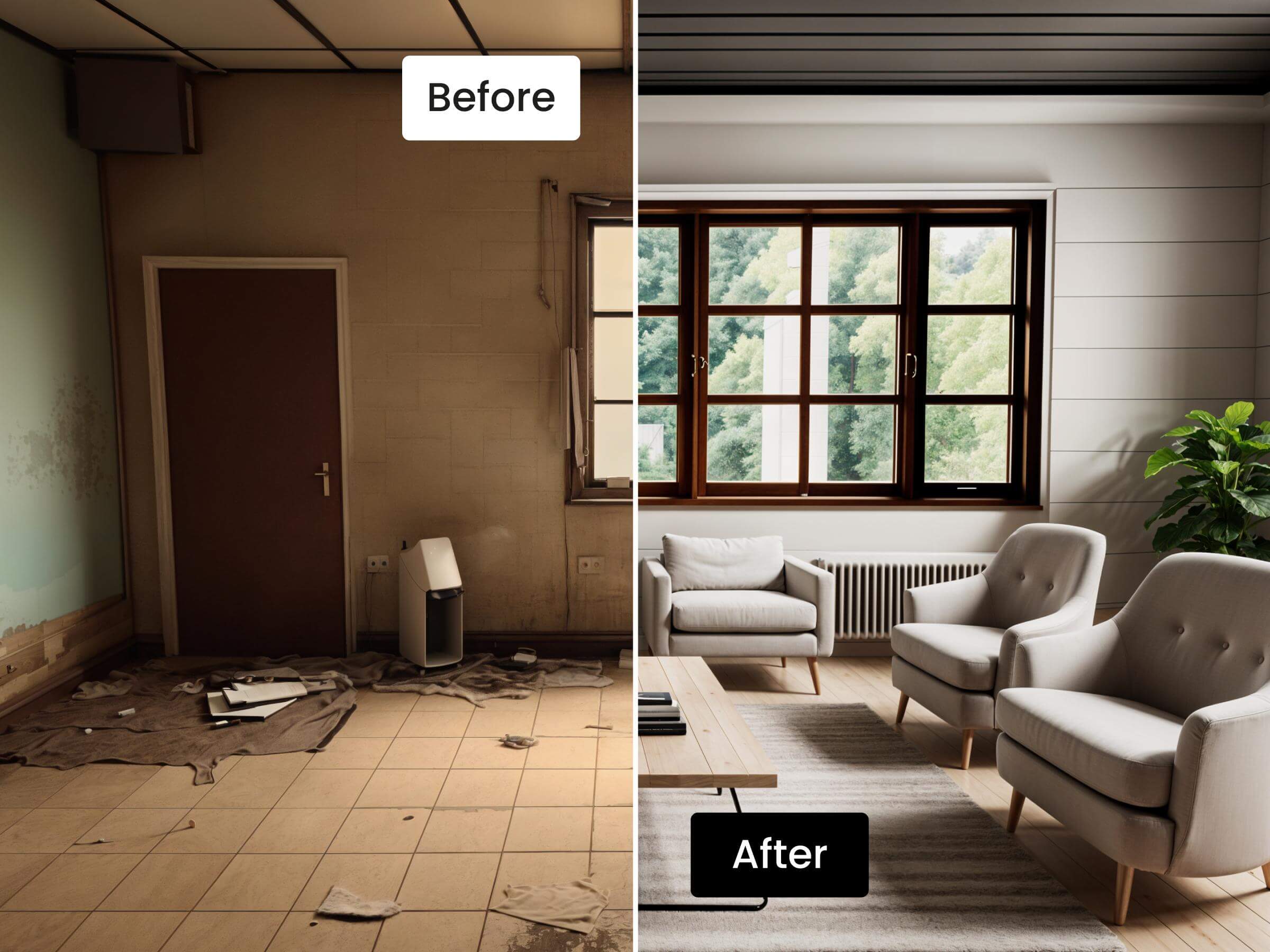
Before-and-after visuals make change immediately visible.
A room renovation, photo restoration, makeup transformation, website redesign or product cleaning process can all be communicated this way. The strongest before-and-after visuals, more than a display of two different states, show the transformation process of the story.
Best for: beauty, home improvement, design, editing, fitness, E-commerce and tutorials.
3. Sequential Storytelling

A sequence uses multiple visuals to show what happens over time.
For example: you can use several visuals to manifest the following content: a baker prepares the ingredients, mixes the dough, puts the bread in the oven and serves the finished loaf.
Each image has a role. Together, they communicate a complete process.
Best for: tutorials, recipes, behind-the-scenes content, carousels and short-form video.
4. Character-Driven Storytelling

A character, especially a person, can carry a story through their actions and expressions.
Instead of focusing only on what someone looks like, you can display what they are doing, what they are reacting to and how their environment affects them. For brands, this can help the audience imagine themselves using a product.
Best for: lifestyle campaigns, portraits, travel, fashion and brand storytelling.
5. Product Storytelling

Product storytelling goes beyond the demonstration of a product from multiple angles. It places the product inside a situation that gives it meaning.
A desk lamp can be photographed and edited as a product cutout. However, it can also become part of a story about a student studying late at night. The second visual clearly communicates not only what the product is, but why it matters.
Best for: eCommerce, advertising, product launches, lifestyle campaigns and social commerce.
6. Infographic and Data Storytelling
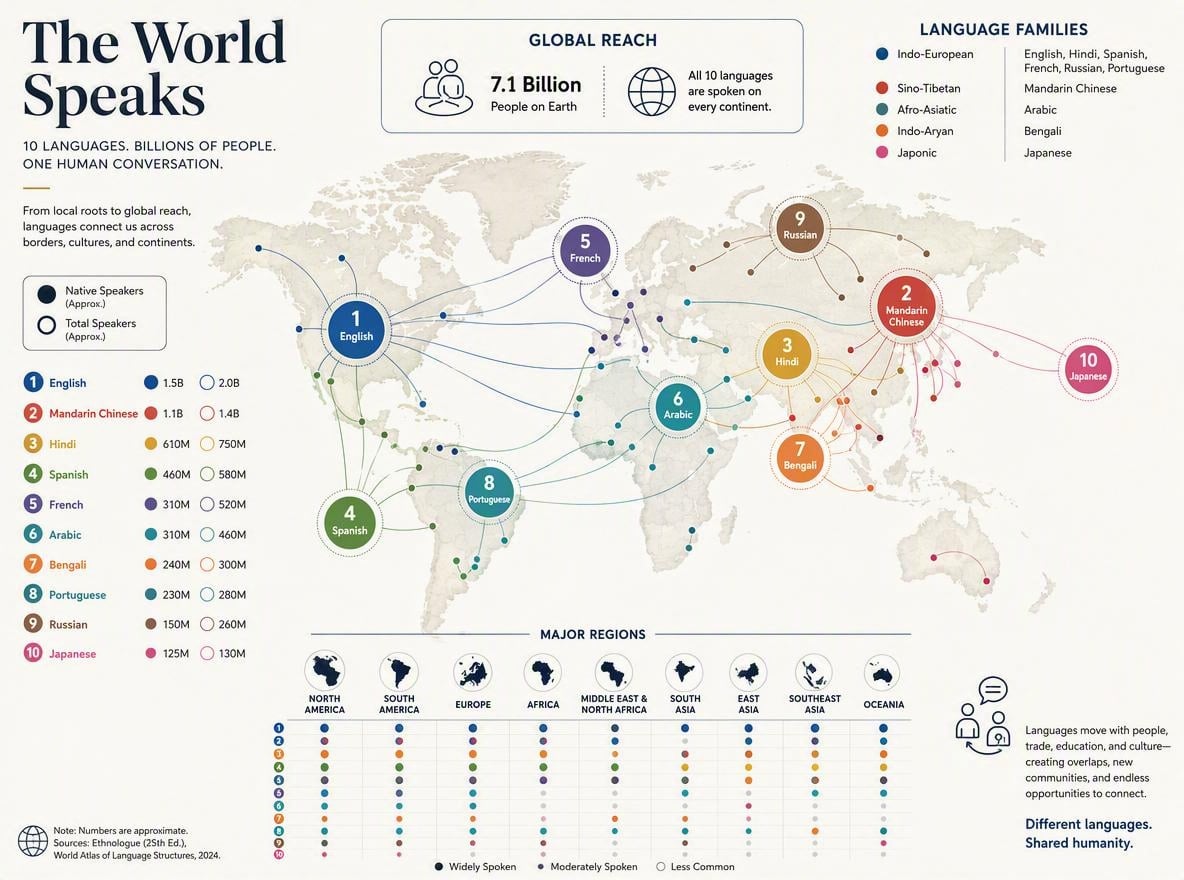
Visual storytelling is not limited to photography. Charts, diagrams, icons, maps and infographics can guide viewers through complex information.
A good data story often follows a structure like question, evidence, insight and conclusion. So, rather than showing a chart with dozens of numbers, you can highlight the trend that matters and use hierarchy to direct attention to it.
Best for: education, business reports, research, presentations and social media.
7. Short-Form Video Storytelling

Short-form video combines visuals with movement, timing, sound and sequence.
A strong video does not simply place several attractive clips next to each other. It normally demonstrates a structure like problem, product introduction, demonstration and result. That structure is often more effective than presenting product features in a random order, making each shot effectively support your narrative.
How to Create a Visual Story Step by Step?
You do not need expensive equipment or a large production team to create a visual story. You can simply start with the message and build the visuals around it.
Step 1: Define Your Message and Audience
Write your main idea in one sentence by answering the following questions:
- Who is this for?
- What do I want them to understand?
For example, if you intend to sell a travel backpack, you can give your answers like this:
- Audience: first-time online shoppers
- Message: this bag keeps weekend travel organized
So, you can get the message that the visual campaign is designed for first-time online shoppers to show how our travel backpack should be one of the tips for their weekend travel.
If you cannot describe the story in one sentence, the visual direction may still be too broad. However, a visual designed for first-time customers may need more context than the one created for an audience already familiar with your brand.
Step 2: Choose the Emotional Response
Think about how you want the audience to feel. This decision can guide your choice of color, lighting, styling, setting and composition.
Still, if you want to sell a travel bag, the emotion might be freedom, confidence and ease. Then, you can plan your visuals with these elements: an open outdoor setting, warm natural light and relaxed body language.
Step 3: Build the Scene
Consider what elements need to be added to your visual, such as
- Subject
- Location
- Background
- Props
- People
- Clothing
- Time of day
- Action
Do not add details just because they look attractive. Each major element should support the story.
Step 4: Select Composition and Color
Choose how the viewer will experience the scene.
Decide where the main subject sits in the frame, where you want the eye to move and what colors should be the main elements.
Think about composition and color as part of the storytelling rather than decoration added at the end. For a multi-image story, make sure the visuals feel connected and consistent rather than looking like unrelated assets.
Step 5: Choose the Visual Format
Decide which format communicates the story best. For example,
- Single image — A simple emotional moment
- Carousel — A progression or comparison
- Infographic — information
- Image sequence — A step-by-step narrative
- Video — Movement and process
Do not choose a format just because it is popular. Choose it because it supports the story.
Step 6: Create Platform-Specific Versions
The same story may need different formats for different platforms. For instance,
- A website banner may require a wide composition.
- A social media post may need a square or vertical layout.
- A short-form video may require a sequence rather than a single image.
Step 7: Review With a Checklist
Show the visual to someone without giving them the backstory and then ask: “What story do you think this image is telling?”
Before publishing, ask:
- Is the main message clear?
- Is there one obvious focal point?
- Does the visual create the intended emotion?
- Is there enough context?
- Does the composition guide attention?
- Are the colors helping the story?
- Are related assets visually consistent?
- Can viewers understand the idea without a long explanation?
If the answer to several questions is no, simplify the visual before adding more elements.
Common Visual Storytelling Mistakes
These are the common visual storytelling mistakes that beginners and experienced creators may both make.
Mistakes | Descriptions | Solution |
|---|---|---|
Beautiful visuals with no clear message | A visually impressive image can still fail if viewers do not understand what it is trying to communicate. | Consider whether every major element supports the story before publishing your visual. |
Too much text | If viewers have to read a paragraph to understand what an image is showing, the visual may be ineffective. | Adjust your visual and use text only to make tiny clarification instead of compensating for unclear visuals. |
No clear subject | When everything in your visual is designed to compete for attention, the viewer does not know where to look. | Create a clear visual hierarchy |
No sense of progression | Though looking consistent, a series of images may still fail to tell a story if nothing changes between them. | Make sure the sequence shows action, transformation, discovery or another meaningful progression. |
Inconsistent visual language | Sudden changes in color, lighting, composition or image style can make a visual story feel disconnected. | Use consistent visual element, which is especially important for campaigns and branded content |
Trying to tell too many stories at once | A single visual does not need to communicate every feature, benefit, emotion and brand message. | Choose one main idea and let the visual support it clearly. |
How Can AI Help With Visual Storytelling?
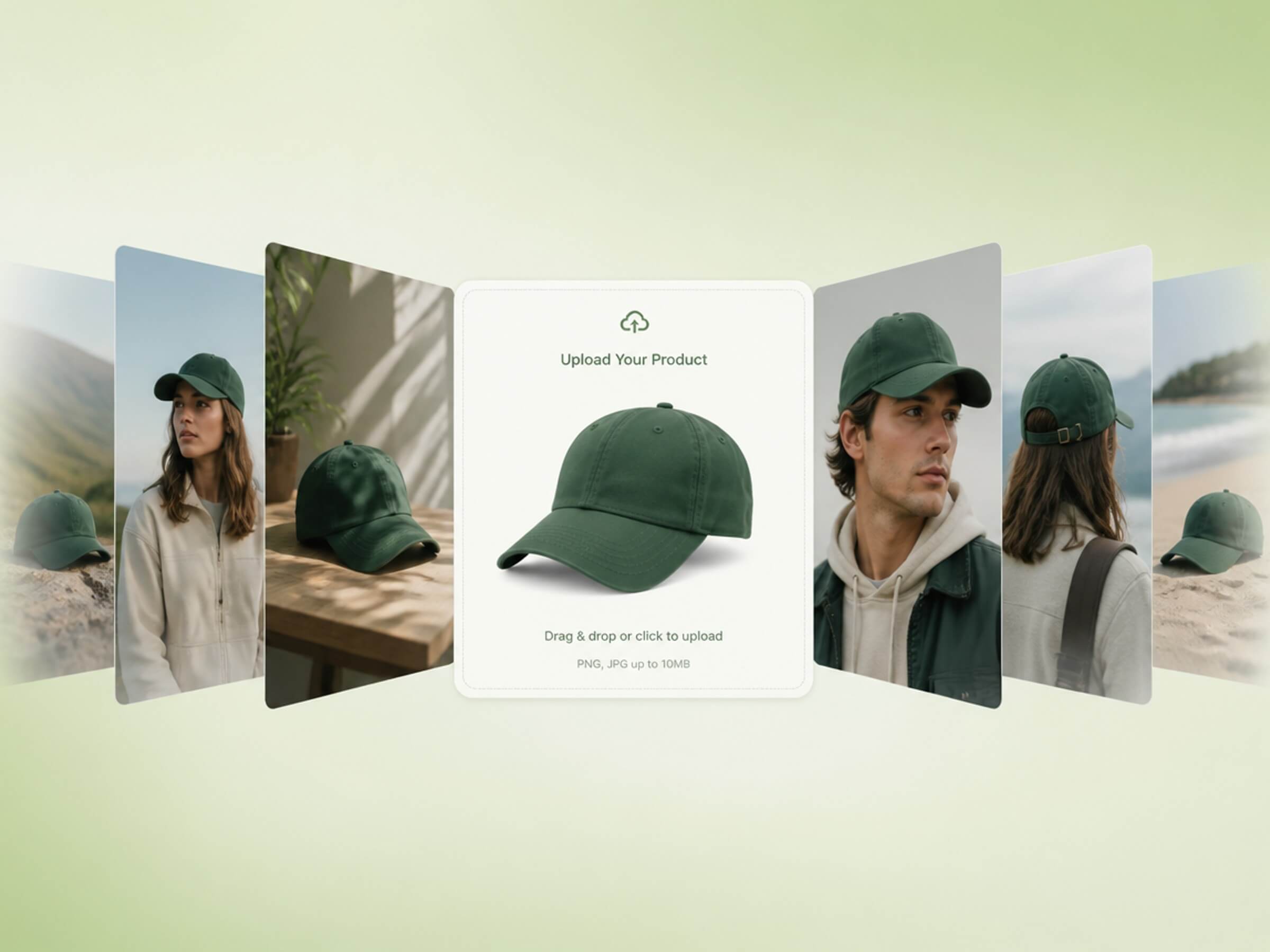
Thanks to technological advancements, AI can now make visual storytelling faster by reducing the effort required to explore, generate, adapt and refine visual ideas.
1. Generate Story Ideas
Great visual content starts with a strong creative direction. Before creating an image or video, you need to decide what the audience should see, feel and remember.
This is where exploration becomes more important than execution. More importantly, the ideation stage does not have to stop at one hero image. You can think about the broader campaign direction from the beginning:
- What should the brand look like?
- What should the audience feel?
- What environments fit the product?
- Which visual styles can be tested?
- How could the same concept work in both images and video?
An AI tool, like Fotor’s AI image generator, can turn your simple descriptions into storytelling visuals. Instead of starting with a fully developed creative brief after several rounds of meetings, you can describe an initial idea and create studio-quality visuals in different styles, from realistic photography, artistic effects and illustrations to anime, sketch and other creative aesthetics.
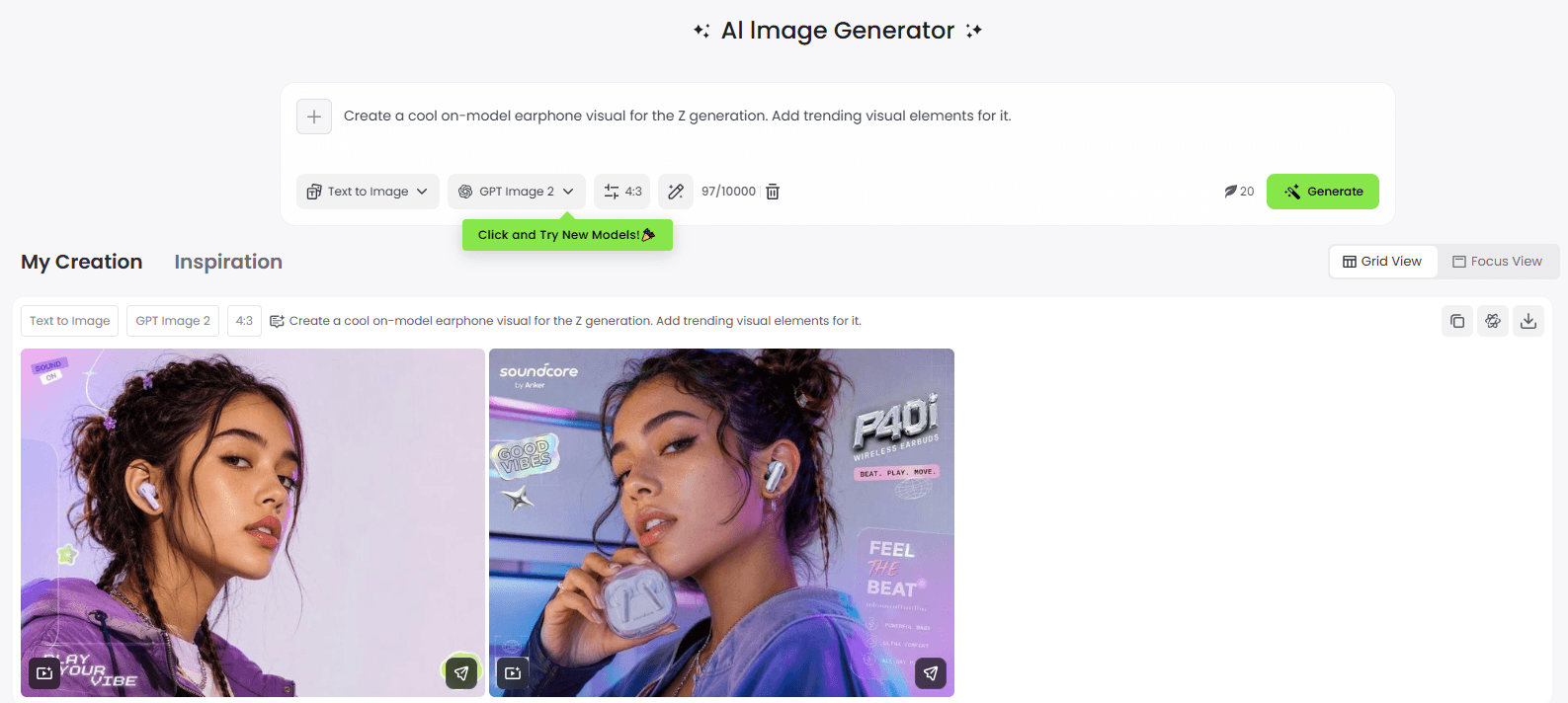
Besides, its AI prompt enhancer can assist you in refining rough descriptions into more detailed and useful prompts. It also supports reference-image workflows to let you expect more controlled results.
2. Create Visuals From Rough Materials
Once you have a creative direction, the next challenge is turning it into an actual visual.
Traditionally, visual storytelling content creation could require photography, art direction, location scouting, models, props, graphic design and post-production. AI, however, can dramatically shorten that process by allowing you to create visual concepts directly from text and existing assets.
Fotor offers an AI vibe marketing platform designed to create, scale and test your “vibe-filled,” campaign-ready product and marketing visuals from your rough ideas, raw product shots or even product links.
Our Product Visual suite can efficiently help you with the mentioned requests, including Product Shot, Virtual Model and more. With their help, you can effectively and quickly convert an ordinary object picture shot by your smartphone to a professional flatlay and on-model product visual that can convey the desired emotion.
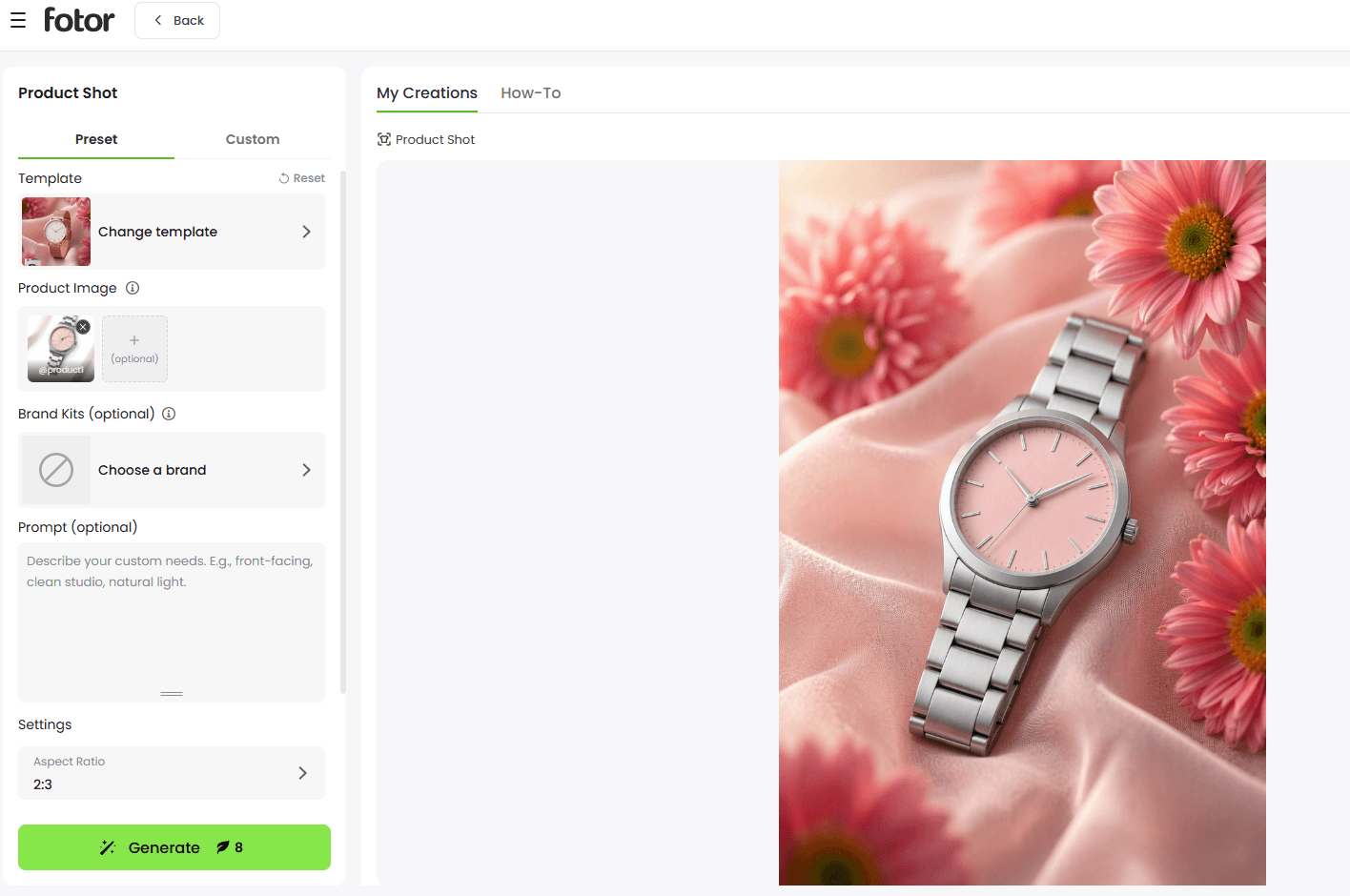
Besides, with our AI Listing Generator, you can turn your product photos into a complete set of ready-to-publish listing visuals that include the hero image, product display visual with information, lifestyle photo and more.
Therefore, Fotor helps to bridge the gap between a rough idea or a raw product photo and a production-ready visual.
3. Explore Different Scenes and Styles
The first visual you generate is rarely the only version worth considering.
For instance, a product could be photographed in a minimalist studio, placed into a realistic everyday environment, shown on a model or presented through a more conceptual visual story. The same product can communicate completely different messages depending on the environment, lighting, color palette, camera angle and overall atmosphere.
Hence, successful creative exploration comes from testing alternatives. AI makes this experimentation significantly easier and faster because you can explore multiple creative directions without recreating the entire production process.
You can conveniently scale your image editing through our Batch Photo Editor. For example, you can easily change the backgrounds of multiple pictures all at once, from plain color palettes and minimalist backdrops to lifestyle scenes and AI-generated backgrounds. Furthermore, it lets you apply different AI filters to multiple photos simultaneously. So, you can enjoy fast creative experimentation and conveniently test different ideas.
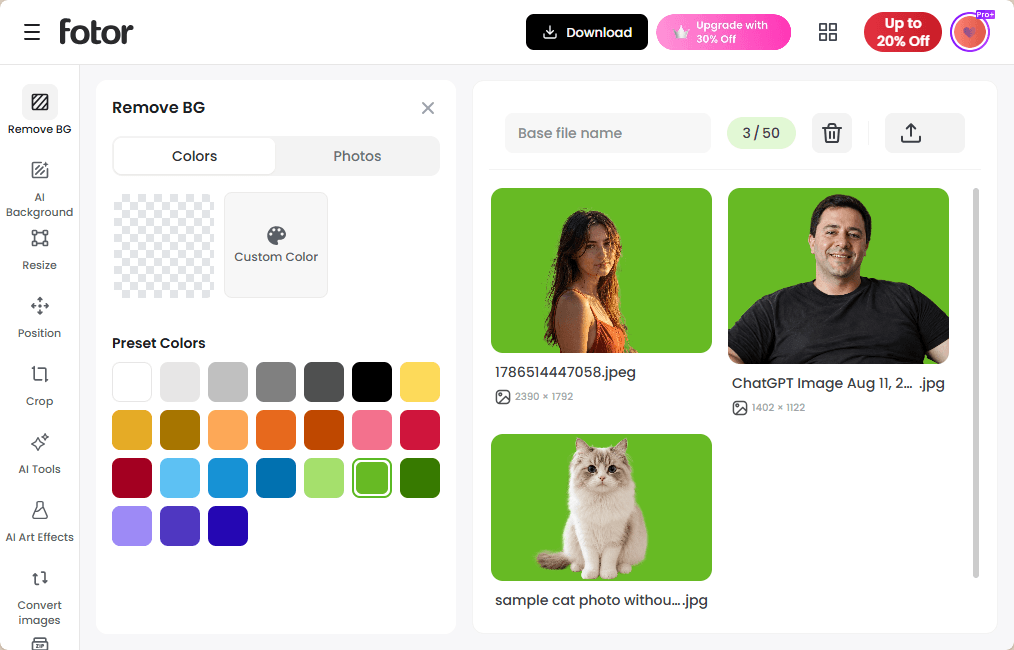
Meanwhile, our photo angle change AI tool allows you to flexibly change the photo perspective of your image without arranging a reshoot. Therefore, you can use Fotor to effortlessly frame visual creation around the idea of translating a brand’s desired “vibe” into scalable visual content.
4. Adapt Visuals for Different Formats
Creating one strong visual is only part of the job. Modern campaigns need content for multiple channels, placements, and formats.
- A campaign may begin with a landscape hero image but eventually need:
- A vertical Instagram or TikTok creative
- A square social post
- A website banner
- A product listing image
- A short-form video
- A video ad
The challenge is adapting the original concept without losing its visual identity. With the assistance of an AI tool, the task can be completed with minimal effort.
For instance, Fotor’s Batch Photo Editor enables you to resize your visuals to the preferred resolutions all at once, boosting your efficiency and saving your time.
Besides, Fotor supports the creation of dynamic storytelling visuals. With your existing static visuals and even your product links, you can rely on our Growth Visuals suite (URL to Video, Video Try-on, AI Marketing Video, etc.) to generate exclusive product or marketing videos from your prepared visuals, so you can maintain visual consistency while experimenting with diverse creative expressions, ensuring every story element aligns with the overarching campaign.
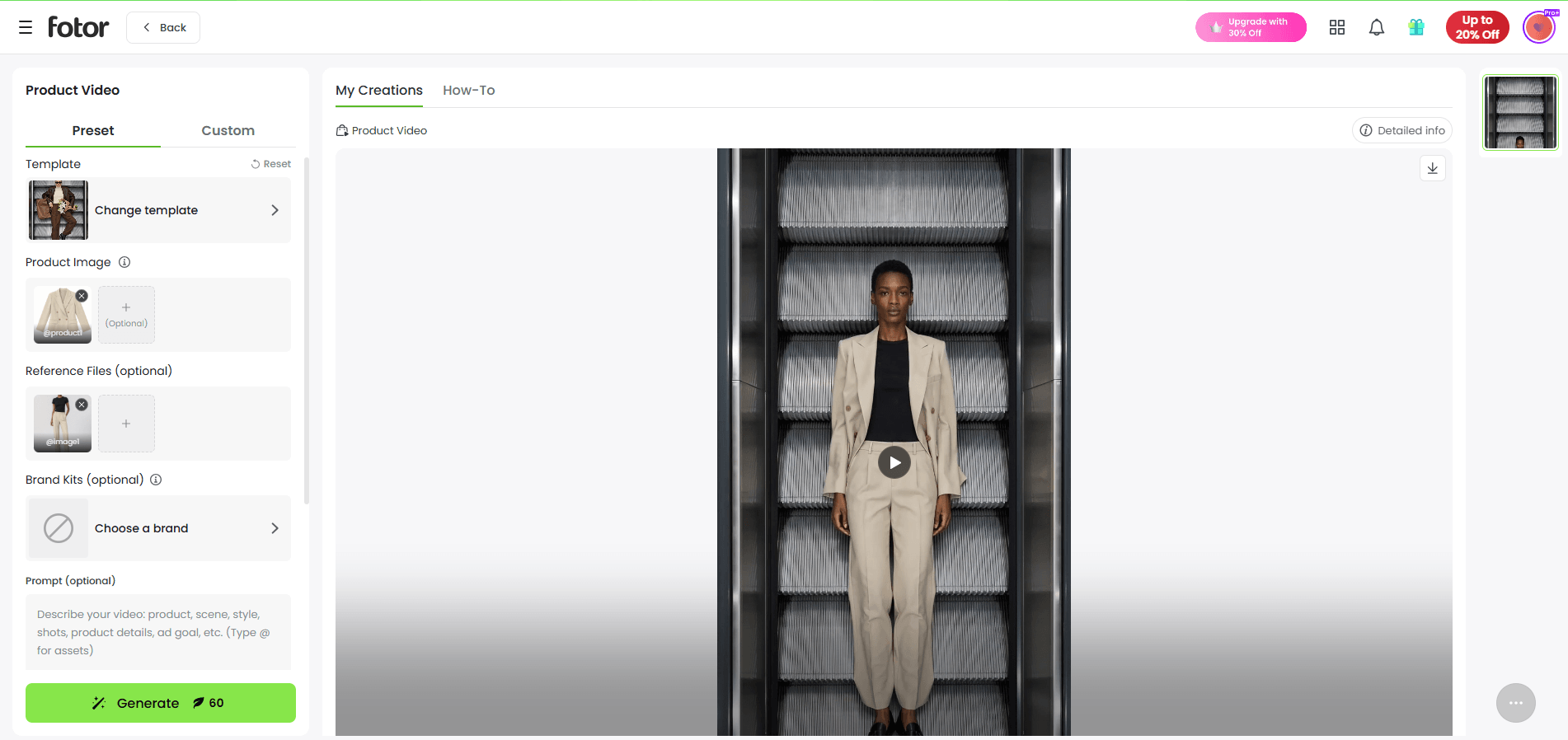
So, it helps to preserve the relationship between the original concept and every campaign execution by using an AI tool to generate and adapt your existing assets.
5. Keep Visuals Consistent Across a Campaign
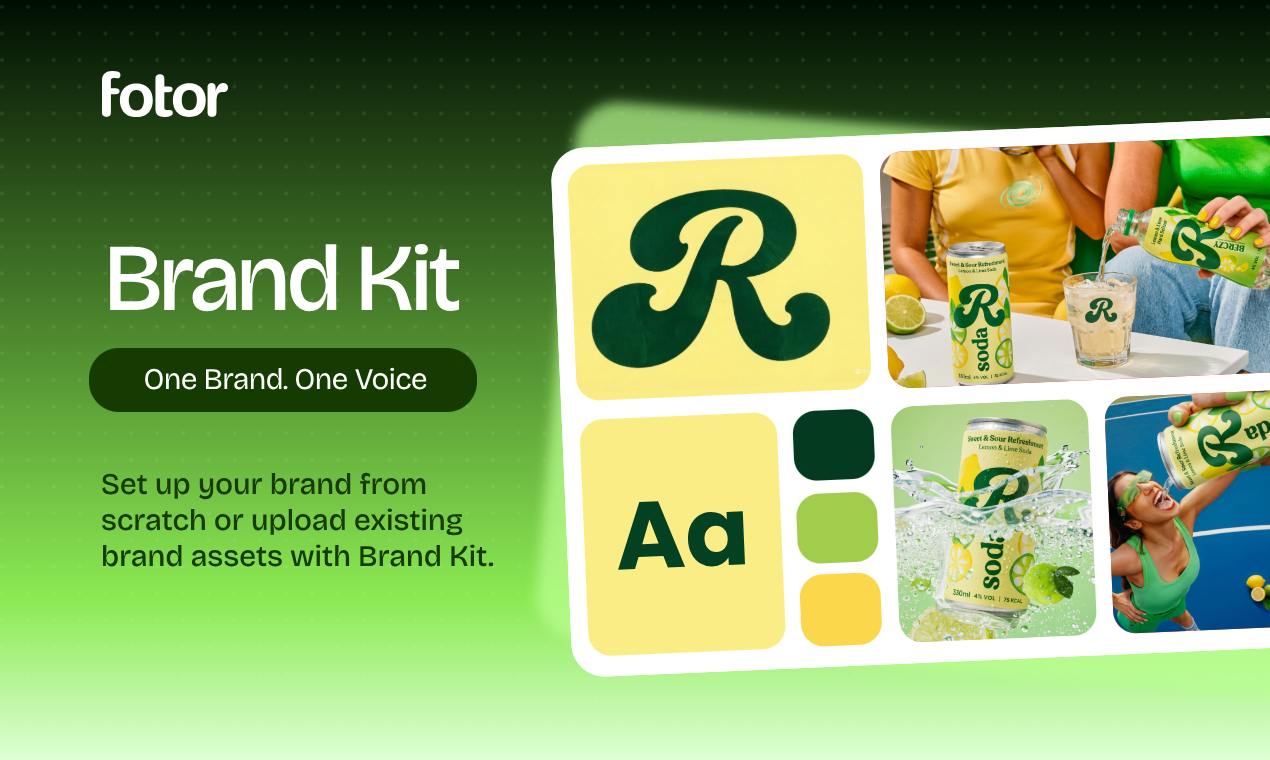
It is easy to generate creative variations, but it is much harder to make them feel like they belong to the same brand.
Without a consistent visual system, campaign assets can quickly become disconnected. You will never leave your audience a lasting impression if unrelated changes happen to the colors, typography and subjects, which will result in a poor product presentation effect. For brands running campaigns at scale, visual consistency becomes a core production requirement.
Fotor’s Brand Kits tool enables every brand to understand its unique vibe better. By uploading your logo and setting colors, typography and styles, you will get an emotional signature that distinguishes it in a crowded market and manage your brand assets more effectively to generate content that stays on-brand and consistent.
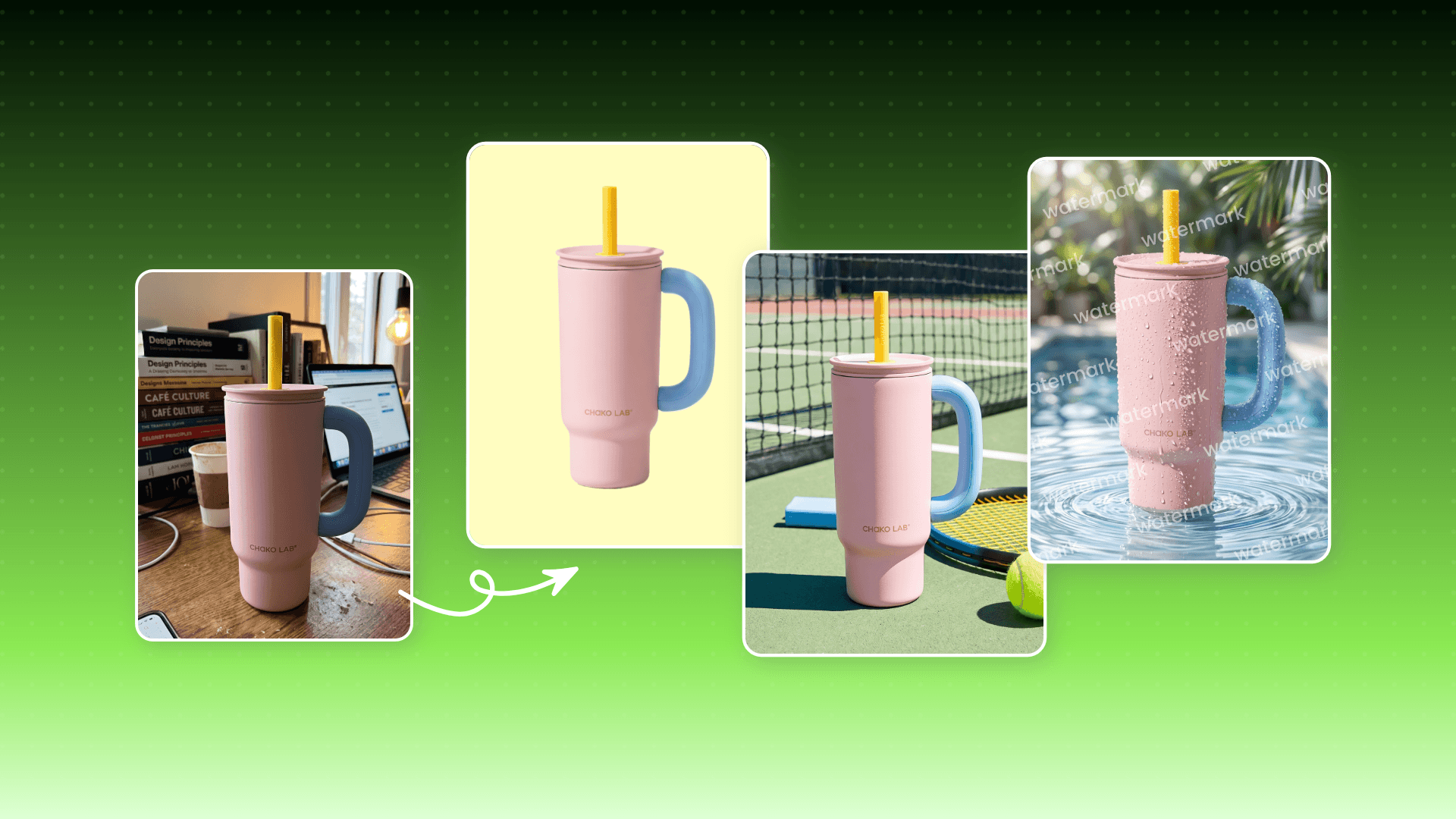
*Product Visuals Suite for still product & marketing visuals
*Growth Visuals Suite for dynamic product & marketing visuals
*Batch image editing and brand asset management
The Bottom Line
Effective visual storytelling is not about making every image more beautiful. It is about making every visual meaningful.
A strong visual story gives viewers enough information to understand the context, enough visual cues to interpret the message and enough emotional direction to care about what they are seeing.
So, a simple framework to remember is that clear messages, visual clues, emotion and meaningful progression are equal to stronger visual storytelling.
Whether you are creating a photograph, social media carousel, product campaign, infographic or AI-generated video, you should start with the story first and then choose a practical AI Tool to help you tell it clearly.