Raphael lambert

20+ GPT Image 2 Prompts: What I Learned from 8 Real Tests

Explore GPT Image 2 through 8 real use cases and high-performing GPT Image 2 prompts from my tests, including product images, UI design, and more.

Try GPT Image 2 Now
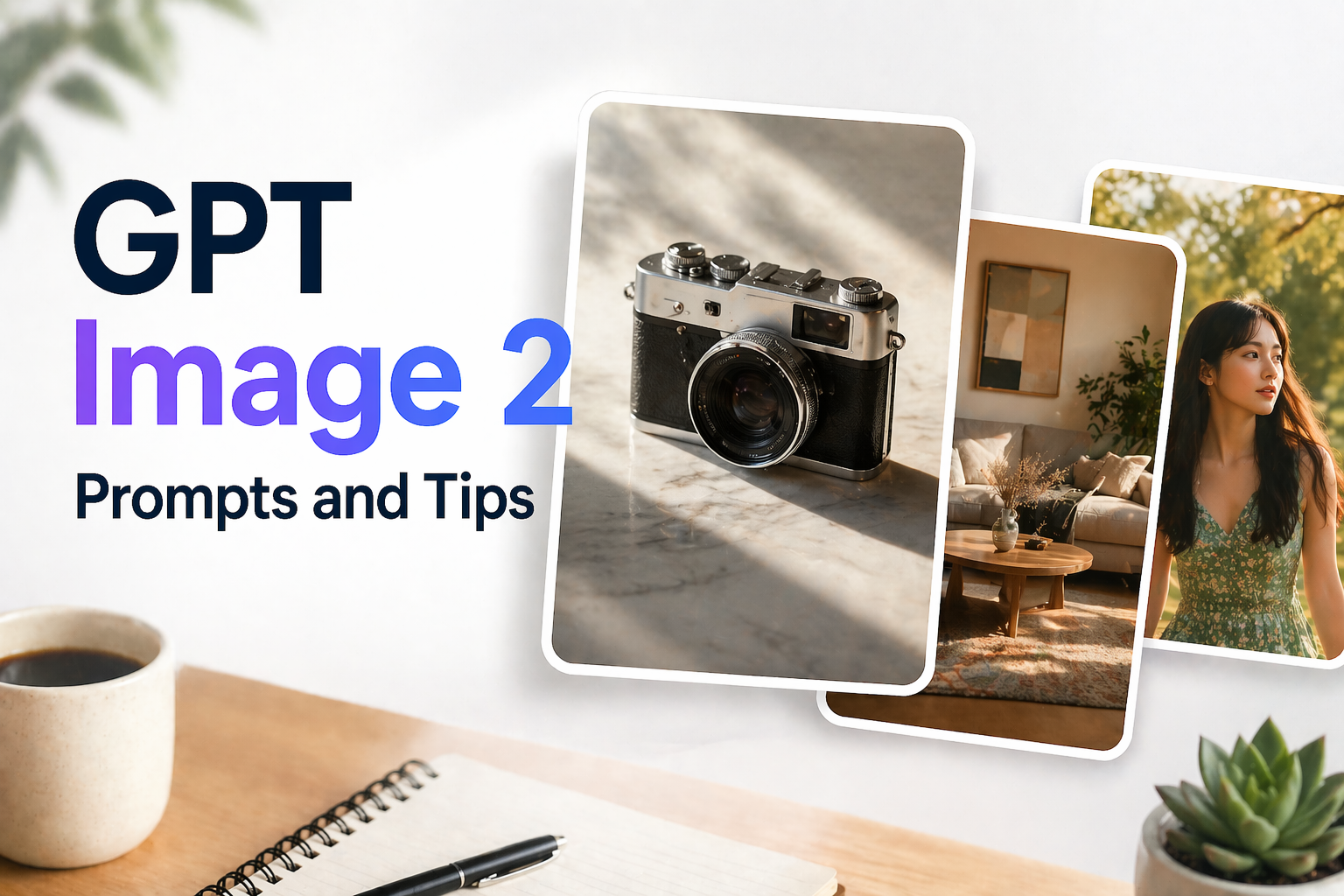
The banner image for Fotor GPT Image 2 prompts

Yesterday, I experienced OpenAI's latest AI image model, GPT Image 2, and I immediately understood why so many people are excited about it. It delivers results that feel far beyond what most AI image generators can do today. From understanding detailed prompts to generating realistic visuals and rendering text accurately in multiple languages, the results felt like a big step forward compared with previous AI image models.

In this article, I'll share some of the most impressive use cases I tested, the GPT Image 2 prompts that worked best, and a few practical tips for writing better prompts. If you want to see what GPT Image 2 is really capable of and learn how to get better results from it, this guide will give you a solid place to start.

Why GPT Image 2 Works Well for Prompt-Based Image Generation

GPT Image 2 stands out in prompt-based image generation because it delivers much stronger control, realism, and text accuracy than earlier AI image models. In real-world use, its biggest advantages come from the following capabilities:

  1. Pixel-perfect text rendering
    GPT Image 2 can generate readable long-form text, labels, and typography with impressive accuracy, even in small fonts or text-heavy designs.
  2. Advanced photorealism
    It produces more realistic lighting, textures, and environmental details, with cleaner color balance and fewer artificial-looking tones.
  3. Natural language image editing
    It supports precise local edits through simple text instructions, making it easier to change specific image elements without affecting the overall style.
  4. High-resolution output
    GPT Image 2 can generate high-resolution images suitable for professional design, print materials, and large-format visuals.
  5. Better world knowledge
    It understands real-world structures, objects, and contexts more accurately, helping reduce visual errors in diagrams, maps, and detailed scenes.
  6. Strong multilingual support
    It handles multilingual text rendering especially well, including complex scripts like Chinese, Japanese, Korean, and Arabic.

20+ Best GPT Image 2 Prompts (Copy & Paste) for 8 Different Use Cases

Below are 8 practical use cases of GPT Image 2, along with ready-to-use prompt ideas. Each section shows how you can apply GPT Image 2 prompts in real scenarios, from commercial design to creative storytelling.

👉 Tip: The prompts below are flexible templates you can easily customize. Simply replace details like the subject, background, color palette, or style to create images that match your specific needs.

1. Product & E-commerce Images

Generate high-quality product visuals for online stores, ads, and localized campaigns. GPT Image 2 is ideal for creating clean product shots and lifestyle scenes. Focus on lighting, background, and composition to improve realism.

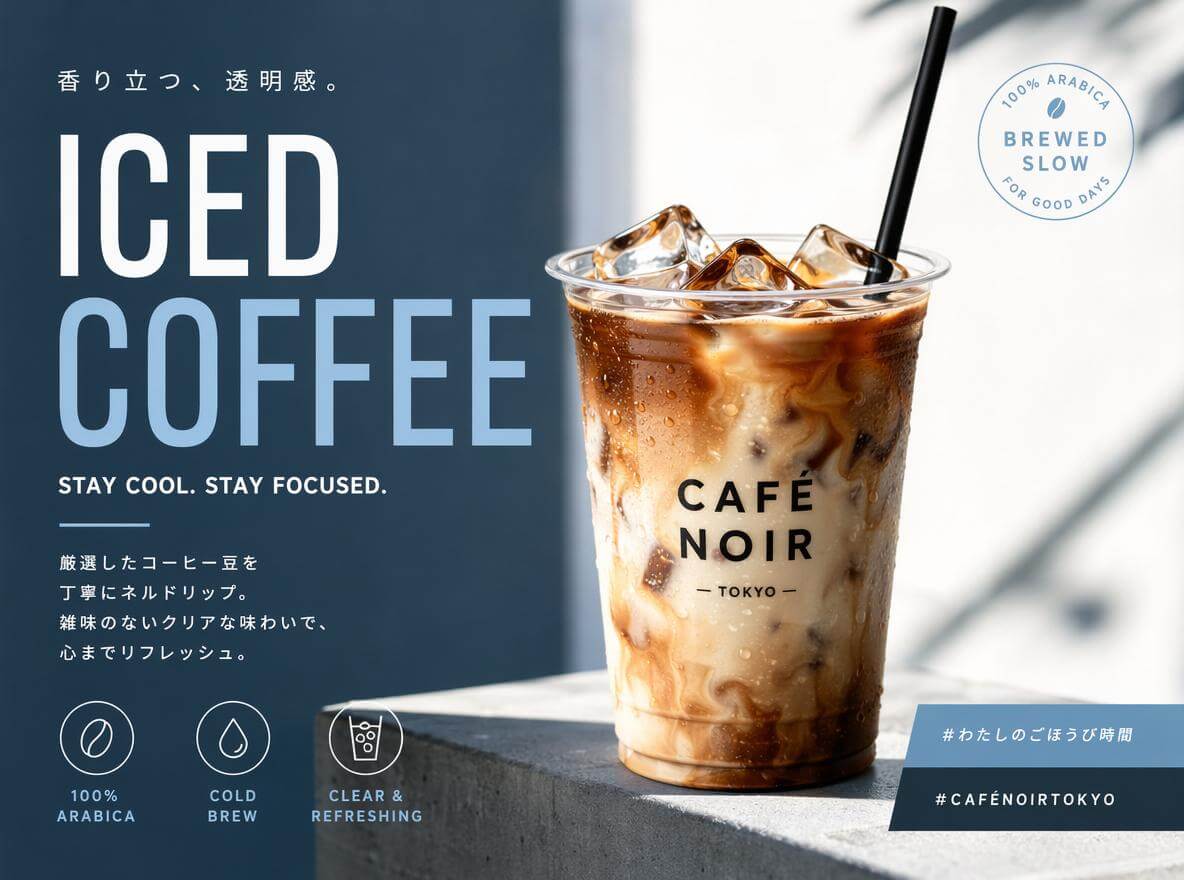
⭐ Product Ad: Create an advertisement for {argument name="product" default="iced coffee"}. A stylish and modern design from {argument name="country" default="Japan"}. European fonts are dynamically laid out. Target audience: {argument name="target" default="10-30s"}. Aspect ratio 1:1.

💡Click here to try this GPT image 2 prompt.💡

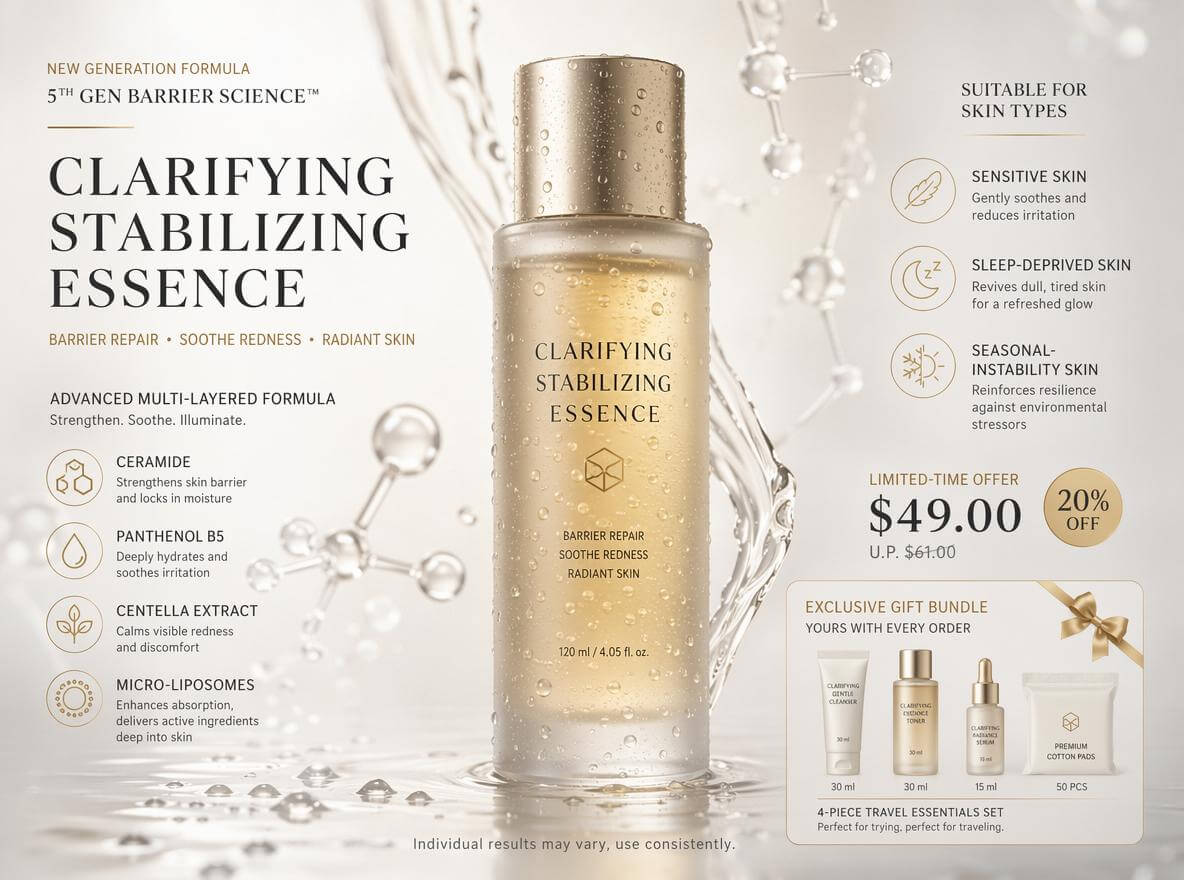
Product Hero Poster: High-end skincare e-commerce hero poster for "Clarifying Stabilizing Essence". Style: Clean, light luxury, strong scientific skincare feel. Center: a semi-transparent frosted glass essence bottle with golden liquid and water droplet reflections. Background: off-white to warm gray gradient with liquid flow and microscopic molecular structure decorations. Must include clearly readable copy with: product name, tagline (barrier repair, soothe redness, radiant skin), formula generation, key ingredients (ceramide, panthenol B5, centella extract, micro-liposomes), suitable skin types (sensitive, sleep-deprived, seasonal-instability skin), limited-time price, and gift bundle details. Fine print: "Individual results may vary, use consistently." Overall must be high-end, not tacky.

💡Click here to try this GPT image 2 prompt.💡

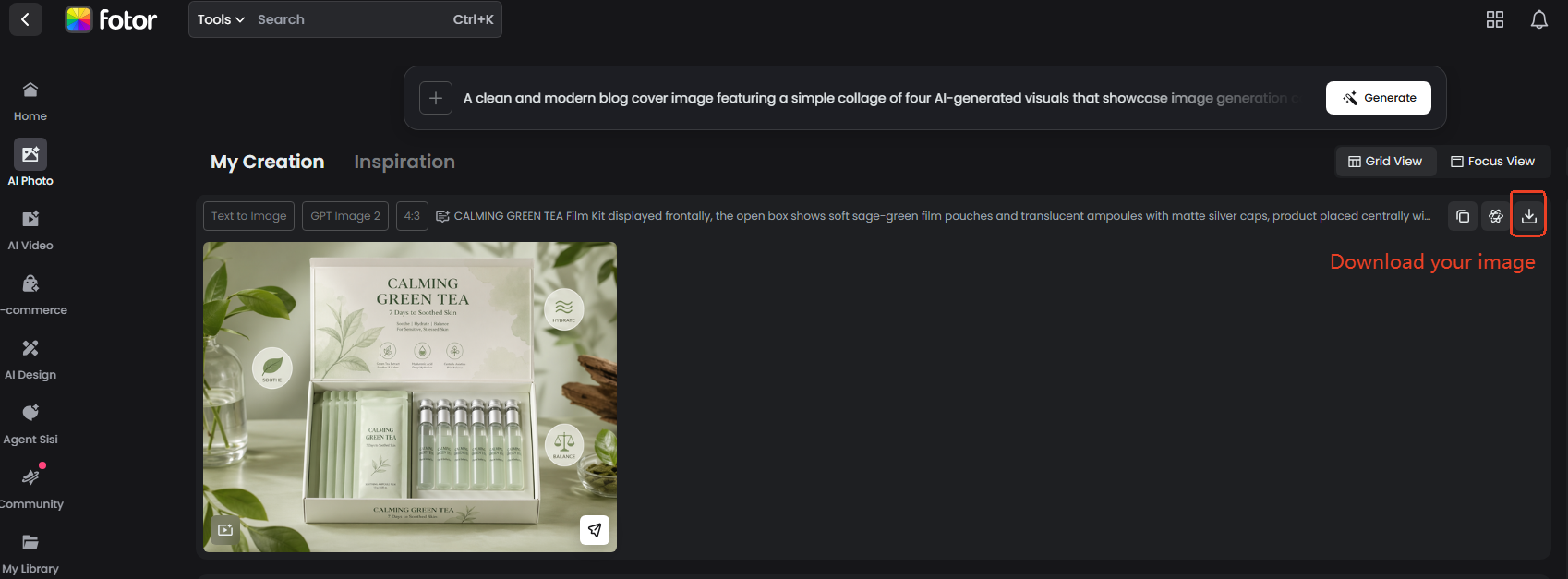
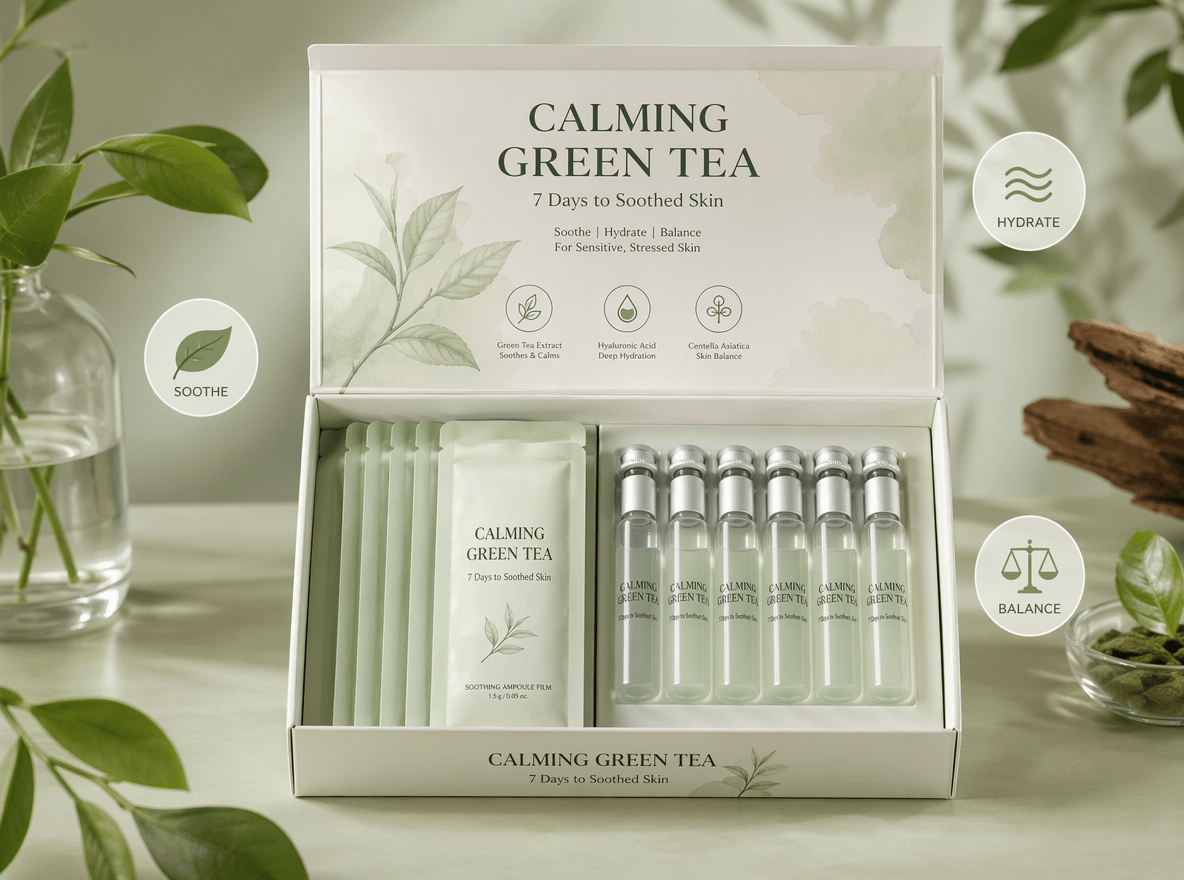
Product Photoshoots:CALMING GREEN TEA Film Kit displayed frontally, the open box shows soft sage-green film pouches and translucent ampoules with matte silver caps, product placed centrally with clear branding CALMING GREEN TEA -- 7 Days to Soothed Skin, pastel green background with botanical graphic accents, three minimal icons (leaf, wave, balance) floating around the product to emphasize benefits, photographic, hyper detailed, ultra realistic, lifelike, 8k, high detail, soft professional lighting.

💡Click here to try this GPT image 2 prompt.💡

2. Educational & Informational Visuals

Turn complex ideas into clear visual explanations and infographics. It is useful for learning materials, diagrams, and structured content. Keep prompts focused on clarity and hierarchy.

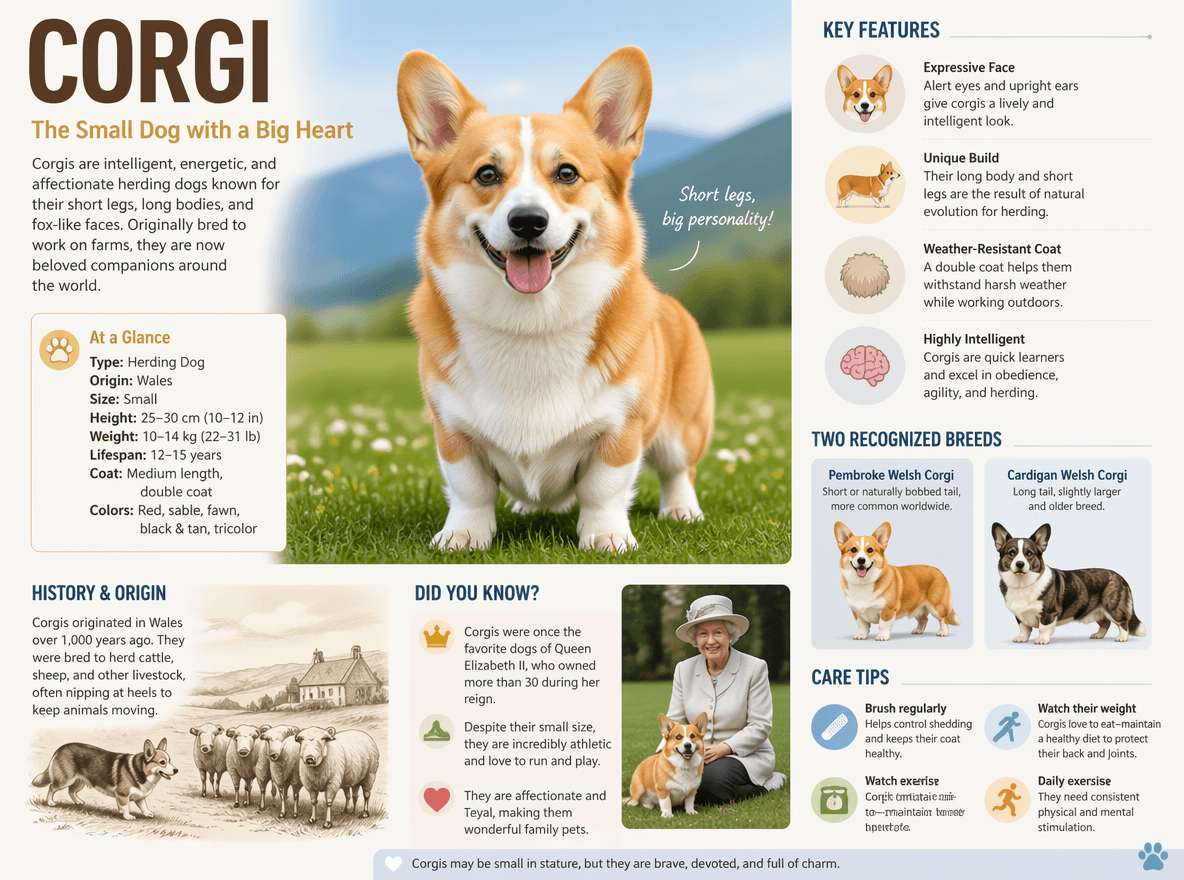
Encyclopedia Image: Generate a high-quality vertical science popularization encyclopedia image based on [Corgi].

💡Click here to try this GPT image 2 prompt.💡

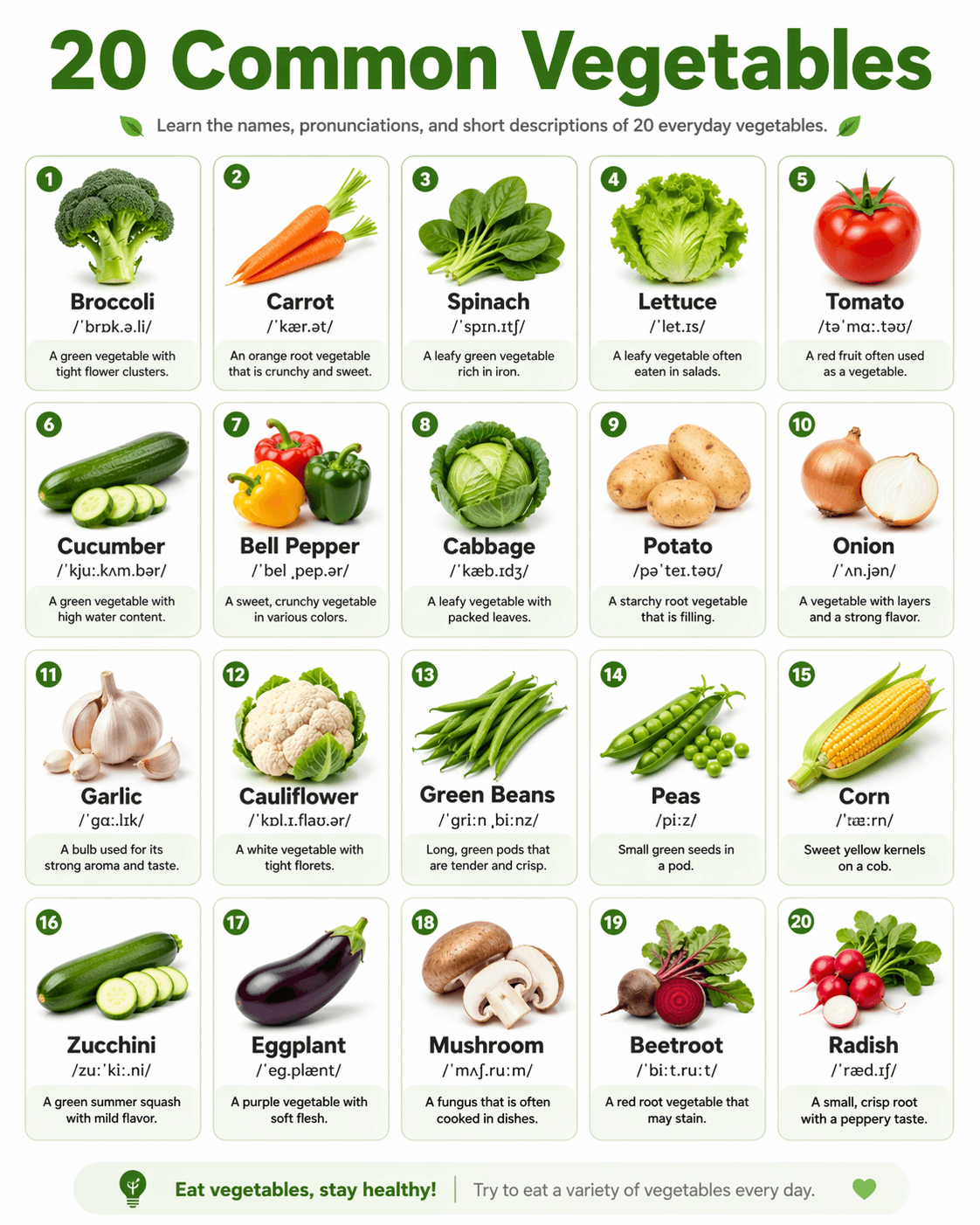
English Learning Infographic Poster: Create a clean English learning infographic poster titled 20 Common Vegetables. Use a neat 4x5 grid layout, with each card displaying one vegetable. Each card should include: A realistic-style image of the vegetable, the English name in bold, British or American IPA pronunciation, a short English description. Overall style:Minimalist design with a white background, using soft green and light pastel tones. Card-based UI design with rounded corners, clean typography, balanced spacing, and visually pleasing composition. Designed for English beginners, similar to a classroom teaching poster. Suitable for social media sharing, high resolution, 4K quality, infographic style.

💡Click here to try this GPT image 2 prompt.💡

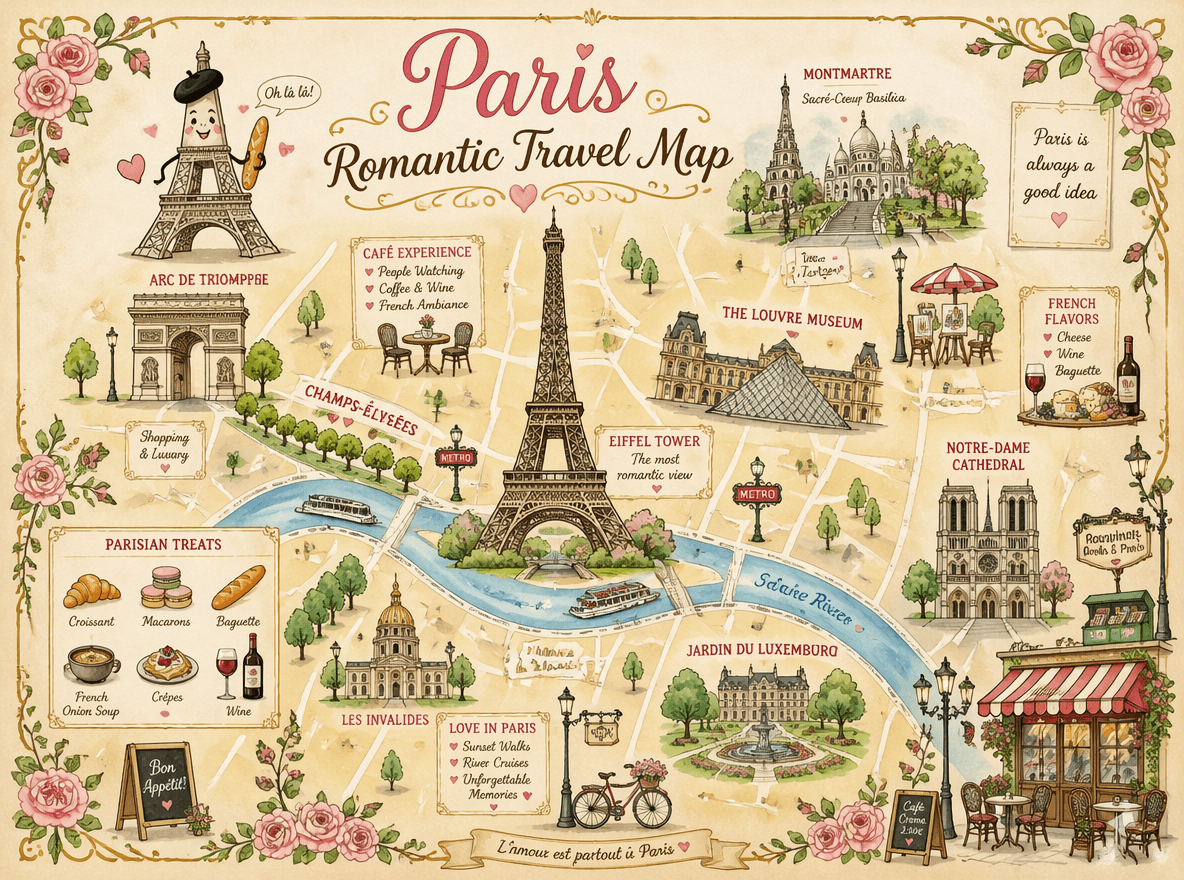
Travel Map: Generate an advanced technical infographic of Palace of Versailles. Reinterpret the theme in a professional and realistic new photo, the photo is clean and bright, with a more suitable and aesthetic background. Keep the object as a real photo, rather than an illustration. Add a technical blueprint style overlay, containing white lines, arrows, dimensions, labels, and small diagrams of parts, materials, dimensions, and functions. A clear, elegant, and informative article. Place a sketch box in the upper left corner with "Palace of Versailles" written on it. 1:1 dimensions.

💡Click here to try this GPT image 2 prompt.💡

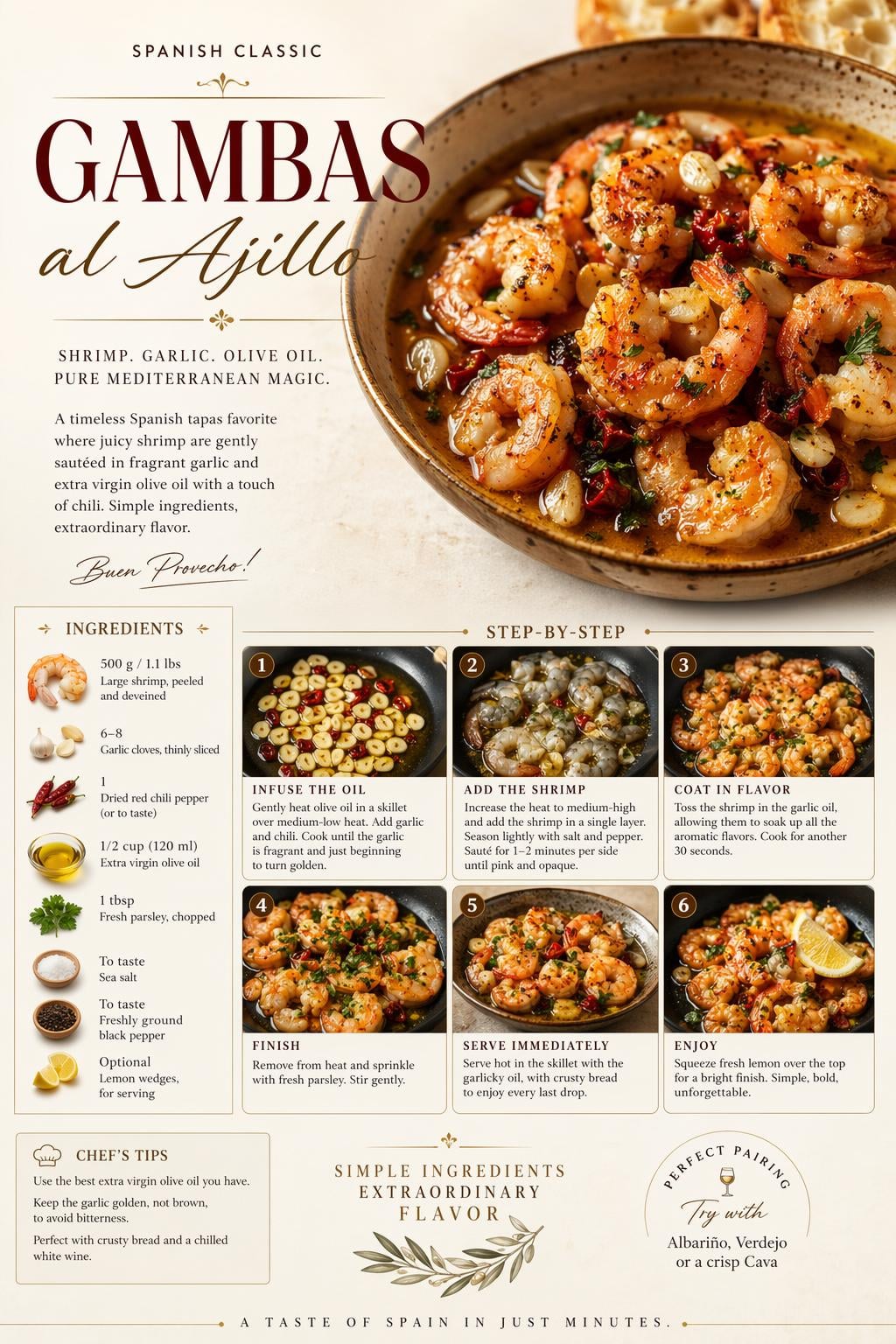
Step-by-step Recipe Poster: Create a premium food preparation poster for [ Gambas al Ajillo], with a beautiful hero dish, warm natural lighting, cream background, elegant step-by-step recipe layout, ingredients, cooking process, premium food photography, refined English typography, luxury restaurant advertisement style, clean design, rich colors, highly detailed, visually irresistible, cinematic masterpiece.

💡Click here to try this GPT image 2 prompt.💡

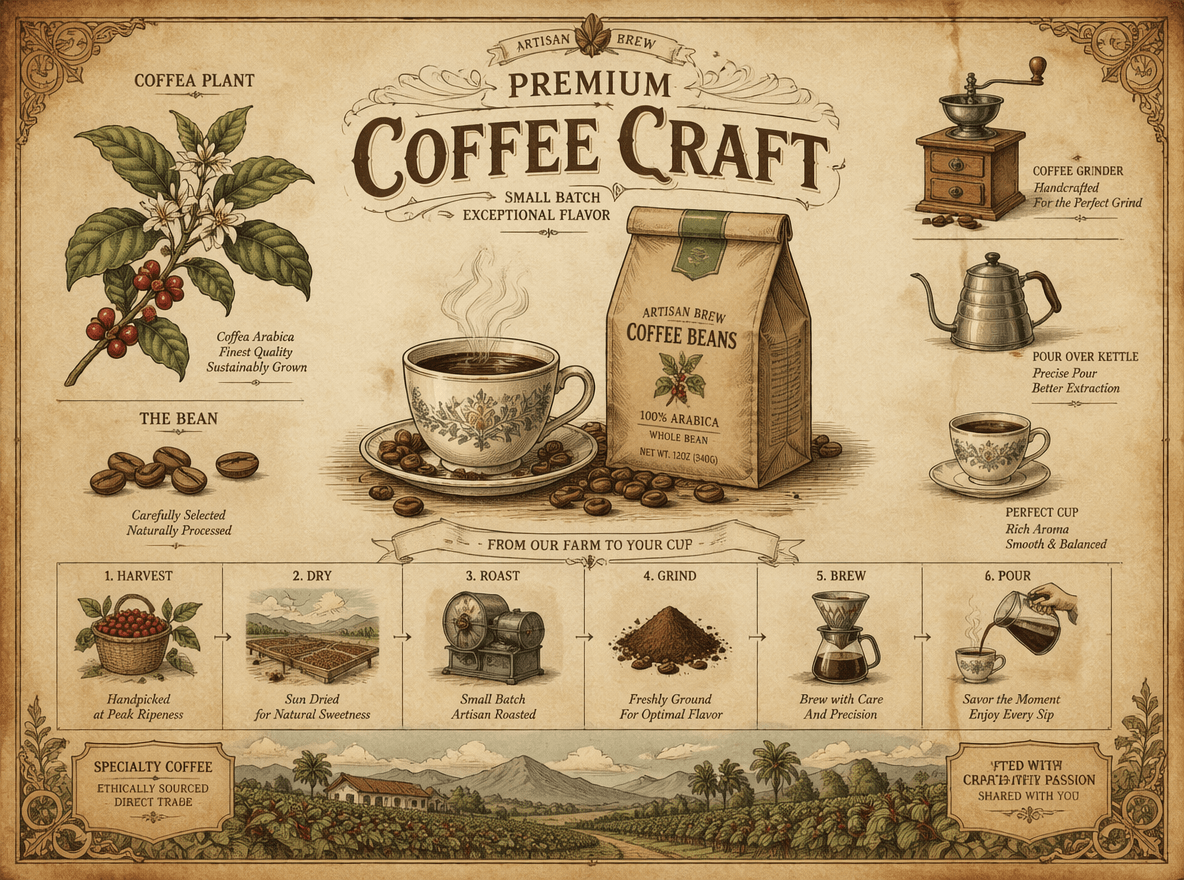
Infographic: Vintage botanical-style infographic for Artisan Brew Coffee Beans. 19th-century lithograph look, aged parchment tones (brown, beige, muted green). Center: steaming coffee cup + labeled bag, elegant title Premium Coffee Craft Surrounding small illustrations: beans, plant, grinder, kettle, cup. Simple process grid: harvest → dry → roast → grind → brew → pour. Scenic coffee farm footer. Fine ink lines, soft watercolor, rustic, artisanal feel. Style Keywords: Victorian ephemera, botanical illustration, aged parchment, hand-drawn ink, watercolor.

💡Click here to try this GPT image 2 prompt.💡

3. Marketing & Branding Creatives

Create visuals for ads, social media campaigns, and brand storytelling. It works well for promotional posters and seasonal marketing content. Adjust style and tone to match your brand identity.

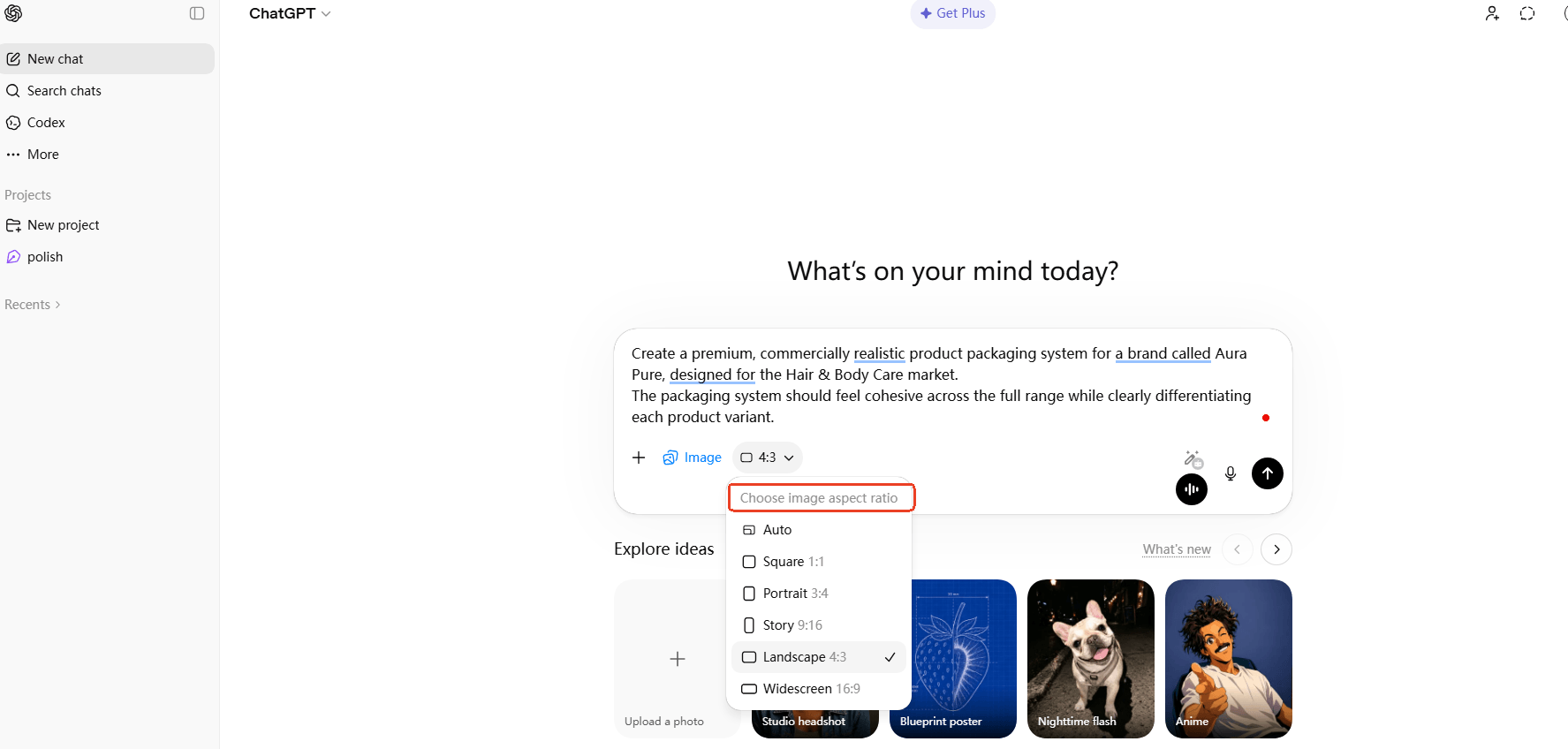
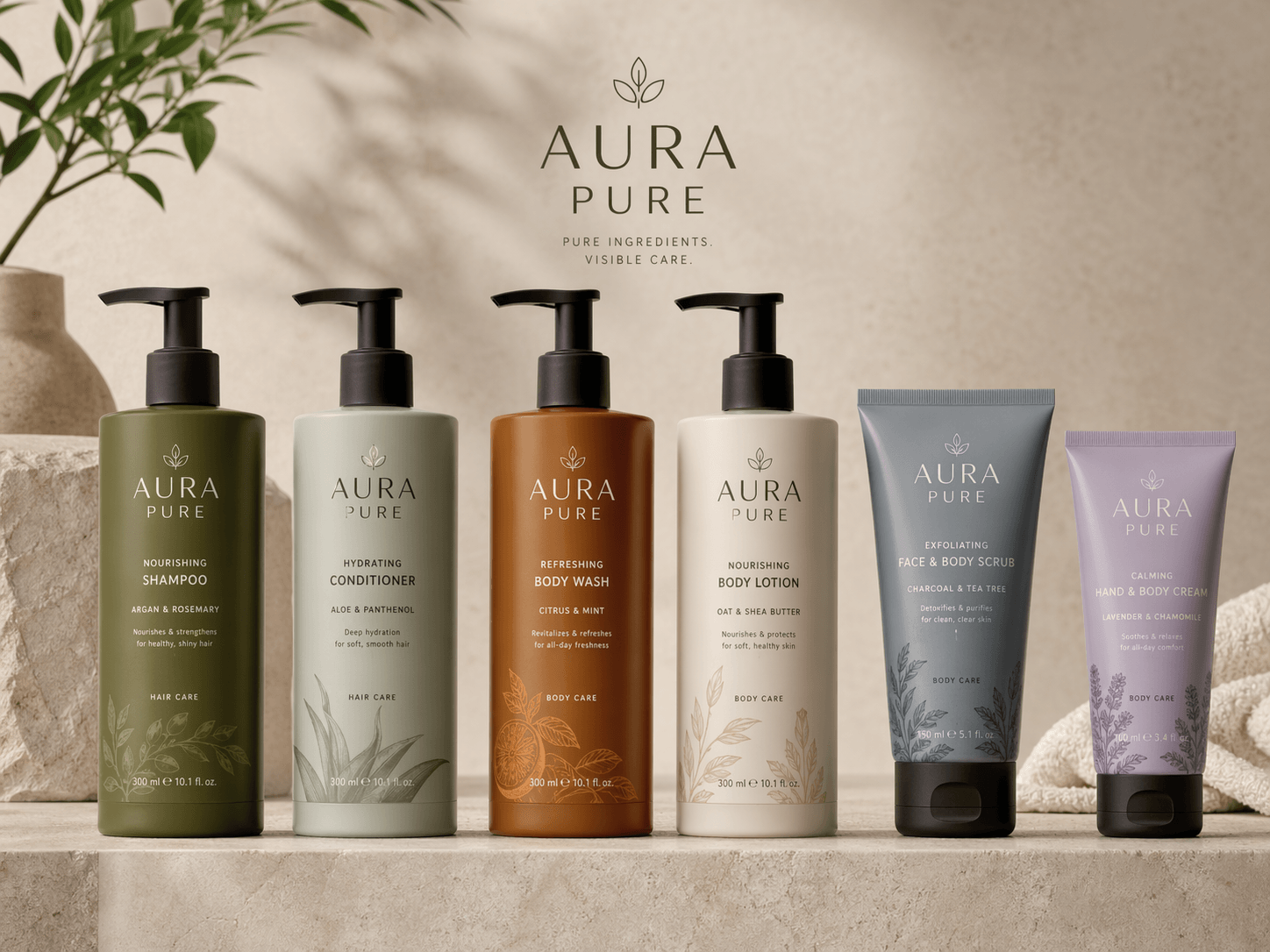
Product Packaging Design: Create a premium, commercially realistic product packaging system for a brand called Aura Pure, designed for the Hair & Body Care market. The packaging system should feel cohesive across the full range while clearly differentiating each product variant.

💡Click here to try this GPT image 2 prompt.💡

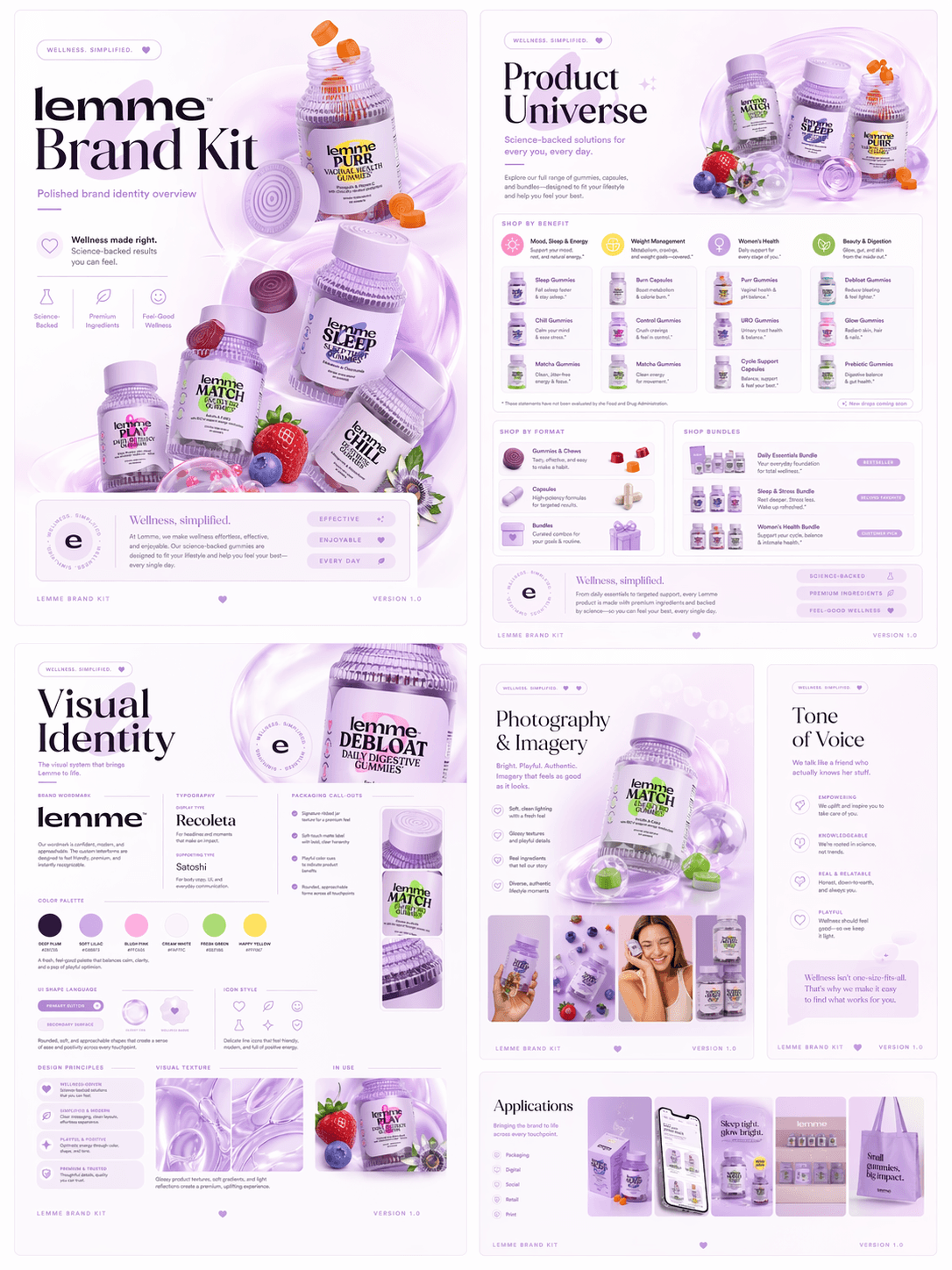
Brand Kit: A premium wellness brand kit presentation board, soft pastel lavender and lilac color palette, glossy translucent materials, floating 3D supplement bottles with gummies, soft gradient background, minimal editorial layout, modern typography, clean grid system, high-end skincare branding style, soft lighting, subtle reflections, airy composition, UI design meets product showcase, elegant and feminine, Apple-style product presentation, Behance portfolio style, ultra detailed, 4k, no watermark.

💡Click here to try this GPT image 2 prompt.💡

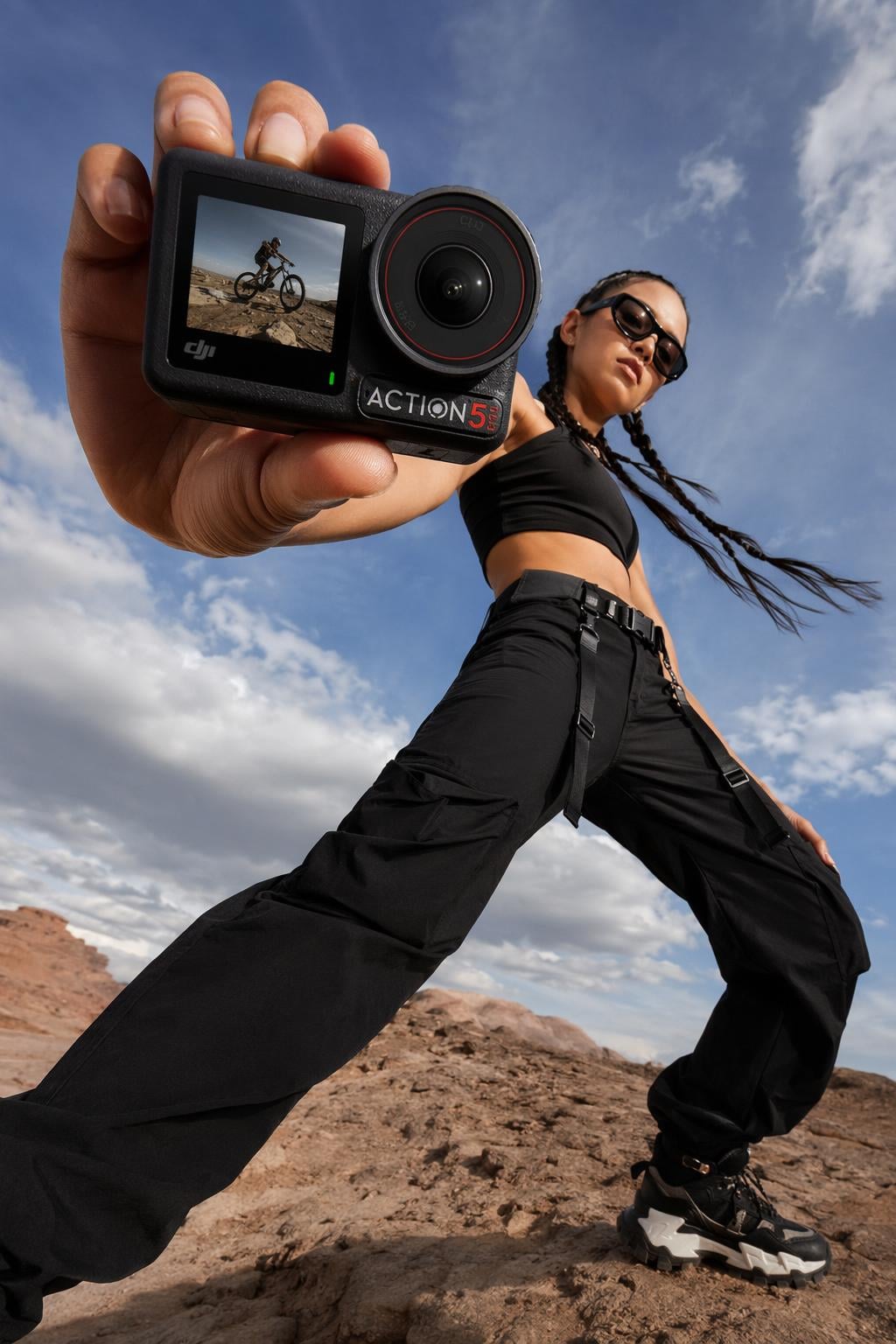
Campaign Photograph: Low-angle fashion campaign photograph of a confident model holding a large [Handheld action camera] very close to the camera, exaggerated perspective with the hand and product dominating the foreground, full-body pose visible in the background, wide stance, dynamic

💡Click here to try this GPT image 2 prompt.💡
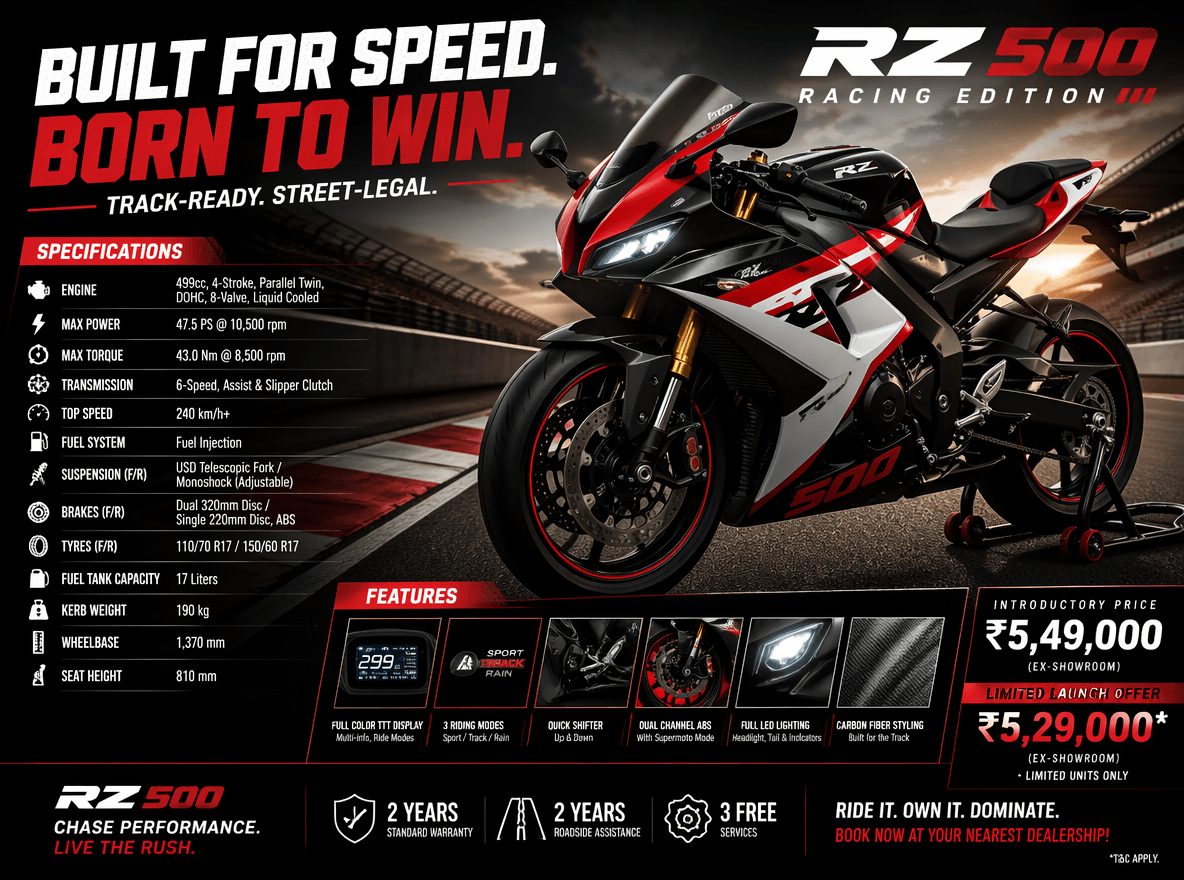
Motorbikes Poster: Generate an image of a racing motorbikes poster with its spec and pricing.

💡Click here to try this GPT image 2 prompt.💡
4. UI/UX Mockups & Product Design

Visualize app interfaces, landing pages, and digital product ideas quickly. GPT Image 2 helps turn concepts into realistic UI mockups. Include layout and design details for better accuracy.

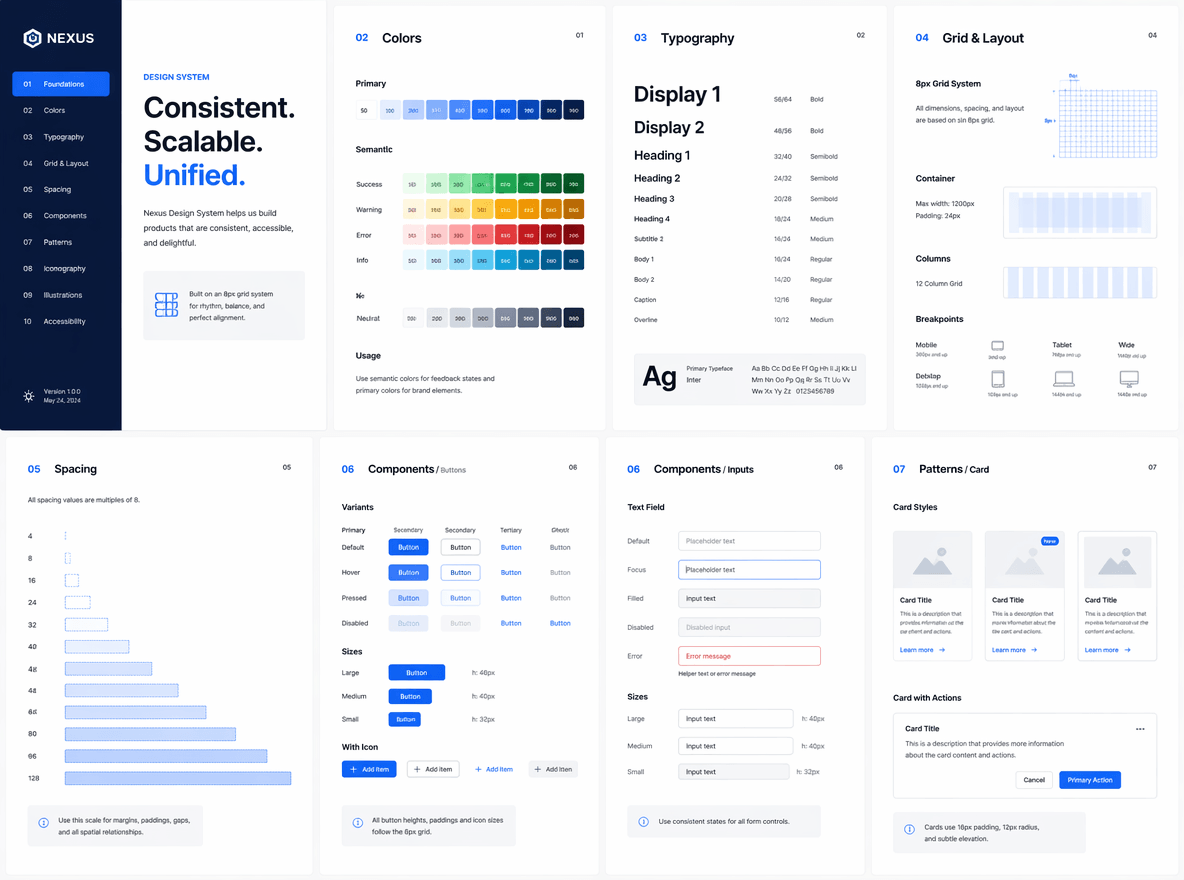
UI Design: Generate a multi-page design system where every image follows a strict 8px grid, consistent spacing, typography scale, and color system, showcasing UI components, layouts, and variations with perfect alignment and consistency.

💡Click here to try this GPT image 2 prompt.💡
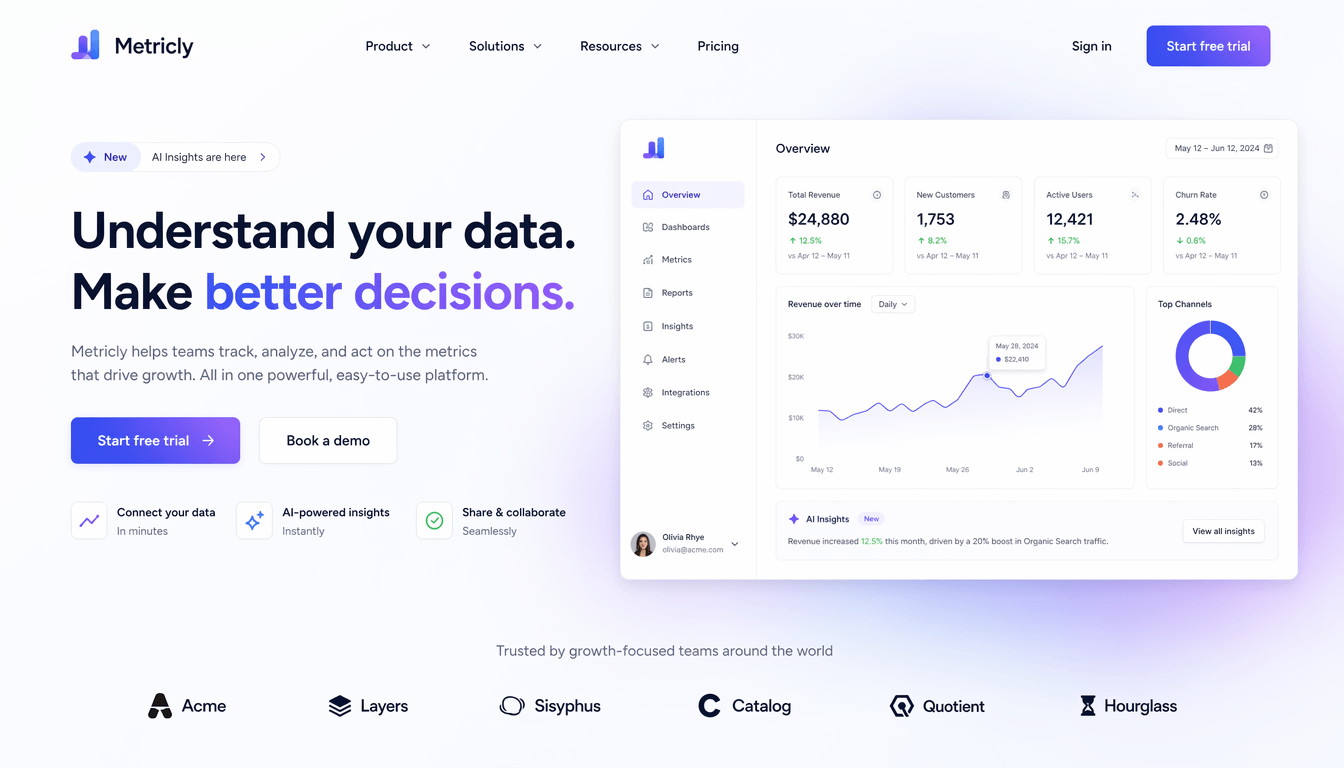
Landing Page Mockup: Design a modern SaaS landing page mockup with a clean hero section, dashboard preview, minimalist UI, soft gradients, professional startup branding.

💡Click here to try this GPT image 2 prompt.💡
5. Character Art & Creative Assets

Create stylized characters, concept art, and creative assets for games or storytelling. It supports consistent character generation across different scenes. Define traits like style, emotion, and setting.

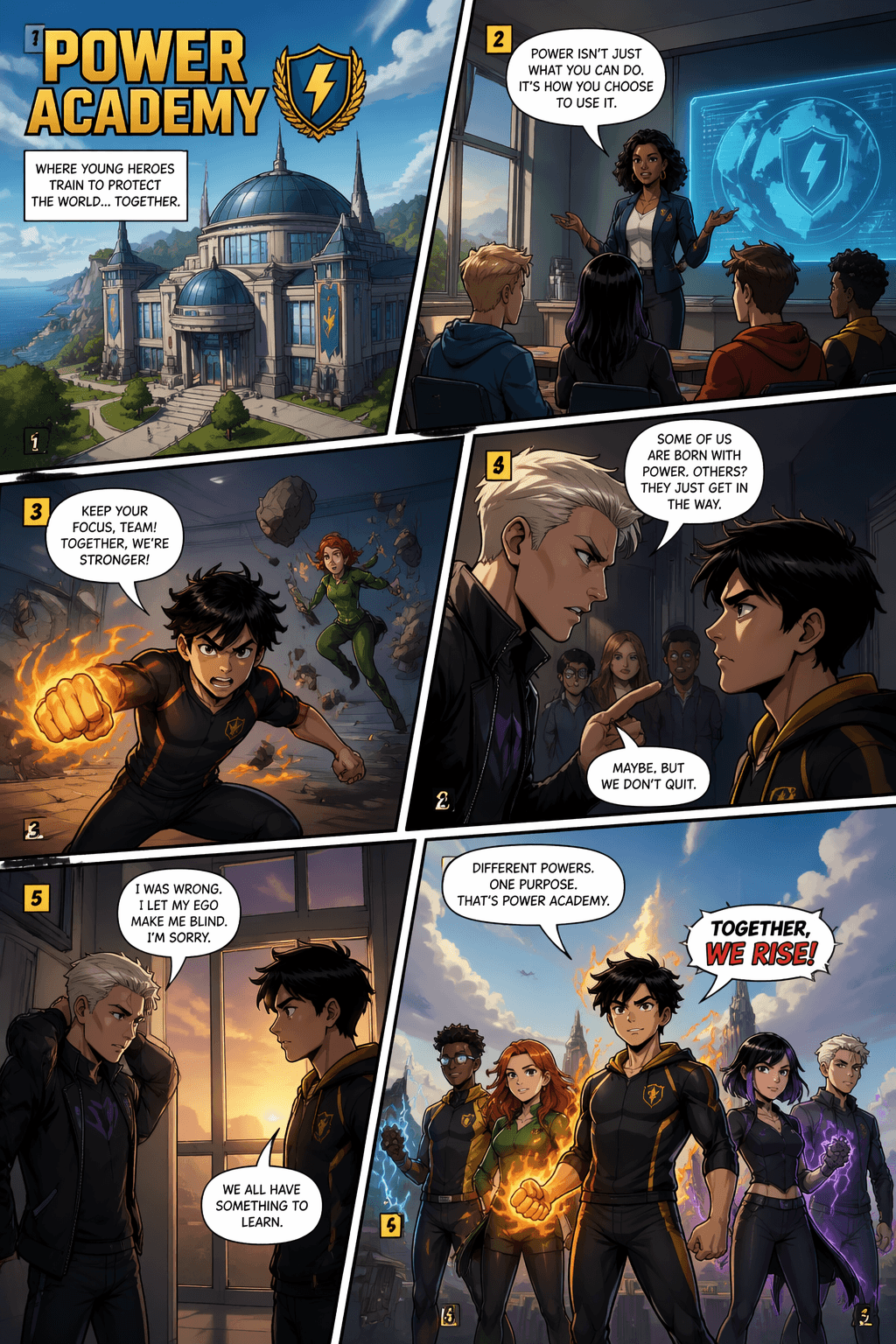
Comic Multi-panel Illustration: Generate a [Power Academy] American comic multi-panel illustration, diagonal layout, six panels, cinematic storytelling, clear reading flow, with speech bubbles.

💡Click here to try this GPT image 2 prompt.💡
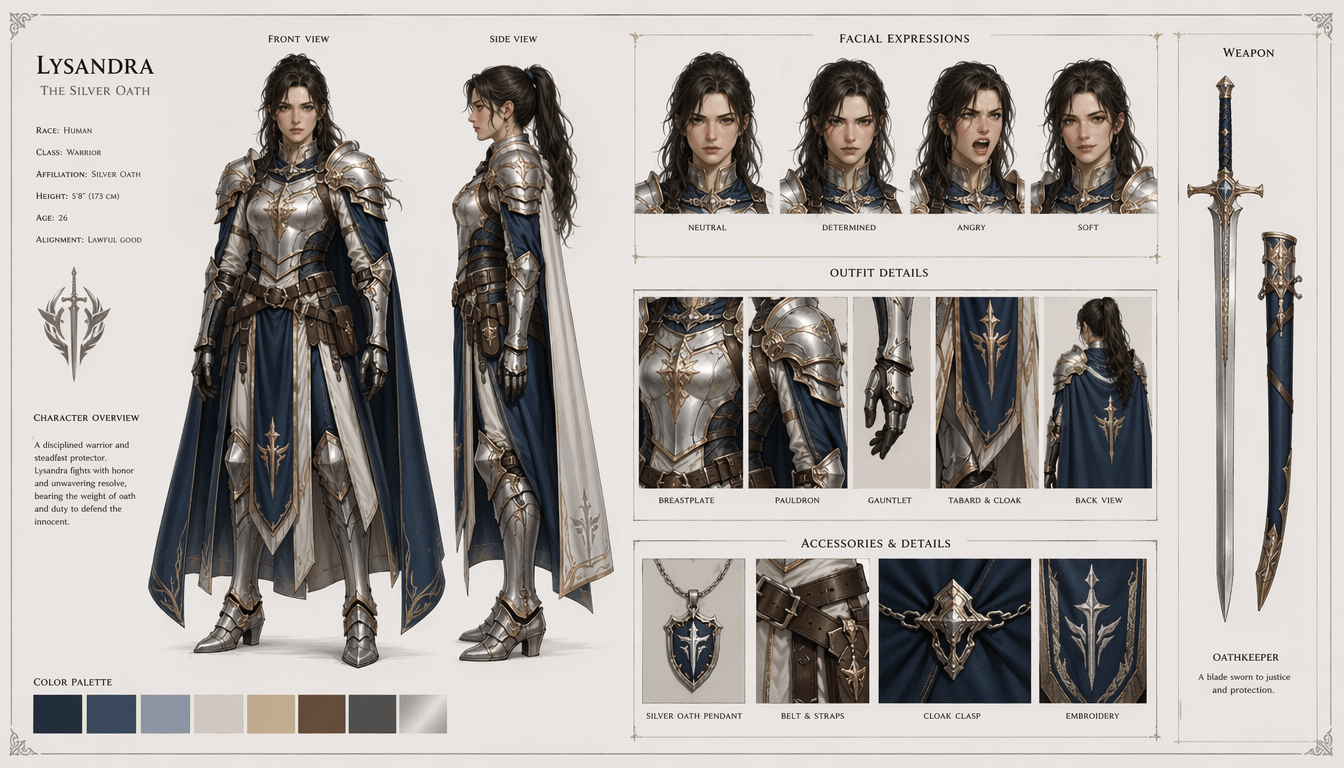
Character Reference Sheet: Generate a professional character reference sheet for a fantasy female warrior, front view, side view, facial expressions, outfit details, clean concept art style.

💡Click here to try this GPT image 2 prompt.💡
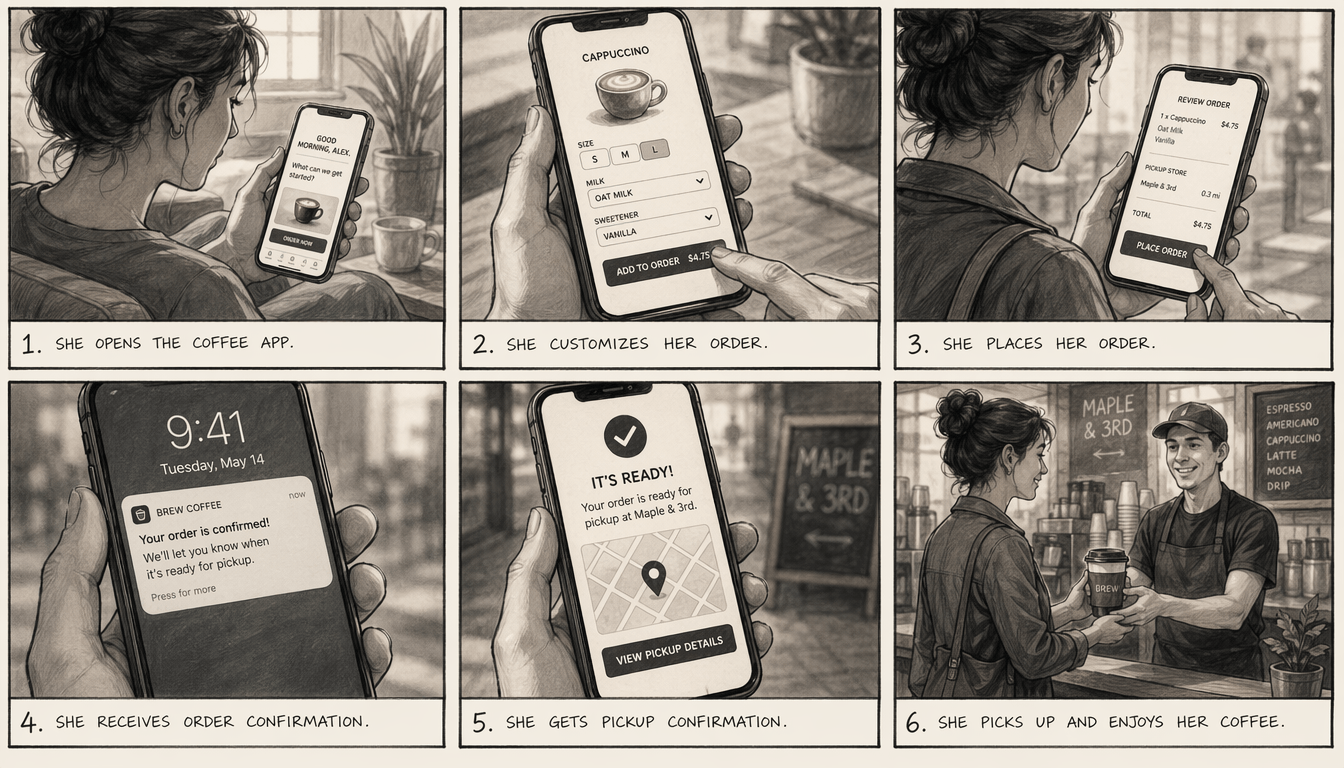
Six-panel Sketch Storyboard: Generate a six-panel storyboard illustrating a woman ordering coffee through a mobile app, receiving pickup confirmation, and collecting the drink at a café, cinematic framing, sketch style.

💡Click here to try this GPT image 2 prompt.💡
6. Portraits, Avatars & Personal Branding

Generate portraits and avatars for social media or personal branding. It helps create consistent and polished identity visuals. You can control mood, outfit, and visual style.

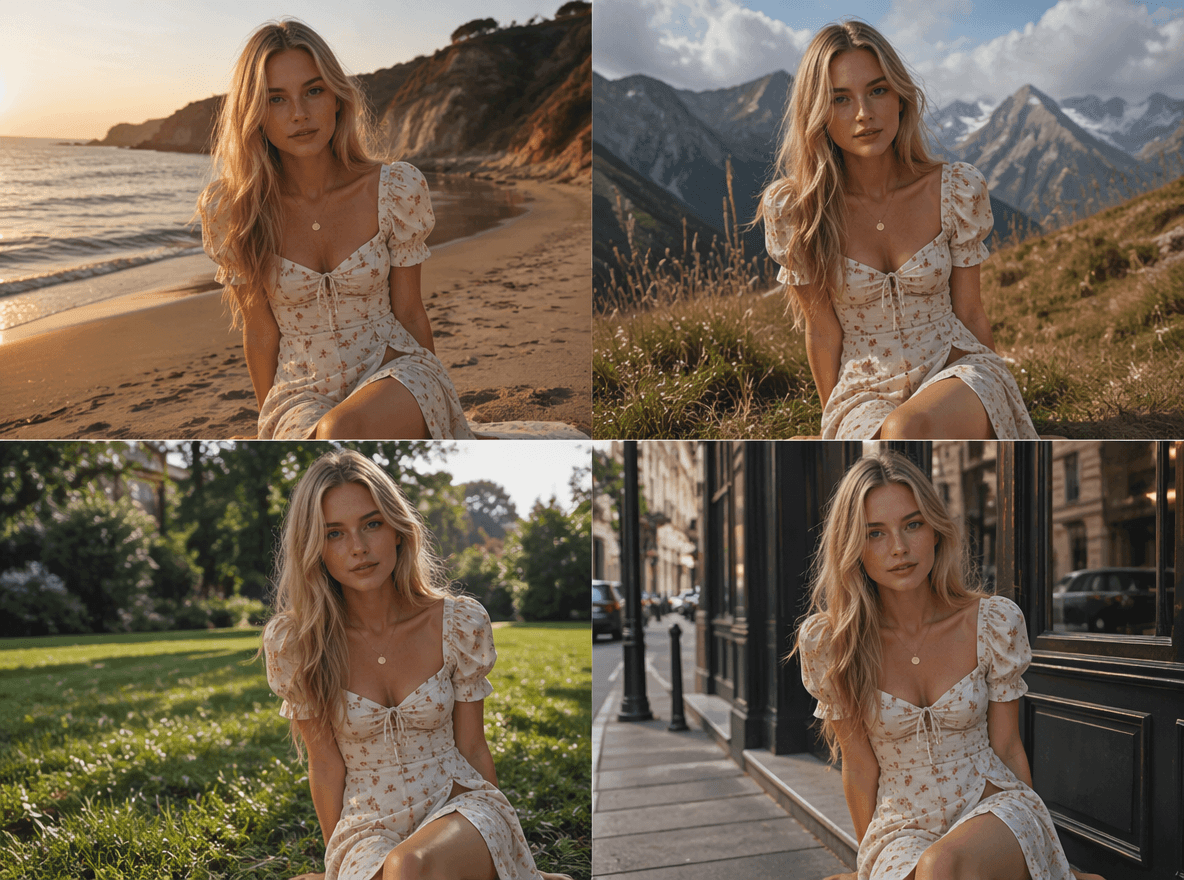
Consistent Multi-portrait Set: Create a highly consistent multi-image set where the same young France woman with long blonde hair, freckles, and a stylish French-chic dress appears in different environments (beach, mountains, grass, street), maintaining exact facial features, proportions, and outfit details, ultra-realistic, cinematic lighting variations.

💡Click here to try this GPT image 2 prompt.💡
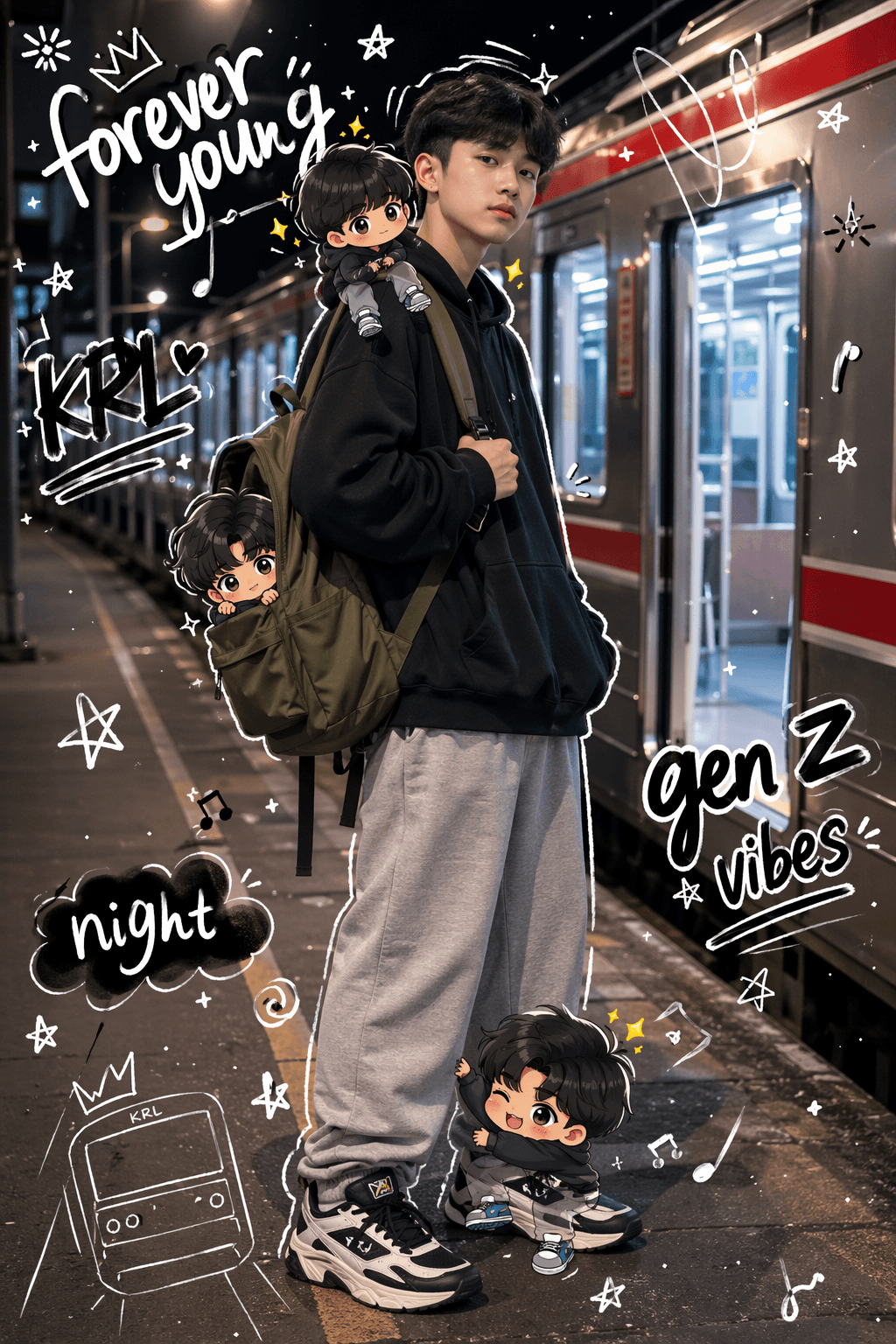
Playful Portrait with Hand-drawn Outlines: High-quality mixed media portrait. A trendy Gen Z teenager (using a photo of the person I uploaded) standing on a night train station platform. The subject poses coolly, holding the strap of an olive-colored backpack with one hand. The clothing is fashionable Gen Z style (oversized streetwear, layered black hoodie, gray sweatpants, chunky sneakers). In the background, a realistic side view of a "KRL Jabodetabek" commuter line train is depicted, featuring characteristic red stripes. The train doors are wide open, illuminated by bright, cinematic station lighting and the atmosphere of a city night. Multiple cute 3D-style "chibi" versions appear around the realistic main subject, wearing the same clothes and having the same face. The chibis are playfully interacting: - One is sitting on the shoulder - One is climbing on the foot - Another is peeking out from the backpack Overlay vibrant hand-drawn doodle effects across the entire image: White hand-drawn outlines surrounding the subject, playful scribbles, stars, glitter, light sparks, and floating black and white handwritten slogans such as "forever young", "krl", "night", "gen z vibes". The style is a seamless fusion of hyper-realistic photography and colorful, flat cartoon illustrations. The face and the silhouette/shape of the person are preserved exactly as they are, without any changes.

💡Click here to try this GPT image 2 prompt.💡
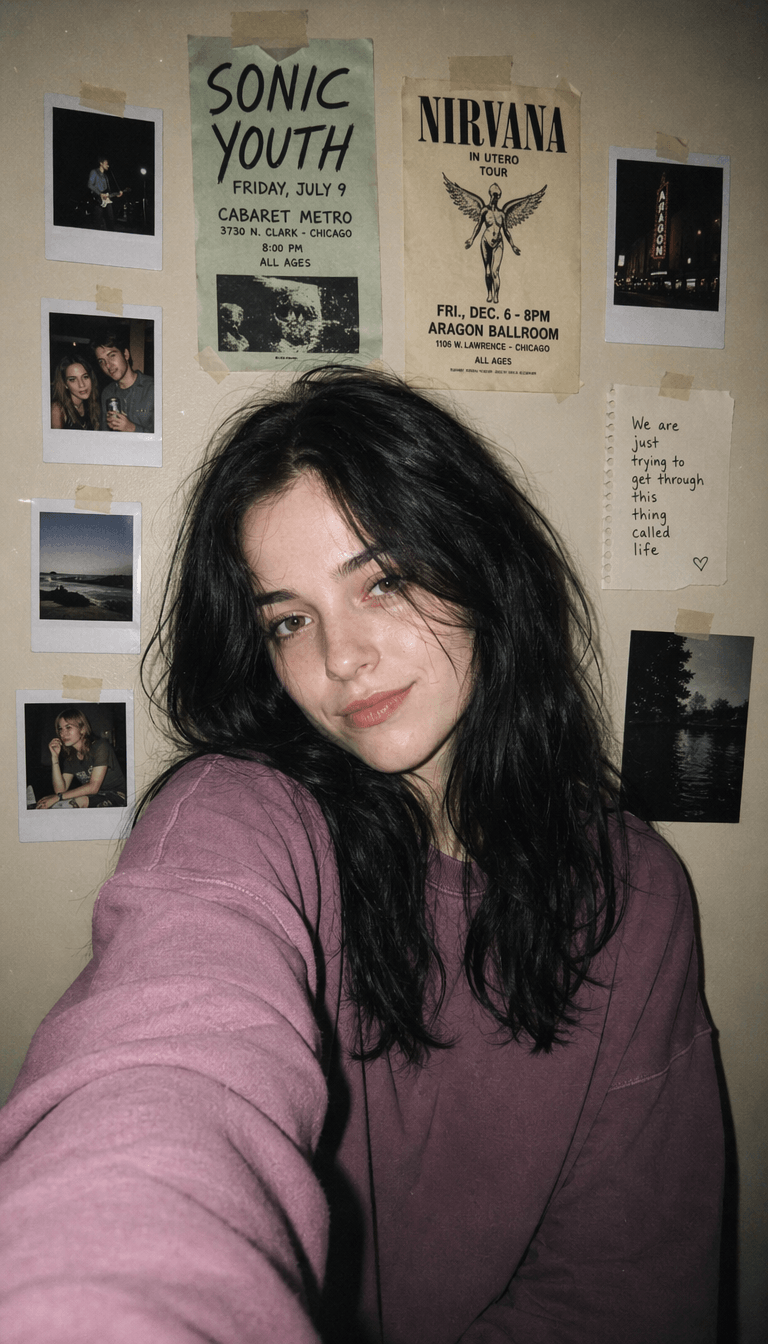
Close-up Candid Portrait: A close-up candid portrait of a {argument name="subject" default="young woman"} indoors against a muted beige wall, shot in a 1990s disposable camera snapshot style. She has pale skin, a soft understated smirk, and loose {argument name="hair color" default="black"} hair with natural volume, slightly messy waves, and face-framing strands spreading around her shoulders. She wears a {argument name="top color" default="faded mauve"} oversized sweatshirt with a relaxed fit and softly gathered sleeves. The framing is chest-up and slightly off-center at eye level, with her body angled casually and one arm subtly extending forward as if taking the photo herself. Use direct on-camera flash for flat shadows, a dim ambient room, visible but subtle film grain, soft edge falloff, and a nostalgic casual vibe. The wall behind her is decorated with exactly 8 taped paper items: 4 instant photos, 2 concert flyers, 1 handwritten note, and 1 small dark photo print. One flyer references {argument name="band name" default="SONIC YOUTH"}, another references {argument name="second band name" default="NIRVANA"}. The overall image should feel intimate, imperfect, slightly grainy, and authentically analog.

💡Click here to try this GPT image 2 prompt.💡
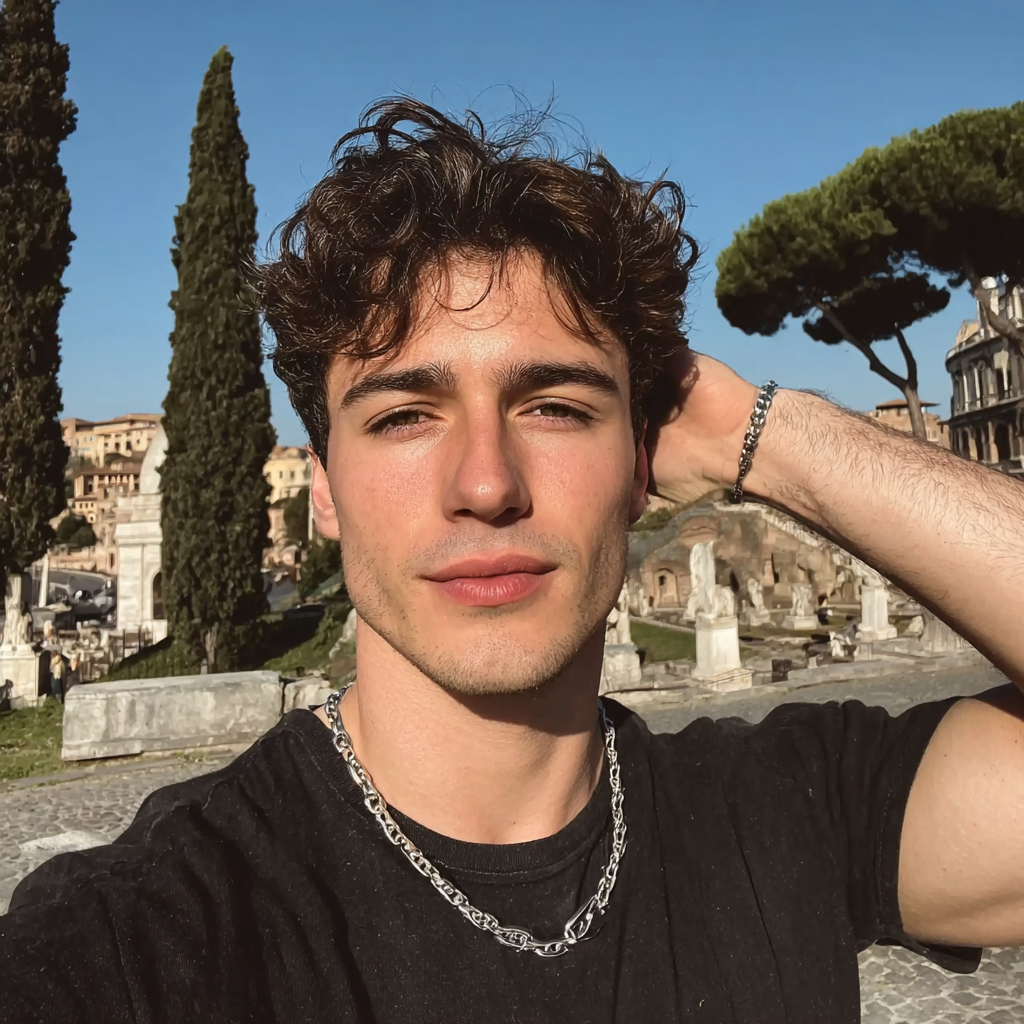
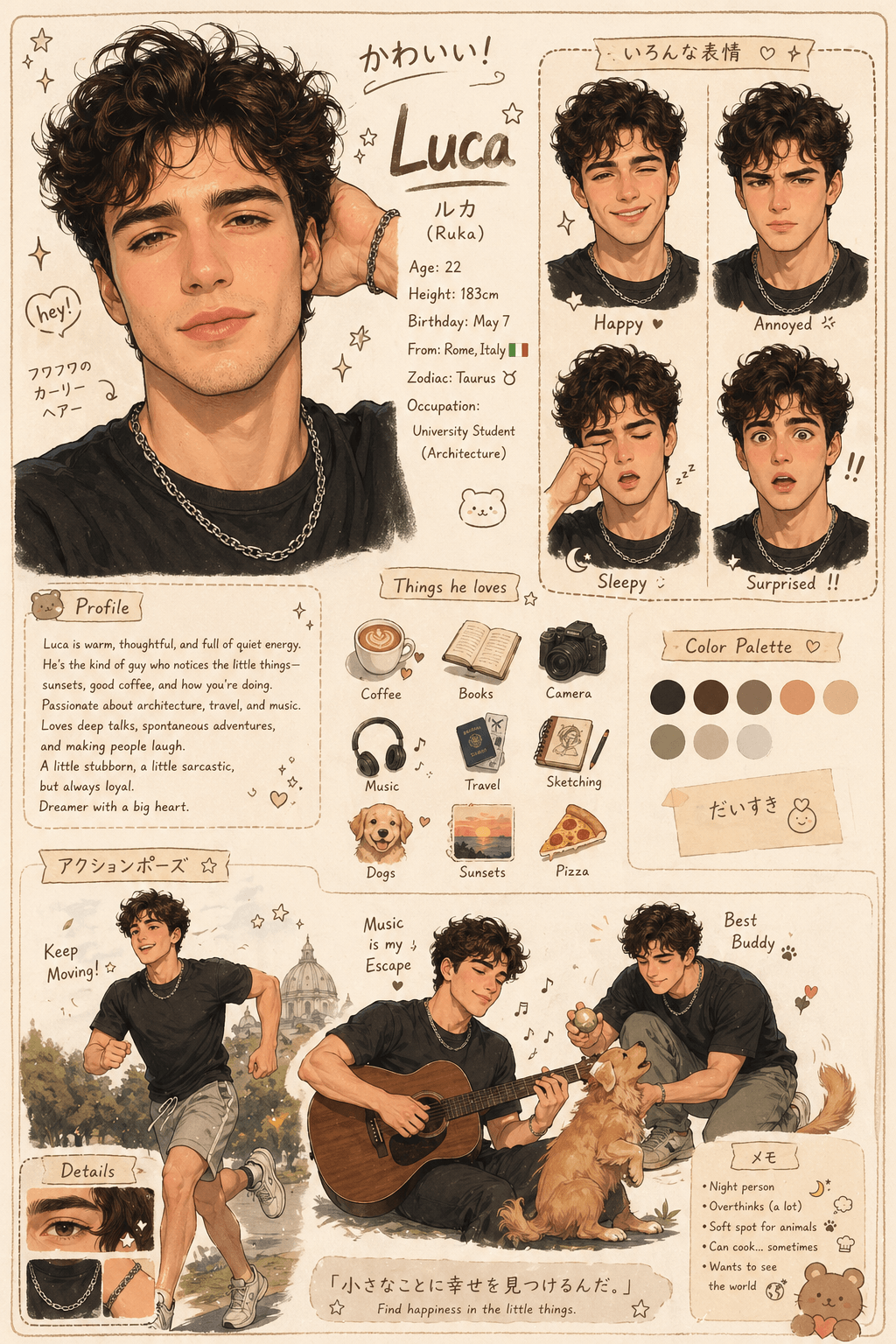
Character Profile Poster: Create an adorable character design sheet based on the uploaded image. Style: Warm, soft, and semi-realistic cartoon illustration with a cozy Japanese/kawaii style. Design: Character profile poster including: Large main portrait Various facial expressions (happy, annoyed, sleepy, surprised) Action poses (running, playing) (based on personality) Small object icons Color palette section Profile section with name and personality.

💡Click here to try this GPT image 2 prompt.💡
7. Presentation & Content Illustrations

Create visuals for blog posts, articles, and presentations. These images make content more engaging and easier to understand. Combine topic keywords with visual direction in prompts.

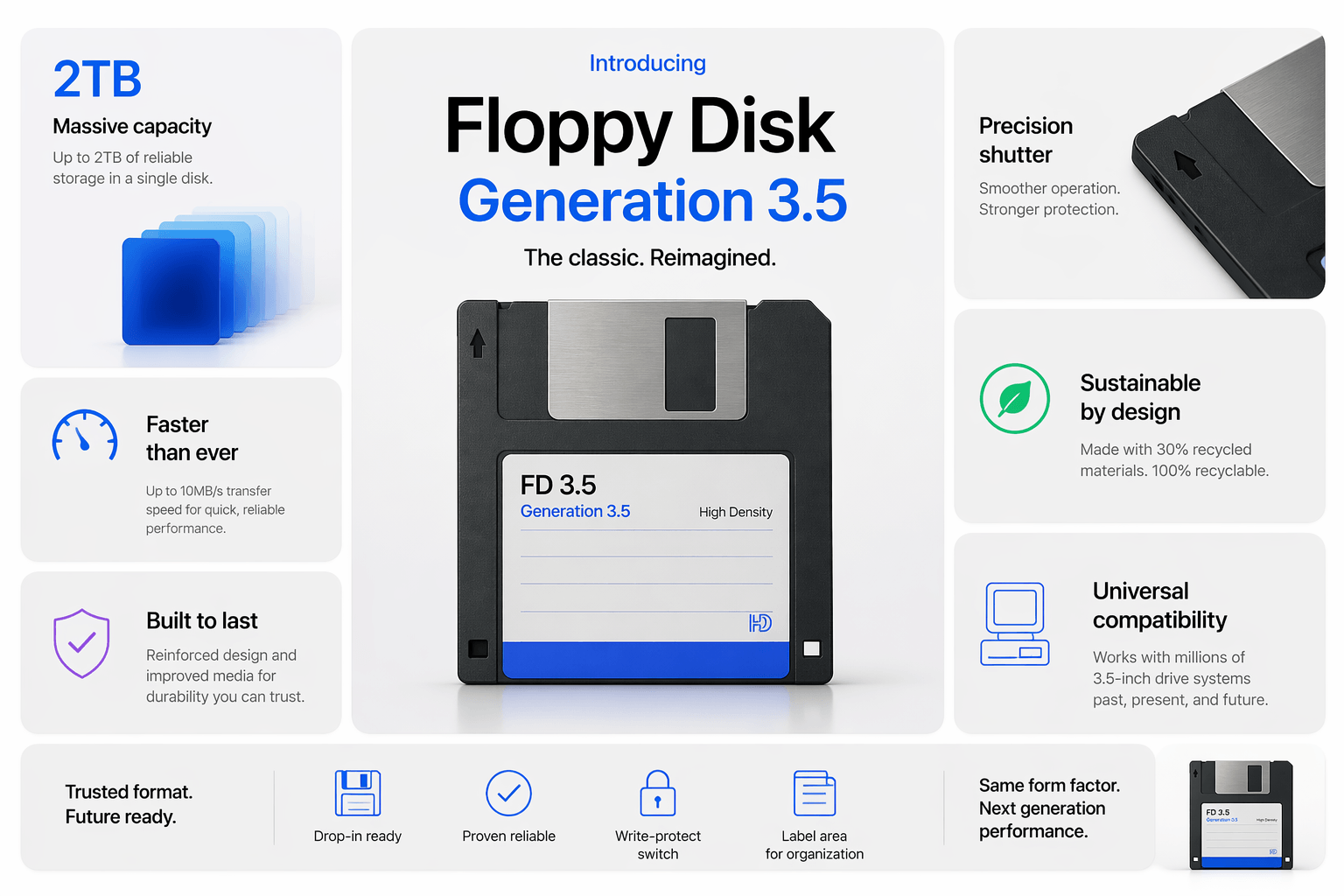
Keynote Presentation Image: Generate an Apple-style keynote presentation image, displaying a promotional page for the latest generation 3.5-inch floppy disk in a BentoCard layout.

💡Click here to try this GPT image 2 prompt.💡
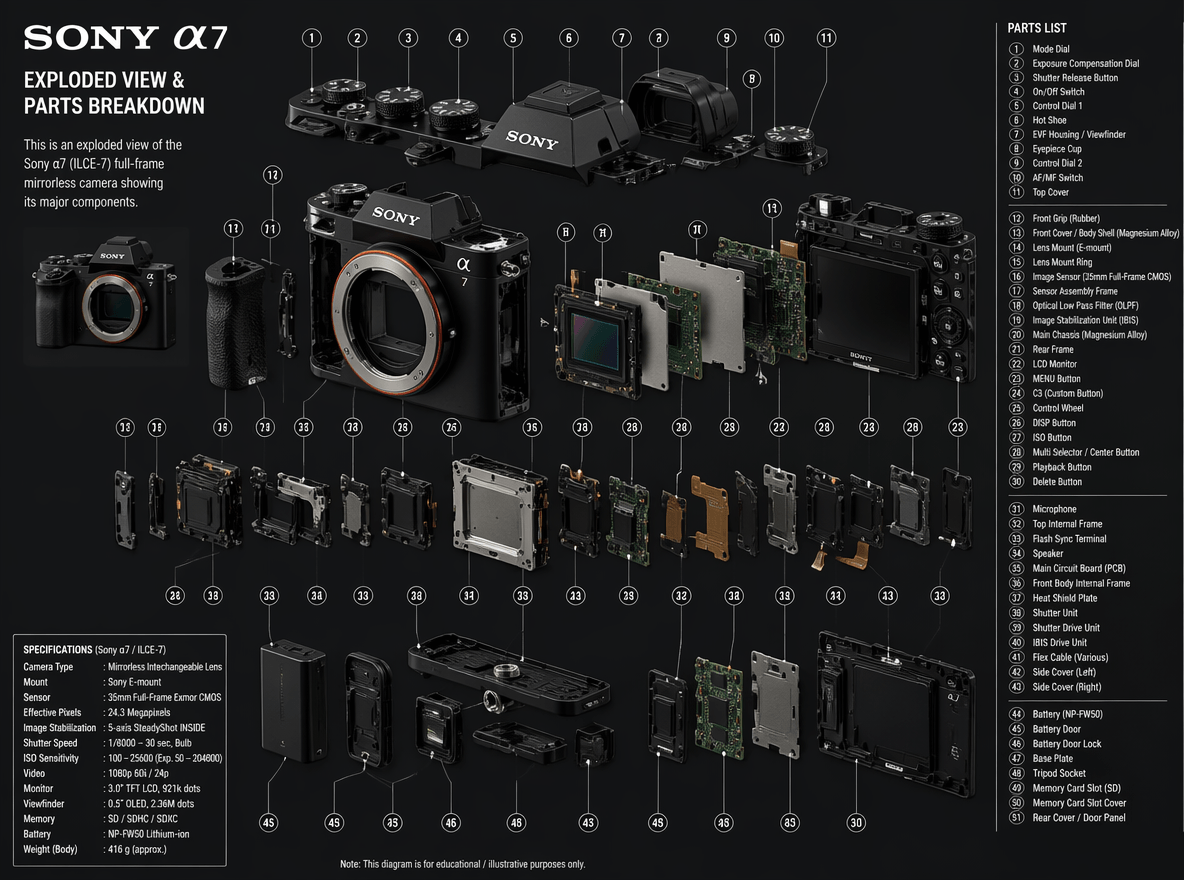
Camera Parts Breakdown: Detailed breakdown (exploded view) of a Sony A7 camera, indicating all its parts and their names.

💡Click here to try this GPT image 2 prompt.💡
8. Entertainment

Create fun, imaginative, and experimental visuals for entertainment and creative exploration. GPT Image 2 is great for playful scenes, concept art, and artistic experiments. It allows you to generate visuals without strict real-world limitations.

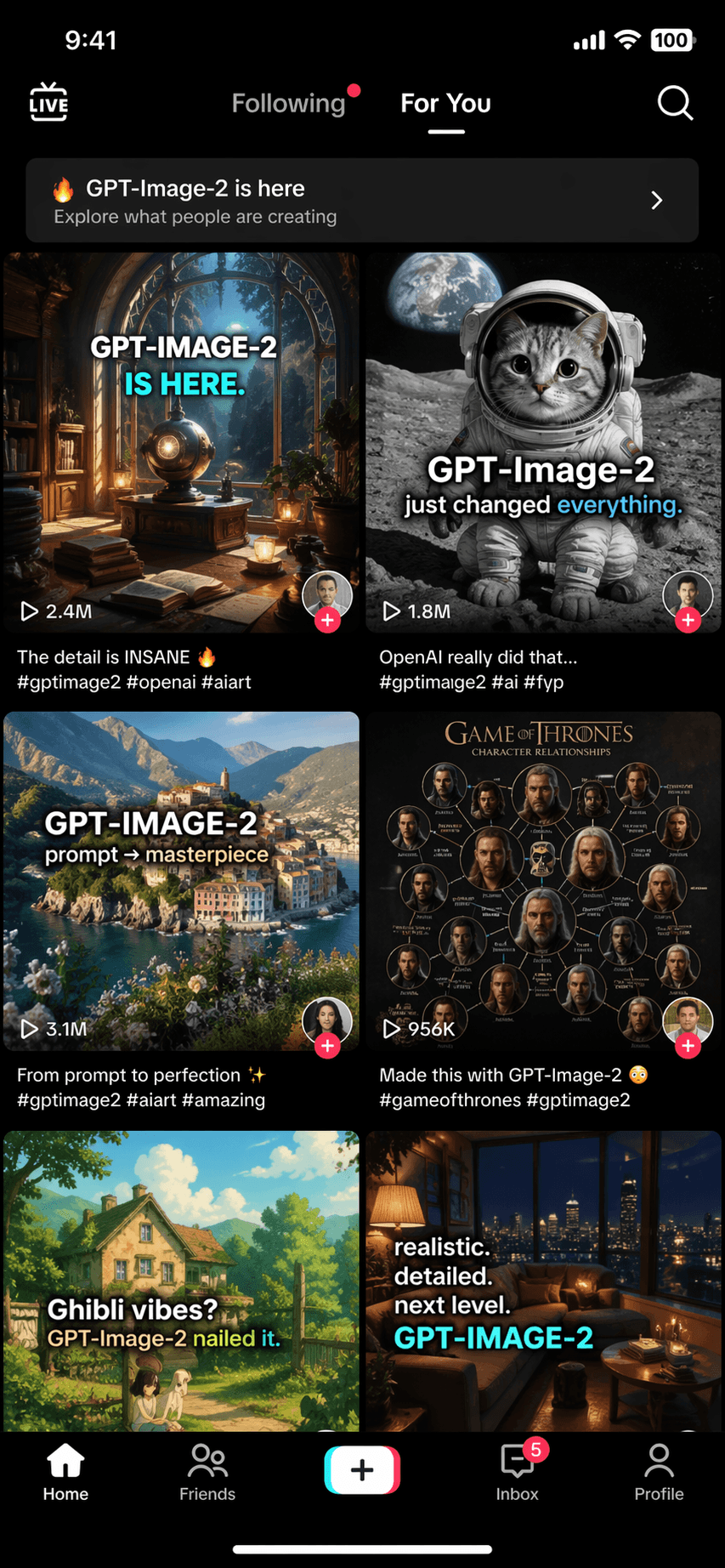
TikTok FYP: Generate a screenshot of the TikTok FYP on the day GPT-Image-2 is released.

💡Click here to try this GPT image 2 prompt.💡
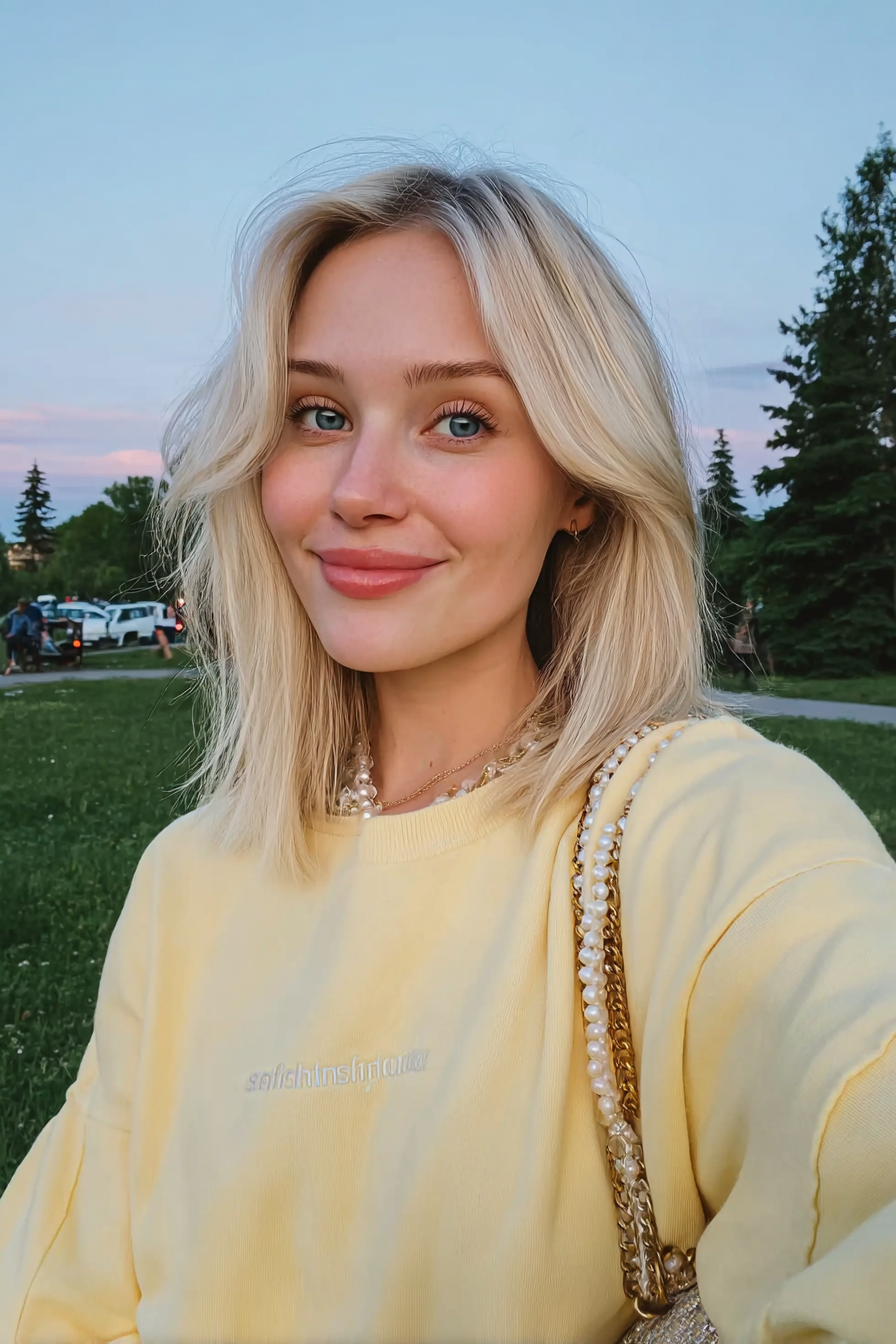
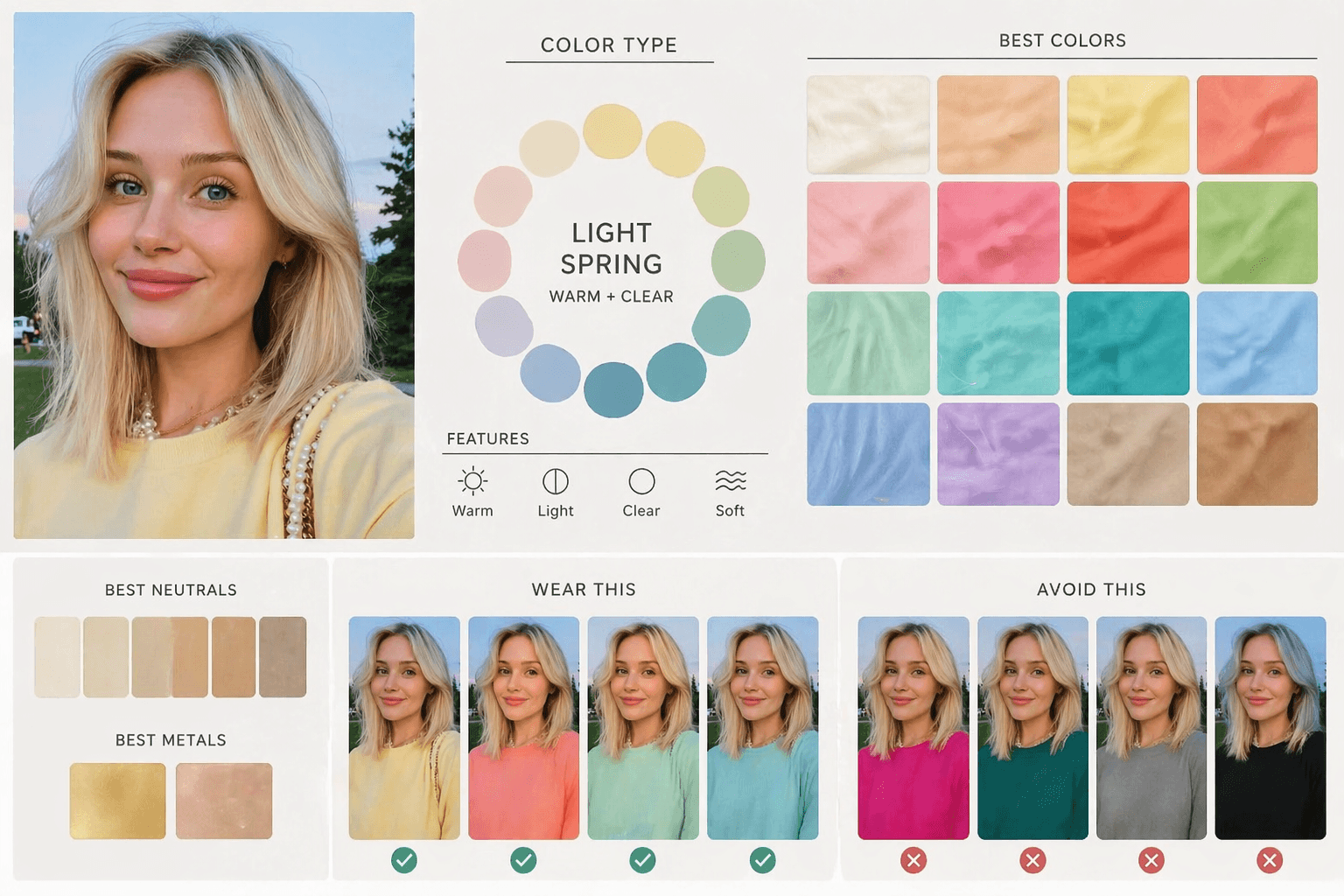
Personal Color Analysis: Using this portrait, create a diagram-first personal color analysis. Show which clothing colors suit the subject through visual comparison. Keep text minimal and avoid paragraphs.

💡Click here to try this GPT image 2 prompt.💡
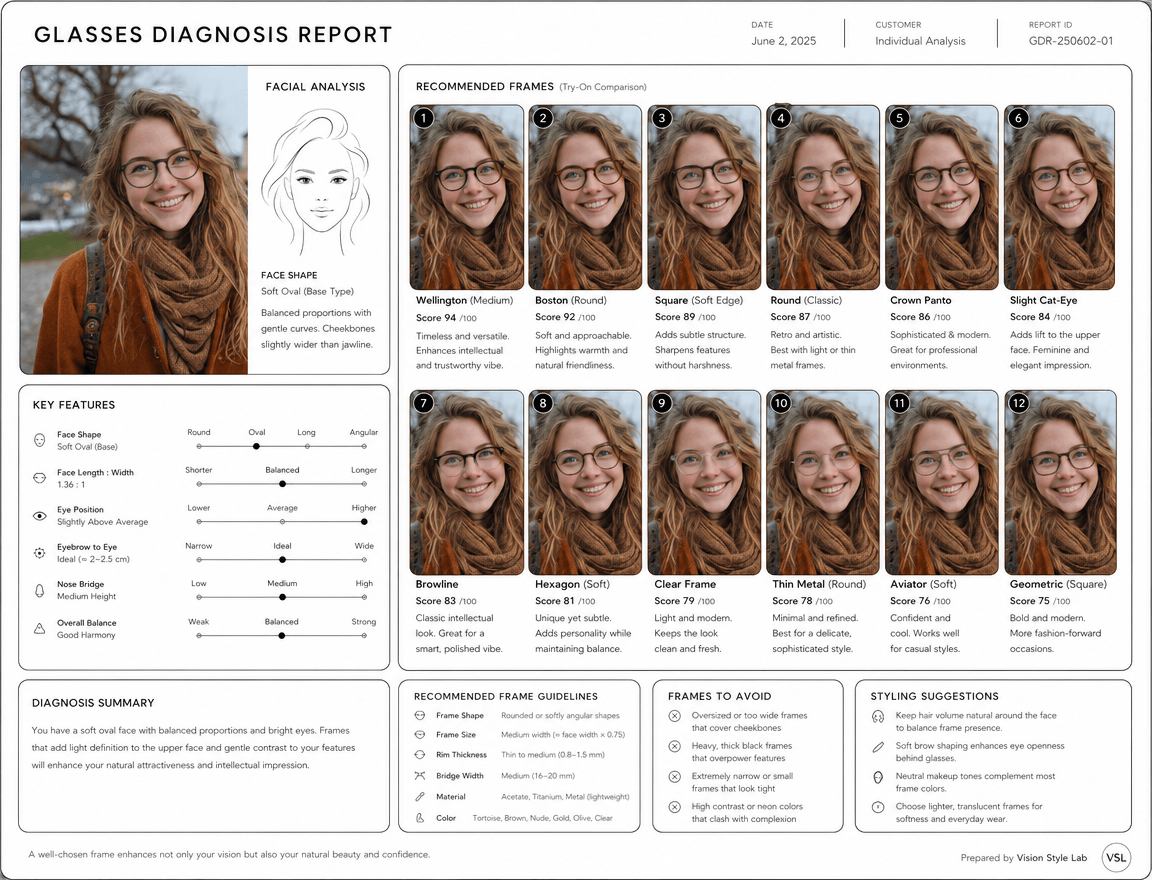
Glasses Diagnosis Report: Based on this photo, please create a clean, minimalist, and luxurious glasses diagnosis report. Use a white background with a black-based design, incorporating thin lines, rounded-corner cards, and a luxurious, refined impression. Include a simple contour line illustration of the face, and provide a diagnosis based on facial shape analysis (round face, long face, oval, base type, etc.), eye position, distance from eyebrows, nose bridge, and overall contour balance.

Particularly important is including multiple "comparison images of suitable glasses actually worn by the person." Instead of a simple list of glasses alone, display 10–12 high-quality composite visuals that naturally show different frames (Wellington, Boston, square, round, crown panto, etc.) fitted onto the person's actual face photo. Each should be at a natural angle from front to slightly diagonal, creating realistic and seamless try-on images without any awkwardness.

For each pattern, include a compatibility score, impression (intellectual, elegant, approachable, sharp, etc.), recommended reasons, and a comparison to designs that should be avoided. Clearly analyze frame shape, size, rim thickness, bridge width, material feel, and color tendencies. Also include easy-to-implement styling improvement suggestions, with data-driven content that is visually beautiful and avoids excessive flattery.

How to Use GPT Image 2?

GPT Image 2 can be accessed through two main channels: the official ChatGPT platform and third-party creative tools like Fotor. Both options allow you to generate images from text prompts, but the workflow is slightly different depending on the platform you use.

Using GPT Image 2 in ChatGPT (Official Channel)

The most direct way to use GPT Image 2 is through ChatGPT itself.

Here's how it works:

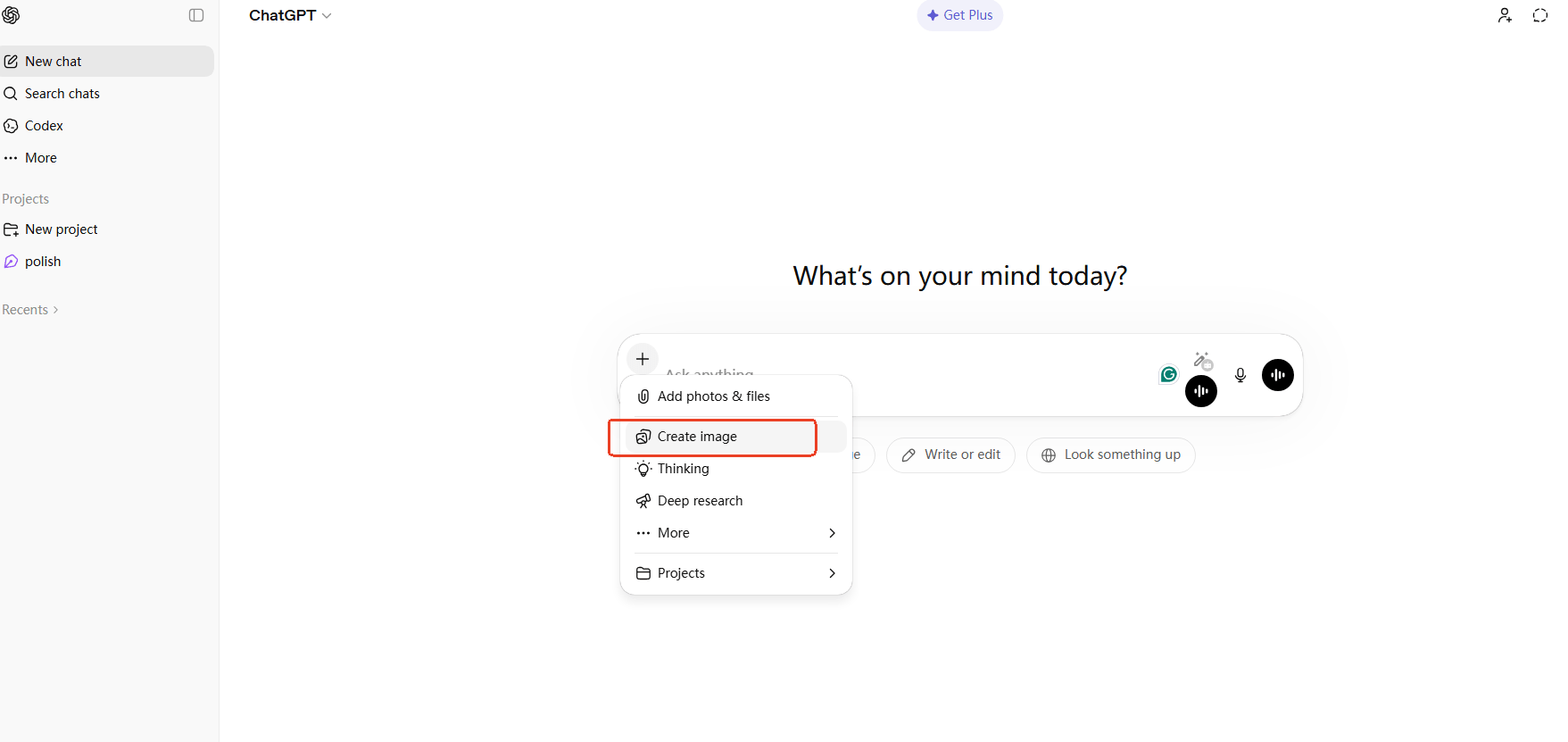
Step 1 Open ChatGPT

Open ChatGPT and select the image generatio.

Step Two Input Prompts and Generate

Enter your text prompt describing the image you want to create. Wait a few seconds for the image to be generated.

Step Three Refine and Save

Refine your prompt if needed and regenerate until you get the desired result.

Using GPT Image 2 on Fotor

You can also use GPT Image 2 through platforms like Fotor's AI image generator, which provide a more visual and design-focused experience.

Here's how to use it on Fotor:

Step 1 Open GPT Image 2

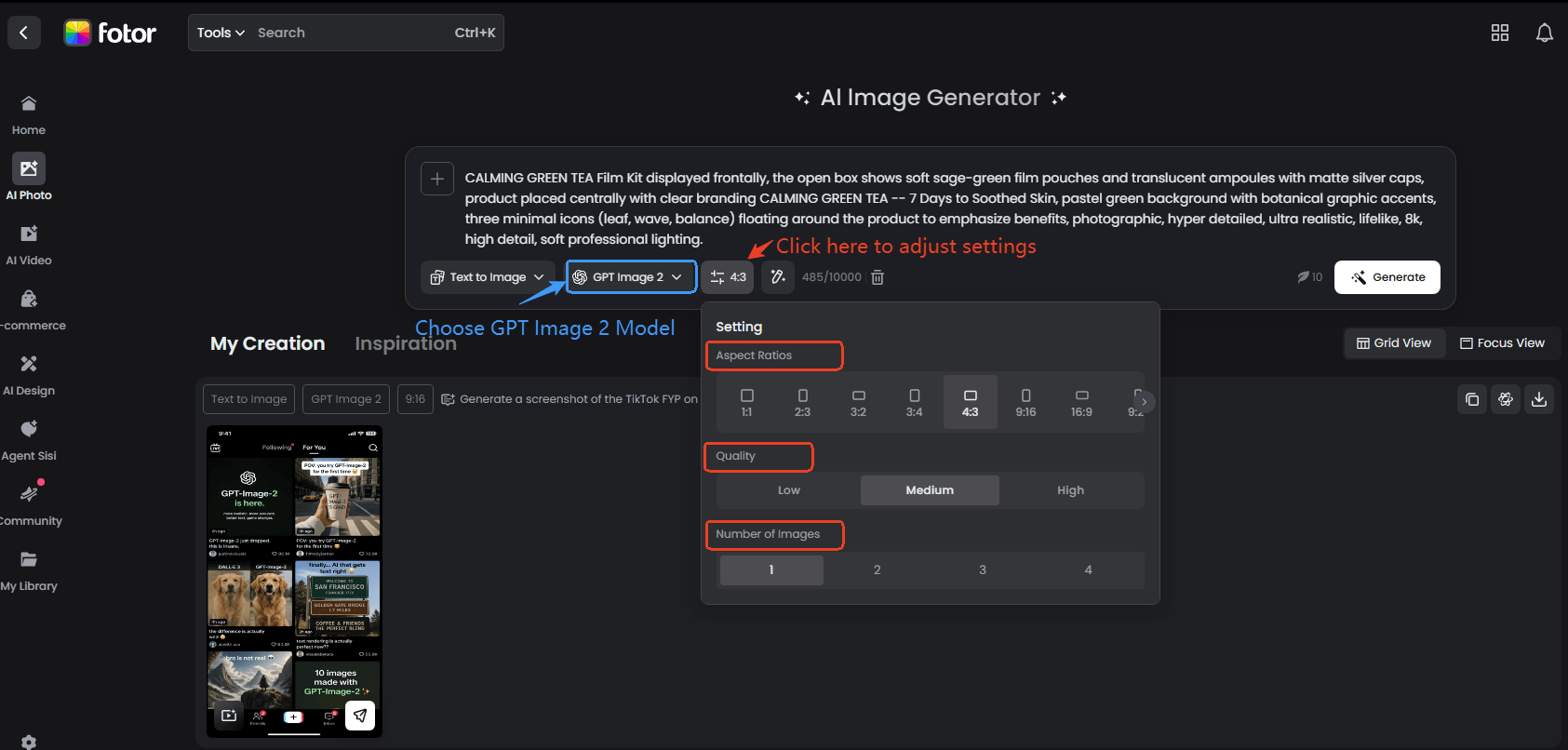
Go to Fotor's GPT Image 2 generator, and click the button on the page to open GPT Image 2.

Step 2 Input Prompts and Adjust Settings

Enter your prompt in the input box, or optionally upload up to 8 referrence images. Then mannually adjust settings, including the aspect ratio, image quality and image number.

Step 3 Generate and Download

Click generate and wait for the AI to create your image. You can refine the generated image with prompts until you're happy with it. Then, download it in high-quality and watermark-free JPG.

FAQs About GPT Image 2

1. Is GPT-2 available?

Yes. OpenAI has released access to GPT Image 2 through its official platform and API, allowing third-party tools to integrate it. So you can use GPT Image 2 both on OpenAI's official interface and on supported platforms such as Fotor.

2. Is GPT Image 2 available to free users?

GPT Image 2 is not fully free on OpenAI's official platform. However, you can try it for free on Fotor, where new users are provided with limited free credits to explore the model and generate images at no cost.

3. What are the strengths of GPT Image 2?

GPT Image 2 represents a major upgrade over earlier AI image generation models, offering several breakthrough capabilities:

  • Pixel-Perfect Text Rendering
  • High-Level Photorealism
  • Natural Language Image Editing
  • Improved World Knowledge Rendering
  • Strong Multilingual Support

4. How to get access to GPT-2?

There are two main ways to access GPT Image 2:

  • OpenAI Official Platform: Use GPT Image 2 directly through OpenAI's supported interface or API access (depending on availability).
  • Fotor Platform: Fotor integrates GPT Image 2 via API, allowing users to generate images directly within its AI tools with a more beginner-friendly workflow.

5. Do I need prompt engineering skills to use GPT Image 2?

No. While advanced prompts can improve results, GPT Image 2 is designed to understand natural language instructions. Even simple descriptions can produce high-quality outputs.

6. What is GPT Image 2 best used for?

It is ideal for:

  • Marketing visuals and advertisements
  • Concept art and creative design
  • Social media content creation
  • Product mockups and branding materials
  • Text-heavy poster design

7. Does GPT Image 2 support image editing?

Yes. It supports instruction-based editing, allowing users to modify parts of an image (such as objects, background, lighting, or text) without regenerating the entire image.

Conclusion

GPT Image 2 brings a major upgrade to AI image generation, especially in prompt understanding and visual quality. Through the 8 use cases and GPT Image 2 prompts shared in this article, you can see how versatile it is.

If you're just getting started, these prompt examples are a great way to learn how to get better results quickly. Try experimenting with different instructions and see how GPT Image 2 transforms simple ideas into polished visuals on Fotor.