Sebastian gao
Sebastian Gao
6 min read

The $5,000 Launch Video vs the Agent: A Real Cost Breakdown

I kept wondering what really goes into a $5,000 launch video. Is that money mostly paying for the shoot, the crew, the editing, or all the work that happens before the camera even rolls? To find out, I looked at a published 2026 U.S. production rate card and broke down what a budget at that level can actually cover.

Then I took the same type of launch-video brief and ran it through Fotor Agent myself. I tracked the process from starting the brief to the final video, including the parts that still required my time and attention. Here’s what the two production paths looked like when I stopped treating “video cost” as just a price tag.

Create for Free
A screenshot of fotor agent creating fotor brand launch video

When I first started looking into launch videos, the $5,000 price tag caught my attention. For a 60-second video, that sounds like a lot of money. But then I started wondering what I would actually be paying for. The finished video is only one minute long, so where does the rest of the budget go? Is it the camera, the crew, the editing, or all the planning that happens before production starts?

I also wanted to know what would happen if I approached a similar video project differently. Instead of organizing a full production, I wanted to see how much of the same kind of work I could handle with Fotor agent. I didn't commission a $5,000 production for this comparison. Instead, I used a published 2026 U.S. production rate card as my traditional-production benchmark and tested the Agent workflow myself. I wanted to compare the work behind the final video, not just the two price tags.

What Does a $5,000 Launch Video Actually Pay For?

A $5,000 launch video does not mean someone is charging $5,000 for one minute of footage. The price reflects everything that has to happen before, during, and after the shoot. To see where that money can go, I used Progression Agency's published September 2026 U.S. production rate card as my benchmark. It puts a typical mid-range corporate project at roughly 42% for crew and talent, 24% for post-production, 12% for pre-production, 10% for equipment, 7% for location and travel, and 5% for music and licensing.

Using those proportions, a $5,000 budget would look roughly like this:

Cost
Approx. Share
$5,000 Equivalent
Crew & talent
42%
$2,100
Post-production
24%
$1,200
Pre-production
12%
$600
Equipment
10%
$500
Location & travel
7%
$350
Music & licensing
5%
$250

This is only a modeled example, not a quote I received. What stood out to me was how little of the budget goes directly toward equipment. Most of the cost is people and the time they spend turning a brief into a finished video.
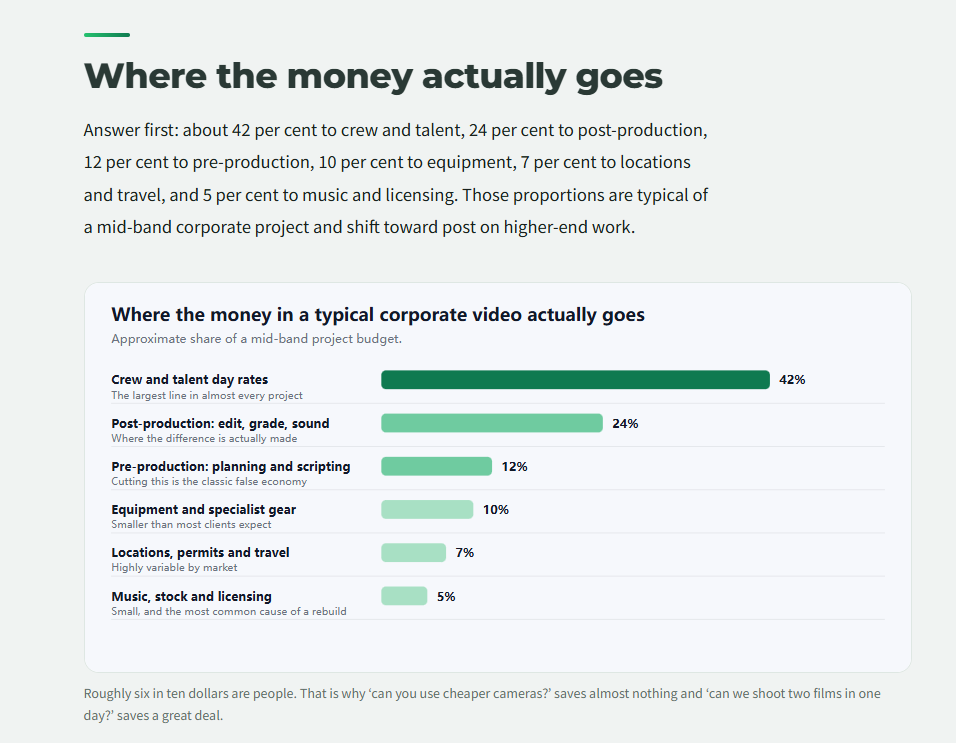
a screenshot of progression agency published september 2026 us video production cost breakdown
Progression Agency's published September 2026 U.S. video production cost breakdown.

Where the Production Time Actually Goes

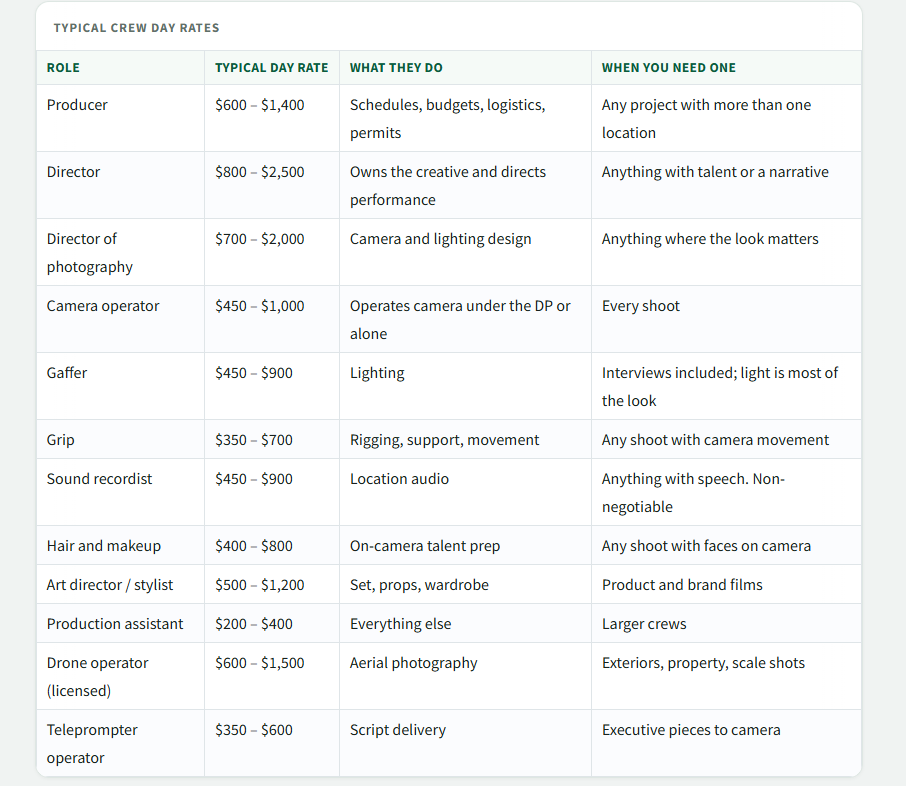
Looking at the rate card, I started to understand why a one-minute launch video can cost several thousand dollars. Progression’s published September 2026 U.S. rates show that a production can involve several different specialists, each with their own day rate.

Role
Published day rate
Producer
$600–$1,400
Director
$800–$2,500
Director of Photography (DP)
$700–$2,000
Camera Operator
$450–$1,000
Gaffer
$450–$900
Sound Recordist
$450–$900
Editor
$400–$900

The more I looked at the rate card, the less I saw the $5,000 as the price of a one-minute file. It is really paying for the specialists and production time required to turn a brief into that file.

The workflow is closer to:

Brief → Planning → Crew → Shoot → Edit → Revisions than camera → 60 seconds → Finished

The filming may only take a day, but there is a lot of work surrounding that day.

a screenshot of progression agency published september 2026 us video production crew day rates
Progression Agency’s published September 2026 U.S. video production crew day rates.

The Brief I Used for the Agent

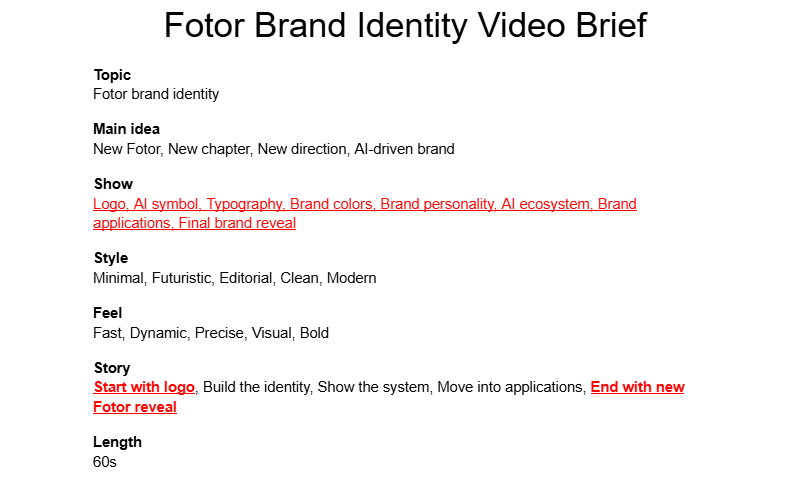
For the test, I used a 60-second Fotor brand identity showcase rather than a generic product ad. The goal was to turn the brand system itself into a short launch-style video, moving through the logo, typography, color palette, AI symbol, brand applications, and a final brand reveal.

I kept the brief simple and consistent so I could focus on the production process rather than inventing a complicated creative challenge. I defined the visual direction, core colors, motion style, and overall scene structure first, then gave the more detailed scene instructions to Fotor Fotor Agent. This also gave me a fixed brief to work from when I started tracking my time.

The brief for fotor brand identity video generation with fotor agent
The brief for Fotor brand identity video generation with Fotor agent.

I Ran My Launch Brief Through Fotor Agent

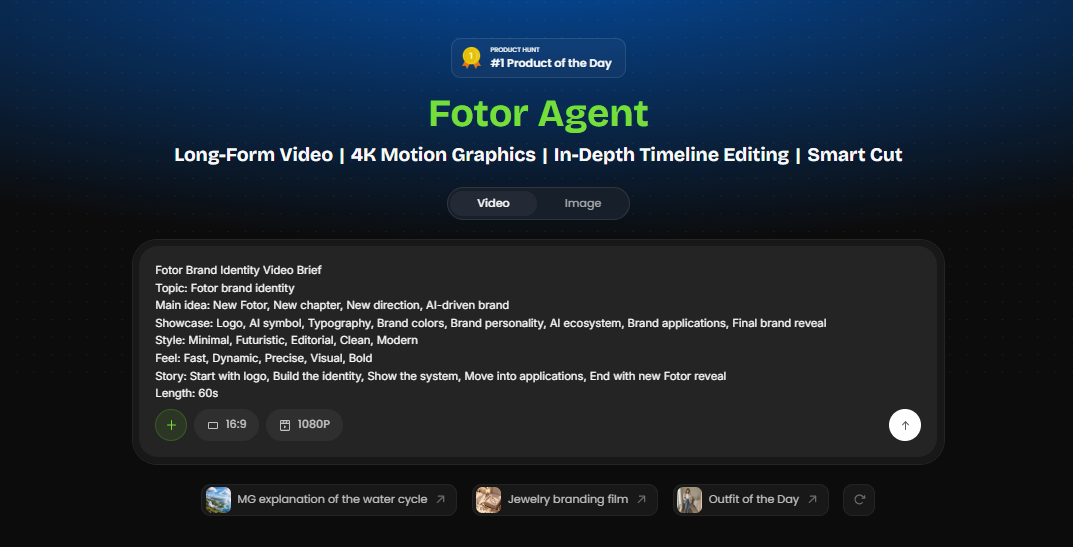
I opened Fotor Agent and started with the short notes I had already put together for the Fotor brand identity video. I chose the product launch video workflow and gave it the main idea, the elements I wanted to show, and the overall style. I did not try to write out every scene at the beginning. I wanted to see how much of the structure the Agent could work out from a fairly simple brief.

I started the video by giving fotor agent the short brand brief I prepared
I started the video by giving Fotor Agent the short brand brief I prepared.

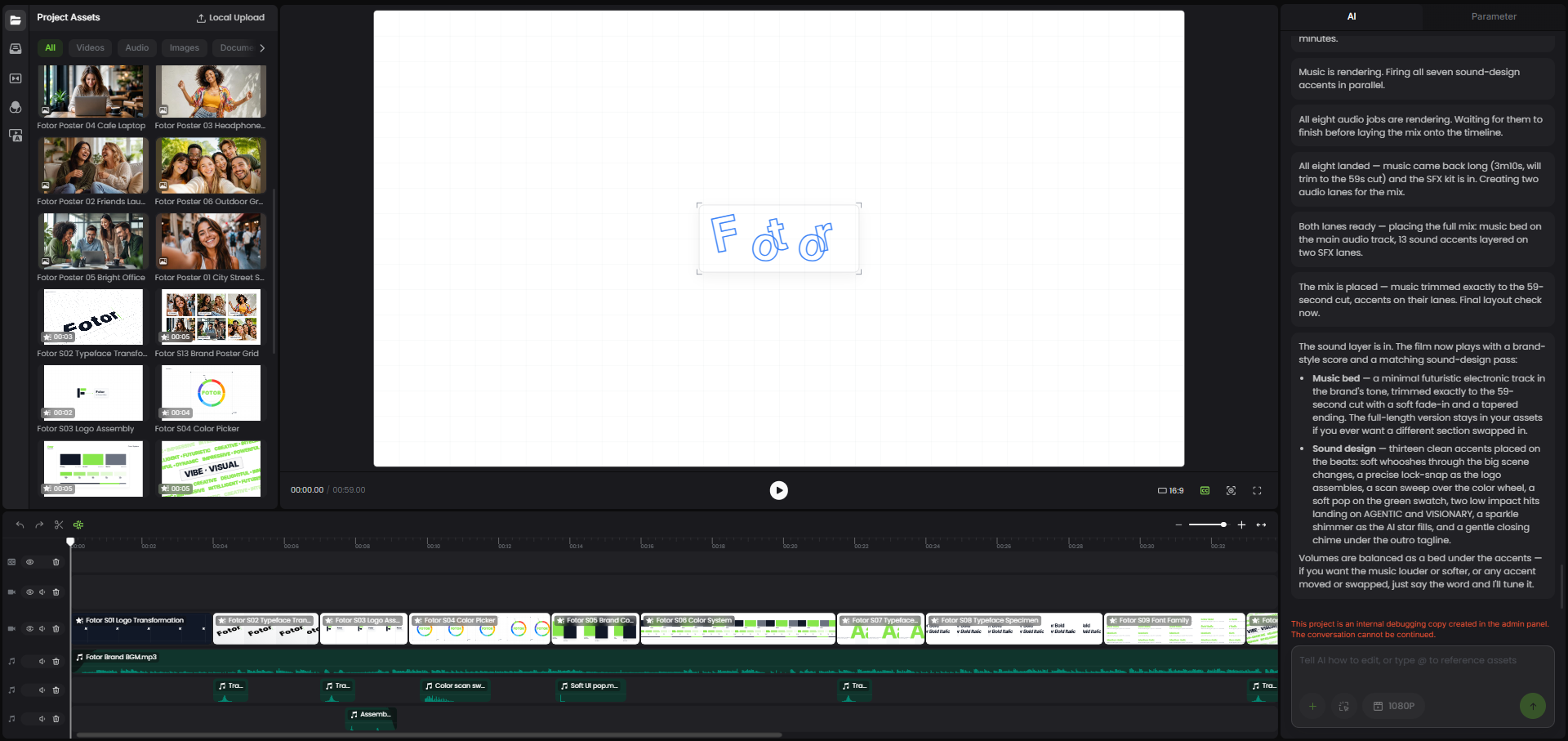
The Agent turned those notes into a more detailed video structure and started breaking the idea into individual scenes. I went through the structure first, then generated the video and checked the scenes one by one. Some parts were close to what I had in mind, while others needed another pass. I made the changes that mattered, checked the full sequence again, and exported the final version.

fotor agent turned my initial notes into a structured sequence of scenes
Fotor Agent turned my initial notes into a structured sequence of scenes.

I was mainly interested in one thing while doing this: how much of the work would still require my attention after the first prompt. That is what I tracked in the next part of the test.

I previewed the generated scenes before making the final changes and exporting the video
I previewed the generated scenes before making the final changes and exporting the video.

I Started a Timer: How Long Did the Whole Agent Workflow Take?

I started a timer when I began working on the video and kept track of the time I spent at each stage. I tracked the full time from starting the brief to downloading the finished video, rather than looking only at the AI generation time.

That meant counting the parts that are easy to leave out when talking about AI video: preparing the brief, checking the script, reviewing scenes, making changes, and watching the final version before download.

Here is the breakdown from my test:

Task
Time
Brief preparation
43 min
Script & scene generation
113 min
Script & scene review
35 min
Final video generation
82 min
Final review
7 min
Download
3 min
Total workflow time
283 min / 4 hr 43 min

From starting the brief to the final download, the whole workflow took 4 hours and 43 minutes. Most of that time was spent waiting for the Agent to generate the script, scenes, and final video.

What the Agent Output Actually Looked Like

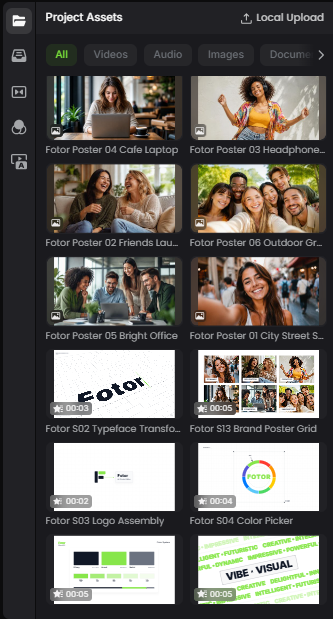
Once the video was finished, I watched the whole thing from beginning to end instead of checking each scene separately. The result had the overall direction I was looking for: clean, fast-moving, and centered on the Fotor brand rather than a typical product demo. The Agent was also able to turn a simple list of brand elements into different scenes, so the video did not feel like the same layout repeated 15 times.

What I liked most was how quickly I could move from one idea to the next. A logo transformation, a typography scene, a color system, and a brand poster could all sit in the same video without me having to shoot each one separately.

There were still things I had to check before calling it finished. Small brand details mattered more than I expected, especially the logo, colors, typography, and text. Some scenes also needed a closer look to make sure the layouts and visual style still matched from one scene to the next. For a brand video, those details are easy to notice when something is slightly off.

I ended up treating the generated video as something I could work with and refine, rather than something that was ready to publish the moment it was generated.

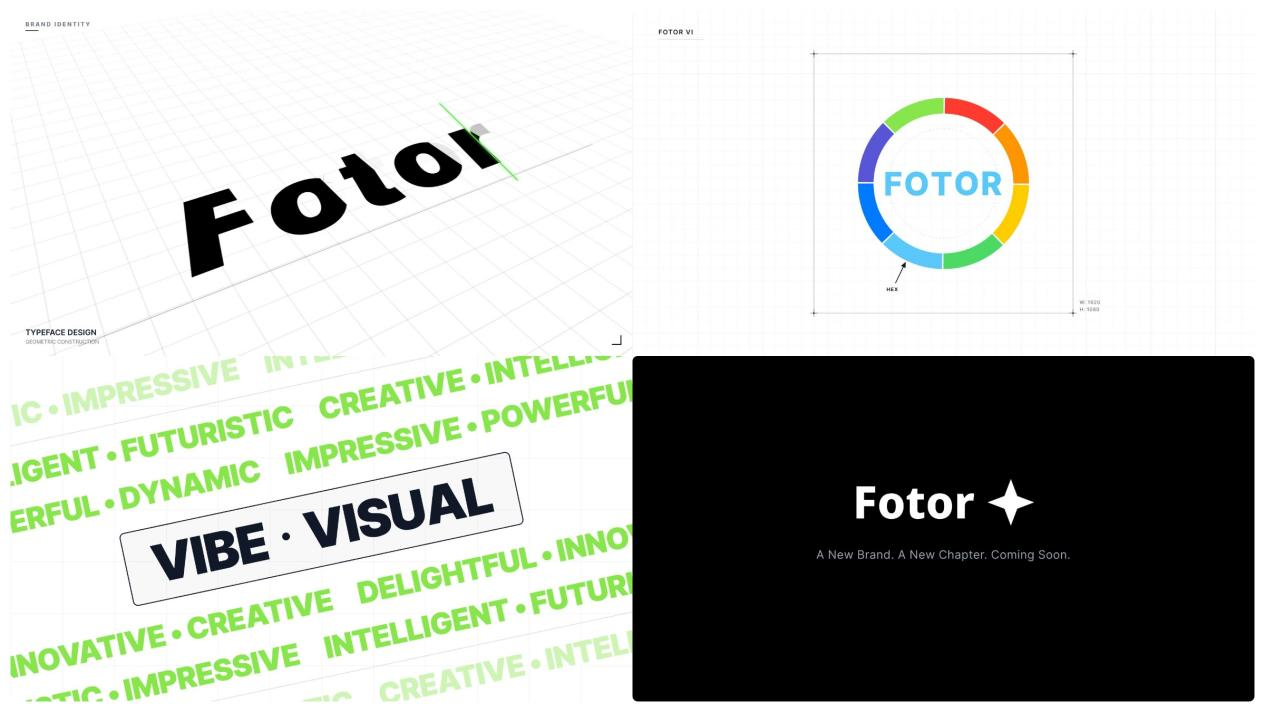
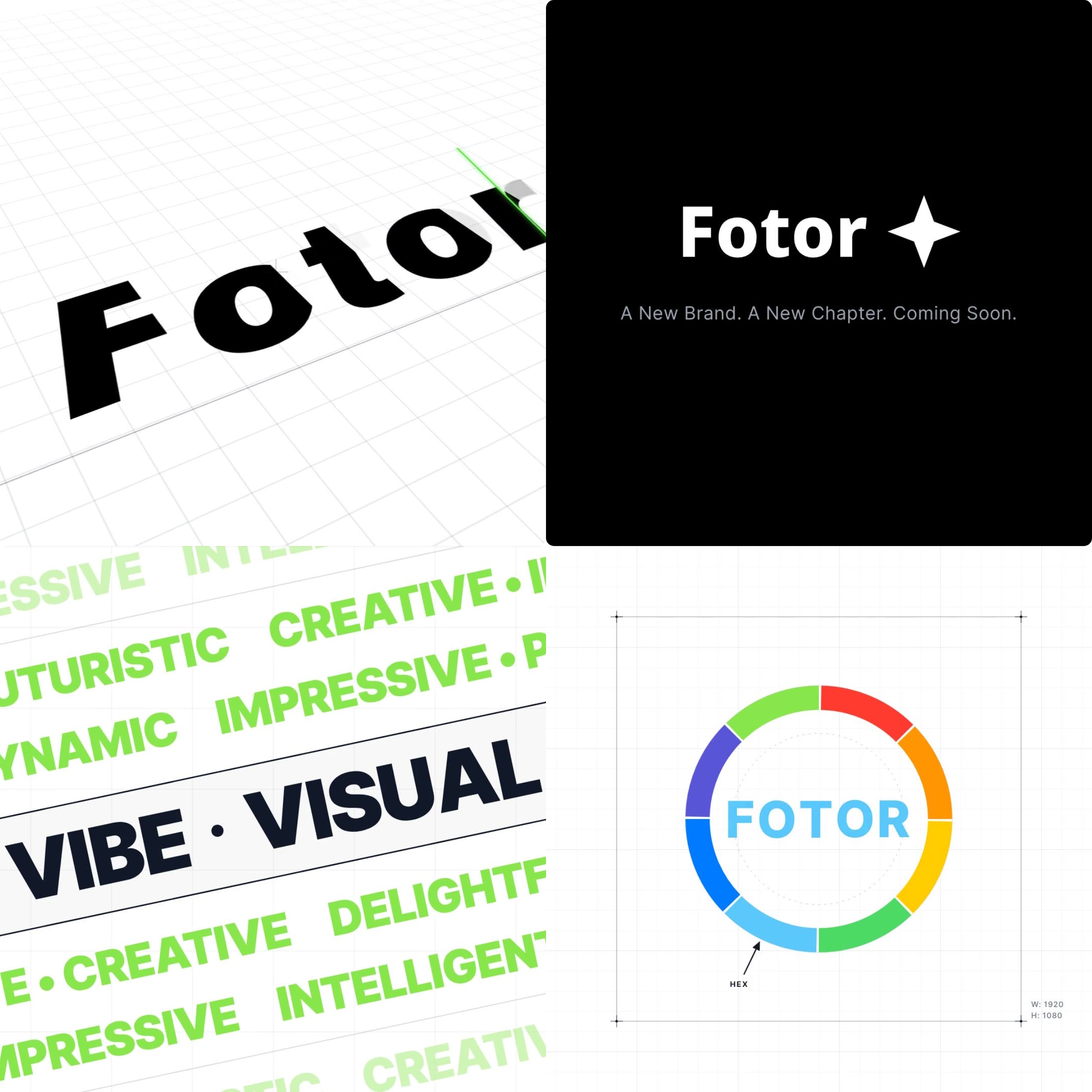
four frames from the final fotor brand identity showcase generated with Fotor agent
Four frames from the final Fotor brand identity showcase generated with Fotor Agent.

How Much Did the Agent Actually Cost?

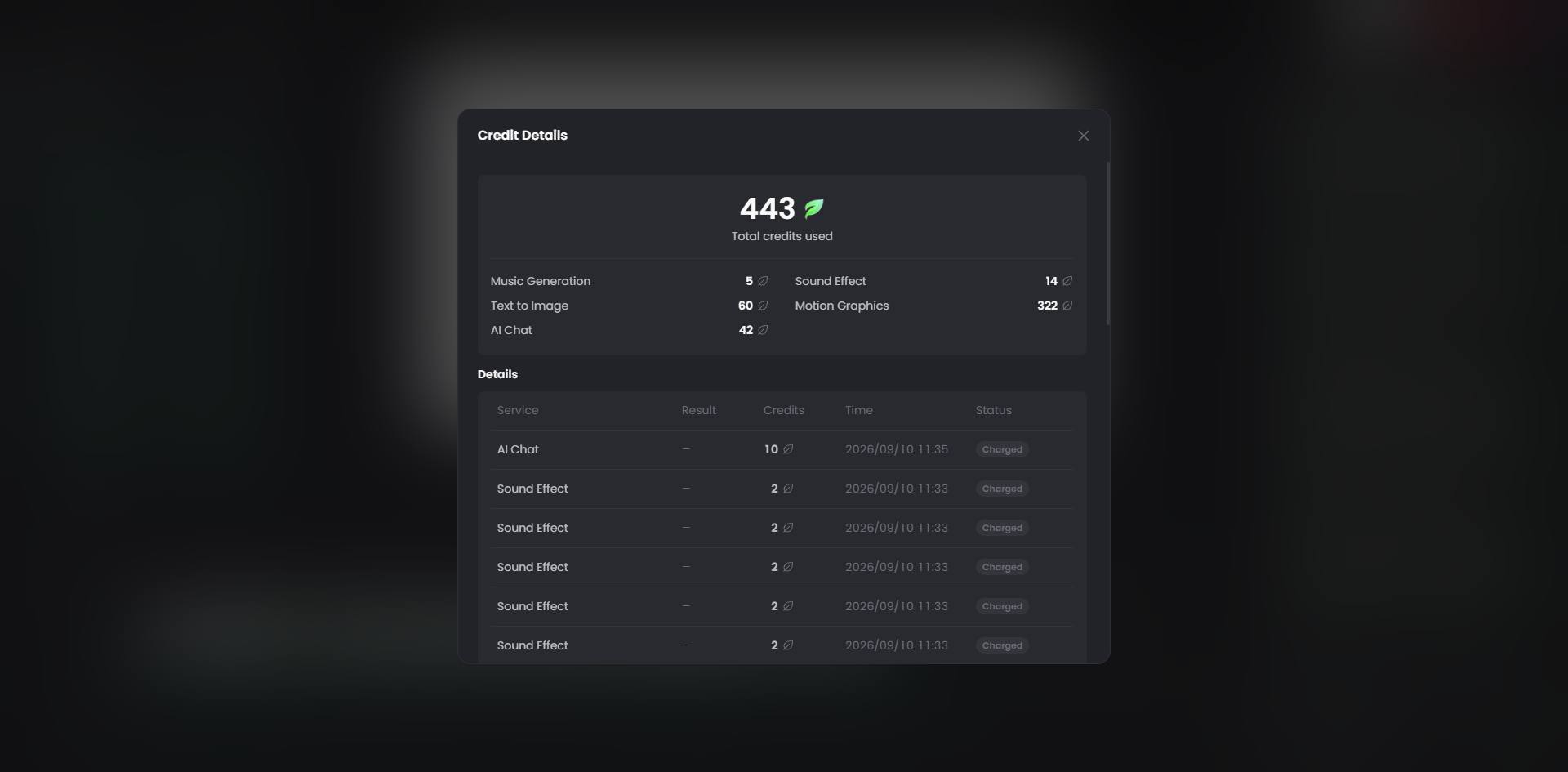
The finished video used 443 Fotor credits from starting the brief to the final download. I tracked the credit usage alongside my time so I could see the actual resource cost of the project, rather than just comparing it with a monthly subscription price.

Fotor uses credit-based plans, so Fotor doesn't charge for this video as a standalone 443-credit purchase. The smallest monthly plan that covers my 443-credit usage is the 500-credit plan at $25.99/month. That leaves 57 credits unused. For reference, 443 credits represent 88.6% of the 500-credit allowance, or about $23.03 in proportional credit value, but $25.99 is the actual amount a new monthly subscriber would pay to have enough credits for this test.

So the numbers I carried forward were 443 credits actually used, $25.99 upfront for the smallest monthly plan that covers them, and 4 hours 43 minutes from starting the brief to the final download.

fotor showed 443 credits used during my video test
Fotor showed 443 credits used during my video test.

$5,000 Production vs. the Agent: What Actually Changed?

After looking at the production rates and going through the Agent workflow myself, I think the biggest difference is where the work happens.

With a traditional production, the budget pays for a group of people to handle different parts of the job. The producer keeps things moving, the director handles the creative side, the camera and sound team handle the shoot, and the editor takes over afterward. I give them a brief, and a lot of the production work happens outside my hands.

With the Agent, the setup is very different. The software handles much of the initial production, but I stay involved throughout the process. I have to give it the right direction, check what it creates, decide what needs another pass, and review the final video.

So I would describe the two workflows like this:

Traditional production: money → specialists → finished video

Agent workflow: software → one person + review time → finished video

Traditional production
Fotor Agent
Cost basis
~$5,000 benchmark
443 credits used
Lowest relevant plan
—
$25.99/month for 500 credits
Total workflow time
Pre-production + shoot + post
4 hr 43 min
Main labor
Multiple specialists
One person + Agent
Physical production
Shoot, crew, equipment
No physical shoot for generated scenes

The cost does not simply disappear. Part of the work moves from a production team to me. That was the biggest difference I noticed while running the test.

So, What Does the $5,000 Actually Buy?

After going through the numbers and making the Agent version myself, I no longer see the $5,000 as the price of a one-minute video. It pays for the people, equipment, planning, filming, editing, and coordination behind that final minute.

For someone like me who is not a professional video producer but still needs a launch or promotional video, the convenience of an Agent is hard to ignore. In my test, I could take a simple brief to a finished video myself, without a camera crew, location, or separate editor. There is still time and tool usage involved, but from both a labor and budget perspective, that difference is significant.