


Introduction
Motion graphics production has traditionally relied on creative planning, visual design, animation, and manual editing. From developing concepts and preparing assets to adjusting timing and visual details, creators often handle many production steps manually.
As AI tools and AI Agents enter the creative workflow, some of these steps can be handled differently. AI can assist with planning, asset creation, animation, editing, and revisions, while creators continue to make creative decisions and review the output.
This article compares traditional and AI Agent workflows across production stages, time, cost, and revisions. A real 20-second smart watch product-launch project is also used to examine how an AI Agent workflow works in practice.
What Changes When AI Enters Motion Graphics Production?
AI is becoming part of different stages of motion graphics production, from early planning to final revisions. Instead of replacing the entire creative process, AI tools and AI Agents are introduced into specific stages of the workflow, changing how creators explore ideas, prepare visual elements, and handle revisions.
Planning
Traditional workflows often require creators to spend significant time exploring concepts and defining visual directions before production starts. With AI-assisted workflows, early ideas can be explored and organized more quickly.
Script and Storyboard
Turning a concept into scenes and visual sequences usually requires manual planning. AI-assisted workflows help creators develop structured scripts and storyboard ideas earlier in the process.
Asset Creation
Creating or collecting visual elements is often one of the time-consuming preparation steps. AI-assisted production makes it easier to explore asset options and prepare supporting visuals.
Animation
Animation still depends on creative decisions around movement, timing, and style. However, AI-assisted workflows can reduce some manual setup work and help creators test different motion approaches.
Editing
Traditional editing often requires creators to manually adjust timelines and individual elements. AI Agents introduce a more conversational way to make changes and refine specific parts of a project.
Revision
Revisions are often where production time increases. AI Agents can shorten adjustment cycles by allowing creators to describe changes instead of repeating every editing step manually.
How Are Traditional and AI Agent Motion Graphics Workflows Different?
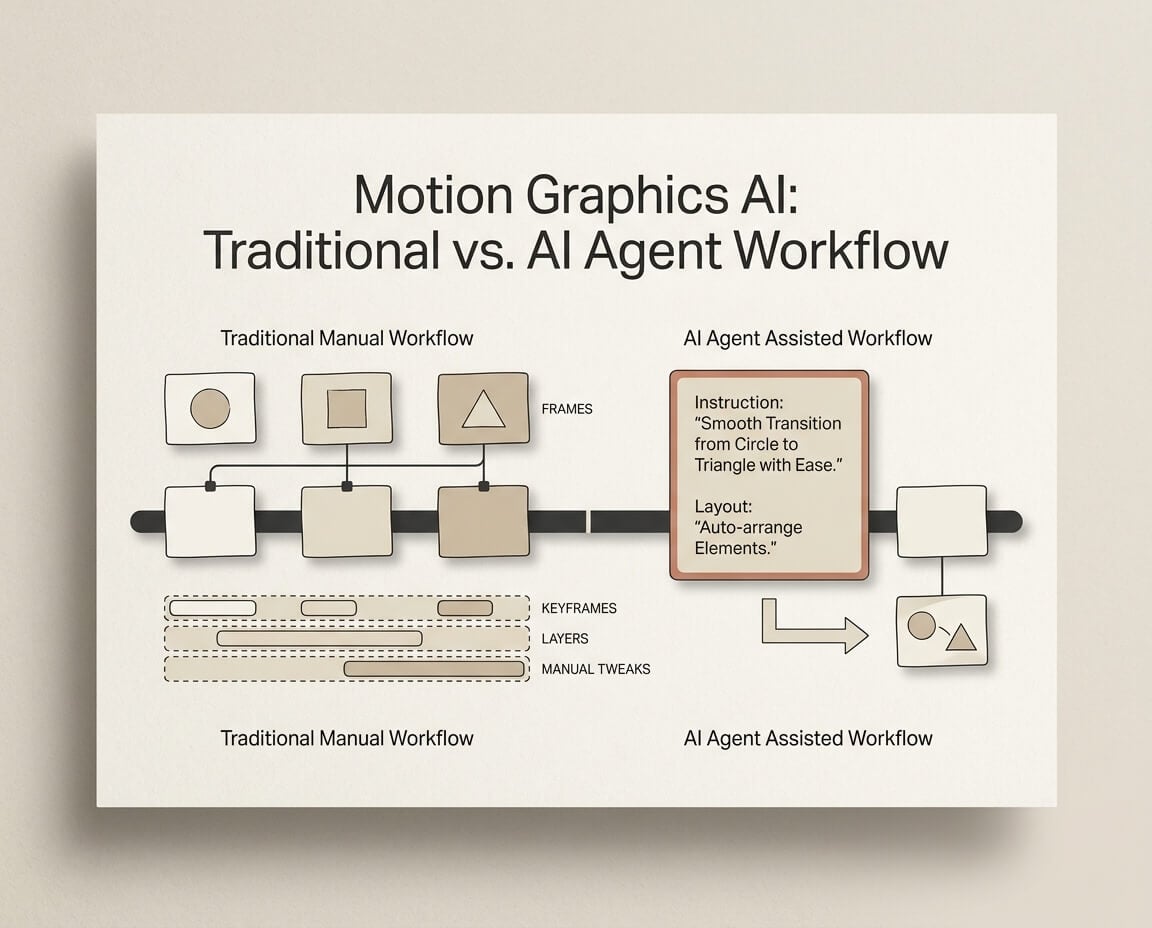
Traditional and AI Agent workflows differ in how creators handle production, explore ideas, control creative decisions, and make changes. Traditional workflows rely more on manual execution, while AI Agent workflows allow creators to guide parts of the process through instructions and review the output.
Category | Traditional Workflow | AI Agent Workflow |
|---|---|---|
Production Approach | Creators manually handle most steps from planning to final editing | Creators guide the workflow while AI assists with generation and adjustments |
Creative Exploration | Exploring different ideas often requires manual preparation and production work | Creators can test concepts and directions more quickly through AI-assisted exploration |
Control Method | Detailed control over individual elements, timing, and visual adjustments | Higher-level control through instructions, with human review at key stages |
Editing & Revision | Changes usually require manual adjustments across project elements | Changes can be communicated through instructions and applied to specific parts |
The tutorial shows how Fotor Agent can handle a motion graphics project from an initial prompt to an editable video. It covers scene creation, visual elements, animation, narration, and post-generation editing, giving a practical example of how an AI Agent workflow differs from manually building each part of a motion graphics project.
How Much Time Can Each Workflow Take?
Production time depends on the project scope, the number of assets, the amount of manual work, and the number of revisions. To make the comparison more concrete, we used a 20-second smart watch product-launch motion graphic as a real AI Agent example.
A Real 20-Second Motion Graphics Project
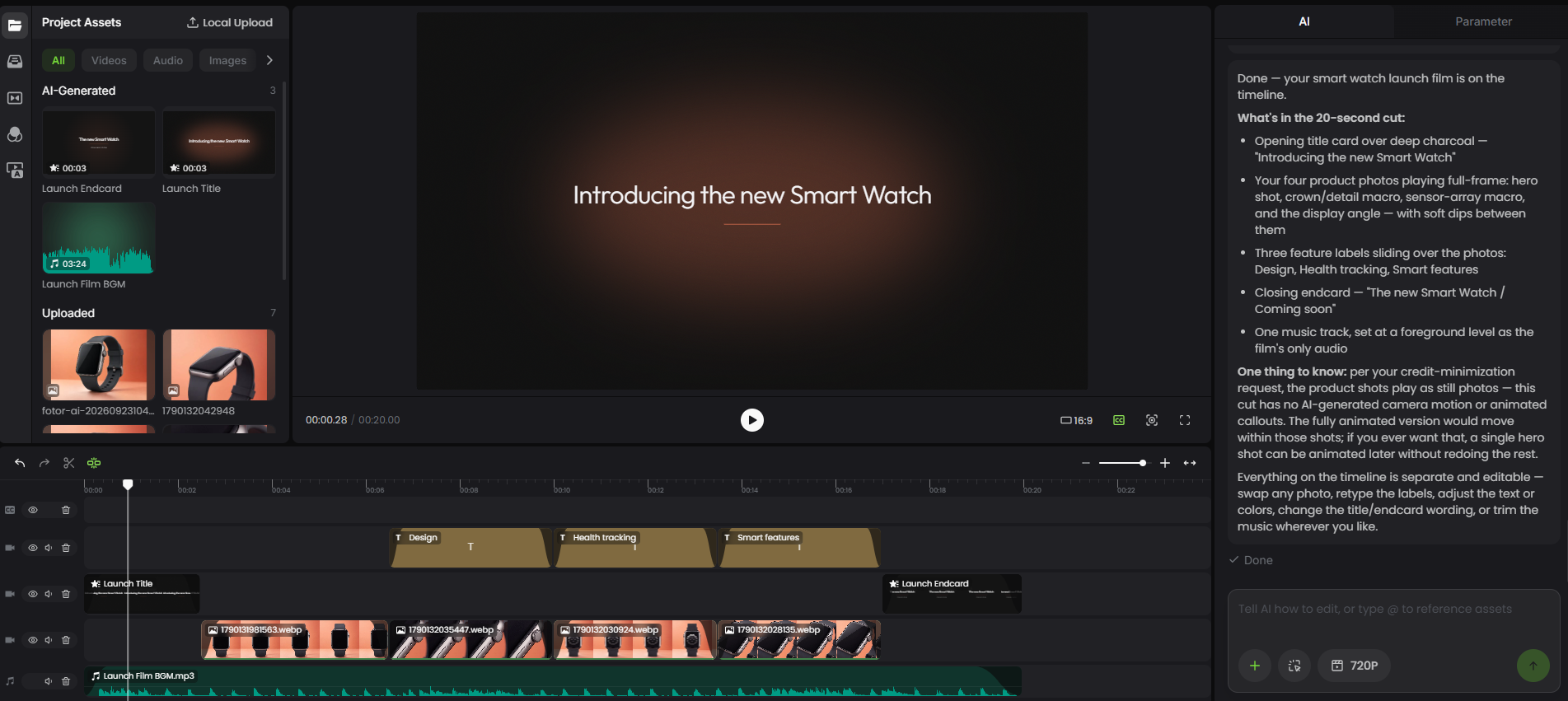
The project used seven product photos and resulted in a 20-second, six-shot motion graphic with feature labels and background music. The full Agent session lasted 47 minutes, from the initial project setup to the completed editable timeline.
Production Stage | What Happened | Approx. Time |
|---|---|---|
Planning & Asset Preparation | Defined the project direction and uploaded seven product photos | ~15 min |
Storyboard & Cost Optimization | Reviewed the initial storyboard and revised the plan to reduce credit usage | ~16 min |
Generation & Assembly | Generated the approved motion graphics and music, then assembled the timeline | ~15 min |
Final Review | Checked the generated timeline and final layout | ~1 min |
Total Session Time | From the first Agent interaction to the completed timeline | 47 min |
The stage-level times above are approximate estimates based on the workflow, while the 47-minute total reflects the recorded Agent session.
Active Work Time vs. Total Production Time
Active Work Time refers to the time spent directly working on the project, such as preparing assets, giving instructions, reviewing the storyboard, and checking the final result.
Total Production Time covers the broader process from initial planning to final delivery, including AI processing, generation, review, and iteration.
For this smart watch project, the full Agent session lasted 47 minutes, but not all of that time was active production work. Separating hands-on work from processing and waiting time provides a more accurate way to compare AI Agent and traditional workflows.
How Much Does Motion Graphics Production Cost?
Motion graphics production costs depend on creator time, software and tools, AI usage, and revision requirements. To make the cost comparison more concrete, we used the same 20-second smart watch product-launch project as a real example.
A Real Cost Breakdown
The project used seven product photos and a six-shot storyboard. After the initial plan was revised to reduce credit usage, the final project used 66 credits in total.
Cost Item | Actual Usage |
|---|---|
AI Chat | 27 credits |
Motion Graphics | 24 credits |
Music Generation | 15 credits |
Total | 66 credits |
The initial storyboard was estimated at 260–310 credits. After we asked Agent to minimize credit usage, it rebuilt the plan with an estimated cost of 45–65 credits. The final project used 66 credits.
Labor Cost
Creator time is another part of motion graphics cost. In this example, the full Agent session lasted 47 minutes, covering project setup, asset preparation, storyboard review, credit optimization, generation, and final assembly.
However, the 47-minute session should not be treated as 47 minutes of hands-on production work, because part of the time was spent on AI processing and generation. For a traditional workflow, labor cost can be estimated by multiplying the required production hours by the applicable hourly rate, then adding software and other production expenses.
How to Compare Traditional and AI Agent Costs
Traditional workflows generally concentrate more of the project cost in creator time, software, and manual revisions. AI Agent workflows introduce AI usage as an additional cost, while potentially reducing manual production work.
For a meaningful comparison, use the same project scope on both sides, including video length, number of assets, production requirements, revision rounds, and software costs. This makes the comparison based on the work required rather than tool prices alone.
Where Do AI Agents Work Best, and Where Do They Need Human Control?
AI Agents are particularly useful for motion graphics projects that involve repeated tasks, multiple variations, or frequent changes. Projects that require precise animation, complex visual decisions, or strict brand consistency still benefit from close human control.
Where AI Agents Work Best
- Repetitive Production
AI Agents can handle repeated tasks such as creating variations, updating similar elements, and applying structured changes across a project.
- Multiple Content Versions
When a project requires different versions, formats, or visual directions, AI can help creators explore and prepare variations more quickly.
- Rapid Exploration and Changes
AI Agents can help test concepts and visual directions early, while natural language instructions can speed up changes during production.
Where Human Control Remains Important
- Precise Animation and Compositing
Detailed timing, movement, layering, and effects often require direct control, especially in complex sequences.
- Visual Direction and Brand Consistency
Creators still need to define the overall style and message and ensure the final visuals follow brand guidelines.
- Final Review
Human review remains important for checking visual quality, accuracy, consistency, and whether the final output meets the project requirements.
How Can AI Agents and Traditional Workflows Work Together?
AI Agents and traditional workflows do not have to be separate choices. A hybrid approach can use AI for repetitive or exploratory tasks while keeping human control over creative decisions, detailed adjustments, and final review.
AI-Assisted Exploration
AI can help creators explore concepts, develop initial ideas, and prepare early production materials before detailed manual work begins.
AI-Assisted Production
AI can assist with asset creation, animation, editing, and revisions, while creators guide the process and review the output.
Human-Led Refinement
Creators remain responsible for precise adjustments, visual direction, brand consistency, and final quality. This allows AI to handle suitable production tasks without removing human creative control.
Choosing a Workflow for Different Projects
The most suitable approach depends on the project's complexity, speed requirements, and level of creative control.
Project Requirement | Suitable Approach |
|---|---|
Fast content production | AI Agent workflow |
Frequent revisions | AI Agent workflow |
Multiple content variations | AI Agent workflow |
Early concept exploration | AI-assisted workflow |
Highly precise animation | Traditional workflow |
Complex compositing | Traditional workflow |
Strict brand requirements | Traditional or hybrid workflow |
Professional productions | Hybrid workflow |
What Did We Learn From Comparing These Workflows?
Comparing traditional and AI Agent workflows shows that the main differences are not simply about speed. They also involve how production work is handled, how costs are structured, and where human control remains important.
Key Takeaways
Time
AI Agents can reduce hands-on work in areas such as repetitive production, early exploration, and revisions. Total production time still depends on project complexity and AI processing time.
Cost
AI Agent workflows introduce AI usage costs, while traditional workflows place more of the cost in creator time, software, and manual production. The overall cost depends on the scope and requirements of the project.
Workflow
AI Agents change the way creators interact with production by allowing them to guide parts of the process through instructions and review the output.
Human Control
Human creators remain important for creative direction, precise adjustments, brand consistency, and final review.
Best Use
AI Agent workflows are valuable for projects requiring speed, flexibility, and frequent iteration, while traditional workflows remain important for precision and complex creative decisions.